
Avantree Ace 130 Manual
PDF manual · 2 Pages
English



Quick check
Incorrect answer, please try again.
Chat with your Avantree Ace 130 manual using AI
Get instant AI answers from your Avantree Ace 130 manual
Ask anything about the Avantree Ace 130. Answers come from this manual, with the pages they are based on.
Ask a Question
Do you recommend Ace 130?
Yes NoFrequently Asked Questions
Open the charging case and keep earbuds inside. Press and hold the multifunction button for three seconds to enter pairing mode. Then select Avantree Ace 130 from your Bluetooth settings.
Is this answer helpful?
It takes approximately one hour to fully charge the earbuds and 1.5 hours for the charging case to reach full power using the Type-C cable.
Is this answer helpful?
Yes. Download the Avantree Center app to change multifunction button operations and set your EQ modes for a personalized listening experience.
Is this answer helpful?
Check the support page for specific troubleshooting tips regarding one-sided sound. Ensure earbuds are synchronized and contacts are clean.
Is this answer helpful?
Align the holes so the microphone is not covered. Proper alignment ensures clear voice transmission during calls and prevents interference with audio quality.
Is this answer helpful?
Email [email protected] for assistance. They also offer live chat on their website with a response time of one working day.
Is this answer helpful?
Yes. The Ace 130 earbuds will always try to reconnect to the last connected device when you open the charging case lid.
Is this answer helpful?
Advantages and Disadvantages
Advantages

- Efficient charging times allow earbuds to reach full power in about an hour plus case needs 90 minutes
- Avantree Center app supports EQ adjustment and button reprogramming for deep customization options
- LED indicators provide clear battery status during charging and usage periods without guesswork
- Three sizes of earbud tips included to ensure a secure and comfortable fit for all users
Disadvantages

- Pairing mode requires holding multifunction button for three seconds to activate correctly for new connections
- Audio lag may occur when watching TV without specific audio settings adjustment or compatible cable
- Auto reconnect feature might connect to older devices unexpectedly if not managed manually in settings
Product Specification
Type
In-Ear Headphones
Form Factor
True Wireless, Ear Fins (Removable), No Neckband
Principle
Closed
Microphone
Integrated
Wireless
Bluetooth 5.2, aptX, aptX Adaptive
Controls
1-Button Remote
Battery Life
36h (with charging case), 11.5h (Calls), 10.5h (Music)
Battery
USB-C Charging Port, Charging Case
Device Features
Water Resistant (IPX5)
Software Features
Individual Equalizer, App Control
Color
Black
Weight
0.01 lb (per earbud), 0.11 lb (charging case)
Product Description
Discover the Avantree Ace 130 True Wireless Experience
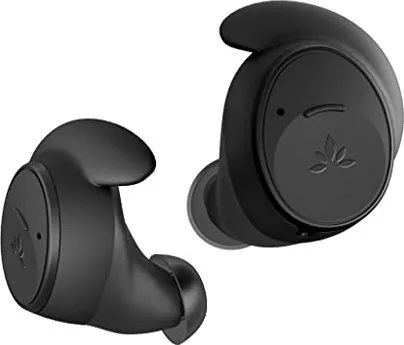
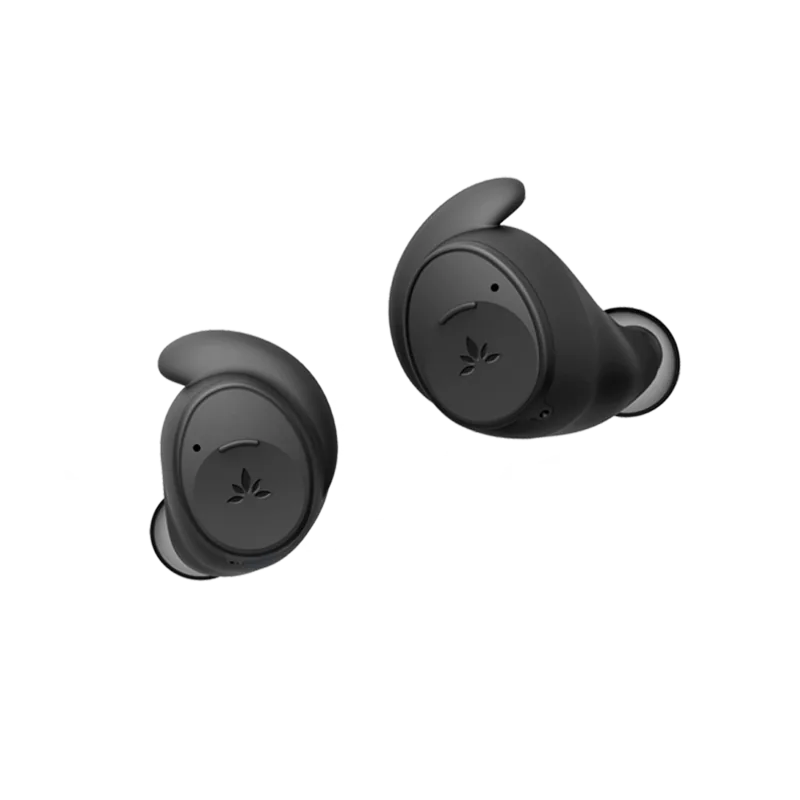
Finding the perfect pair of wireless earbuds can be a challenge, yet the Avantree Ace 130 delivers a seamless audio solution for your daily routine. This overview explains how to maximize your new device capabilities. Many users refer to the Avantree Ace 130 Manual to understand every function hidden within the sleek hardware design. Whether you are commuting, working out, or relaxing at home, convenience remains key to enjoying high-quality audio consistently without interruption. This comprehensive overview helps owners navigate setup with confidence and ease.
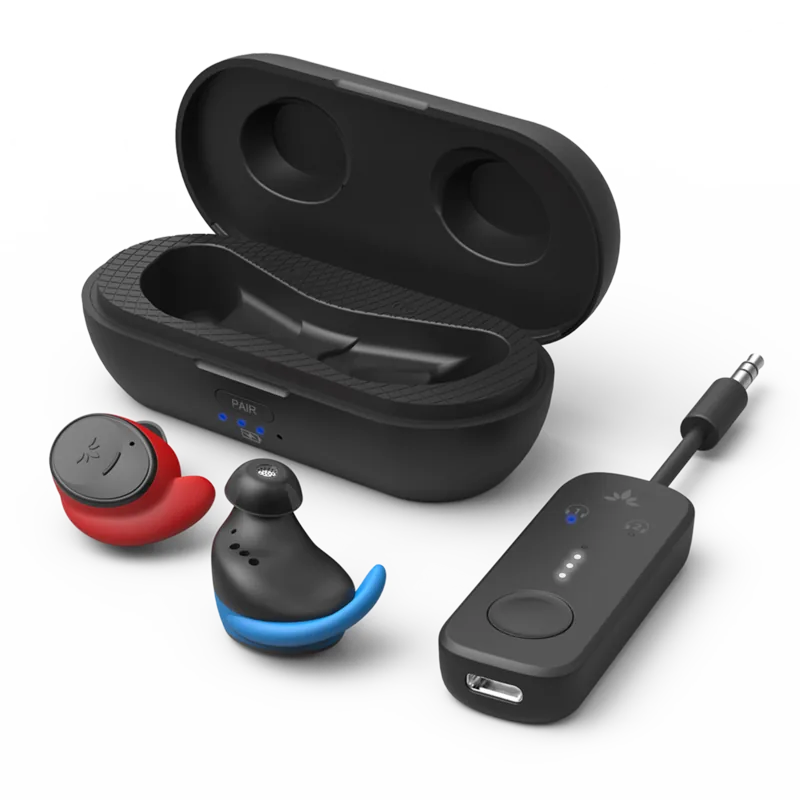
The package includes everything you need to start listening immediately upon unboxing. Inside the box, you will find the charging case, the earbuds themselves, a USB Type-C charging cable, and various tips in three different sizes to ensure a secure fit. Proper installation matters significantly, so users often check the setup instructions to align the microphone holes correctly when changing earbud fins. This attention to detail ensures clear calls and immersive sound without interference or noise during conversations.
Charging times are efficient for most users seeking quick power restoration. The earbuds reach full power in about an hour, while the case requires roughly ninety minutes to replenish completely from empty. A helpful LED indicator shows you the battery status at a glance during use or charging cycles. You do not need to rely solely on memory for charge levels. When you open the lid, the earbuds attempt to reconnect to your last paired device automatically. If that fails, a simple hold of the multifunction button for three seconds triggers pairing mode within seconds for new devices or if you need to pair with a tablet.
Customization is handled through the Avantree Center app on your smartphone. Downloading this software allows you to adjust EQ modes or reprogram the multifunction button operations for personal needs. This software integration adds versatility beyond standard audio hardware, letting you tailor the listening experience to your specific preferences and usage habits. Troubleshooting is also simplified for the user. Common issues like audio lag on TV or one-sided sound have specific solutions available on the support page. Customer support offers live chat and email assistance for further help regarding connectivity or hardware concerns quickly.
In conclusion, the Avantree Ace 130 combines practical features with easy management tools for everyday users. It is an excellent choice for those wanting reliable wireless audio without complex setup procedures. Remember, keeping your firmware updated via the app ensures long-term performance and connectivity stability over time. The LED indicators help manage battery expectations while the compact case fits easily into pockets, ensuring you always have backup power when you leave the house. Pairing with Apple devices and others is straightforward via Bluetooth settings, making integration simple for all users in the ecosystem today. Comfortable ear tips enhance the overall wearing experience significantly for long sessions.
Search for 67,706 Manuals online


Type-in Brand or Model