
Autel MaxiPro MP808TS Manual
PDF manual · 167 Pages
English



Quick check
Incorrect answer, please try again.
Chat with your Autel MaxiPro MP808TS manual using AI
Get instant AI answers from your Autel MaxiPro MP808TS manual
Ask anything about the Autel MaxiPro MP808TS. Answers come from this manual, with the pages they are based on.
MaxiPro MP808TS Maintenance Schedule
Wipe the device housing, wiring, and connectors clean with a damp cloth at the end of each work day.
Check the housing, wiring, and connectors for dirt and damage before and after using the device.
Ask a Question
Do you recommend MaxiPro MP808TS?
Yes NoFrequently Asked Questions
It is used for vehicle diagnostics, TPMS testing and programming, and common service functions such as oil reset, EPB, BMS, SAS calibration, and DPF regeneration.
Is this answer helpful?
Yes. It supports multiple programming methods for MX-Sensors, including Copy by Activation, Copy by OBD, Copy by Input, and Auto Create, depending on the vehicle.
Is this answer helpful?
Yes. It can read codes, erase codes, view freeze frame data, access live data, and perform active tests on supported control systems.
Is this answer helpful?
Yes. The MaxiVCI Mini communicates with the tablet through Bluetooth, and USB is also supported when a wired connection is preferred.
Is this answer helpful?
Common functions include oil reset, EPB service, battery registration, steering angle calibration, diesel particulate filter regeneration, and immobilizer-related tasks on supported vehicles.
Is this answer helpful?
The tool is menu-driven, but the manual is very helpful for safety guidance, setup steps, navigation, and understanding how each diagnostic or TPMS function works.
Is this answer helpful?
Advantages and Disadvantages
Advantages

- Combines diagnostics, TPMS, and service resets in one portable tablet.
- Wireless MaxiVCI Mini improves mobility and reduces cable handling.
- Supports VIN scan, manual input, and menu-based vehicle selection.
- Offers useful live data, active tests, and ECU-level troubleshooting.
Disadvantages

- Some functions depend on vehicle make, model, and support level.
- TPMS and service procedures may require careful step-by-step setup.
- Wireless communication can be affected by distance or signal issues.
- Advanced features may take time to learn for first-time users.
Product Specification
Interface
OBD II
Functions
Freeze Frame Data, Indicator Light Deactivation Function (ABS, MIL, SRS), Live Monitor, Clear Function, Reset Function
Display
7" LCD
Connections
Wi-Fi (WLAN), USB, HDMI, Card Reader (microSD)
Power Supply
Battery
Dimensions
10.63x6.93x1.42in
Weight
1.95lbs
Product Description
Autel MaxiPro MP808TS: A Practical Scan Tool for Diagnostics and TPMS
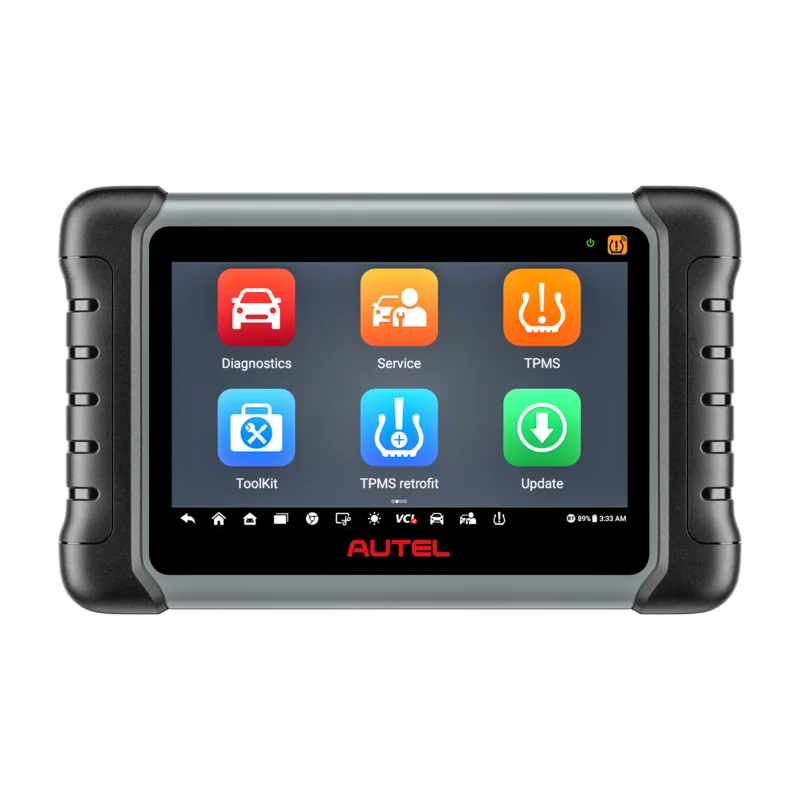
The Autel MaxiPro MP808TS is built for technicians who want a compact but capable diagnostic tablet with strong TPMS coverage. It combines vehicle diagnostics, tire sensor services, and a wide range of maintenance resets in one tool, making it a useful companion for busy repair bays and mobile service work. With a 7-inch touchscreen, Android-based interface, and wireless MaxiVCI Mini interface, it is designed to keep workflow fast and efficient.
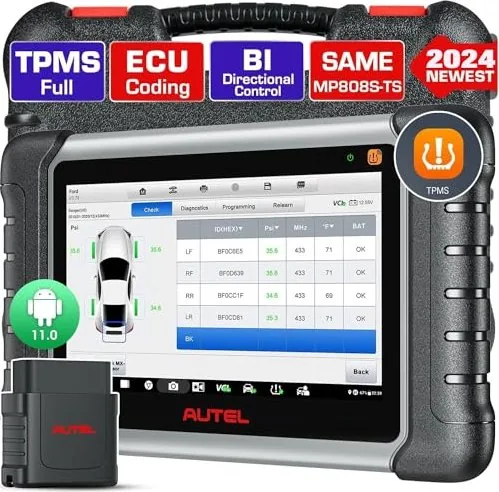
One of the biggest strengths of the MP808TS is its balance between everyday diagnosis and specialized TPMS work. It can read and clear codes, view live data, run active tests, and access vehicle-specific control modules. At the same time, it supports sensor checking, TPMS relearn procedures, and MX-Sensor programming, which is especially valuable when dealing with tire replacement or low-battery sensors. The Autel MaxiPro MP808TS Manual reflects this dual purpose clearly, showing how the device guides users through both standard diagnostics and advanced service routines.
The tablet also stands out for its convenient vehicle identification options. Users can scan VINs automatically, enter them manually, or select vehicles by make, region, and model. Once connected through the MaxiVCI Mini, the tool can communicate wirelessly with the vehicle, reducing cable clutter and making under-hood or wheel-area work easier. This design is especially helpful when checking TPMS sensors or performing service functions that require repeated interaction with the vehicle.
Beyond diagnostics, the service menu adds real value. Functions such as oil reset, EPB service, BMS registration, SAS calibration, DPF regeneration, and IMMO-related tasks help the MP808TS cover many routine workshop jobs. The interface is built around menu-driven steps, so technicians can follow prompts without needing to memorize every procedure. That makes the tool approachable, while still offering enough depth for professional use.
Notes
- Read safety warnings before working on any vehicle.
- Keep the tablet charged or connected to external power during long sessions.
- Use the correct vehicle profile to avoid incorrect test results.
- For TPMS replacement work, programming and relearn functions can save significant time.
In short, the Autel MaxiPro MP808TS is a versatile diagnostic and TPMS platform that focuses on speed, coverage, and practical workshop support. It is best suited for users who want one device that can handle both common maintenance resets and more advanced tire sensor tasks with confidence.
Search for 67,706 Manuals online


Type-in Brand or Model