
Autel MaxiDAS DS708 Manual
PDF manual · 91 Pages
English



Quick check
Incorrect answer, please try again.
Chat with your Autel MaxiDAS DS708 manual using AI
Get instant AI answers from your Autel MaxiDAS DS708 manual
Ask anything about the Autel MaxiDAS DS708. Answers come from this manual, with the pages they are based on.
Ask a Question
Do you recommend MaxiDAS DS708?
Yes NoFrequently Asked Questions
You must provide power via the AC DC external power adapter or connect the cable to the vehicle DLC. During vehicle testing power is usually provided through the vehicle cable connection.
Is this answer helpful?
No you need an internet connection. You must connect to the update website server to update software via the scan tool or computer.
Is this answer helpful?
The product has a limited one year warranty from the date of the original purchase covering defects in materials and workmanship.
Is this answer helpful?
Yes you can view specific information such as VIN TSBs technical service bulletins specifications and component locations from the vehicle info function.
Is this answer helpful?
Connect to network and run print server software on computer. Click print function key on screen to upload data then select printer.
Is this answer helpful?
Yes save data files to the SD card using the Record function in Live Data screen to view them later via Playback.
Is this answer helpful?
Click Touch icon in Setup Help and follow on screen instructions. Use the stylus pen to click target points moving around the screen.
Is this answer helpful?
Advantages and Disadvantages
Advantages

- 7 inch resistive touch screen display for easy navigation
- Supports bi-directional controls and active tests for diagnostics
- Built-in Wi Fi and Ethernet for network connectivity and updates
- 4GB SD card manages software and stores diagnostic data effectively
- Comprehensive data manager allows playback and screen capture
Disadvantages

- No internal battery power requires constant external connection
- OBD I adapters sold separately for non-OBD II vehicles might cost extra
- Printing function requires additional PC software and network setup
- Wi Fi setup may require manual IP configuration for hidden networks
- Touch screen calibration required initially on unit setup phase
Product Specification
Interface
OBD II
Protocols
CAN, ISO 11898, ISO 15765-4, ISO 9141-2, PWM, SAEJ1850, VPW
Features
Freeze-Frame Data, Control Light Turn-off Function (ABS, MIL, SRS), Live Monitor, Clear Function, Reset Function
Display
7" LCD
Connections
Wi-Fi 3 (WLAN 802.11b/g), USB, LAN, Cardreader (SD)
Dimensions
11.10 x 6.46 x 2.36 in
Weight
18.74 lbs
Product Description
Product Overview
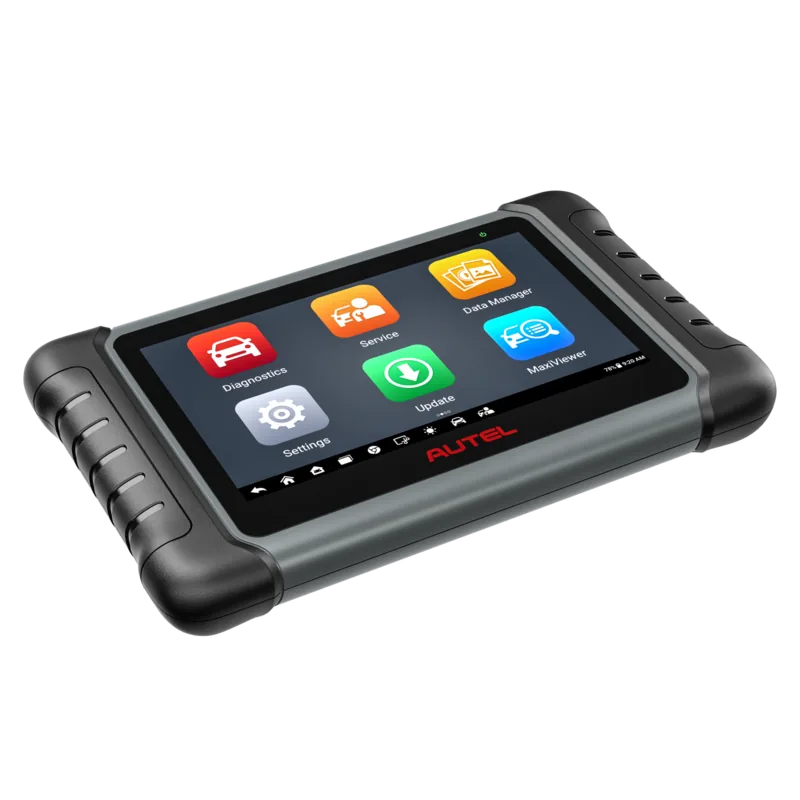
The Autel MaxiDAS DS708 represents a significant advancement for independent automotive repair shops seeking OEM level functionality. This diagnostic scan tool empowers technicians to provide comprehensive servicing without relying on dealer availability. Designed with a user friendly interface it features simple touch screen navigation that streamlines complex diagnostic procedures. The unit includes a 7 inch TFT color display which ensures high visibility in various lighting conditions. Operating on the Windows CE embedded system the tool provides fast boot up times and efficient data processing capabilities. Technicians benefit from extensive software applications tailored for USA European and Asian vehicle manufacturers. Functions include reading diagnostic trouble codes viewing live data streams and performing actuation tests.
Key Features
The tool supports special functions such as immobilizer key coding and adaptation on the vehicle. The Data Manager feature allows for playback of recorded sessions screen capture and data logging which aids in troubleshooting communication problems. Connectivity options such as Wi Fi and Ethernet enable remote desk support and network based printing. Users can also access technical support resources easily. The system supports protocols like ISO 9141 2 and CAN ISO 11898 for accurate communication. Safety remains a priority during operation. The manual emphasizes ensuring ventilation when engine operation is present due to carbon monoxide risks. Operators should wear eye protection and avoid moving parts while testing. It is recommended to verify vehicle battery charge levels before connecting. The tool does not have an internal battery so external power is necessary via the vehicle or AC adapter. Understanding the Autel MaxiDAS DS708 Manual protocols ensures correct usage. Software updates are available to keep features current either via the scan tool or a computer.
Notes
Maintenance involves keeping the screen clean with a soft cloth and alcohol. Regular inspection of cables and adapters prevents connection failures. The system supports OBD II and OBD I vehicles with specific adapters included. Registration on the support site is required for full service access and warranty validation. With a one year warranty covering defects this system offers reliable performance for workshop diagnostics. The RS 232 serial port allows for easy connection to legacy PC systems. A stylus pen is provided for precise navigation on the touch panel. This robust system stands out for its versatility and ease of use in professional settings. The detailed guide outlines steps for initial power up and default settings adjustment.
Search for 67,706 Manuals online


Type-in Brand or Model