
Autel AutoLink ML629 Manual
PDF manual · 63 Pages
English



Quick check
Incorrect answer, please try again.
Chat with your Autel AutoLink ML629 manual using AI
Get instant AI answers from your Autel AutoLink ML629 manual
Ask anything about the Autel AutoLink ML629. Answers come from this manual, with the pages they are based on.
AutoLink ML629 Maintenance Schedule
Keep the test equipment dry, clean, free from oil, water or grease. Use a mild detergent on a clean cloth to clean the outside of the equipment as necessary.
Use a mild nonabrasive detergent and a soft cotton cloth. Do not use solvents such as alcohol. Do not soak the keypad as it is not waterproof.
Keep the cable away from heat, oil, sharp edges and moving parts. Replace damaged cables immediately.
Ask a Question
Do you recommend AutoLink ML629?
Yes NoFrequently Asked Questions
It works with all OBD II compliant vehicles from 1996 and newer, covering domestic, Asian, and European brands. It supports over 50 manufacturers including Toyota, Ford, BMW, and Volkswagen.
Is this answer helpful?
Yes, you can connect the tool to a Windows PC via USB and use the Autel Printer software to print recorded DTC data and live data logs.
Is this answer helpful?
Register your tool on the Autel website, download the Maxi PC Suite, connect the device to a computer, and follow the on-screen instructions to install updates.
Is this answer helpful?
Only if they are OBD II compliant. Check the Vehicle Emissions Control Information label under the hood; if it states 'OBD II Certified', the tool will work.
Is this answer helpful?
Ensure the area is well-ventilated, wear eye protection, keep hands away from moving parts, and never disconnect the tool while the engine is running.
Is this answer helpful?
Yes, the ML629 allows you to view real-time PID data and record it to the internal memory or TF card for later playback and analysis.
Is this answer helpful?
No, the keypad is not waterproof. Do not soak the device. Clean it with a mild detergent and a soft cloth only.
Is this answer helpful?
Advantages and Disadvantages
Advantages

- Comprehensive support for ABS, SRS, Engine, and Transmission systems
- Compatible with over 50 major international vehicle brands
- Enables reading, erasing, and printing of diagnostic trouble codes
- Features AutoVIN technology for automatic code definition retrieval
- Supports live data recording and playback for troubleshooting intermittent issues
Disadvantages

- Does not support O2 Monitor Test on CAN-equipped vehicles
- Print function requires Windows PC and is unavailable on Mac
- Requires internet connection and registration for software updates
- Cannot perform component tests on all vehicle makes
- Limited to OBD II compliant vehicles from 1996 and newer
Product Specification
Interface
OBD II
Functions
Freeze Frame data, Control light off function (ABS, MIL, SRS), Live monitor, Delete function
Display
LCD
Connectors
USB
Power supply
OBD-powered
Dimensions
7.2x3.6x1.3 inches
Weight
8.4 ounces
Product Description
Autel Autolink ML629 - Read, Download & Print Free
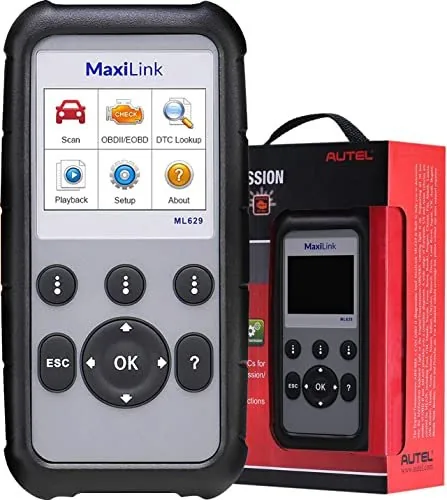
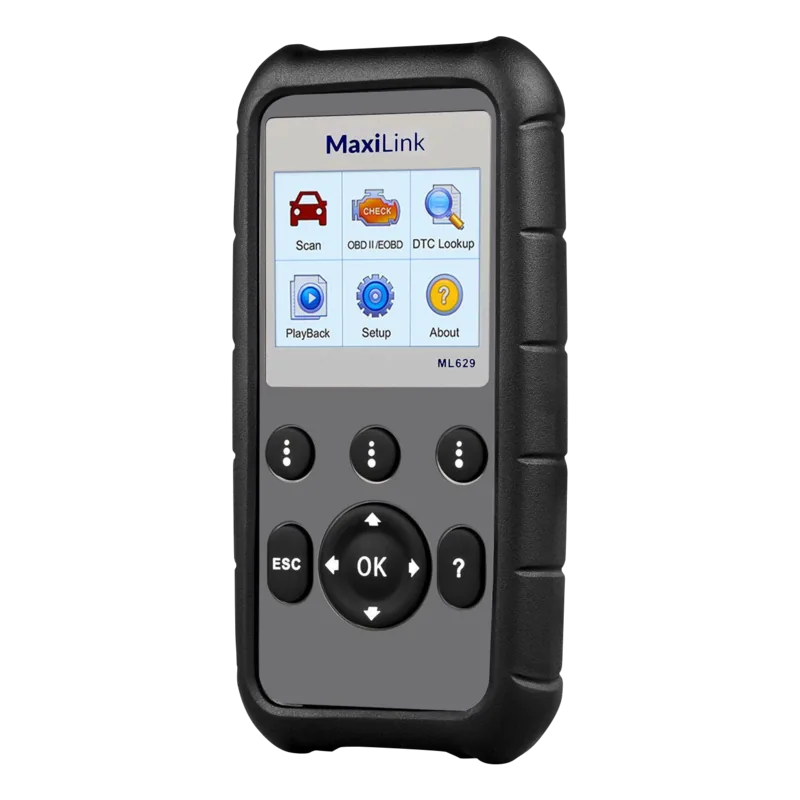
The Autel Autolink ML629 stands as a robust diagnostic solution for automotive technicians and enthusiasts alike. Designed specifically for OBD II compliant vehicles from 1996 onwards, this scanner offers comprehensive coverage across domestic, Asian, and European markets. It goes beyond basic engine diagnostics by providing dedicated functions for ABS, SRS, Engine, and Transmission systems. The device features a clear 2.8-inch LCD display that simplifies navigation through complex vehicle data, ensuring users can quickly identify issues without confusion.
Operating with an intuitive keypad layout, the ML629 allows for seamless interaction during testing procedures. Users can easily read and erase Diagnostic Trouble Codes (DTCs), view live data streams, and analyze freeze frame information to pinpoint intermittent faults. The tool supports advanced features like I/M readiness checks, essential for verifying emission system compliance before state inspections. With its ability to connect via USB to a PC, owners can save, review, and print diagnostic reports directly, facilitating better record-keeping and communication with clients or service centers.
Safety is paramount in the design of this unit. The manual emphasizes strict adherence to safety protocols, including proper ventilation when running engines and avoiding contact with moving parts. The scanner draws power directly from the vehicle's Data Link Connector, eliminating the need for external batteries while ensuring stable operation. Whether you are a professional mechanic or a DIY car owner, the ML629 provides the necessary tools to diagnose problems accurately and efficiently, making it an indispensable asset in any workshop.
Key Features Overview
This device excels in versatility, supporting over 50 major vehicle brands including Toyota, Ford, BMW, and Volkswagen. Its AutoVIN technology automatically retrieves vehicle definitions for manufacturer-specific codes, reducing human error. The inclusion of a TF card slot allows for local data storage, ensuring that critical diagnostic logs are preserved for future reference. Regular software updates via the Maxi PC Suite ensure the tool remains compatible with the latest vehicle models and protocols.
Important Notes
Always ensure the vehicle battery is fully charged before connecting the scan tool to prevent communication errors. Do not disconnect the cable while the ignition is on or the engine is running to avoid damaging the ECU. For optimal performance, keep the device clean and dry, using only mild detergents for cleaning.
Search for 67,706 Manuals online


Type-in Brand or Model