

Autel AutoLink AL619 Manual
PDF manual · 66 Pages
English



Quick check
Incorrect answer, please try again.
Chat with your Autel AutoLink AL619 manual using AI
Get instant AI answers from your Autel AutoLink AL619 manual
Ask anything about the Autel AutoLink AL619. Answers come from this manual, with the pages they are based on.
Ask a Question
Do you recommend AutoLink AL619?
Yes NoVideo Manual
Autel AL619
Frequently Asked Questions
The AL619 supports all OBD-II compliant vehicles (required on US 1996+ cars/trucks) and many ABS/SRS systems across US, Asian and European marques. Some 1994–1995 models may be OBD-II compliant; check the VECI label under the hood.
Is this answer helpful?
Yes. It reads stored, pending and permanent DTCs, shows definitions from the built-in library, and can erase codes. Note: erasing codes also clears freeze frame data and resets readiness monitors to Not Ready.
Is this answer helpful?
Live Data displays complete or custom PID lists, offers basic graphs and Merge Graph comparisons, and can record PID data to the TF card. Saved sessions can be reviewed on the tool’s Playback function or exported to a PC.
Is this answer helpful?
Register your device at Autel’s pro site, install Maxi PC Suite on a Windows or Mac computer, remove the TF card, update via card reader and Maxi PC Suite, then reinsert the TF card and restart the scanner to apply updates.
Is this answer helpful?
Yes. The tool provides ABS/SRS DTC retrieval and clearing for many manufacturers. Procedures may require automatic or manual vehicle entry and can vary by model; always follow safety and manufacturer guidelines.
Is this answer helpful?
Verify ignition is ON, ensure the OBD-II connector is securely plugged and DLC pins are intact, confirm vehicle OBD-II compliance, and retry. If problems persist, reset the tool or contact Autel support.
Is this answer helpful?
Yes. Work in a ventilated area, wear ANSI-rated eye protection, keep hands and clothing away from moving parts, secure the vehicle, avoid connecting/disconnecting with ignition on, and take care when servicing ABS/SRS systems.
Is this answer helpful?
Advantages and Disadvantages
Advantages

- Wide OBD-II vehicle coverage including CAN, plus ABS/SRS support for many makes
- Color TFT display with intuitive buttons and menu-driven navigation
- Live data viewing, recording to TF card, and freeze frame capture for diagnostics
- Built-in DTC lookup library and VIN/vehicle info retrieval (Mode 9 support)
- Updateable software via Maxi PC Suite and TF card to expand functionality
Disadvantages

- Print function limited to Windows PC via Maxi PC Suite; Mac unsupported
- Some manufacturer-specific codes require selecting vehicle make to view definitions
- Erase codes resets readiness monitors; requires drive cycles to restore readiness
- Component control tests and certain functions may not be supported on all vehicles
- ABS/SRS servicing carries safety risks and may need manufacturer procedures
Product Specification
Interface
OBD II
Functions
Freeze-Frame Data, Warning Light Deactivation (ABS, MIL, SRS), Erase Function, Reset Function
Display
LCD
Power Supply
OBD-powered
Dimensions
4.09x1.46x7.83in
Weight
1.07 lb
Product Description
Autel Autolink AL619 Manual — Powerful OBD-II Scanner for DIYers and Technicians
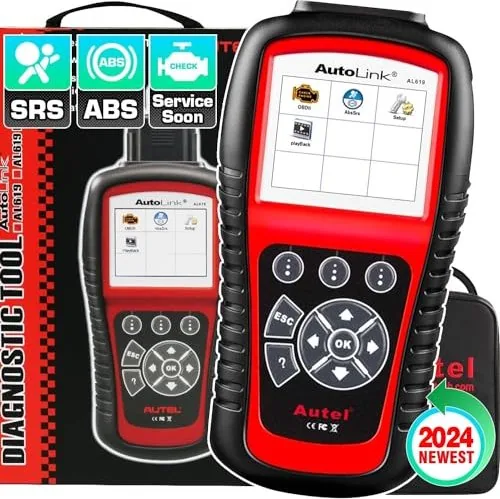
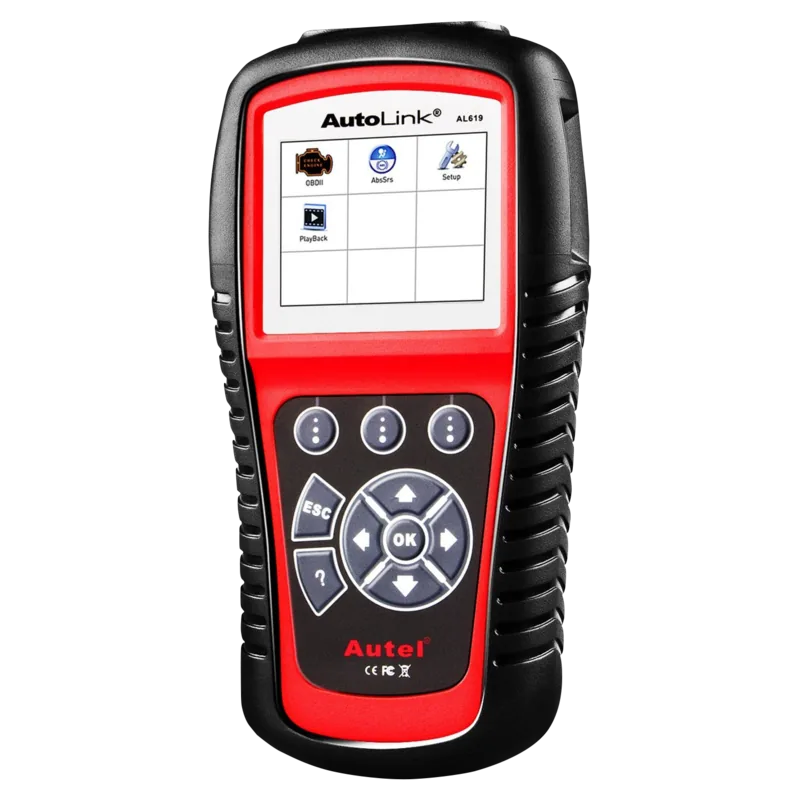
The Autel Autolink AL619 is a compact, user-friendly OBD-II/EOBD scanner designed to help both DIY enthusiasts and professional technicians quickly diagnose vehicle issues. Built for wide vehicle coverage, the AL619 communicates with all OBD-II compliant cars and light trucks — including many domestic, Asian and European makes — and also supports ABS and SRS systems for dozens of manufacturers. With a color TFT display, clear navigation buttons and a durable nylon case, the AL619 combines essential diagnostic capabilities with practical portability.
The tool reads and clears Diagnostic Trouble Codes (DTCs), displays live PID data, captures freeze frame snapshots, and reports I/M readiness status. It supports Mode 1–Mode 0A OBD-II operations: live data streams, stored and pending codes, freeze frame, oxygen sensor and on-board monitor results, VIN retrieval and module listings. For ABS/SRS diagnostics the scanner guides the user through vehicle selection (auto or manual entry), module selection and DTC retrieval, simplifying the troubleshooting of braking and airbag systems.
AL619’s live data feature presents a complete or custom list of parameters and offers basic graphing and recording to a TF card for later playback. Recorded test sessions and freeze frame data can be reviewed on the unit or exported to a PC via USB using Autel’s Maxi PC Suite for printing and reporting. The tool’s built-in DTC library lets you look up standard and manufacturer-specific code definitions; if a code isn’t found, it advises consulting the vehicle service manual.
System setup lets you adjust language, units, beep settings, and perform key/LCD tests. The scanner is powered by the vehicle’s DLC (8–18 V) and operates across a wide temperature range. When updates or expanded vehicle support are needed, the AL619 can be updated via TF card and the Maxi PC Suite after registering the product on Autel’s site.
Safety and best practices are emphasized: always perform tests in a ventilated space, use eye protection, secure the vehicle, avoid connecting or disconnecting equipment with the ignition on, and follow manufacturer procedures when working with ABS/SRS systems.
Whether you need fast code reads, emissions readiness checks, real-time PID monitoring, or ABS/SRS code access, the Autel Autolink AL619 offers a balanced set of functions for routine diagnostics and pre-inspection checks. Its combination of diagnostic breadth, recording/playback, and updateable software makes it a versatile handheld scanner for workshops and home garages.
Notes
- Requires OBD-II compliant vehicle (16-pin DLC); some 1994–1995 models may be compliant.
- Erasing codes clears freeze frame data and resets readiness monitors; complete drive cycles are required to reestablish readiness.
- ABS/SRS functions may vary by vehicle and manufacturer; always follow safety warnings when servicing restraint systems.
- Software updates and extended vehicle support require registration and Maxi PC Suite.
Search for 67,706 Manuals online


Type-in Brand or Model