
Audizio Rome Manual
PDF manual · 80 Pages
English



Quick check
Incorrect answer, please try again.
Chat with your Audizio Rome manual using AI
Get instant AI answers from your Audizio Rome manual
Ask anything about the Audizio Rome. Answers come from this manual, with the pages they are based on.
Rome Maintenance Schedule
If the product has a built-in lead-acid rechargeable battery and is not used for a long period, recharge it every 3 months to prevent permanent damage.
Inspect the mains lead before every use for damages or faults to avoid electrical shock and malfunction.
Free maintenance reminders
Timed to your purchase date. Always free, unsubscribe anytime.
Ask a Question
Do you recommend Rome?
Yes NoFrequently Asked Questions
Navigate to the Configuration menu, select Network, and choose Add AP. You can scan for networks manually, use WPS if your router supports it, or use the SmartConfig app on your smartphone to configure the connection easily.
Is this answer helpful?
Yes, the Audizio Rome functions fully as a traditional receiver for FM and DAB+ radio stations without needing an internet connection. However, Internet Radio and Media Centre features require a broadband connection.
Is this answer helpful?
You can store up to 99 preset stations in your favorite list. There are also four dedicated buttons on the remote or unit for quick access to your top four favorites.
Is this answer helpful?
Yes, the device acts as a Bluetooth receiver. Simply switch the mode to BT on the radio, enable pairing on your phone or device, select 'Audizio Rome-XXXX' from the list, and start playing your music.
Is this answer helpful?
Ensure the radio is plugged into mains power. Go to the main menu, select Alarm, choose Alarm 1 or 2, and follow the wizard to set the time, sound source, repeat schedule, and volume duration.
Is this answer helpful?
If the radio becomes unresponsive, perform a reset by pressing the Menu and Back buttons simultaneously until the screen goes blank. Then release them and wait for the device to reboot.
Is this answer helpful?
Advantages and Disadvantages
Advantages

- Supports multiple tuning modes including Internet, DAB+, FM, and Bluetooth
- Features a clear 2.4-inch TFT color display for easy viewing
- Allows remote management and station editing via web browser
- Includes customizable alarm clocks with snooze and repeat functions
- Compatible with UPnP and DLNA for seamless media streaming
Disadvantages

- Requires stable broadband internet for full Internet Radio functionality
- Wi-Fi setup may be complex for users unfamiliar with network configurations
- Battery life is limited if used without constant mains power
- External speakers require separate power and connection setup
- Antenna placement is critical for optimal DAB and FM reception
Product Specification
Power
50W Peak
Tuner
FM, DAB+, Internet Radio
Display
2.4" LCD, Clock, Date
Audio Connections
AUX In (3.5mm jack), Stereo Line Out (3.5mm jack), Headphones (3.5mm jack)
Other Connections
RJ-45
Wireless
Bluetooth 5.0, Wi-Fi 4 (802.11b/g/n)
Power Supply
AC Power
Features
Remote Control, Sleep Timer, Telescopic Antenna, Alarm Function
Dimensions
11.81x4.72x5.31 in (WxHxD)
Weight
4.41 lbs
Product Description
Discover the Audizio Rome: Your Ultimate Digital Audio Companion
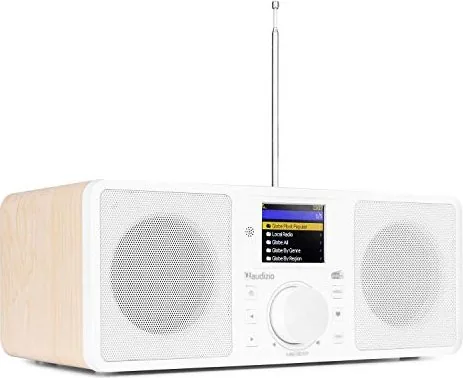
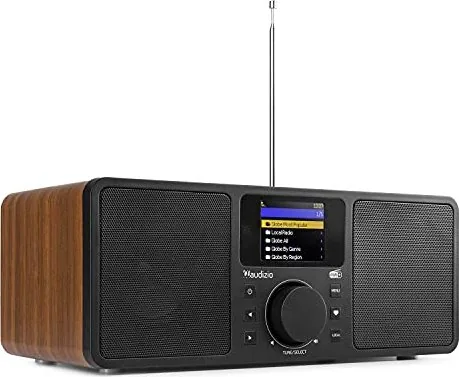
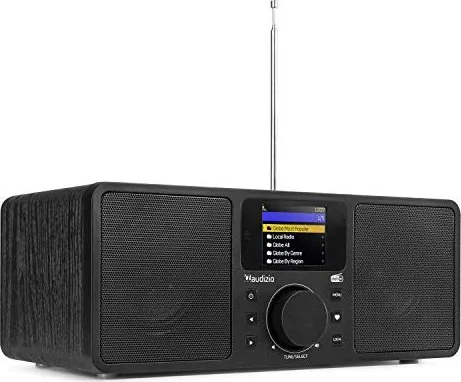
The Audizio Rome represents a pinnacle in modern digital radio technology, designed to bring your favorite music and news directly into your living space with exceptional clarity and ease. This versatile unit seamlessly integrates Internet Radio, DAB+, FM, and Bluetooth playback, ensuring you never miss a beat regardless of your location or connection type. With its sleek design and intuitive interface, the Audizio Rome Manual serves as a guide to unlocking a world of audio possibilities.
At the heart of this device is a robust network connectivity system supporting both wired Ethernet and wireless Wi-Fi connections. Users can access thousands of global stations through the Skytune platform or stream local media via UPnP and DLNA protocols. The inclusion of a 2.4-inch TFT color screen provides a visual treat, displaying track information, station logos, and a large clock face for effortless navigation. Whether you are tuning into a local DAB+ broadcast or streaming high-quality audio from your smartphone via Bluetooth, the Audizio Rome delivers superior sound quality.
Beyond simple playback, the Audizio Rome offers advanced customization features. Set up to two personalized alarms with flexible wake-up tones, schedule sleep timers to turn off automatically, and manage extensive favorite lists containing up to 99 presets. The device also supports remote control via PC or smartphone, allowing for deep management of your station library and settings through a web browser. Safety and durability are paramount, with built-in protections against electrical hazards and guidance on proper maintenance to ensure longevity. Experience the perfect blend of retro charm and modern connectivity with the Audizio Rome.
Key Highlights
- Versatile Tuning: Access Internet, DAB+, FM, and BT sources effortlessly.
- Smart Connectivity: Supports WPS, SmartConfig, and standard Wi-Fi/Ethernet.
- User-Friendly Interface: Large TFT display and logical menu navigation.
- Customization: Extensive alarm, timer, and equalizer settings.
- Remote Management: Control via web browser on PC or mobile devices.
Search for 67,732 Manuals online


Type-in Brand or Model