
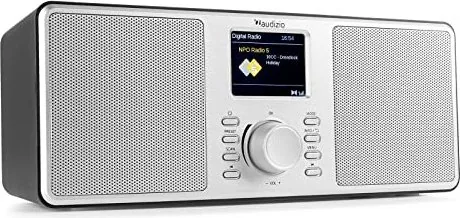
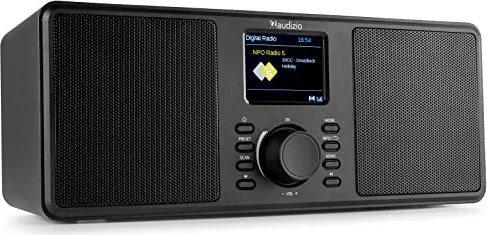
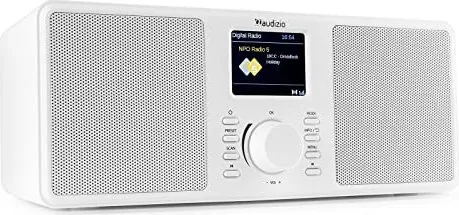
Audizio Monza Manual
PDF manual · 40 Pages
English



Quick check
Incorrect answer, please try again.
Chat with your Audizio Monza manual using AI
Get instant AI answers from your Audizio Monza manual
Ask anything about the Audizio Monza. Answers come from this manual, with the pages they are based on.
Monza Maintenance Schedule
If the unit has a built-in lead-acid rechargeable battery and is not used for a long period, recharge it every 3 months to prevent permanent damage.
Inspect the power cord for damages or faults before each use to avoid electrical shock. Replace damaged leads only with qualified technicians.
Free maintenance reminders
Timed to your purchase date. Always free, unsubscribe anytime.
Ask a Question
Do you recommend Monza?
Yes NoFrequently Asked Questions
First, ensure the radio is switched on. Press the Mode button to select BT mode until BT Disconnected appears. Enable Bluetooth on your Smartphone and search for connections. Select Audizio Monza from the device list. If a passcode is requested, enter 0000. Once paired, the display confirms BT Connected. To reconnect previously paired devices simply activate Bluetooth on them while the radio is on.
Is this answer helpful?
Press and hold the Menu button to access the main menu. Select System then Alarm. Choose Alarm 1 or Alarm 2. Toggle ON or OFF. Rotate the dial to adjust hours and minutes confirming each section. Select frequency such as once, daily, or weekdays. Choose source like Buzzer or Radio. Set volume and duration in minutes. Confirm all selections to finalize the alarm.
Is this answer helpful?
Yes, the clock automatically sets itself using the digital radio signal. Any updates received via a digital broadcast override manual settings. If the time or date does not update automatically, you can manually set it via System Settings > Time > Set Time Date options.
Is this answer helpful?
To avoid fire and shock hazard do not expose the unit to rain or moisture. If exposed, never plug it into a mains outlet immediately. Let the unit reach room temperature before switching on to avoid condensation damage. If damaged internally contact your dealer and do not attempt repairs yourself.
Is this answer helpful?
Yes, you can store up to thirty digital radio and thirty FM radio stations for quick access. To save a station tune to it first then hold the Preset button for at least four seconds. Scroll through preset numbers using the OK Volume dial and press to confirm.
Is this answer helpful?
Navigate to Menu > System Settings > Factory Reset. Select Yes to reset all presets, stored stations, alarms, and other options to default settings. Note that you can only see DAB settings if DAB is selected as the radio source.
Is this answer helpful?
Yes, you can set a sleep timer. Press Menu, select System Settings then Sleep. Adjust the length of the timer using the dial. This turns off the radio after the specified duration. To cancel a sounding alarm press Standby.
Is this answer helpful?
Advantages and Disadvantages
Advantages

- Supports DAB, FM radio, and Bluetooth connectivity modes for versatile audio listening.
- Allows storage of up to thirty presets for each digital and frequency station band.
- Features dual alarm configuration with snooze function and sleep timer options.
- Internal clock synchronizes automatically via digital radio signals for accuracy.
- Includes customizable equalizer presets including user-defined My EQ profiles.
Disadvantages

- Requires specific mains voltage of 220-240Vac/50Hz which may limit travel use.
- Built-in lead-acid battery needs recharging every three months if unused.
- Cannot connect to rheostat or dimmer switches to prevent malfunction.
- Condensation risk exists if moved between drastic temperature changes immediately.
- Not suitable for continuous use and outdoor usage is prohibited entirely.
Product Specification
Power
50W Peak
Tuner
FM, DAB, DAB+, Internet Radio
Display
2.4" LCD, Clock
Audio Connections
Headphones (3.5mm Jack)
Wireless
Bluetooth
Power Supply
AC Power
Features
Sleep Timer, Telescopic Antenna, Alarm Function
Dimensions
11.02x4.33x4.33 inches (WxHxD)
Weight
2.31 lbs
Product Description
Welcome to Your New Audio Experience
Discover the versatility found within the Audizio Monza Manual guide which opens up a vast world of sound for your personal home environment. This sophisticated device combines modern digital capabilities with traditional radio listening preferences seamlessly. When you engage with this comprehensive Audizio Monza Manual resource correctly, you fully unlock advanced features designed specifically for superior audio clarity and daily convenience.
Key Features Overview
The unit robustly supports multiple input modes including DAB digital broadcasting, standard FM frequencies, and secure Bluetooth connectivity for wireless streams. Dedicated users can store up to thirty stations for instant quick access across both digital and frequency bands effectively. An intuitive LCD screen dynamically displays scrolling text, program metadata, and real-time signal strength indicators clearly. You possess granular control over alarm settings allowing configuration of two distinct alarms complete with flexible snooze functions to suit morning routines. A dedicated sleep timer function helps you gently wind down before sleep without unnecessarily draining overnight power consumption levels.
Setup and Configuration
Getting started quickly is straightforward once you follow the manufacturer recommended step-by-step instructions precisely. Always extend the telescopic antenna externally for optimal reception quality throughout your space. The internal clock synchronizes automatically via incoming digital signals ensuring strictly accurate time keeping without requiring any manual intervention frequently. However, detailed manual setting options remain fully available within menus if needed occasionally. Backlight brightness adjusts easily to suit varying room lighting conditions preventing annoying glare during late evening viewing sessions.
Safety and Maintenance Protocols
Proper careful care ensures maximum longevity for your valuable electronic investment over many years. Avoid placing the heavy unit near active heat sources like radiators or in persistently humid bathroom environments to prevent electrical damage risks. If transporting units between drastic temperature extremes always allow sufficient acclimatization indoors to avoid dangerous internal condensation risks forming internally. Regular gentle cleaning with a soft dry cloth preserves the exterior finish permanently. Do not ever attempt complex internal repairs yourself as certified qualified technicians handle all warranty requirement issues effectively for safety. For rechargeable battery powered models always recharge every three months if unused long term to maintain optimal chemical capacity safely.
Enjoy crystal clear broadcasts with built-in equalizer presets tailored perfectly to different music genres and styles. Whether streaming wirelessly from a smartphone phone or tuning into local stations locally this compact receiver delivers consistently reliable performance daily. Remember to keep original packing material safe for secure transport needs should professional service become necessary for repair needs later unexpectedly.
Search for 67,732 Manuals online


Type-in Brand or Model