
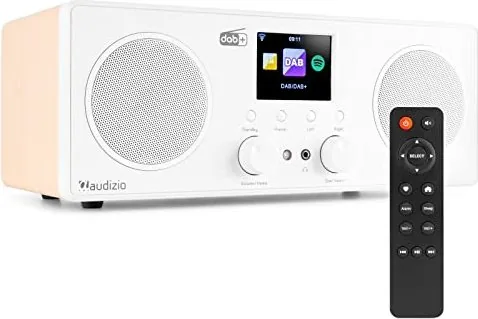
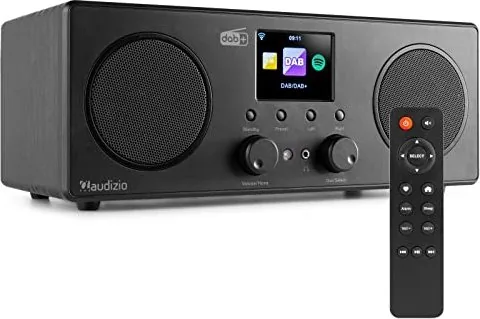
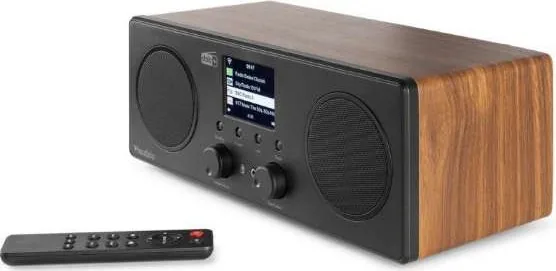
Audizio Bari Manual
PDF manual · 64 Pages
English



Quick check
Incorrect answer, please try again.
Chat with your Audizio Bari manual using AI
Get instant AI answers from your Audizio Bari manual
Ask anything about the Audizio Bari. Answers come from this manual, with the pages they are based on.
Bari Maintenance Schedule
If the unit has a built-in lead-acid rechargeable battery and is not used for a long period, recharge it every 3 months to prevent permanent damage.
Check the mains lead before every use for damages and faults to avoid electrical shock and malfunction.
Free maintenance reminders
Timed to your purchase date. Always free, unsubscribe anytime.
Ask a Question
Do you recommend Bari?
Yes NoFrequently Asked Questions
Navigate to the Network settings on the main menu. Select your router from the list of available networks. If your network is secured, enter the WEP or WPA password using the dial knob or remote control. If your router supports WPS, you can simply press the WPS button on the router and the corresponding option on the radio.
Is this answer helpful?
Yes, the device supports standard FM and DAB radio modes which do not require an internet connection. You can also connect external audio devices via the AUX IN jack. However, features like Internet Radio, Spotify, and DLNA streaming will require a working Wi-Fi connection.
Is this answer helpful?
While you can connect Apple devices via Bluetooth or AUX cable, the DLNA feature specifically does not support Apple devices. It works with Android apps and other UPnP/DLNA compatible servers. You can still use the AirMusic Control app on iOS to manage the radio remotely.
Is this answer helpful?
You can store up to 250 presets in total. The first five presets (1-5) are reserved for quick access to your most-used channels. Additional presets can be saved starting from number 6 onwards.
Is this answer helpful?
Ensure both the radio and your PC are on the same Wi-Fi network. Check that your PC firewall is not blocking shared folders or UPnP requests. You may need to disable third-party firewalls temporarily or configure them to allow file sharing for the Audizio Bari.
Is this answer helpful?
Yes, the Audizio Bari includes a Sleep Timer. You can set the radio to automatically go into standby mode after 15, 30, 45, or up to 180 minutes. This can be configured either through the main menu under Configuration or directly using the Sleep button on the remote control.
Is this answer helpful?
Advantages and Disadvantages
Advantages

- Supports multiple streaming services including Spotify, Internet Radio, and DLNA
- Dual-mode capability with both FM and DAB for offline listening
- Intuitive 2.8-inch color display with visual station information
- Comprehensive remote control with dedicated buttons for favorites and alarms
- Weather information center with forecast capabilities
Disadvantages

- Apple devices are not supported for DLNA streaming
- Initial setup requires knowledge of WEP or WPA encryption codes
- Remote app compatibility is limited to Android and iOS but excludes Apple hardware for DLNA
- No snooze function available for the specific NAP alarm feature
- Requires stable broadband connection for full internet radio functionality
Product Specification
Power
50W Peak
Tuner
FM, DAB, DAB+, Internet Radio
Display
2.8" LCD
Audio Connections
AUX In (3.5mm Jack), Stereo Line Out (3.5mm Jack), Headphones (3.5mm Jack)
Wireless
Bluetooth, Wi-Fi
Power Supply
Mains Power
Features
Telescopic Antenna
Dimensions
11.8x4.7x5.5 in (WxDxH)
Weight
4.85 lbs
Product Description
Discover the Audizio Bari: Your Ultimate Home Audio Companion
Welcome to the world of seamless audio with the Audizio Bari, a versatile internet radio designed to elevate your listening experience at home. This device is more than just a radio; it is a gateway to global music, local news, and real-time information, all accessible through a sleek interface and intuitive controls.
The Audizio Bari stands out for its robust connectivity options. Whether you prefer streaming your favorite playlists via Spotify, connecting wirelessly through Bluetooth, or accessing thousands of stations over Wi-Fi, this unit handles it all effortlessly. The built-in DLNA support allows you to stream music directly from your networked devices, turning your entire digital library into an instant soundtrack. For those who appreciate traditional broadcasting, the FM and DAB modes ensure crystal-clear reception without needing an internet connection, complete with service following features that switch to high-quality internet streams when available.
Designed with user convenience in mind, the Audizio Bari features a vibrant 2.8-inch color display that shows album art and station information. The included remote control offers full functionality, allowing you to manage presets, set alarms, and adjust settings from across the room. The Information Center adds practical value by displaying weather forecasts and system details right on the standby screen. With support for up to 250 presets and customizable alarm clocks, the Bari fits perfectly into any modern lifestyle, offering both nostalgia and modern innovation in one compact package.
Search for 67,732 Manuals online


Type-in Brand or Model