
Audiophony Mi4U Manual
PDF manual · 8 Pages
English



Quick check
Incorrect answer, please try again.
Chat with your Audiophony Mi4U manual using AI
Get instant AI answers from your Audiophony Mi4U manual
Ask anything about the Audiophony Mi4U. Answers come from this manual, with the pages they are based on.
Mi4U Maintenance Schedule
Disconnect from power. Use a damp cloth to clean the surface. Do not wash the product or use unauthorized accessories.
Check that the power cable is not stepped on, crushed, or pinched. Inspect plugs and outlets for damage or isolation issues before use.
Ask a Question
Do you recommend Mi4U?
Yes NoFrequently Asked Questions
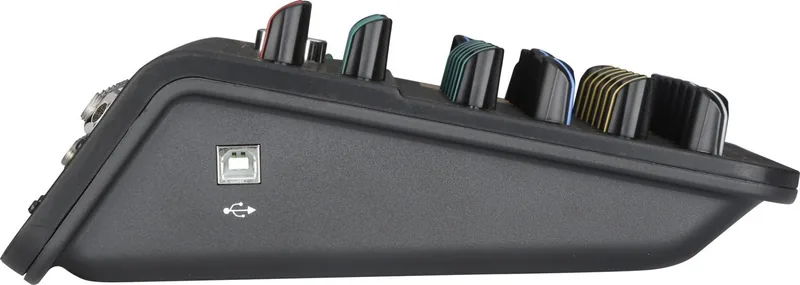
Yes, the USB interface supports full duplex recording and playback simultaneously, acting as a sound card for your computer.
Is this answer helpful?
The device requires AC100-240V 50-60 Hz power supply with a DC12V 1A switch power adapter.
Is this answer helpful?
No, the device is intended for indoor use only. Do not use it in wet or extremely cold or hot locations.
Is this answer helpful?
Unplug the product first and use a damp cloth. Do not wash the product or use cleaning chemicals.
Is this answer helpful?
Yes, there is a +48V switch on the front panel enabling phantom power on microphone channels.
Is this answer helpful?
Maintenance must be performed by authorised technical service. Do not attempt inspection or maintenance yourself.
Is this answer helpful?
The frequency response is 20Hz to 20KHz for flat audio reproduction.
Is this answer helpful?
Advantages and Disadvantages
Advantages

- USB audio interface support allows for easy connection to computers for recording and playback.
- Balanced XLR microphone inputs ensure high quality signal integrity over long distances.
- Built-in phantom power supply enables use with professional condenser microphones.
- Compact physical footprint allows for easy setup on limited desk space.
- VU meters provide visual level monitoring to prevent audio distortion.
Disadvantages

- Indoor operation only requires strict climate control for safety.
- Non-serviceable parts require official dealer intervention for repairs.
- Power adapter must be kept connected and undamaged for continuous use.
- No remote control available for distant adjustment of levels.
- Ventilation cannot be obstructed without risk of overheating.
Product Specification
Type
Mini Mixer
Input Channels
6 (2 Mono, 2 Stereo)
Mic Preamps
2
Equalizer
2-Band
Aux Sends
No
Subgroups
No
Faders
No
Analog Inputs
2x Mic In (XLR), 2x Line In (1/4 inch), 2x Stereo Line In (1/4 inch), 1x Stereo Line In (RCA)
Analog Outputs
1x Stereo Main Out (1/4 inch), 1x 2-Track Out (RCA), 1x Headphone Out (1/4 inch)
Interfaces
USB-B to Host
Dimensions
8.66x6.30x2.68 inches (WxHxD)
Weight
1.72 lbs
Product Description
Discover the Audiophony Mi4U Mixer Experience
Audio mixing has never been more accessible than with the Audiophony Mi4U. This compact mixer stands out in the crowded landscape of audio equipment designed for both home studios and small live setups. While navigating the device, having a solid understanding of its capabilities is vital. This is where the comprehensive guidance found in the Audiophony Mi4U Manual becomes indispensable for new users seeking clarity on setup and operation.
Key Features Defined
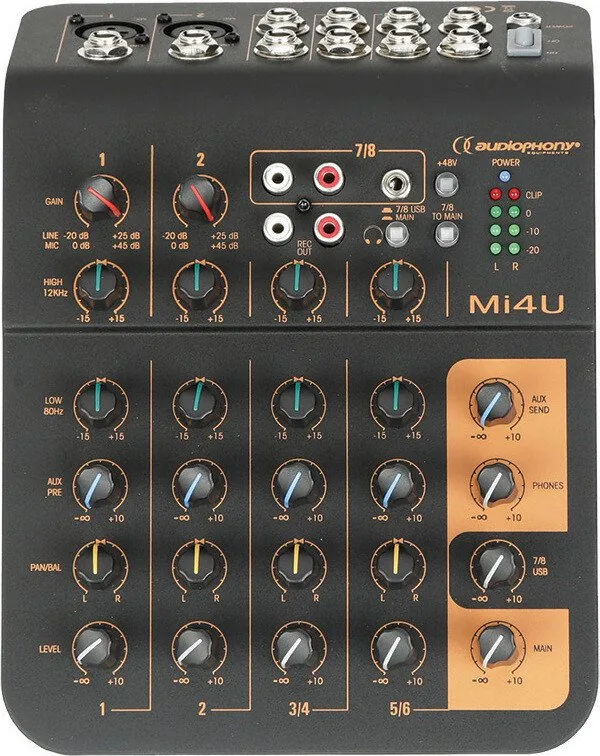
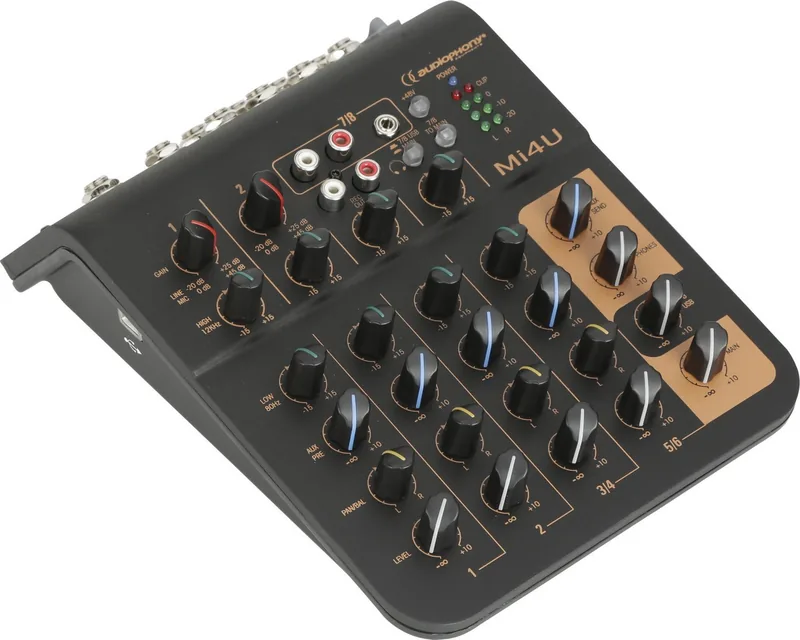
The unit boasts a range of inputs suitable for various sources. It includes microphone inputs via XLR plugs and standard line inputs. One standout capability is the USB connectivity, allowing direct interaction with computers for recording and playback. This transforms the mixer into a versatile sound card interface. Users appreciate the balanced main outputs, ensuring sound quality remains pristine over long cable runs without signal degradation. Furthermore, the 2-band equalizer offers precise control over high and low frequencies, enabling sound tailoring that suits every acoustic environment. Gain control for each channel allows for fine-tuning input levels before processing begins.
Safety and Operation
Operating electronic audio gear requires attention to safety protocols. The device is designed for indoor environments only. Ensuring adequate ventilation around the cooling vents prevents overheating risks during extended sessions. It is crucial to never obstruct the vents or use the unit in wet locations. Proper installation involves placing the mixer on a stable surface to prevent slipping. Power supply requirements are specific, utilizing the AC100-240V range. Always disconnect power during long periods of nonuse to conserve energy and protect internal components. It is lightweight and easy to transport for gigging musicians.
Notes on Maintenance and Specifications
The mixer features phantom power switches for condenser microphones. LED VU meters help prevent distortion by visualizing output levels in real time. Always rely on authorized technical services for maintenance. The internal components are non-isolated and sensitive to user tampering. Regular cleaning with a damp cloth suffices for the exterior surfaces. Avoid spilling liquids near the controls or allowing objects to penetrate the housing. The USB interface supports full duplex recording and playback simultaneously. The frequency response ensures clear audio reproduction across the spectrum.
By adhering to operational best practices and consulting the resource guide, owners can ensure longevity. The Audiophony Mi4U Manual serves as this essential reference point for unlocking the full potential of the hardware while maintaining safety standards throughout its service life. High quality sound is the priority.
Search for 67,706 Manuals online


Type-in Brand or Model