
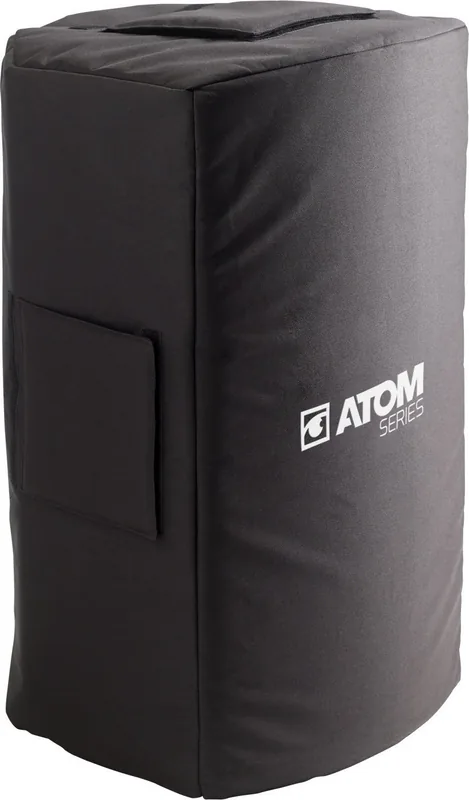
Audiophony COV-ATOM10A Manual
PDF manual · 52 Pages
English



Quick check
Incorrect answer, please try again.
Chat with your Audiophony COV-ATOM10A manual using AI
Get instant AI answers from your Audiophony COV-ATOM10A manual
Ask anything about the Audiophony COV-ATOM10A. Answers come from this manual, with the pages they are based on.
Ask a Question
Do you recommend COV-ATOM10A?
Yes NoFrequently Asked Questions
It supports vinyl (33/45/78 RPM), cassette playback, standard audio CDs, MP3 CDs, USB flash drives, Bluetooth streaming, and radio (region-dependent). You can also play external devices through the AUX input using a 3.5 mm cable.
Is this answer helpful?
Set the Function selector to Phono/Aux In, insert a USB flash drive, lower the tonearm to the record location, then press Record. The display indicates recording (PHO). When finished, press Stop to end the file.
Is this answer helpful?
Use the 33/45/78 speed switch to select 78 RPM, and install a compatible 78 stylus. The instructions specify using only a 78 stylus with 78 RPM vinyl records, and the 78 stylus is sold separately.
Is this answer helpful?
Some records may trigger Autostop early. If your vinyl stops before the music ends, switch Autostop Off for that record. You can then let it play through, but you must manually lift the tonearm and return it to the rest, and power off to stop the platter.
Is this answer helpful?
USB playback supports common audio formats such as AAC/M4A, AIFF/AIF, MP3, WAV, and WMA. The unit reads FAT32 USB drives of 32 GB or less. If a folder contains more than 999 files, entries above 999 may not display correctly.
Is this answer helpful?
Switch to the Radio/Bluetooth function, set the FM/AM/Bluetooth toggle to Bluetooth, then pair from your phone or tablet by selecting the device name. Stay within 10 meters (33 feet). If a code is requested, enter 0000.
Is this answer helpful?
Yes. Use the Line Output to connect to a receiver, amplifier, or powered speakers. The guidance warns that the unit volume control does not adjust Line Output volume when the Line Output is in use, so set level on your external system.
Is this answer helpful?
Advantages and Disadvantages
Advantages

- Plays vinyl at 33/45/78 RPM with manual tonearm lift and a safe arm-clip rest position.
- Records to USB from turntable, CD/MP3, FM radio, cassette, and AUX using a simple Record button.
- Supports multi-format audio playback on USB and CDs, with repeat modes and CD programming.
- Flexible listening options: built-in speakers, headphone output, AUX in, Line Output, and Bluetooth streaming.
Disadvantages

- Line Output is LINE level and has independent volume behavior; the unit volume does not adjust Line Output when used.
- USB playback/recording is limited to FAT32 drives up to 32 GB and can fail to show beyond 999 files per folder.
- Some copy-protected CDs may not be recordable to USB.
- Regional tuning differences apply, and Bluetooth range can drop with walls, obstructions, and movement.
Product Specification
Type
Speaker cover
Suitable for
Audiophony Atom 10A
Product Description
Audiophony COV-ATOM10A - One Classic-Style System for Vinyl, Tape, CD, USB, Radio, and Bluetooth
A full-format listening hub with simple controls
The Audiophony COV-ATOM10A brings a retro, all-in-one experience to your desk or living room. You can drop in vinyl for 33, 45, or 78 RPM playback, insert a cassette for tape listening, play standard CDs (including MP3 CDs), and use USB storage for flexible media playback. If you prefer wireless, Bluetooth lets you stream to the built-in speakers or to your connected audio setup.
Records, repeats, and remasters to USB
A standout feature is USB recording. With the right source selected, you can capture audio to a USB flash drive from the turntable (PHONO), a CD or MP3 disc, the FM radio band, cassette playback, or an AUX line-in device. The front panel provides a straightforward Record flow, with display cues that help you confirm what is being recorded and from where.
Built-in audio you can route your way
For direct enjoyment, the unit powers its own speakers and also includes a headphone output that mutes the internal speakers when connected. If you want to send audio to external gear, use the Line Output for receivers, amplifiers, or powered speakers. The AUX input makes it easy to connect a smartphone, media player, or tablet, while still controlling playback volume on the unit (with an important exception when using Line Output).
Vinyl details that matter for good sound
Vinyl playback is designed around a fixed tonearm with a lift lever and an arm clip for safe rest. The speed switch supports 33/45/78 RPM, and for best results on 78 RPM records you need a compatible 78 stylus (sold separately). Autostop can help manage playback ending, but if a record stops early, turning Autostop off lets you play to the end and stop manually.
Wireless streaming and radio clarity
Bluetooth pairing is intended to be quick, with a typical 10 meter (33 feet) range. If your device asks for a pairing code, use 0000. For radio, the FM antenna is integrated and the FM wire should be extended for best reception; depending on region, AM may be unavailable.
Notes
- Place the unit on a flat surface with good airflow, and remove any stylus protector before use.
- Keep the Audiophony COV-ATOM10A Manual nearby for setup and connection reminders, especially regarding LINE-level RCA output.
- Recording and playback depend on disc protection and USB formatting limits.
Search for 67,706 Manuals online


Type-in Brand or Model