
Free Atomos Manuals – Read, Download & Print
3 Manuals
Manuals
Categories


Free Atomos Manuals - Read, Download & Print
Introduction to Atomos Documentation Resources
Atomos has established itself as a leading manufacturer in the professional video recording and monitoring industry. Their devices, ranging from the Ninja series to the Shogun line and the new Samurai monitors, are essential tools for filmmakers, documentary crews, and content creators worldwide. As technology evolves rapidly, having access to accurate, up-to-date, and comprehensive documentation is crucial for maximizing the potential of these high-performance units. This guide serves as a central hub for accessing free Atomos manuals, ensuring that users can read, download, and print the information they need to operate their equipment with confidence.
The complexity of modern video production requires detailed knowledge of menu systems, connection protocols, and advanced features like HDR grading and 12G-SDI connectivity. Without proper guidance, even experienced professionals might struggle to unlock the full capabilities of their Atomos recorder. By providing free access to official manuals, we empower users to troubleshoot issues, configure settings correctly, and integrate their gear seamlessly into existing workflows. Whether you are setting up a multi-camera rig or simply capturing clean HDMI output for live streaming, the documentation provided here is your first line of defense against technical difficulties.
Navigating the Manual Library
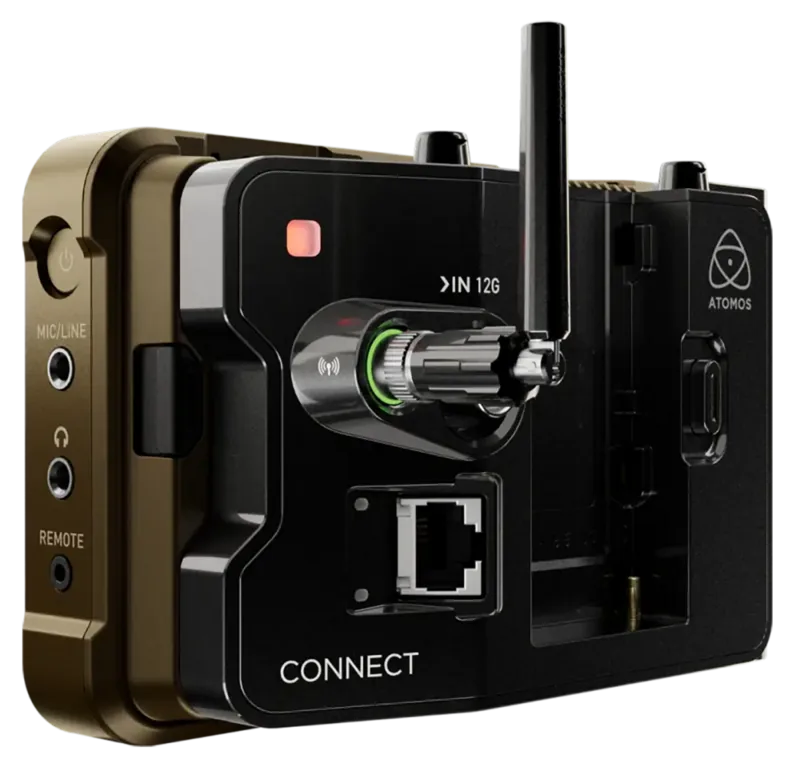
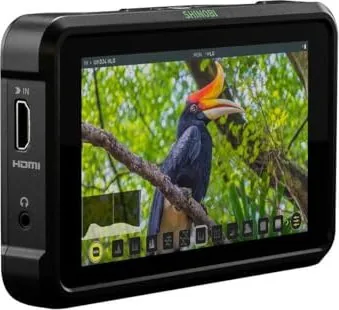
Our collection of Atomos manuals is organized to facilitate quick and easy access regardless of your specific device model. The library includes user guides, quick start sheets, firmware update notes, and technical specification documents. Each entry is clearly labeled with the corresponding model name, such as Atomos Ninja V, Shogun Inferno, or Samurai Connect, to prevent confusion. Users can browse through categories based on product lines, making it simple to locate the exact document required for their current project.
For those who prefer a linear approach, the navigation system allows filtering by release date or file size. This feature is particularly useful for individuals with limited bandwidth who wish to download only the essential sections of a large manual. Conversely, power users looking for complete technical schematics can opt for the full PDF versions which include all appendices and troubleshooting charts. The interface is designed to be intuitive, requiring no registration or login credentials to access the core resources. This open-access philosophy ensures that every filmmaker, regardless of budget or location, can benefit from expert-level support materials.
Essential Features Covered in the Guides
The Atomos manuals provide exhaustive coverage of the hardware and software features inherent to each device. One of the most critical aspects detailed in these documents is the menu structure. Modern Atomos recorders utilize sophisticated touchscreen interfaces that replace traditional physical buttons. The guides offer step-by-step visual instructions on how to navigate through menus for audio setup, video format selection, and timecode synchronization. Understanding this hierarchy is vital for efficient operation during fast-paced shoots where there is no time for trial and error.
Another key area of focus is input and output configuration. The manuals explain the nuances of connecting various cameras via HDMI, SDI, or USB-C. They detail the supported resolutions, frame rates, and color spaces, helping users avoid compatibility issues that could result in signal loss or degraded image quality. For instance, the documentation clarifies the differences between 4K 60p and 10-bit ProRes RAW recording options, allowing operators to make informed decisions based on storage capacity and workflow requirements.
Audio management is also extensively covered. Professional video production demands high-quality sound, and Atomos devices often include built-in mixers and preamps. The guides walk users through setting gain levels, configuring microphone inputs, and managing external audio sources. Additionally, there are sections dedicated to monitoring tools such as waveforms, vectorscopes, and false color overlays. These tools are indispensable for achieving precise exposure and color balance, and the manuals teach users how to customize their display layouts for optimal viewing under bright sunlight or in dark environments.
Firmware Updates and Software Integration
Keeping your Atomos device running the latest firmware is essential for maintaining performance and accessing new features. The manual library includes detailed instructions on how to perform firmware updates safely. These guides outline the necessary steps, including backing up existing data, downloading the correct update file, and installing it via USB or network connection. They also highlight common pitfalls to avoid, such as interrupting the process or using incompatible storage media, which could potentially brick the device.
Beyond basic updates, the documentation explores integration with third-party software and ecosystems. Many users connect their Atomos recorders to editing suites like DaVinci Resolve or Adobe Premiere Pro. The guides provide insights into metadata transfer, proxy generation, and direct export workflows. For live streaming applications, there are specific sections on RTMP configurations, OBS Studio integration, and NDI protocol support. These resources ensure that the hardware functions not just as a standalone recorder but as an integral part of a larger digital production pipeline.
Troubleshooting is a recurring theme throughout the manuals. Common issues such as overheating warnings, battery drain anomalies, or corrupted files are addressed with clear diagnostic procedures. Users are taught how to interpret error codes and what immediate actions to take to resolve them. This proactive approach minimizes downtime and helps maintain the integrity of valuable footage. The inclusion of frequently asked questions (FAQ) sections further aids in resolving minor queries without needing to contact customer support directly.
Printing and Offline Access
In many professional environments, internet access may be unreliable or restricted due to security policies. To accommodate these scenarios, the Atomos manuals are available for offline use. Users can download the complete PDF packages to their local drives, tablets, or smartphones. This ensures that critical information is always at hand, even when working in remote locations or on set where connectivity is spotty.
Printing is another option supported by our platform. High-resolution PDFs are optimized for standard letter and A4 paper sizes, preserving readability and layout fidelity. Printed manuals serve as excellent references during long shooting days, allowing crew members to flip through pages quickly without worrying about battery life or screen glare. Some teams prefer to have physical copies of the quick start guides taped near their equipment for rapid reference during setup and breakdown phases.
Conclusion: Empowering Your Production Workflow
Access to free, comprehensive, and well-organized Atomos manuals is a fundamental asset for any serious video producer. These documents bridge the gap between hardware capability and practical application, enabling users to harness the full power of their recording devices. From initial unboxing to advanced post-production integration, the guides provide the knowledge needed to succeed in today's competitive media landscape. By utilizing these resources, filmmakers can reduce errors, improve efficiency, and deliver higher quality content consistently. We encourage all Atomos owners to explore the available documentation, download the files relevant to their models, and keep them readily accessible for future projects. With the right information at your fingertips, there are no limits to what you can achieve with your Atomos equipment.
Search for 67,706 Manuals online


Type-in Brand or Model