
Astell&Kern AK HC4 Manual
PDF manual · 16 Pages
English



Quick check
Incorrect answer, please try again.
Chat with your Astell&Kern AK HC4 manual using AI
Get instant AI answers from your Astell&Kern AK HC4 manual
Ask anything about the Astell&Kern AK HC4. Answers come from this manual, with the pages they are based on.
Ask a Question
Do you recommend AK HC4?
Yes NoFrequently Asked Questions
Connect the USB Type C plug to your Android smartphone or tablet. Ensure the white LED light is on. Reduce source volume to minimum before starting playback to protect hearing.
Is this answer helpful?
No, the device does not contain a built-in battery. Power is supplied from the connected device through the USB connection during operation.
Is this answer helpful?
No, it is not recommended. Volume is fixed at maximum when connected to Astell Kern players preventing adjustment and risking hearing damage.
Is this answer helpful?
Yes, for Windows PCs you may need to install USB DAC drivers from the official website if the device is not recognized automatically.
Is this answer helpful?
It switches the device to a specific mode required for gaming devices. LED turns green during this mode operation for clarity.
Is this answer helpful?
System stability updates are available from the official website support section. You may need to run a player to trigger updates.
Is this answer helpful?
It offers a balanced 4.4mm port and a standard unbalanced 3.5mm connector for connecting various headphones and earphones.
Is this answer helpful?
Advantages and Disadvantages
Advantages

- AKM AK4493SP DAC芯片提供高解析度音频支持
- USB Type-C接口广泛兼容各类设备
- 支持4.4mm平衡输出提升音质表现
- 轻量化铝合金设计便于便携携带
- LED指示灯清晰显示工作模式
Disadvantages

- 设备无内置电池需依赖主机供电
- Windows PC需手动安装DAC驱动程序
- 不可直接连接Astell&Kern DAP播放器
- 特定Android应用可能固定最大音量
- 使用转接头可能导致连接不稳定
Product Specification
Type
D/A Converter, Headphone Amplifier, USB Audio Adapter
D/A Converter PCM
32bit/384kHz
D/A Converter DSD
DSD256
Frequency Range
20Hz-20kHz (+/-0.07dB)
Signal-to-Noise Ratio (SNR)
118dB
Total Harmonic Distortion (THD)
0.0005%
Channel Separation
134dB
Outputs
Headphone Balanced (4.4mm Jack), Headphone (3.5mm Jack)
Other Connections
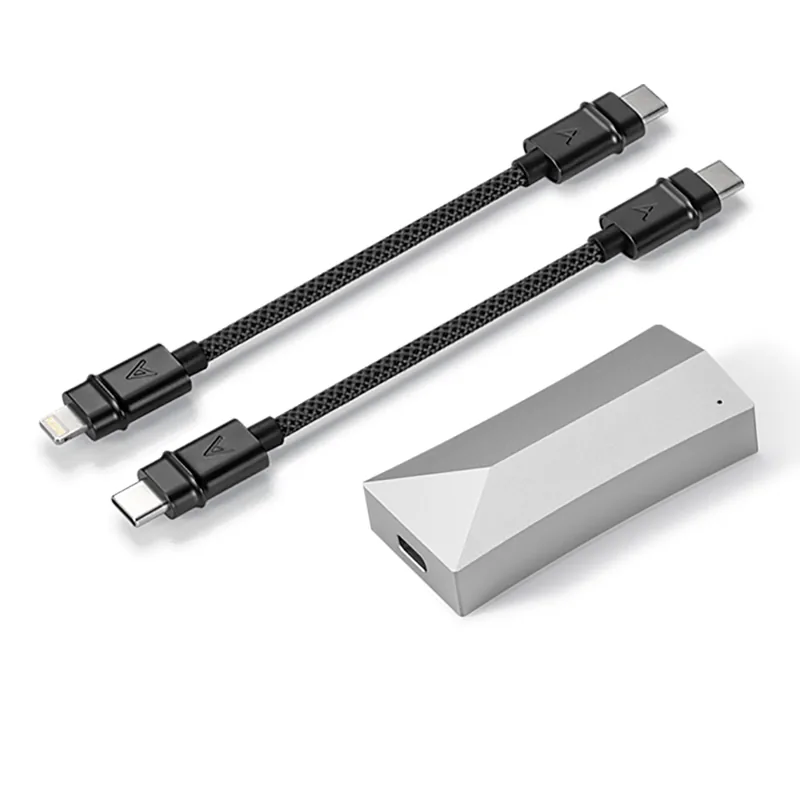
USB-C, Lightning
Power
USB-C, Lightning
Features
Portable
Color
Silver
Dimensions
2.54 x 1.16 x 0.57 in (W x H x D)
Weight
1.09 oz
Product Description
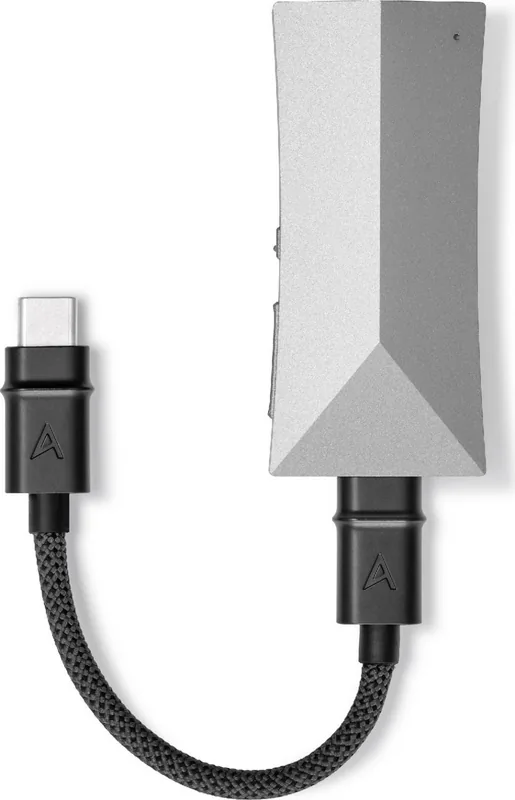
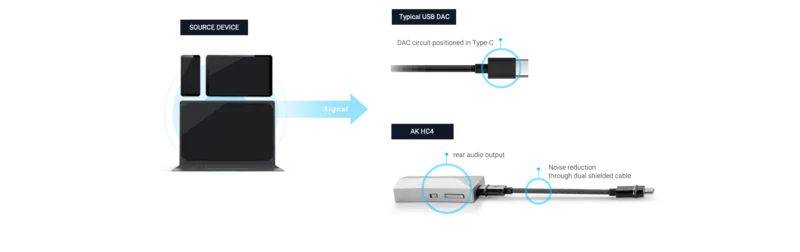
The Astell&Kern AK HC4 stands as a premier choice for audiophiles seeking portability without compromising sound quality. This device bridges the gap between smartphones and high-fidelity headphones effectively. Many users refer to the Astell&Kern AK HC4 Manual for setup instructions regarding installation and operation. The core component involves the AKM AK4493SP DAC chip which supports PCM up to 32 bit/384kHz and native DSD formats. Connectivity is handled via USB Type-C input ensuring compatibility with various modern devices including Android smartphones and computers. The output options include a balanced 4.4mm port and a standard unbalanced 3.5mm connector offering versatility for different headphone types.
One critical aspect involves volume management. The unit features a built-in amplifier that produces significantly higher output levels compared to other devices. Consequently, users must adjust the source volume to a minimum before connecting to avoid potential hearing damage. The device does not contain a built-in battery and draws power directly from the host device. Power consumption varies based on the data type and connection quality. LED indicators provide visual feedback on the status including standby, PCM, DSD, and UAC1.0 modes.
Compatibility remains a vital consideration. While it works well with most Android devices and PCs, certain gaming devices require specific UAC1.0 mode settings. Windows users may need to install drivers from the manufacturer website if automatic detection fails. It is crucial to avoid connecting to Astell&Kern DAP models directly as volume control becomes restricted. Firmware updates are available to enhance system stabilization over time. The compact design measures roughly 30mm by 65mm weighing only about 31 grams excluding the cable. This profile makes it ideal for daily commutes or travel scenarios where size matters.
Aluminum construction provides durability while maintaining an elegant moon silver aesthetic. Audio specifications reveal low distortion and high signal-to-noise ratios ensuring pristine sound reproduction regardless of genre. Proper usage ensures longevity and safety for both equipment and the listener. Always verify settings before initiating playback. Following established guidelines guarantees the best experience with this advanced audio cable solution. Whether streaming from Tidal or tracks the AK HC4 delivers refined audio performance consistently. The volume risk is significant if not monitored closely. Tidal and some apps on Android fix the output. Users should check the volume first. The USB-C plug connects securely. It supports high-res audio well. The LED colors indicate status clearly. Green means specific mode. Blue means DSD. Red means PCM. White is standby. This clarity helps users know what is happening. Support is available online for drivers. System stability is key for performance. The hardware allows for flexible connection types. Adapters may cause issues though. Stick to direct connections. Ensure the host device is powered. Battery drain depends on usage. Sound quality is the main focus here. The DAC chip is top tier. It handles complex data easily. You get clear highs and deep lows. The 4.4mm jack offers better balance. The 3.5mm remains for simplicity. Weight is not burdensome at all. It fits in pockets conveniently. Travel becomes enjoyable with this setup. Sound fidelity reaches new heights. Users love the build quality too. It feels solid in hand. The silver color looks premium. This cable fits their ecosystem well. It does not replace the DAP though. It works alongside mobile devices. Power comes from the USB host. Charging is not affected drastically. The driver installation is straightforward. Most systems grab it automatically. Updates fix bugs if they appear. Read the notes before starting. Hearing protection is priority one. Always reduce volume initially. Connect and then check the sound. The process is simple enough. Just follow the basic steps. Enjoy your music fully now. The build remains robust across changes. Quality control ensures reliability daily. Support is helpful if issues arise. Just remember the warning signs. Safety is paramount for audio fans everywhere.
Search for 67,732 Manuals online


Type-in Brand or Model