
Arturia KeyStep Pro Chroma Manual
PDF manual · 30 Pages
English



Quick check
Incorrect answer, please try again.
Chat with your Arturia KeyStep Pro Chroma manual using AI
Get instant AI answers from your Arturia KeyStep Pro Chroma manual
Ask anything about the Arturia KeyStep Pro Chroma. Answers come from this manual, with the pages they are based on.
Ask a Question
Do you recommend KeyStep Pro Chroma?
Yes NoFrequently Asked Questions
Click the Sync button to back up internal memory quickly and allow live editing of parameters from within the MIDI Control Center software for efficient workflow management.
Is this answer helpful?
Yes, access the Device Settings tab to view and modify global parameters such as clock in/out settings and CV/Gate characteristics automatically for your device.
Is this answer helpful?
Disconnect from USB hub and connect directly to the computer. Restart the computer or reconnect the hub to resolve connection issues effectively.
Is this answer helpful?
Check the Updates tab in the main window for notifications. Click the Install button and follow on-screen prompts to complete the upgrade process.
Is this answer helpful?
A template contains the same data as a memory or project and archives user data onto your computer in the Project Browser window for easy access.
Is this answer helpful?
Yes, use the Export button on the Device Settings tab to save files with the product extension for swapping configurations with other users or systems.
Is this answer helpful?
Yes, controller maps assign MIDI messages to configurable knobs and pads. Some devices do not support this so check specific documentation for your unit.
Is this answer helpful?
Advantages and Disadvantages
Advantages

- Sync feature backs up internal memory quickly and allows live editing of parameters for efficient workflow management.
- Template management builds a limitless library of data from your device easily using template utility buttons.
- Firmware updates are handled via software ensuring hardware stays current and stable over time.
- Controller maps allow assignable controls to transmit MIDI continuous values and program changes effectively.
- Project Browser organizes data into Factory and User groups allowing easy access to original patterns.
Disadvantages

- USB hub connection may cause device not recognized errors requiring direct connection to your computer.
- Not all controls on the front panel are assignable for MIDI mapping tasks in this workflow.
- Windows only specific error messages appear for devices that fail to open initially due to conflicts.
- Changes made on the front panel are not detected by the software without manual recall process.
- Device settings are saved independently from templates requiring separate export processes for backup.
Product Specification
Type
MIDI Keyboard
Keys
37, Aftertouch
Pads
No
Knobs
8
Faders
2, Touch Faders
Additional Controls
Modulation (Touch), Pitch-Bend (Touch), Transport Buttons
Connections
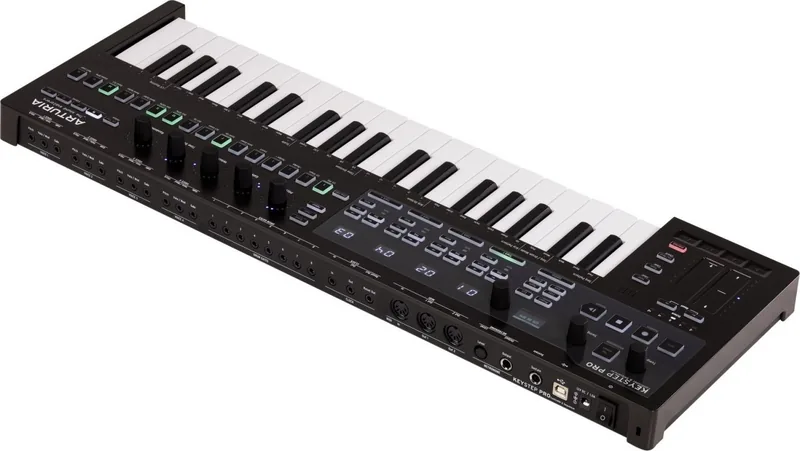
USB-B (USB to Host), MIDI In/Out, CV Out, Gate Out, Sustain Pedal
Features
Arpeggiator, Chord Mode, Scale Mode, Step Sequencer
Dimensions
23.19x1.50x8.19in (WxHxD)
Weight
5.95 lbs
Product Description
Unlocking Creativity with the Arturia KeyStep Pro Chroma
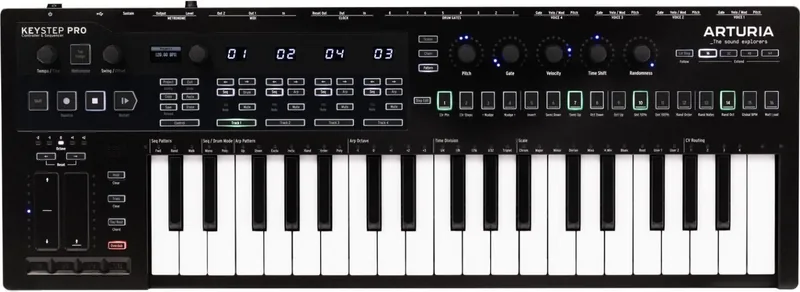
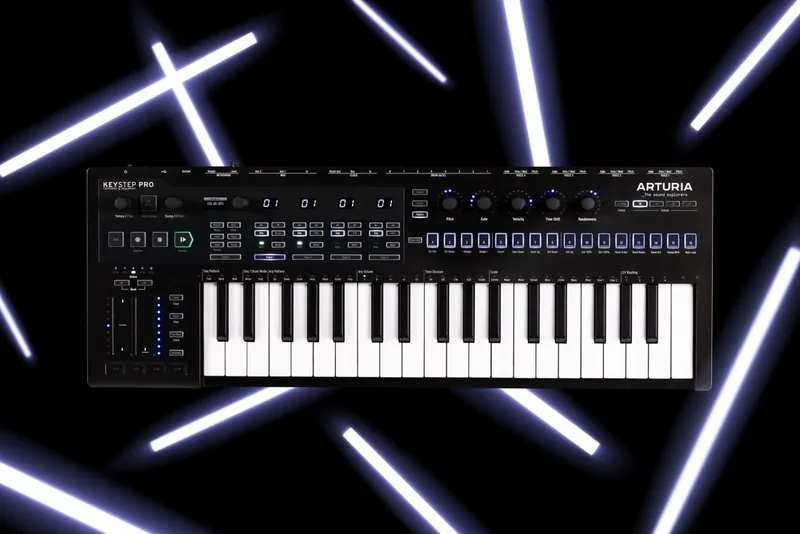
Welcome to a brand new journey in modern music production with the Arturia KeyStep Pro Chroma. This device is not merely a controller but a creative powerhouse designed to transform your musical ideas into tangible reality. Whether you are a professional electronic producer or a live performer, the KeyStep Pro Chroma offers flexibility and sheer fun that defines the Arturia experience for musicians around the world. To maximize your creative potential understanding the companion software is absolutely essential for success.
The MIDI Control Center software serves as the powerful virtual partner to your hardware. It unlocks features that are not accessible through the front panel controls alone. By diligently following the Arturia KeyStep Pro Chroma Manual you can configure complex device settings manage memories and create templates efficiently. The comprehensive documentation covers everything from basic synchronization to advanced controller mappings and firmware upgrades. This guide ensures you understand every capability of your new tool.
One of the standout features is the ability to save and recall presets effortlessly. Through the template utility buttons you can build a limitless library of your original patterns and sequences. The sync operation allows you to back up internal memory quickly and safely. When working inside the MIDI Control Center you can edit response curves change transposition settings and adjust CV/Gate characteristics without ever touching the physical unit. This ensures your workflow remains uninterrupted by technical adjustments or minor configuration errors.
Troubleshooting is also a key component discussed thoroughly in the technical documentation. Common issues like a device not being recognized due to USB hubs can be resolved by ensuring a direct connection to your computer. Additionally firmware upgrades are managed seamlessly through the software interface ensuring your KeyStep Pro Chroma stays current with the latest innovations and stability fixes. The license agreement governs the software use emphasizing non-exclusive rights and protection against unlawful copying while providing support channels.
Ultimately the combination of robust hardware and versatile software creates a creative trinity. The detailed instructions within the manual ensure every musician can make the absolute most of their purchase. You can find downloads and additional support on the official Arturia website. Musically yours enjoy the endless process of producing amazing music with your dedicated companion software. This integration defines the future of musical expression for artists globally.
The Project Browser window organizes data into Factory and User groups allowing easy access. You can drag patterns from the local templates to the working memory instantly. Controller maps allow assignable controls to transmit MIDI continuous values and program changes. It is vital to read the documentation regarding device settings tabs for global parameters. This ensures optimal performance and prevents potential software conflicts during live sessions.
Search for 67,706 Manuals online


Type-in Brand or Model