
Arturia KeyLab Manual
PDF manual · 47 Pages
English



Quick check
Incorrect answer, please try again.
Chat with your Arturia KeyLab manual using AI
Get instant AI answers from your Arturia KeyLab manual
Ask anything about the Arturia KeyLab. Answers come from this manual, with the pages they are based on.
Ask a Question
Do you recommend KeyLab?
Yes NoFrequently Asked Questions
It is best known as a flexible MIDI controller with expressive keys, hands-on controls, and strong integration with Arturia software like Analog Lab. It is designed to help musicians shape sounds quickly and perform naturally.
Is this answer helpful?
No. While it integrates especially well with Analog Lab, it can also be used with other DAWs, plugins, and external MIDI gear. Many controls can be reassigned through the KeyLab’s editing features or MIDI Control Center.
Is this answer helpful?
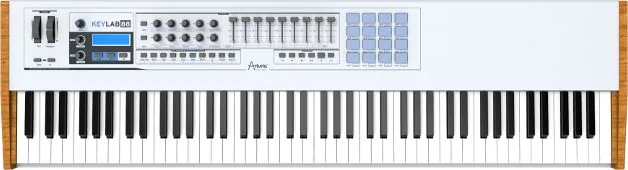
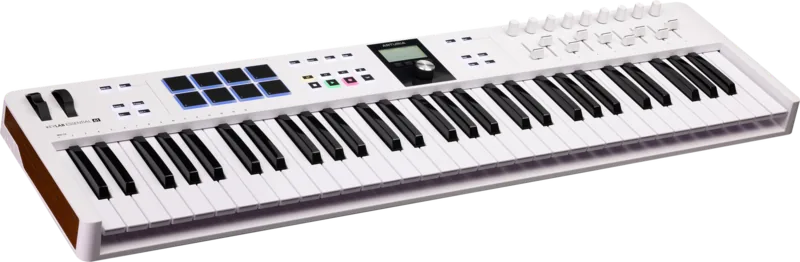
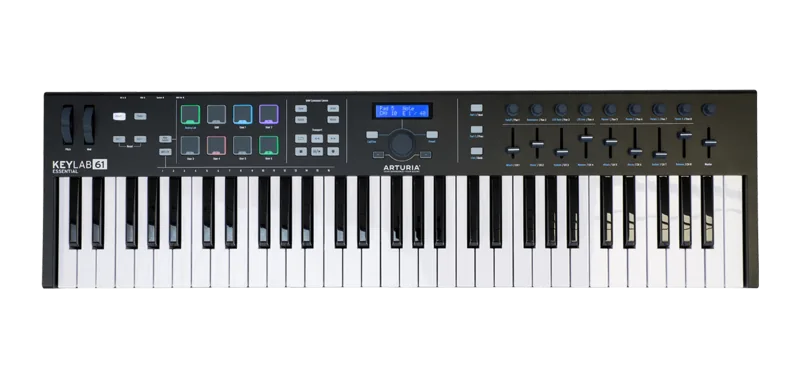
Depending on the model, KeyLab includes keys, pads, encoders, faders, transport buttons, pitch and modulation wheels, and snapshot buttons. It also offers pedal inputs and MIDI connections for broader hardware setups.
Is this answer helpful?
Yes. KeyLab supports internal preset storage, so you can save custom mappings and recall them later. The MIDI Control Center makes it easier to build, manage, and back up those presets.
Is this answer helpful?
Edit Mode is used to change how individual controls behave. You can assign MIDI messages, set channels, adjust ranges, choose modes, and define how buttons, knobs, faders, and pads respond in different setups.
Is this answer helpful?
Yes. The controller includes transport controls, quick preset recall, banks, pads, and hardware mappings that make it practical for stage use. Standalone operation is also possible with external power and MIDI connections.
Is this answer helpful?
Advantages and Disadvantages
Advantages

- Expressive velocity and aftertouch keyboards across multiple sizes.
- Deep Analog Lab integration with instant access to sound-shaping controls.
- Assignable pads, faders, and encoders suit studio and live workflows.
- MIDI Control Center allows detailed customization and preset storage.
Disadvantages

- Full setup can feel complex for beginners who want plug-and-play use.
- Some advanced functions depend on software and preset configuration.
- Larger models take more space and are less portable than compact controllers.
- Factory resets and preset changes require careful backing up of custom settings.
Product Specification
Type
MIDI Keyboard
Knobs
13
Faders
9
Other controllers
Modulation, Pitch-Bend, Transport keys
Connections
USB-B (USB to Host), MIDI In/Out, Breath-Controller, Sustain Pedal, Expression Pedal, Footswitch
Special features
incl. Analog Lab Software
Product Description
Arturia KeyLab: Hands-On Control for Modern Music Production
The Arturia KeyLab is built for musicians who want a responsive, hardware-first workflow without sacrificing software flexibility. Whether you’re sketching ideas in a DAW, shaping synth sounds, or performing live, the KeyLab family gives you a tactile bridge between your hands and your music. The Arturia KeyLab Manual highlights how deeply the controller is tied to creative control, from the keyboard feel to the assignable knobs, faders, pads, and transport buttons.
A controller designed to feel musical
One of the strongest points of the KeyLab is its expressive keyboard, available in 25-, 49-, 61-, and 88-key versions. Velocity and aftertouch sensitivity help the instrument respond naturally to performance dynamics, while pitch bend and modulation wheels add real-time movement. The larger models also include pads that can trigger drums, chords, program changes, or other MIDI actions, making the controller useful for both beat-making and melodic work.
Deep integration with software
KeyLab is especially compelling when paired with Arturia’s Analog Lab, where many of the controls are pre-mapped for immediate sound shaping. Encoders, faders, and snapshot buttons make it easy to move through presets and adjust core synthesis parameters like filter, LFO, FX mix, and envelopes. That means less menu diving and more playing. For producers who use third-party plugins or external gear, the controller can be remapped through Edit Mode or the MIDI Control Center.
Flexible setup for studio and stage
The rear panel expands the KeyLab’s usefulness with MIDI In/Out, pedal inputs, a breath controller input, USB power, and optional DC power. This makes it suitable for both computer-based production and standalone MIDI setups. The KeyLab can also store presets, recall custom mappings, and switch between multiple banks of controls, which is a major advantage for live performers who need fast access to different configurations.
A smart workflow companion
The included MIDI Control Center software is a big part of the experience. It lets users define control behavior, set MIDI channels, choose CC values, adjust ranges, and save templates for later use. For players who want a controller that adapts to their setup rather than forcing a fixed workflow, that level of customization is a real strength.
Notes
- Backup presets before factory resets or major edits.
- Use powered USB hubs for reliable operation.
- Check pedal and MIDI assignments when switching projects.
- The 88-key model adds advanced split and curve options for performance-focused players.
Search for 67,706 Manuals online


Type-in Brand or Model