
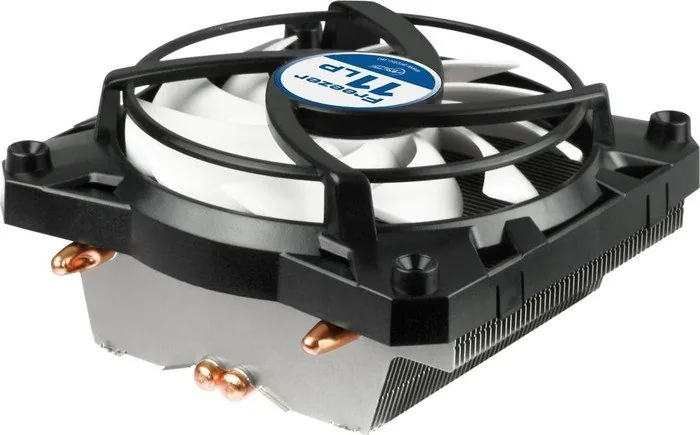
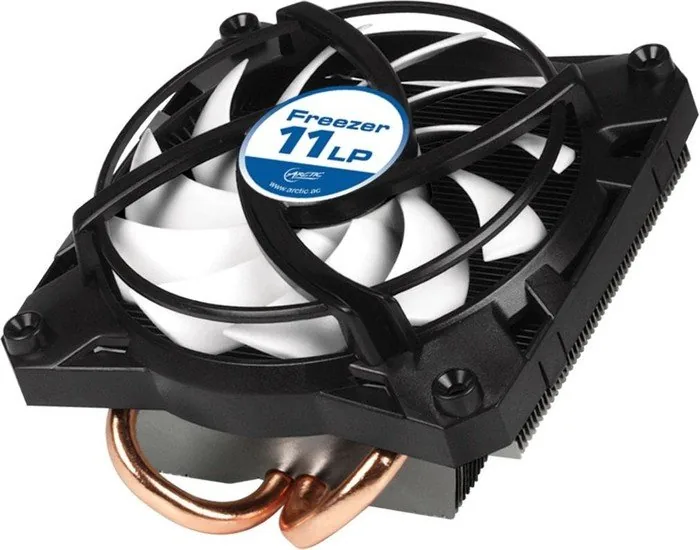
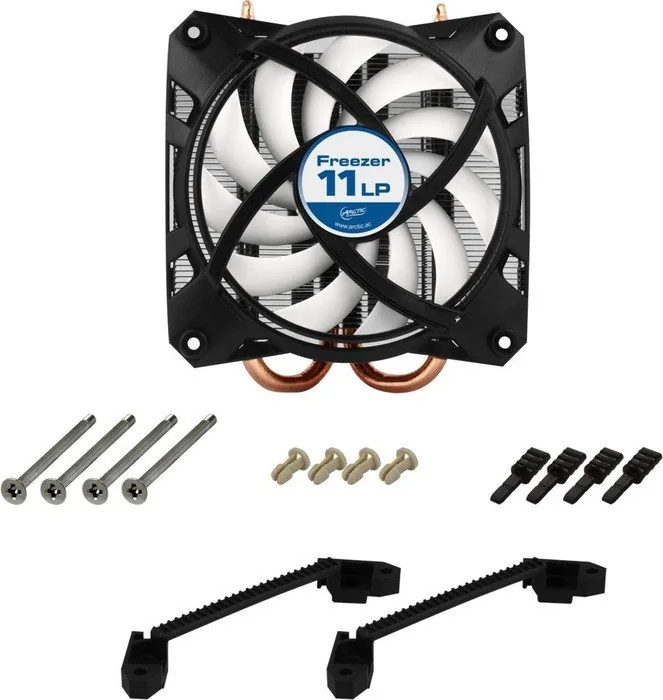
Arctic Freezer 11 LP Manual
PDF manual · 1 Pages
English


Quick check
Incorrect answer, please try again.
Chat with your Arctic Freezer 11 LP manual using AI
Get instant AI answers from your Arctic Freezer 11 LP manual
Ask anything about the Arctic Freezer 11 LP. Answers come from this manual, with the pages they are based on.
Ask a Question
Do you recommend Freezer 11 LP?
Yes No
Nina Keller
8 months ago
Will the Arctic Freezer 11 LP Topblow block my RAM slots or the PCIe graphics card on a Mini-ITX motherboard or in a compact case?

Manual.ly
8 months ago
It can, depending on your exact motherboard and RAM. Reviewers report that on some compact boards the cooler's width and the protruding heatpipe ends can interfere with the first RAM bank, limit use of a RAM slot, or even prevent full use of a nearby PCIe slot. In very tight builds, low-profile RAM or changing to a different RAM bank is sometimes required, and the GPU may need enough clearance (or the configuration must be checked carefully). Support tip: compare the cooler's exact dimensions and clearances with your motherboard (RAM height and slot position, PCIe location, capacitor area) and measure before installing. If clearance is tight, check mounting orientation/rotation options before tightening everything down.
Video Manual
How to Install Arctic Cooling Freezer 7 Pro Rev.2 CPU HeatSink Cooler on AMD FX Series (AM3+)
Frequently Asked Questions
The Freezer 11 LP supports common Intel sockets referenced in the manuals such as LGA 775, 1155 and 1156. Always verify your exact socket compatibility against ARCTIC’s installation documentation before purchasing.
Is this answer helpful?
Yes, thermal paste is pre-applied on the heatsink for the initial installation. ARCTIC recommends using their MX-4 thermal paste if you need to remount the cooler to ensure optimal thermal performance.
Is this answer helpful?
The cooler is designed for low acoustic output and generally performs quietly under typical desktop and HTPC loads. Exact noise levels vary with fan speed and CPU load, but it’s optimized for minimal disturbance in living-room and office environments.
Is this answer helpful?
The low-profile design is intended for compact cases, but case clearance and motherboard component height (like RAM and VRMs) can affect fit. Measure available CPU cooler height and compare to the cooler’s dimensions before installation.
Is this answer helpful?
ARCTIC hosts installation manuals in multiple languages on their website. Search for Freezer 11 LP installation manual on ARCTIC’s site or use the regional manual links provided by the manufacturer for step-by-step guidance.
Is this answer helpful?
The product includes a 6-year limited warranty from ARCTIC. Warranty terms and coverage details are available on ARCTIC’s official warranty page and may vary by region.
Is this answer helpful?
As a low-profile cooler, it’s best suited for low- to mid-TDP CPUs. High-TDP or overclocked processors typically benefit more from larger tower coolers with greater heatsink surface area and more heatpipes.
Is this answer helpful?
Advantages and Disadvantages
Advantages

- Low-profile design fits small form-factor cases and HTPCs.
- Quiet fan operation suitable for living-room and office PCs.
- Pre-applied thermal paste simplifies initial installation.
- Includes mounting hardware (M3 screws, push-pins, clips) for common Intel sockets.
- 6-year limited warranty from ARCTIC provides long-term coverage.
Disadvantages

- Limited cooling compared to larger tower coolers for high-TDP CPUs.
- May not fit some motherboards with tall VRM components or tall RAM modules.
- Requires reapplication of thermal paste (MX-4 recommended) after removal.
- Compatibility dependent on exact socket and case clearance—verify before buying.
- Fewer heatpipes and smaller heatsink surface than full-sized coolers.
Product Specification
Design
Top-blow cooler
Dimensions with fan
4.17x2.09x4.53in (WxHxD)
Fan
1x 3.62x3.62x0.98in, 900-2000rpm, 27.07 CFM, 27.07 CFM, 0.4 Sone, hydrodynamic bearing
Weight with fan
0.56 lb
Connector
4-Pin PWM
Intel Socket
1150/1151/1155/1156/1200, 775
TDP Rating
100W
Features
2 Heatpipes, pre-applied thermal paste (Arctic MX-4)
Manufacturer's warranty
6 years
Product Description
Arctic Freezer 11 LP — Compact, Quiet CPU Cooling
The Arctic Freezer 11 LP is a low-profile CPU cooler designed for compact builds and HTPCs where space and noise matter. With a slim heatsink and a quiet fan, it balances thermal performance and minimal clearance requirements. The cooler ships with mounting hardware, push-pins and clips for multiple Intel sockets, and pre-applied thermal paste for straightforward installation.
Key features and usage
Featuring a low-profile design, the Freezer 11 LP fits small cases while maintaining respectable cooling capabilities for mainstream CPUs. Its fan operates quietly, making it suitable for living-room PCs and office machines. The heatsink surface arrives with thermal compound pre-applied; for reinstallation ARCTIC recommends using their MX-4 paste to ensure optimal contact and thermal conductivity.
Multiple language installation manuals are provided online, covering step-by-step guidance for mounting on Intel sockets such as LGA 775, 1155 and 1156. The package includes screws (M3), push-pins and retention clips to accommodate typical small-form-factor mounting scenarios.
Performance and compatibility
Although compact, the Freezer 11 LP offers competitive cooling for low- to mid-power processors. Its low profile reduces RAM and case interference, making it a practical choice for compact motherboards. Noise levels are kept low by a tuned fan and efficient heatsink design. The included warranty covers the product for an extended period—ARCTIC provides a 6-year limited warranty for this product.
Installation notes
Prepare the CPU surface by cleaning old thermal compound with a suitable wipe or tissue before mounting. Follow the step-by-step instructions provided in the regional installation manuals available from ARCTIC’s website if unsure about orientation or mounting sequence. For best results on reassembly, apply fresh MX-4 thermal paste as recommended by the manufacturer.
Final thoughts
The Arctic Freezer 11 LP is a focused solution for builds that demand compactness without sacrificing reliable cooling or quiet operation. It’s especially useful in HTPCs, small form factor desktops, and office systems where airflow is constrained and acoustic comfort is valued.
Notes:
- Pre-applied thermal paste saves time on initial install; use MX-4 for reinstallation.
- Check compatibility with your socket and case clearance before purchase.
- Installation manuals are available in multiple languages on ARCTIC’s site.
Search for 67,706 Manuals online


Type-in Brand or Model
CorporisDucimus74
8 months ago
Will the Arctic Freezer 11 LP fit in a mini-ITX case without blocking RAM slots or interfering with the PCIe/GPU area?
Manual.ly
8 months ago
It usually works well in small cases, but compatibility depends on motherboard layout and component height. Several buyers report the cooler can cover a RAM slot or leave very little clearance on compact ITX boards, and the heatpipe ends may approach nearby capacitors, VRMs, or even the GPU area. Before buying, compare your motherboard and RAM dimensions with the cooler measurements and placement pictures from the manufacturer (and measure the height/clearances in your case). If you have low clearance, use low-profile (VLP) RAM and confirm there is enough room around the first memory bank and the PCIe slot. Installation is straightforward (push-pins plus screws), but tighten evenly to avoid stressing the board.