
Apricorn Aegis Secure Key 3z Manual
PDF manual · 12 Pages
English



Quick check
Incorrect answer, please try again.
Chat with your Apricorn Aegis Secure Key 3z manual using AI
Get instant AI answers from your Apricorn Aegis Secure Key 3z manual
Ask anything about the Apricorn Aegis Secure Key 3z. Answers come from this manual, with the pages they are based on.
Ask a Question
Do you recommend Aegis Secure Key 3z?
Yes NoFrequently Asked Questions
PINs must be 7–16 digits and cannot be all sequential (e.g., 01234567) or all the same digit (e.g., 1111111). Zero is treated as preceding one; follow the device feedback LEDs when entering PINs.
Is this answer helpful?
The Admin PIN configures device features (recovery PINs, read-only, brute-force limits, auto-lock, etc.) and can access data. The User PIN can unlock and access data but cannot change Admin-level settings.
Is this answer helpful?
An Admin can create a new User PIN in Admin mode. If recovery PINs were provisioned, a one-time recovery PIN can place the device into forced-enrollment so a new User PIN can be created without wiping data.
Is this answer helpful?
The device introduces time delays after three failed attempts, shows failure counts via LEDs, and can lock the keypad. After configured attempts are exhausted, the device may crypto-erase data to protect against brute-force attacks unless recovery procedures (LastTry code) are used.
Is this answer helpful?
A complete reset crypto-erases keys and data. After reset, set a new Admin PIN, then initialize and format the drive from the host OS (Disk Management on Windows or Disk Utility on macOS) to make the device usable again.
Is this answer helpful?
Yes. The Aegis Secure Key ships NTFS-formatted for Windows; once unlocked, reformat it in macOS Disk Utility to Mac OS Extended (Journaled) or another supported filesystem to use with macOS.
Is this answer helpful?
Apricorn offers a three-year limited warranty against defects and provides technical support via their website, email, and phone during business hours. Warranty terms exclude misuse, unauthorized repairs, and normal wear.
Is this answer helpful?
Advantages and Disadvantages
Advantages

- Strong AES-256 hardware encryption with onboard keypad removes host dependency.
- Separate Admin and User PINs plus recovery PINs enable flexible access control.
- Configurable read-only, auto-lock, and lock-override modes for varied use cases.
- Brute-force protection with configurable attempt limits and LastTry recovery code.
- Built-in diagnostics, rechargeable battery, and cross-platform formatting support.
Disadvantages

- Single User plus single Admin limits multi-user deployments without additional devices.
- Self-Destruct and recovery flows are irreversible if misused or misconfigured.
- Lock-Override mode can be a security risk if physically unattended or on powered hubs.
- Initial setup and reinitialization require manual formatting and admin privileges.
- Physical keypad and USB connector are vulnerable to damage if buttons pressed while inserted.
Product Specification
Type
Loop, with protective cap
Interface
USB-A 3.0
Read
190MB/s
Write
80MB/s
Dimensions
3.19x0.72x0.37in (LxWxH)
Weight
0.05 lb
Special features
integrated battery, Keypad, 256bit AES encryption, FIPS 140-2 Level 3, IP67 certified
Manufacturer warranty
3 years
USB notation
Link
Product Description
Apricorn Aegis Secure Key 3z — Reliable Hardware Encryption
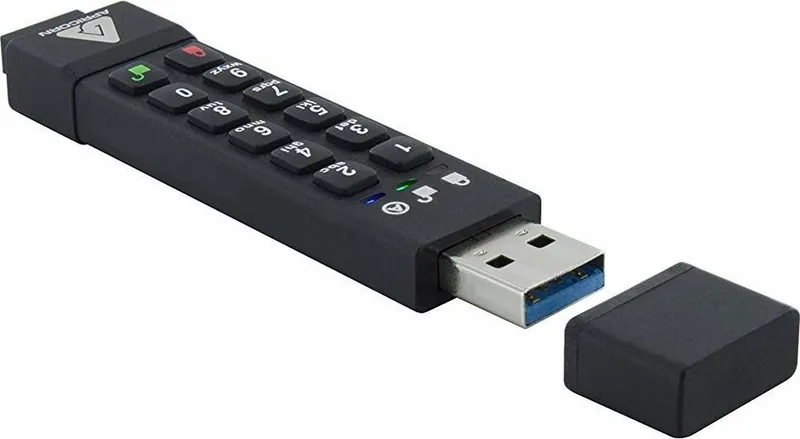
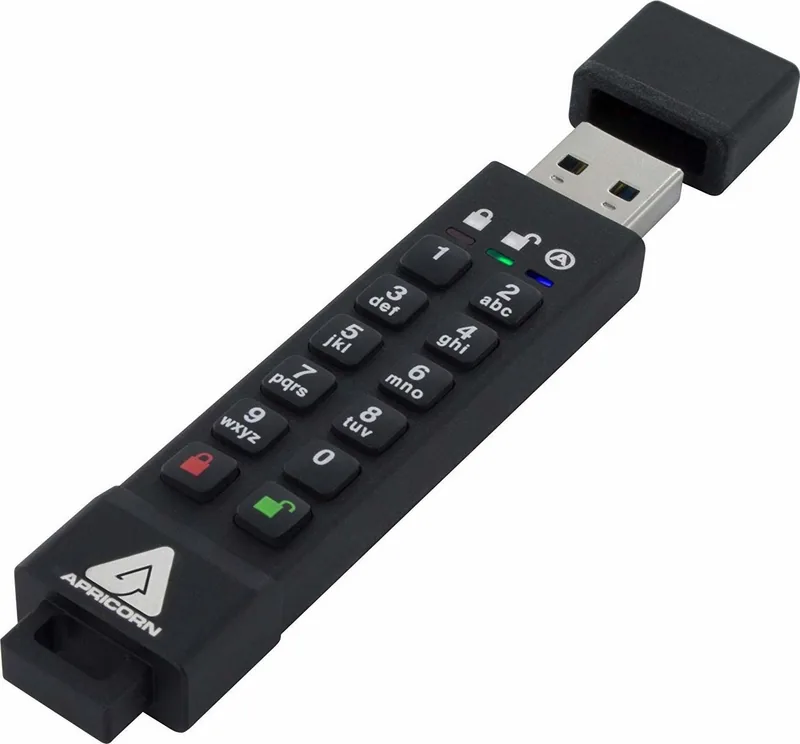
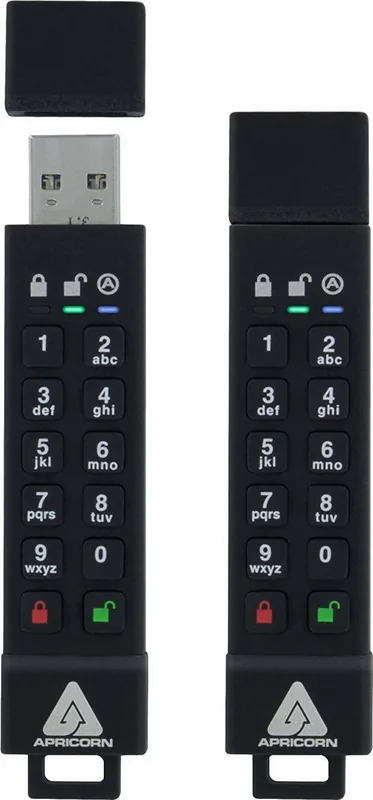
The Apricorn Aegis Secure Key 3z is a hardware-encrypted USB storage device designed for strong, portable data protection. With a built-in keypad, rechargeable battery, and AES-256 encryption, the Aegis Secure Key 3z enforces PIN-based access without relying on host software. Its durable design and tamper-resistant features make it suitable for corporate, government, and personal use where physical security and ease-of-use matter.
Key features and usage
The device requires a 7–16 digit PIN (no repeating or sequential digits) and supports separate Admin and User PINs so administrators can manage settings without exposing data to standard users. An Admin PIN is created on first use; the device can store one User and one Admin PIN concurrently. Recovery workflows include up to four one-time recovery PINs and a forced-enrollment mode to restore access without wiping data (when configured).
Aegis Secure Key 3z includes configurable modes for read-only or read/write access, LED feedback and diagnostic modes, unattended auto-lock timers (off, 5, 10, or 20 minutes), and an optional Lock-Override mode that keeps the key unlocked across USB re-enumeration. For extreme situations, a Self-Destruct PIN can crypto-erase the device, regenerating the encryption key and requiring reinitialization.
The product also defends against brute-force PIN attacks with escalating delays, a configurable attempt limit, and a LastTry code that grants extra attempts if needed. If a complete reset is required, the device performs a crypto-erase and must be reinitialized and formatted on the host OS (Windows or macOS instructions provided). A built-in rechargeable battery auto-charges when connected and provides LED indicators for status, charging, and errors.
Practical considerations
Use the device unlocked only when necessary and lock it before suspending or hibernating the host. Reformatting to macOS formats is supported via Disk Utility. Diagnostic and self-test routines help detect hardware or firmware issues early. Apricorn provides a three-year limited warranty and technical support channels for troubleshooting and RMA.
Notes
- Always memorize or securely store Admin, User, Recovery, and Self-Destruct PINs. Losing all PINs and recovery credentials typically means data is unrecoverable.
- Do not press buttons while the device is plugged into a host to avoid damaging the USB connector.
- Configure read-only and Lock-Override modes with caution to avoid exposing data inadvertently.
Search for 67,706 Manuals online


Type-in Brand or Model