
Apricorn Aegis Secure Key 3NX Manual
PDF manual · 13 Pages
English



Quick check
Incorrect answer, please try again.
Chat with your Apricorn Aegis Secure Key 3NX manual using AI
Get instant AI answers from your Apricorn Aegis Secure Key 3NX manual
Ask anything about the Apricorn Aegis Secure Key 3NX. Answers come from this manual, with the pages they are based on.
Ask a Question
Do you recommend Aegis Secure Key 3NX?
Yes NoFrequently Asked Questions
Wake the key, press the Admin setup sequence (as per device instructions), enter a 7–16 digit PIN that meets requirements (no sequential or repeating digits), confirm it, and the key will enter Admin mode if accepted.
Is this answer helpful?
Use the Admin PIN to create a new User PIN. If recovery PINs were provisioned, deploy a single-use recovery PIN to put the drive into forced-enrollment, then create a new User PIN without wiping existing data.
Is this answer helpful?
Entering the Self-Destruct PIN performs a crypto-erase that deletes data and encryption keys. The device must be repartitioned and reformatted afterward. This feature is irreversible and should be used only when necessary.
Is this answer helpful?
After multiple failed attempts the key imposes increasing delays, then locks the keypad at a configurable threshold. The LastTry code can restore additional attempts if configured; Admin mode controls attempt limits.
Is this answer helpful?
Yes. The User can toggle Read-Only/Read-Write for their use unless the Admin enforces Read-Only globally, in which case only Admin can revert it to Read/Write.
Is this answer helpful?
Yes. It ships formatted as FAT32 for broad compatibility. For macOS-specific use you can reformat using Disk Utility to Mac OS Extended or another supported file system after unlocking.
Is this answer helpful?
Save and close files on the drive, lock or safely eject the device via your operating system, and avoid leaving it unlocked and unattended to ensure data integrity.
Is this answer helpful?
Advantages and Disadvantages
Advantages

- AES-256 hardware encryption with onboard keypad eliminates dependency on host software.
- Admin/User architecture plus single-use recovery PINs allow flexible, controlled access.
- Configurable brute-force protection and Self-Destruct crypto-erase enhance data security.
- Modes for Read-Only and Fixed/Removable disk improve compatibility and forensic safety.
- Rechargeable battery, diagnostics, and cross-platform support (Windows/macOS/Linux).
Disadvantages

- PIN-only authentication risks if PINs are weak, predictable, or mishandled.
- Lock-Override mode can be exploited if the device isn’t physically secured.
- Keypad command complexity may confuse non-technical users during setup.
- Complete reset irreversibly erases data and requires reformatting and reconfiguration.
- Risk of physical USB damage if buttons are pressed while the device is inserted.
Product Specification
Type
Loop, with protective cap
Interface
USB-A 3.0
Read
77MB/s
Write
72MB/s
Dimensions
3.19x0.72x0.37in (LxWxH)
Weight
0.05 lb
Special features
integrated battery, Keypad, 256bit AES encryption, FIPS 140-2 Level 3, IP67 certified
Manufacturer's warranty
3 years
USB notation
Link
Product Description
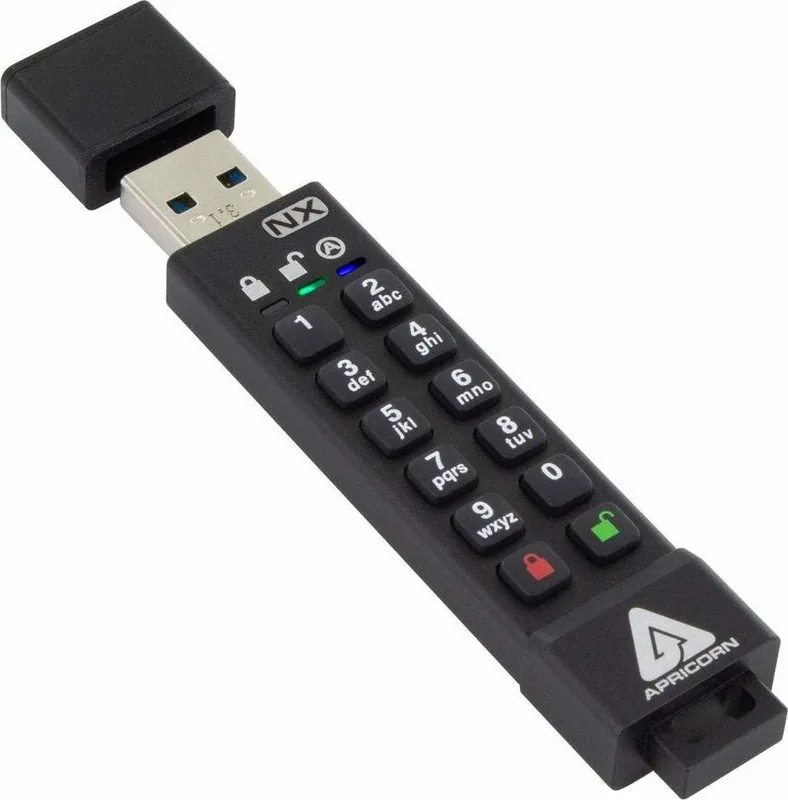
Apricorn Aegis Secure Key 3NX — Trusted Hardware Encryption
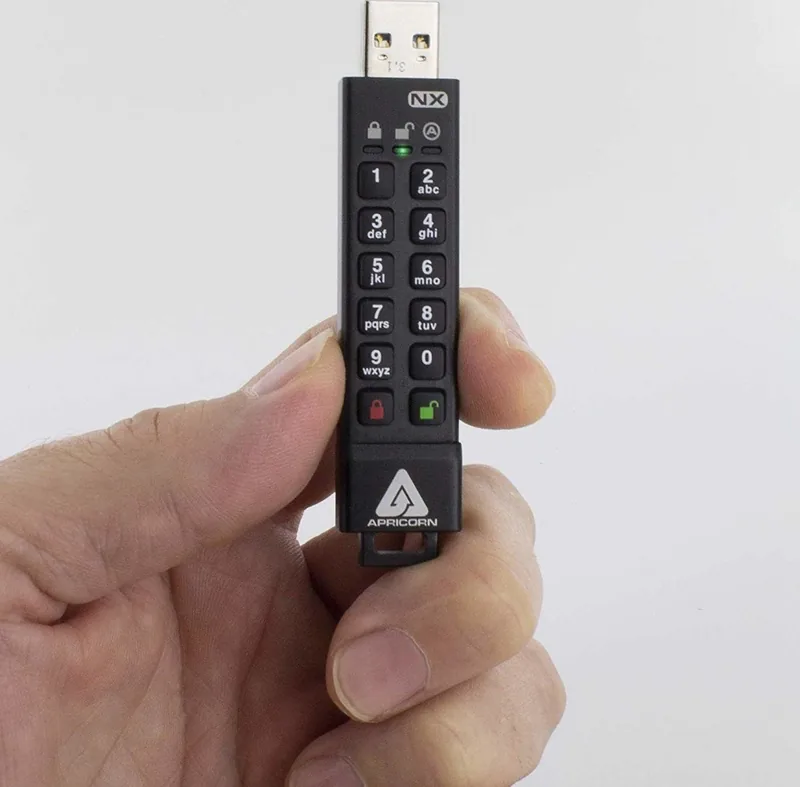
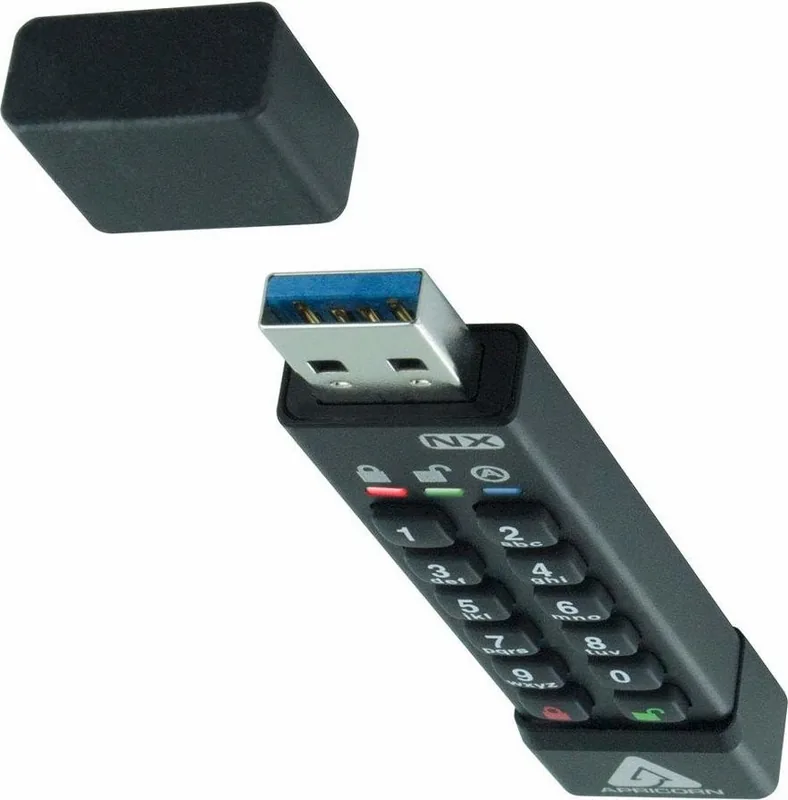
The Apricorn Aegis Secure Key 3NX is a hardware-encrypted USB drive designed for secure, portable data storage. With AES-256 encryption, an onboard keypad, rechargeable battery, and configurable admin/user PIN architecture, it protects sensitive information without relying on host software. Its rugged design and standalone authentication make it suitable for enterprise, government, and personal use where data confidentiality and tamper resistance are essential.
Key features and how it works
The device requires a 7–16 digit PIN (no sequential or repeated-digit PINs) to unlock. An Admin PIN is established first to configure the unit; a second User PIN can be added for limited access. LEDs (red, green, blue) indicate states such as standby, unlocked, admin mode, and error conditions. The Secure Key charges via USB and performs a self-test on power-up.
Admin mode exposes configuration options: set or change Admin and User PINs, create single-use recovery PINs, toggle Read-Only vs Read/Write, enable lock-override, set unattended auto-lock timers, adjust minimum PIN length, enable LED feedback, configure brute-force attempt limits, and enable a Self-Destruct PIN (crypto-erase). Recovery PINs place the drive into a forced-enrollment state allowing a new User PIN without necessarily wiping data. A complete reset performs a crypto-erase and restores factory defaults.
The drive can be toggled between Removable Media and Fixed Disk modes to improve compatibility with various OS tools and embedded systems. Diagnostic and firmware/version checks are available from the keypad. For safe operation, avoid pressing buttons while the unit is inserted into a host USB port, and always lock or safely remove the device before suspending or hibernating a host.
Practical usage notes
Unlocking requires waking the key, entering a valid PIN, and then plugging into a USB port within 30 seconds. In Read-Only mode the device prevents write access and is useful in hostile or forensic environments. Lock-Override lets the device remain unlocked across USB re-enumeration (use only in physically secure environments). Brute-force protections impose delays after failed attempts and can lock the keypad; an emergency "LastTry" code restores additional attempts if configured.
Pros and Cons
Pros:
- Strong AES-256 hardware encryption with onboard keypad, eliminating software dependency.
- Flexible administration: Admin/User PINs, recovery PINs, Read-Only and Fixed/Removable mode toggles.
- Robust anti-brute-force and crypto-erase (Self-Destruct) options for high-security use.
- Rechargeable battery, self-test diagnostics, and cross-platform compatibility (Windows, macOS, Linux).
- Compact, standalone operation ideal for secure transport and policy-controlled deployments.
Cons:
- PIN-only authentication can be vulnerable if PINs are weak or mishandled.
- Lock-Override mode can pose risk if used where physical control cannot be guaranteed.
- Complex keypad commands and setup may be intimidating for non-technical users.
- Requires reformat/administration after complete reset, which erases all data.
- Must avoid pressing buttons while plugged in to prevent USB connector damage.
Most important results
- Strong encryption and standalone authentication: AES-256 hardware encryption with onboard keypad prevents host-based attack vectors.
- Robust recovery and protection: Admin-programmable single-use recovery PINs and brute-force defenses reduce risk of permanent lockout.
- Flexible operational modes: Read-Only, Read/Write, Fixed Disk/Removable Media, and Lock-Override give deployment adaptability.
- Administrative control: Admin mode configures PINs, auto-lock timers, minimum PIN length, and diagnostic functions.
- Safe disposal/reset: Complete reset performs crypto-erase and regenerates new encryption keys to protect prior data.
FAQ
-
Question: How do I set the Admin PIN? Answer: Wake the key, press the indicated admin setup sequence, enter a 7–16 digit PIN (no sequential or repeating digits), confirm it; the device enters Admin mode once accepted.
-
Question: What if I forget the User PIN? Answer: Use the Admin PIN to create a new User PIN or, if recovery PINs were programmed, deploy a single-use recovery PIN to enter forced-enrollment and create a new User PIN without wiping data.
-
Question: What does Self-Destruct PIN do? Answer: When enabled and entered, Self-Destruct performs a crypto-erase deleting data and encryption keys; the device must be repartitioned and reformatted afterward; use with extreme caution.
-
Question: How does brute-force protection work? Answer: The drive adds delays after failed attempts, locks the keypad after a configurable threshold, and requires the special LastTry code to regain remaining attempts; settings are adjustable in Admin mode.
-
Question: Can I change Read-Only or Read/Write status? Answer: Yes — User mode can toggle Read-Only/Read-Write for the User (unless Admin locked it), while Admin mode can enforce Read-Only for all users and revert it.
-
Question: Is the device compatible with Mac and Windows? Answer: Yes — it ships FAT32 for broad compatibility and includes instructions to reformat for macOS (Disk Utility) or other formats as needed.
-
Question: What should I do before hibernating or removing the key? Answer: Save and close files, lock the device or safely eject it via the OS to protect data integrity and avoid corruption.
Notes
- Always store Admin, User, Recovery, and Self-Destruct PINs securely and separately.
- Do not press keypad buttons while inserted into a host USB port to avoid physical damage.
- Use Lock-Override only in physically secure environments; disable when not needed.
Search for 67,706 Manuals online


Type-in Brand or Model