
Apricorn Aegis Padlock Fortress Manual
PDF manual · 21 Pages
English



Quick check
Incorrect answer, please try again.
Chat with your Apricorn Aegis Padlock Fortress manual using AI
Get instant AI answers from your Apricorn Aegis Padlock Fortress manual
Ask anything about the Apricorn Aegis Padlock Fortress. Answers come from this manual, with the pages they are based on.
Ask a Question
Do you recommend Aegis Padlock Fortress?
Yes NoFrequently Asked Questions
It is a secure portable external drive built to protect sensitive data with hardware PIN access and strong encryption. It is meant for users who need privacy, portability, and fast USB performance.
Is this answer helpful?
No. The drive uses an onboard keypad, so access is controlled directly on the device. That keeps the security model simple and avoids relying on installed software.
Is this answer helpful?
If the user PIN is forgotten, an admin PIN may be used to regain access. If the admin PIN is also lost, a complete reset is required, which erases the data on the drive.
Is this answer helpful?
Yes. It is preformatted for Windows and can be reformatted for Mac use. After unlocking, Mac users can prepare it through Disk Utility.
Is this answer helpful?
The LEDs show the drive's status, such as locked, standby, unlocked, or error states. They also help confirm when PIN input has been accepted or when a special mode is active.
Is this answer helpful?
It includes admin and user PINs, unattended auto-lock, brute-force protection, and a self-destruct PIN option. These features help protect data in both normal and high-risk situations.
Is this answer helpful?
Advantages and Disadvantages
Advantages

- Hardware PIN access keeps data protected without relying on software.
- AES-256 encryption and FIPS validation strengthen overall security.
- USB 3.0 support helps deliver fast file transfers.
- Auto-lock and brute-force protection add practical everyday safety.
Disadvantages

- A forgotten Admin PIN can require a full reset and data loss.
- Strict PIN rules may be frustrating for some users.
- Mac users may need to reformat the drive before use.
- The drive may need the included Y-cable if one USB port is not enough power.
Product Specification
Form factor
2.5"
Internal connector
1x SATA 6Gb/s
External connector
1x USB-A 3.0
RAID level
N/A
Fan
N/A
Dimensions
4.72x3.35x0.75in
Weight
0.39 lb
Color
black
Special features
256bit AES encryption, Keypad, FIPS 140-2 Level 2, IP66 certified, integrated USB cable
Manufacturer's warranty
three years
USB notation
Link
Product Description
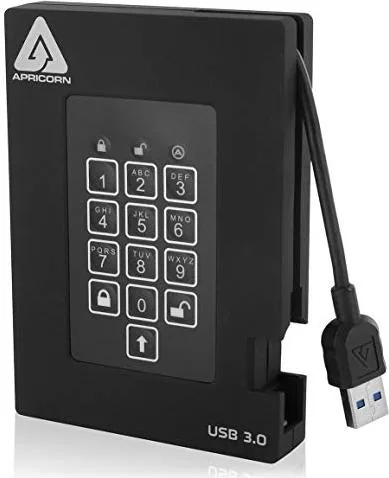
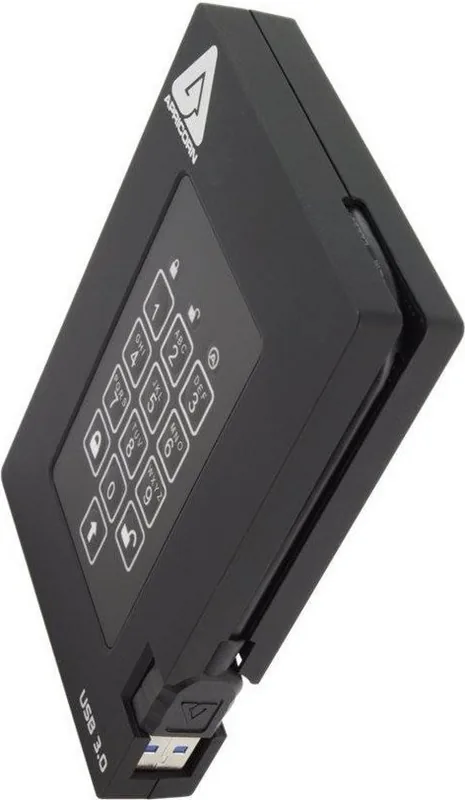
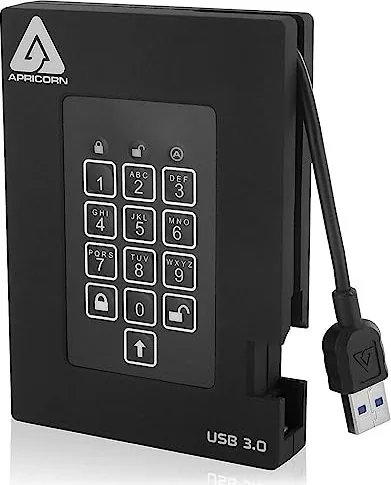
Apricorn Aegis Fortress A25 External Hard Drive
The Apricorn Aegis Fortress A25 external hard drive is designed for users who want portable storage with serious protection built in. It combines a keypad-based unlock system, strong encryption, and a travel-friendly form factor, making it a smart choice for people who move sensitive files between office, home, and field work. If you are looking up the Apricorn Aegis Fortress A25 external hard drive Manual, the main idea is simple: secure access should be fast, direct, and software-free.
One of the most appealing parts of this drive is its no-nonsense security model. Instead of relying on passwords stored in software, the drive uses PIN entry on the hardware keypad. That means the data stays protected even when the drive is connected to different computers. The built-in LED indicators make the experience easier to follow, showing when the unit is locked, in standby, accepting input, or ready to use. For teams that handle contracts, archives, backups, or client records, that clarity matters.
Speed is another important advantage. With USB 3.0 connectivity, the Fortress A25 is built to move data quickly while still staying portable. It can run from a single USB port in many cases, and the included USB Y-cable adds a practical backup option when extra power is needed. This makes it useful for laptops and desktop systems alike, especially in situations where convenience and reliability both matter.
The security feature set goes beyond simple access control. Admin and user PIN support, automatic locking after inactivity, brute-force defense, and a self-destruct option show that the drive is meant for high-value data. It is also built with a keypad that resists dust and grit, which helps it hold up well during travel. For many buyers, that mix of durability and protection is what sets it apart from ordinary external drives.
Notes
- Keep your PIN stored safely; losing it can lock you out permanently.
- A full reset erases data and requires reinitialization and formatting.
- The drive is preformatted for Windows and can be adapted for Mac use.
- Use the included cables for the best power and compatibility.
Search for 67,706 Manuals online


Type-in Brand or Model