
Apricorn Aegis Padlock DT Manual
PDF manual · 21 Pages
English



Quick check
Incorrect answer, please try again.
Chat with your Apricorn Aegis Padlock DT manual using AI
Get instant AI answers from your Apricorn Aegis Padlock DT manual
Ask anything about the Apricorn Aegis Padlock DT. Answers come from this manual, with the pages they are based on.
Ask a Question
Do you recommend Aegis Padlock DT?
Yes NoFrequently Asked Questions
It adds keypad-based access and hardware encryption, so the drive stays protected even without security software. That makes it better suited for private files, business data, and portable backups that need stronger access control.
Is this answer helpful?
Connect the drive to power and USB, switch it on, and enter the default PIN. From there, you can unlock the drive or enter admin mode to change the default password and create a user password.
Is this answer helpful?
Change the default admin PIN right away and store the new code safely. If you plan to share access, add a separate user password and consider enabling auto-lock for extra protection.
Is this answer helpful?
You can use the admin password to enter admin mode and set a new user password. The admin code acts as the master control for managing access and recovering from a forgotten user PIN.
Is this answer helpful?
A full reset is required. That resets the encryption key, erases access to existing data, and returns the admin password to the default. The drive then needs to be initialized and formatted again.
Is this answer helpful?
Yes. After repeated failed attempts, the keypad can lock down and trigger brute force protection. This reduces the chance that someone can guess the PIN through endless retries.
Is this answer helpful?
Advantages and Disadvantages
Advantages

- Hardware encryption protects files without extra software setup.
- Keypad access gives simple, portable security anywhere.
- USB 3.0 supports fast transfers and older USB 2.0 compatibility.
- Admin, user, and auto-lock controls add flexible management.
Disadvantages

- Losing the admin PIN can make data permanently inaccessible.
- A complete reset destroys the encryption key and all stored data.
- Mac users may need to reformat the drive before use.
- Advanced security options may feel complex for casual users.
Product Specification
Form factor
3.5"
Internal connector
1x SATA 6Gb/s
External connector
1x USB-A 3.0
RAID level
N/A
Fan
N/A
Dimensions
7.20x4.49x1.50in
Color
black
Special features
256bit AES encryption, Keypad, integrated USB cable, external power supply, On/Off switch
Manufacturer's warranty
one year
USB notation
Link
Product Description
Apricorn Aegis Padlock DT: A Secure External HDD Built for Everyday Protection
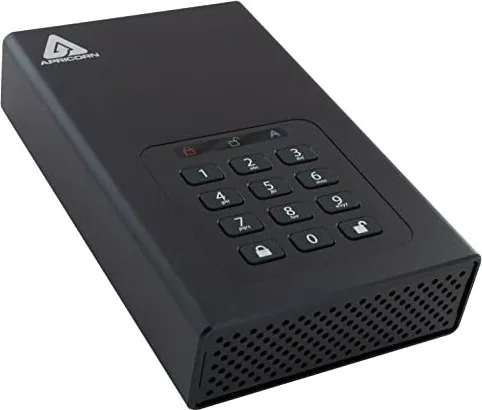
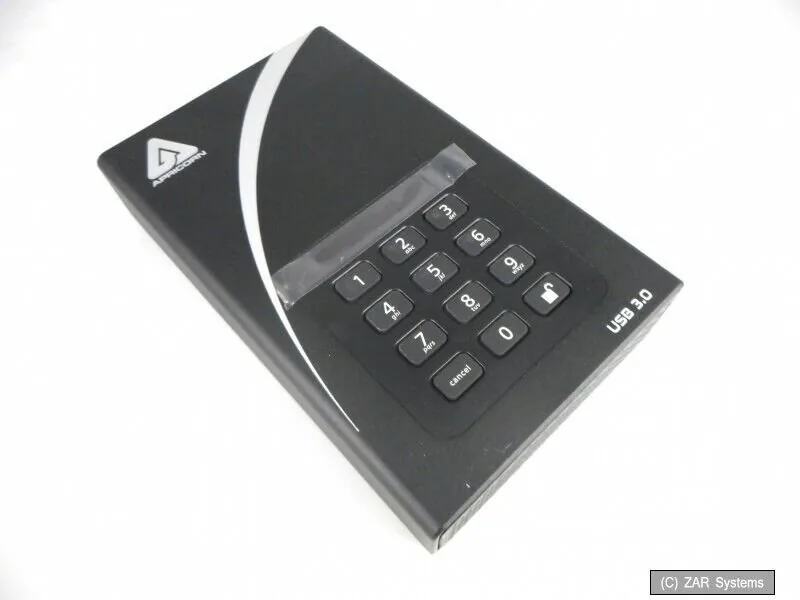
The Apricorn Aegis Padlock DT external HDD is designed for users who want portable storage with serious built-in security. Instead of relying on software that can be misconfigured or forgotten, it uses a physical keypad and PIN-based access, making it a practical choice for people who store private files, business records, or sensitive backups. The Apricorn Aegis Padlock DT external HDD Manual highlights just how much control is built into the drive, from first-time setup to password management and advanced protection features.
One of the biggest strengths of this drive is its hardware-based encryption. With 256-bit encryption and real-time protection, data stays encrypted at rest without slowing down normal use. The USB 3.0 connection helps keep transfers quick, while backward compatibility with USB 2.0 adds flexibility for older systems. The drive is also preformatted for Windows, which makes it easy to get started right away, although Mac users may need to reformat it for compatibility.
Daily operation is simple once the PIN is set. The keypad supports admin and user modes, so owners can manage access, create additional passwords, or update settings like auto-lock timing. This is especially useful in shared environments where one drive may need to serve multiple trusted users without exposing the master credentials. The LED indicators also make it easier to understand whether the unit is locked, unlocked, or in administration mode.
Security goes beyond basic PIN access. The drive includes brute force protection, which helps block repeated unauthorized attempts, and it can also be configured with a self-destruct password. While that feature is extreme, it shows how seriously Apricorn approached data defense. For users who value control, the ability to reset, reinitialize, and reformat the drive after a full wipe can be a useful recovery path.
Overall, the Aegis Padlock DT is a strong fit for professionals, small teams, and anyone who wants a simple external drive with enterprise-style protection. It combines ease of use with a clear security-first design, making it more than just an ordinary external hard drive.
Notes
- Change the default admin PIN immediately.
- Save passwords carefully; losing them can mean losing access.
- After a full reset, the drive must be initialized and formatted again.
Search for 67,706 Manuals online


Type-in Brand or Model