
Apricorn Aegis Padlock DT FIPS Manual
PDF manual · 23 Pages
English



Quick check
Incorrect answer, please try again.
Chat with your Apricorn Aegis Padlock DT FIPS manual using AI
Get instant AI answers from your Apricorn Aegis Padlock DT FIPS manual
Ask anything about the Apricorn Aegis Padlock DT FIPS. Answers come from this manual, with the pages they are based on.
Ask a Question
Do you recommend Aegis Padlock DT FIPS?
Yes NoFrequently Asked Questions
It uses a built-in keypad and hardware encryption instead of relying on software passwords. That means access is controlled directly on the drive, and your data stays protected even if the drive is moved to another computer.
Is this answer helpful?
No. The drive is designed as a full-disk encryption device, so a PIN is required to unlock and use it. The admin PIN must be set before normal access is possible.
Is this answer helpful?
If you still know the admin PIN, you can enter Admin Mode and create a new user PIN. The admin account is the main recovery path for managing user access.
Is this answer helpful?
There is no way to recover it. The only option is a complete reset, which destroys the encryption key and makes existing data unrecoverable.
Is this answer helpful?
Yes, but it is preformatted for Windows. After unlocking it on a Mac, you need to reformat it through Disk Utility using a Mac-compatible format.
Is this answer helpful?
It automatically locks the drive after a set time of inactivity. You can choose 5, 10, or 20 minutes, or leave it off if you prefer manual control.
Is this answer helpful?
Advantages and Disadvantages
Advantages

- Hardware encryption protects data at the drive level without needing extra software.
- Keypad PIN access makes unlocking simple and keeps passwords off the computer.
- Auto-lock and mode controls help reduce risk when the drive is left unattended.
- Brute-force protection adds a strong layer against repeated PIN guessing.
- USB 3.0 support offers fast transfers while remaining compatible with USB 2.0.
Disadvantages

- Losing the admin PIN can make all stored data permanently inaccessible.
- A complete reset wipes the encryption key, so recovery is not possible.
- The drive needs careful PIN rules, which may feel restrictive for some users.
- Mac users must reformat the drive before use, adding an extra setup step.
Product Specification
Form factor
3.5"
Internal connector
1x SATA 6Gb/s
External connector
1x USB-A 3.0
RAID level
N/A
Fan
N/A
Dimensions
7.20x4.49x1.50in
Color
black
Features
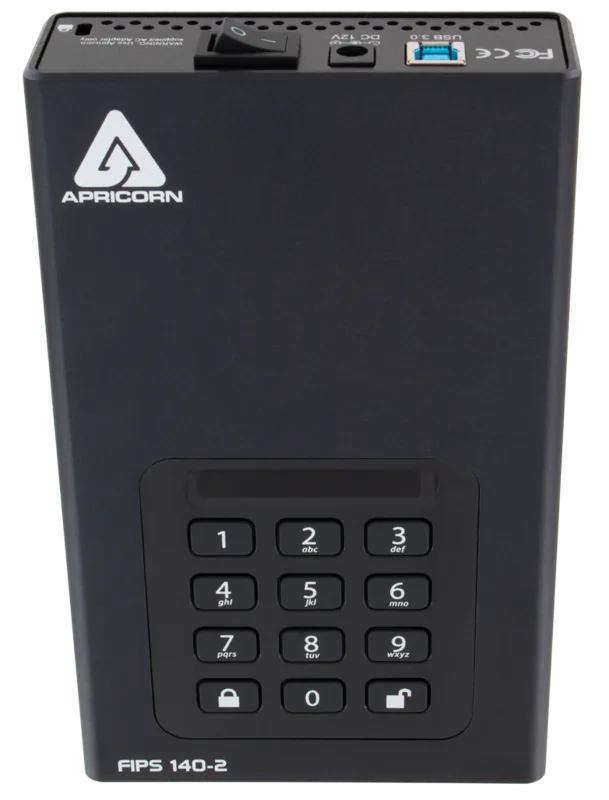
256bit AES encryption, Keypad, integrated USB cable, external power supply, On/Off switch, FIPS 140-2 Level 2
Manufacturer warranty
one year
USB notation
Link
Product Description
Apricorn Aegis Padlock DT FIPS External HDD Manual
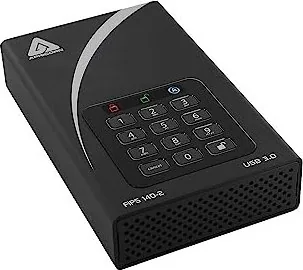
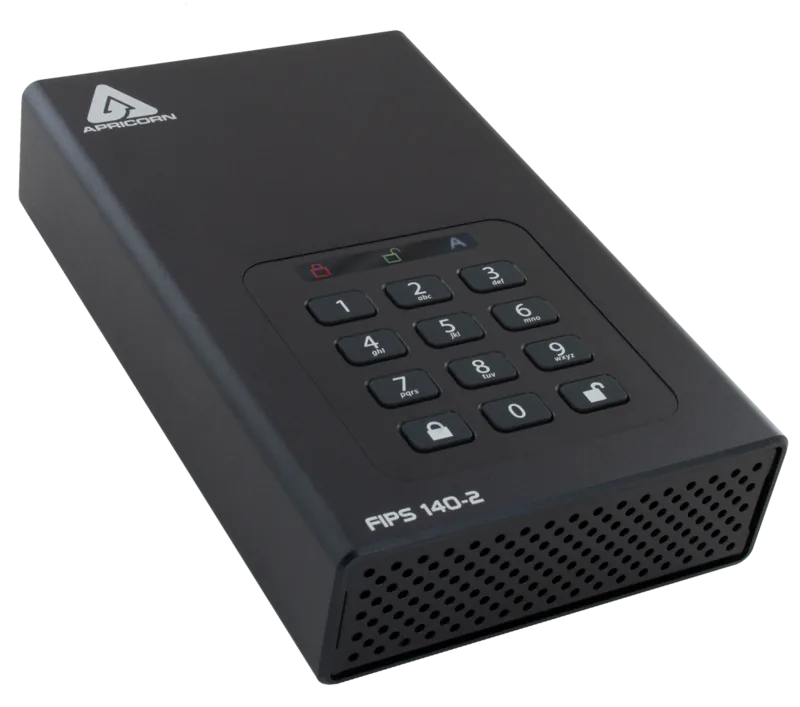
The Apricorn Aegis Padlock DT is a practical choice for anyone who wants portable storage without sacrificing security. Built around a keypad-based access system, it replaces passwords stored on a computer with a personal PIN that unlocks the drive only for authorized users. That makes it especially appealing for offices, shared workstations, and anyone handling sensitive files on the go. In the spirit of the Apricorn Aegis Padlock DT FIPS External HDD Manual, the focus is simple: strong protection, straightforward setup, and reliable daily use.
One of the biggest strengths of this external drive is its hardware-based encryption. Instead of depending on software installed on the host machine, the drive handles security internally with AES XTS 256-bit encryption. The result is always-on protection that works whenever the drive is connected and locked. The USB 3.0 interface also helps keep transfers fast, while backward compatibility with USB 2.0 adds convenience for older systems. The drive ships ready for Windows use and can be reformatted for Mac environments when needed.
Ease of administration is another major advantage. The owner acts as the administrator, with options to change the admin PIN, add or remove user PINs, and set automatic lock behavior after inactivity. LED indicators make mode changes easy to follow, showing whether the unit is locked, in user mode, or in admin mode. That visual guidance is helpful during setup and everyday operation, especially when managing access in a busy environment.
Security features go beyond basic PIN entry. The drive includes brute-force protection to slow repeated incorrect attempts, and it also supports a self-destruct PIN that resets the encryption key if extreme protection is needed. At the same time, the product is designed with recovery scenarios in mind: a complete reset is possible, though it permanently erases all data. For users who value strong data protection and clear control over access, this drive offers a compact and disciplined approach to external storage.
Notes
- Keep the admin PIN stored safely; losing it can make data unrecoverable.
- The drive is ideal for users who want hardware encryption without extra software.
- Mac users should reformat the drive after unlocking it for the first time.
Search for 67,706 Manuals online


Type-in Brand or Model