
Apricorn Aegis Padlock A25 Manual
PDF manual · 21 Pages
English



Quick check
Incorrect answer, please try again.
Chat with your Apricorn Aegis Padlock A25 manual using AI
Get instant AI answers from your Apricorn Aegis Padlock A25 manual
Ask anything about the Apricorn Aegis Padlock A25. Answers come from this manual, with the pages they are based on.
Ask a Question
Do you recommend Aegis Padlock A25?
Yes NoFrequently Asked Questions
It is used for secure portable storage. The drive is designed to protect files with keypad access and hardware encryption, making it useful for travel, business data, and personal files that need extra privacy.
Is this answer helpful?
Connect the drive to a USB port, then enter the default PIN to access it. After that, it is best to change the admin PIN to a unique code you can remember.
Is this answer helpful?
You can enter Admin Mode with the admin password and create a new user password. The admin account is used to manage user access and restore normal use.
Is this answer helpful?
No. It is a full-disk encryption drive, so a password is always required. That is part of what keeps the stored data protected.
Is this answer helpful?
It is a security feature that limits repeated incorrect PIN attempts. After too many failures, the keypad locks and the drive must be reconnected or reset depending on the attempt count.
Is this answer helpful?
Yes. The drive is preformatted for Windows, so Mac users may need to reformat it into a compatible file system before it works as expected.
Is this answer helpful?
Advantages and Disadvantages
Advantages

- Hardware encryption protects files in real time, even if the drive is removed from its enclosure.
- Keypad access is simple and software-free, so unlocking the drive feels fast and straightforward.
- Brute-force protection limits repeated PIN attempts and helps prevent unauthorized guessing.
- Auto-lock and self-destruct options add extra layers of security for sensitive data.
Disadvantages

- Forgetting the passwords can permanently block access to the stored data.
- A complete reset erases the encryption key and requires reinitializing and formatting the drive.
- Some systems may need the included USB Y-cable to provide enough power.
- The drive can be confusing at first because admin mode is not recognized by the operating system.
Product Specification
Form Factor
2.5"
Internal Connector
1x SATA 6Gb/s
External Connector
1x USB-A 3.0
RAID Level
N/A
Fan
N/A
Dimensions
4.72x3.35x0.75in
Weight
0.39 lb
Color
black
Features
256bit AES encryption, Keypad, integrated USB cable
Manufacturer Warranty
three years
USB Designation
Link
Product Description
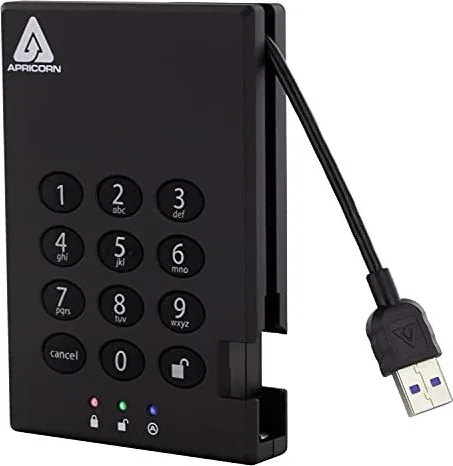
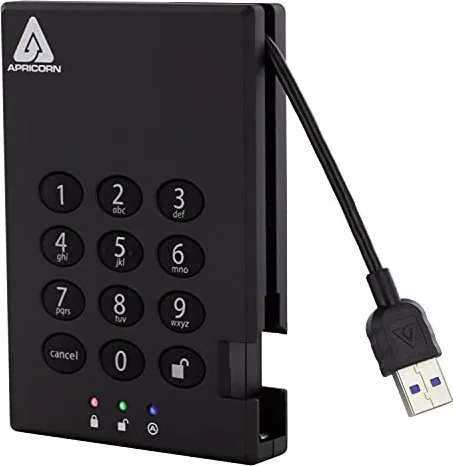
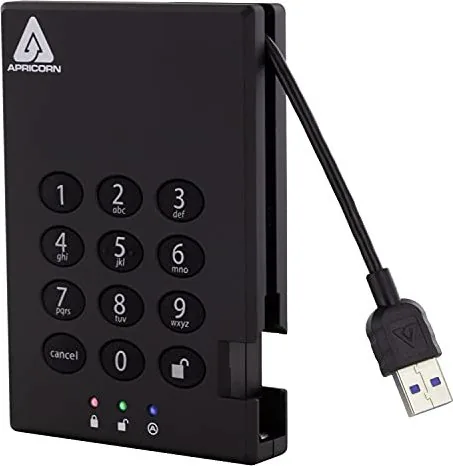
Apricorn Aegis Padlock A25 External Hard Drive
The Apricorn Aegis Padlock A25 external hard drive is built for people who want portable storage with serious security. The product combines a physical keypad, hardware-based encryption, and simple plug-and-play use, making it a practical choice for carrying sensitive files without relying on extra software. If you are looking up the Apricorn Aegis Padlock A25 external hard drive Manual, the core idea is simple: unlock it with a PIN, use it like a normal drive, and lock it again when you are done.
What makes this drive stand out is its balance of convenience and protection. It supports real-time encryption, so data stays protected even if the drive is removed from its enclosure. The keypad-based design helps avoid password managers or complicated setup tools, while the LED indicators make it easier to understand whether the drive is in standby, admin, or user mode. For everyday use, that means a secure workflow without much friction.
The A25 is also designed with strong access control features. You can change the admin PIN, add user PINs, and even set an unattended auto-lock timer so the drive locks itself after inactivity. For extra defense, the drive includes brute-force protection that limits repeated password guesses, and it can support a self-destruct PIN that wipes the encryption key if needed. These tools make it especially appealing for business travelers, field workers, and anyone who values privacy.
Setup is straightforward, but there are a few important habits to keep in mind. The drive ships preformatted for Windows, and Mac users may need to reformat it for compatibility. It can usually power from a single USB port, but the included USB Y-cable is available when extra power is needed. Because the security features are built around passwords, keeping your codes safe is essential; losing them can mean losing access to the data.
Overall, the Apricorn Aegis Padlock A25 is more than a standard external drive. It is a compact secure storage solution that puts encryption, access control, and portability into one rugged package. For users who want peace of mind with their files, it offers a smart mix of speed, security, and practical daily use.
Notes
- Keep your PIN in a safe place.
- Use the included cables for reliable operation.
- Reformatting may be required after a full reset.
- Mac users may need to change the drive format.
Search for 67,706 Manuals online


Type-in Brand or Model