Get instant AI answers from your Apacer AC631 manual
Ask anything about the Apacer AC631. Answers come from this manual, with the pages they are based on.
Ask a Question
0/1000
Do you recommend AC631?
YesNo
Frequently Asked
Questions
A
Connect the USB cable to the drive, then plug the other end into your PC or laptop. On Windows, an icon may appear when the drive is active and the LED lights up.
Is this answer helpful?
A
It is preformatted as a single NTFS partition for updated Windows systems, so many users can plug it in and begin using it right away. Other systems may need reformatting.
Is this answer helpful?
A
Yes, but you may need to reformat the drive first for the file system your operating system supports. The default NTFS format is mainly aimed at Windows compatibility.
Is this answer helpful?
A
A 3TB model requires GPT partitioning to be detected correctly. Older systems, especially 32-bit Windows XP, do not support GPT due to system limitations.
Is this answer helpful?
A
Avoid moisture, strong heat, direct sunlight, magnetic fields, vibration, drops, and heavy pressure. These conditions can affect safety and may damage the internal storage media.
Is this answer helpful?
A
Yes, the LED is a quick visual indicator that the drive is powered or active. On Windows, you may also see a USB icon when the system recognizes the device.
Is this answer helpful?
M: OA-GPT-54-NAN
Advantagesand
Disadvantages
Advantages
Preformatted NTFS setup makes first-time use easy on modern Windows PCs.
USB connection and LED status make the drive simple to connect and monitor.
GPT support allows full recognition of 3TB capacity on compatible systems.
Portable design works well for backups, file transfers, and everyday storage.
VS
Disadvantages
3TB capacity needs GPT, which is not supported on 32-bit Windows XP.
Non-Windows operating systems may require reformatting before use.
The drive must be kept away from moisture, heat, vibration, and sunlight.
Drops, pressure, and heavy objects can damage the internal media.
Apacer AC631 External HDD Manual: Portable Storage with Practical Protection
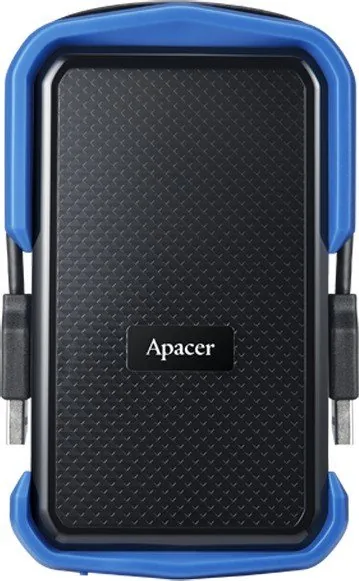
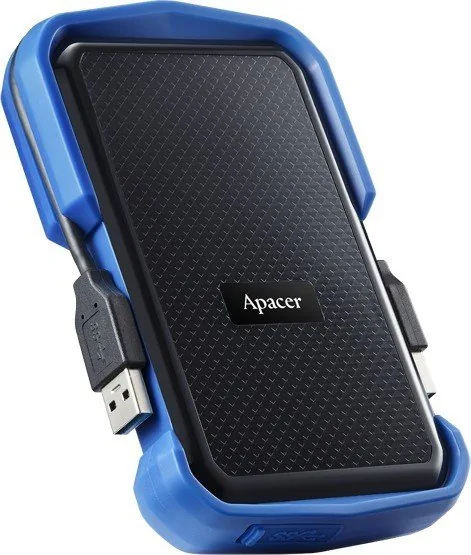
The Apacer AC631 external HDD is built for users who want dependable portable storage without unnecessary complexity. Based on the Apacer AC631 external HDD Manual, the drive is designed as a simple companion for everyday file transfer, backups, and mobile work. Its straightforward USB connection makes it easy to attach to a PC or laptop, while the LED indicator gives a quick visual signal that the drive is active.
One of the most useful details is that the drive comes preformatted as a single NTFS partition for modern Windows systems. That means many users can start using it with minimal setup. For people who need broader compatibility, the manual also explains that reformatting may be required for other operating systems. This makes the AC631 especially appealing to Windows users who prefer a practical storage solution with fewer steps.
The guide also highlights an important storage note for higher-capacity models. A 3TB drive is recognized correctly only when it uses GPT partitioning, and 32-bit Windows XP cannot support GPT because of system limitations. In real-world use, this means the AC631 is best suited to newer systems that can fully handle its formatting requirements and storage potential. If you want extra room for photos, videos, work files, or game libraries, that detail is worth remembering before setup.
Safety and durability are also central themes. The AC631 should be kept away from moisture, direct sunlight, strong magnetic fields, heat, vibration, and extreme temperatures. It should also be protected from drops, pressure, and heavy objects placed on top of it. These reminders show that the drive is portable, but still needs careful handling to keep the internal media in good condition.
For users comparing external drives, the Apacer AC631 offers a balanced mix of convenience, compatibility, and clear usage guidance. It does not aim to be flashy; instead, it focuses on dependable storage behavior and easy everyday use. If you need an external HDD that is simple to connect and sensible to maintain, the AC631 is a strong practical choice.