
Amica WK 341 210 S Manual
PDF manual · 120 Pages
English



Quick check
Incorrect answer, please try again.
Chat with your Amica WK 341 210 S manual using AI
Get instant AI answers from your Amica WK 341 210 S manual
Ask anything about the Amica WK 341 210 S. Answers come from this manual, with the pages they are based on.
WK 341 210 S Maintenance Schedule
Clean the ventilation grille regularly to ensure proper operation. This is especially important for built-in appliances.
Wash the interior with a bicarbonate solution and lukewarm water. Clean shelves separately by hand; do not use abrasive products or dishwashers.
Use mild soapy water to clean the exterior and door seal, then dry thoroughly. Do not use abrasive detergents.
Always unplug the appliance from the mains before any cleaning or maintenance activity to ensure safety.
Ask a Question
Do you recommend WK 341 210 S?
Yes NoFrequently Asked Questions
Use the plus and minus buttons until the desired temperature appears on the display. The preset is 12 C. When the cooler is on, the display shows the current internal temperature. In dual-zone configurations, keep the lower zone set to the same or higher value than the upper zone, and for best results keep a difference of at least 4 C between zones.
Is this answer helpful?
Silent mode runs without the fan once the target temperature is reached, making the cooler quieter. Dynamic cooling cycles the fan to circulate air even after reaching the set point, improving uniform temperature and humidity distribution. Dynamic cooling can increase operational noise, so choose based on your priorities.
Is this answer helpful?
Weekend mode switches off the display, interior light, and audible alarms while keeping cooling active. To enable it, press and hold the power and light keys simultaneously for five seconds. The indicator flashes four times. The mode automatically turns off after 96 hours, but you can disable it earlier using the same button combination.
Is this answer helpful?
If your model includes the internal humidity system, fill the humidity reservoir about 3/4 with water and place it on the runners on the top shelf. Ensure it sits correctly to prevent spills. Check the water level regularly and refill as needed. Humidity support is designed to help create more favorable long-term storage conditions.
Is this answer helpful?
E1 or E2 indicates a temperature sensor failure. The guidance recommends contacting the Call Center or service for assistance. Avoid repeated troubleshooting beyond the basic checks, since sensor issues require professional handling.
Is this answer helpful?
Confirm power is reaching the appliance, check household fuses or circuit breakers, and verify the plug socket works by testing another appliance. Also ensure the ambient temperature is within the allowed range specified for the climate class.
Is this answer helpful?
Check that the appliance has power and that the household fuses or breakers are intact. Make sure the light button is switched on. Note that LED lighting cannot be replaced without a service call, so if it still fails, contact service.
Is this answer helpful?
Advantages and Disadvantages
Advantages

- Precise temperature control with clear display behavior and easy plus/minus adjustments.
- Multiple operating modes including silent, dynamic cooling, and weekend mode for flexible use.
- Alarm and display warnings when temperature deviates, helping protect wine quality.
- Optional internal humidity system supports better long-term storage conditions.
- Practical maintenance guidance with removable shelves and safe cleaning instructions.
Disadvantages

- Dynamic cooling increases fan noise compared to silent operation.
- Performance depends on proper installation and staying within the climate range.
- Temperature guidance requires attention in dual-zone setups (lower zone must be equal or higher).
- LED lighting replacement requires service, not user swapping.
- Cleaning rules restrict abrasive products and steam cleaning, and shelves require hand washing.
Product Specification
Energy efficiency class (A to G)
G
Old energy efficiency class (A+++ to D)
A
Energy consumption
157kWh/Year
Old energy consumption
140kWh/Year
Color
black, tinted glass door with UV filter
Usable capacity
for 40 bottles
Shelves
4
Shelf properties
pull-out, wood
Temperature control
electronic, +41°F to +68°F (compressor technology)
Temperature zones
1
Display
yes
Features
dynamic cooling, door alarm, LED lighting, humidification
Climate class
ST
Noise level
39dB(A)
Airborne acoustical noise emission class (A to D)
C
Design
integrable
Door hinge
right, reversible
Dimensions (HxWxD)
23.43x23.43x23.94in
Note
This appliance is intended exclusively for wine storage
Product Description
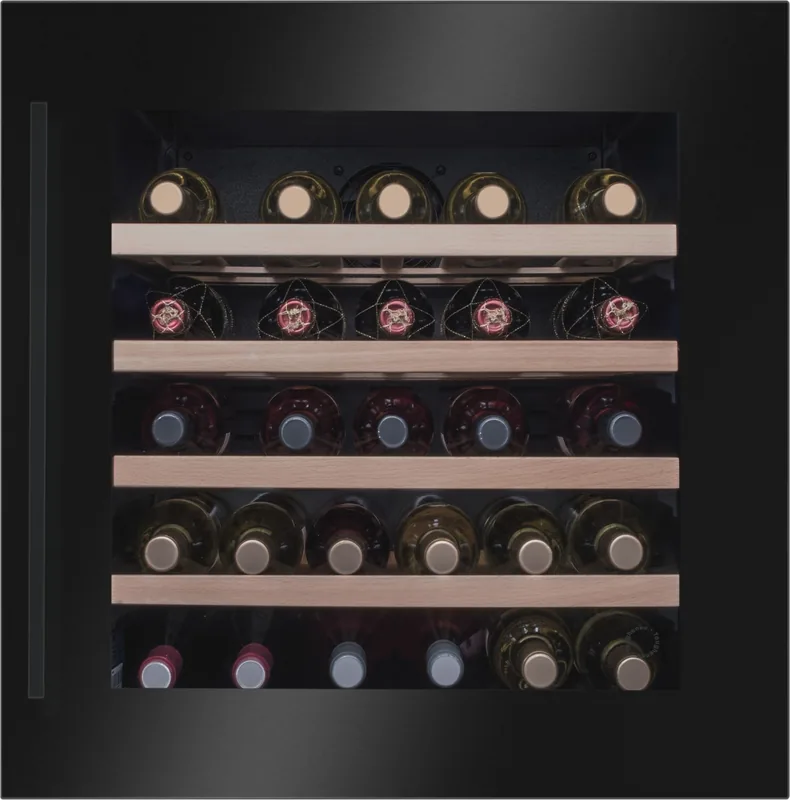
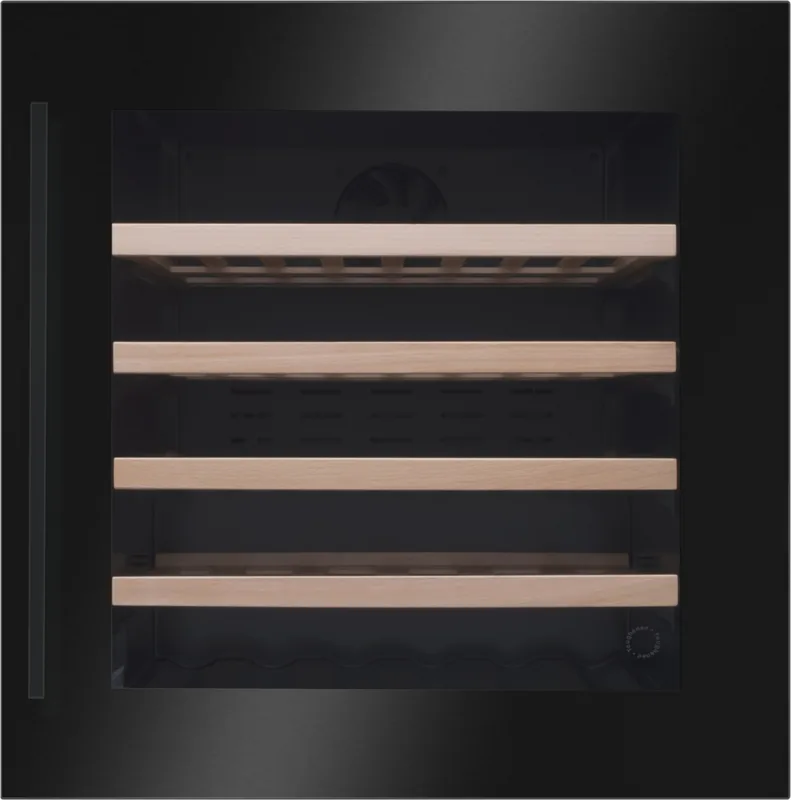
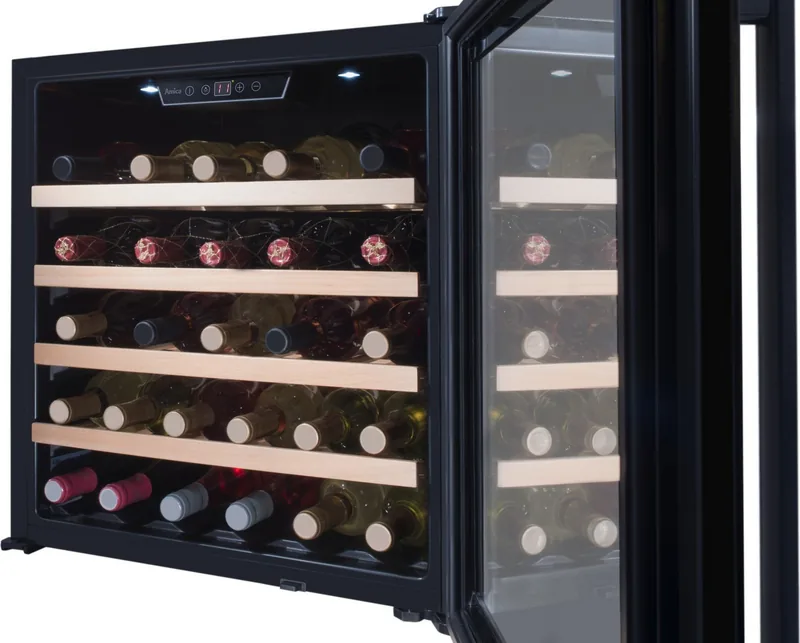
Amica WK 341 210 S Wine Cooler - Careful Temperature Control with the Amica WK 341 210 S Manual
The Amica WK 341 210 S is a wine cooler designed to keep bottles in stable, bottle-friendly conditions. It is built around practical controls that make day-to-day operation simple, while advanced settings help you fine-tune temperature for different wine styles. The unit is intended for household use and follows clear installation and safety guidance, helping you get the best performance from day one.
Temperature, Light, and Everyday Comfort
With a control panel that supports single- and dual-zone operation (depending on model configuration), you can switch the appliance on and off, adjust temperatures using plus and minus, and view the current internal temperature on the display. The device includes a light function for easy bottle viewing, plus helpful warnings through temperature display behavior and alarms when conditions move outside the set range.
Modes That Match Your Routine
The cooler supports silent operation once the target temperature is reached, reducing fan activity when you want quieter use. For more active climate circulation, dynamic cooling can be enabled, which improves consistency for long-term storage but increases operational noise. A weekend mode is also available, turning off the display, interior light, and audible alarms while maintaining the cooling process for up to 96 hours.
Humidity Management for Better Long-Term Storage
Some configurations include an internal humidity system. A reservoir is filled with water and placed on the upper shelf runners to help maintain favorable moisture levels. This matters because humidity, temperature stability, and consistent airflow can all influence wine condition over time.
Installation and Storage Tips
For optimal operation, keep the cooler in an appropriately ventilated, shaded location away from heat sources. Respect the climate range listed for the appliance, ensure side and rear airflow space, and avoid overloading beyond the recommended bottle capacity. To protect the door seal, insert shelves properly and keep the door fully closed during use.
Notes
- If the display shows E1 or E2, the temperature sensor has likely failed and service contact is recommended.
- Always disconnect power before cleaning. Removable shelves should be cleaned by hand, not in a dishwasher.
Top Takeaways
- Stable wine storage depends on correct temperature selection, ventilation, and respecting the recommended ambient climate range.
- Silent mode is ideal for everyday quiet use; dynamic mode improves uniformity for long-term storage.
- Humidity management helps prevent the environment from becoming too dry, supporting better preservation.
- The temperature alarm and display warnings protect contents by alerting you when conditions drift.
- Proper shelf handling and door sealing reduce the risk of condensation, odors, and seal wear.
Search for 67,732 Manuals online


Type-in Brand or Model