
Alseye Halo 3.0 Manual
PDF manual · 13 Pages
English



Quick check
Incorrect answer, please try again.
Chat with your Alseye Halo 3.0 manual using AI
Get instant AI answers from your Alseye Halo 3.0 manual
Ask anything about the Alseye Halo 3.0. Answers come from this manual, with the pages they are based on.
Ask a Question
Do you recommend Halo 3.0?
Yes No
Molly Cooper
4 months ago
How noisy are these fans, and do they provide good airflow for the price?

Manual.ly
4 months ago
For their price range, the fans are generally considered well built and offer good case airflow. Rubber pads around the mounting points help reduce vibration transfer to the case. Noise perception can vary, but users report that they are barely audible in normal use and usually do not need to run at full speed. The lighting offers multiple effects and adjustable brightness.
Frequently Asked Questions
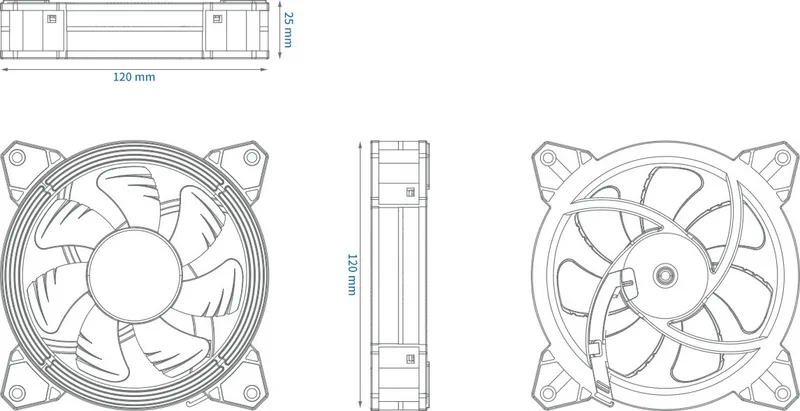
Each Halo 3.0 fan measures 120 x 120 x 25 mm and weighs approximately 150 g. It is designed for mounting in compatible 120 mm PC case fan positions.
Is this answer helpful?
The Halo 3.0 controller supports up to 10 compatible Halo 3.0 LED fans. It also supports up to two optional LED strips through dedicated connections.
Is this answer helpful?
Yes. The system provides two fan-speed settings: 900 RPM and 1500 RPM. Speed can be changed with the remote control or an optional connected external switch.
Is this answer helpful?
The remote can turn lighting on or off, select fixed colors, change effects, adjust effect speed, set three brightness levels, enable automatic effect changes, and save favorite effects to memory buttons.
Is this answer helpful?
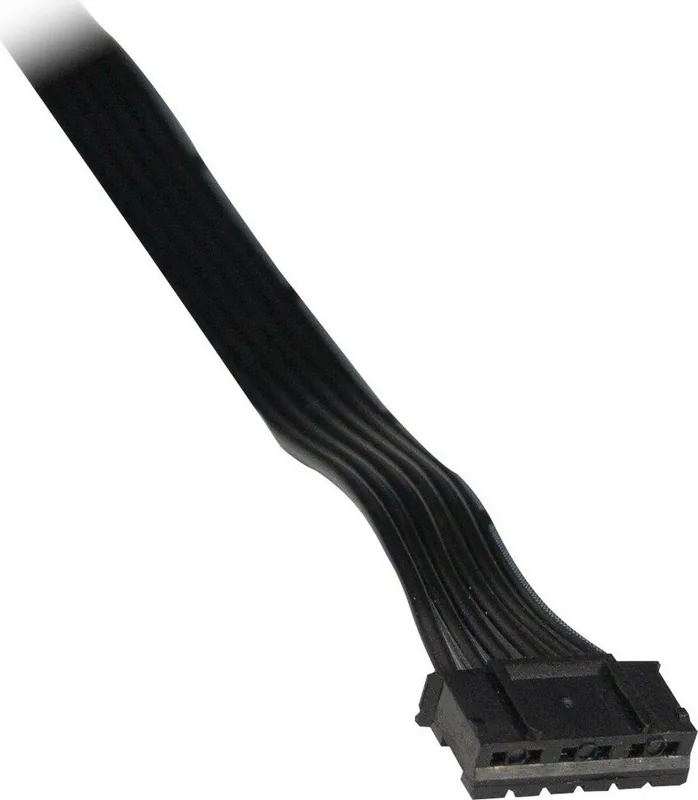
No. The Halo 3.0 uses a dedicated 6-pin fan and LED connection. It is intended to connect through the matching Halo 3.0 controller rather than a standard motherboard RGB header.
Is this answer helpful?
Disconnect power before cleaning. Dust can be removed with suitable compressed air. Avoid opening the controller, and consider professional cleaning for thorough maintenance.
Is this answer helpful?
Advantages and Disadvantages
Advantages

- Up to 1500 RPM airflow performance with a hydraulic bearing and a listed maximum noise level of 23 dBA.
- Each fan uses 16 RGB LEDs and offers fixed colors, brightness adjustment, animated effects, and memory settings.
- The controller can connect up to 10 compatible Halo 3.0 fans and up to 2 optional LED strips.
- Remote control and optional external switches provide convenient control of lighting effects and two fan-speed levels.
Disadvantages

- Dedicated 6-pin fan and LED connectors limit compatibility with standard motherboard fan and RGB headers.
- The individual Halo 3.0 fan requires a Halo 3.0 Fan Set controller for operation.
- Molex power is required, which may be less convenient in systems focused on modern SATA power connections.
- Using a case reset switch for lighting or speed control removes that switch's original reset function.
Product Specification
Fan connector
6-pin proprietary
Dimensions
4.72 x 4.72 x 0.98 in (W x H x D)
Speed
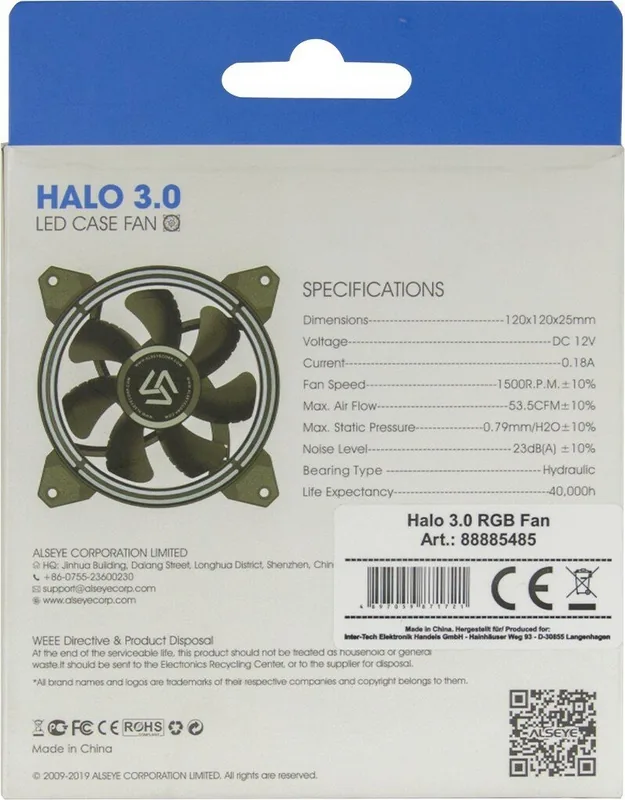
1,500 RPM
Airflow
53.5 CFM
Air pressure
0.03 in H2O
Noise level
23 dB(A)
Fan bearing
Hydrodynamic sleeve bearing
Voltage range
12 V
Power consumption
2.16 W
Lighting
RGB (16 LEDs)
Color
Black (frame), black (rotor)
Special features
Vibration dampeners
Manufacturer warranty
2 years
Note
Fans are powered via an LED controller using a proprietary 6-pin connector
Product Description
Alseye Halo 3.0 120mm - Read, Download & Print Free
The Alseye Halo 3.0 120mm is an RGB cooling solution designed for PC builders who want dependable airflow and colorful case illumination in one coordinated setup. Available as an individual fan or as a multi-fan set with a dedicated controller, it brings a clean, customizable look to compatible computer chassis while helping maintain internal airflow.
RGB Lighting and Visual Control
Each 120 x 120 x 25 mm fan includes 16 RGB LEDs, delivering vivid color options and multiple lighting effects. The included radio remote control lets users turn lighting on or off, select fixed colors, adjust brightness across three levels, alter effect speed through eight levels, and store favorite effects using memory buttons. Automatic effect cycling is also available for builders who prefer changing colors without manual selection.
The controller supports up to ten compatible Halo 3.0 LED fans, making the set suitable for larger showcases and systems with several intake and exhaust positions. It can also support up to two optional LED strips. A 433 MHz remote and CR2025 battery provide convenient wireless operation from outside the chassis.
Cooling Performance
The fan operates at up to 1500 RPM and delivers airflow rated at up to 1500 l/min per fan. Its hydraulic bearing is intended to support smooth operation, while the listed maximum noise level of 23 dBA helps it fit systems where balanced cooling and lower acoustic output both matter. Two selectable speed settings, 900 RPM and 1500 RPM, allow users to choose between quieter everyday use and stronger airflow when needed.
Power is supplied through a Molex connection, while the fan and LED connections use a dedicated 6-pin design. This makes the system easy to organize with the matching controller, but it also means compatibility should be checked before installation. The individual Halo 3.0 fan is intended for use with the Halo 3.0 Fan Set controller.
Installation and Everyday Use
Mount the fans in suitable chassis locations with the supplied screws, then route each cable to the controller. Fan ports are labeled for straightforward connection. Lighting effects and fan speed can be managed by the remote control, and optional external switches can be connected for direct case-based operation. For example, an unused front-panel switch may control effects or speed, although repurposing a reset switch removes its original reset function.
Notes
- Keep fans clear of cables, fingers, dust buildup, moisture, and heat sources.
- Clean accumulated dust carefully with compressed air after disconnecting power.
- Do not open the controller, and use only compatible dedicated connectors.
- The product includes a 24-month warranty when used correctly.
Search for 67,706 Manuals online


Type-in Brand or Model
adell68
3 months ago
Are these case fans quiet enough for everyday use, and do they provide good airflow?
Manual.ly
3 months ago
For their price range, the fans are reported to offer solid build quality and good case airflow. Rubber pads at the mounting points help reduce vibration transfer to the case. Users generally find them barely audible in normal operation and have not needed to run them at full speed. Noise levels can still vary depending on fan speed and the rest of your system.