
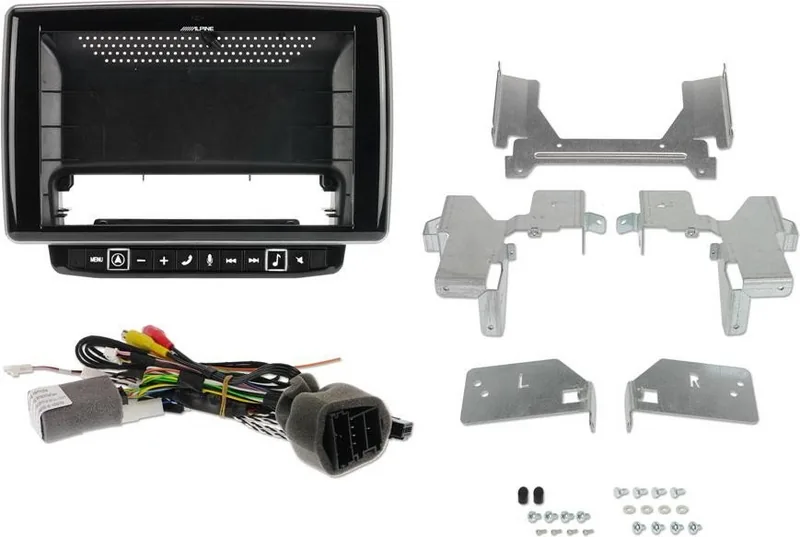
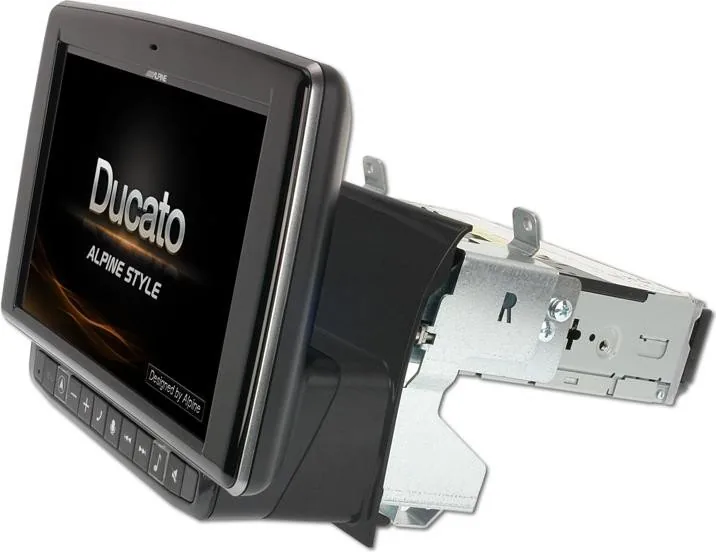
Alpine X902D-DU Manual
PDF manual · 165 Pages
English



Quick check
Incorrect answer, please try again.
Chat with your Alpine X902D-DU manual using AI
Get instant AI answers from your Alpine X902D-DU manual
Ask anything about the Alpine X902D-DU. Answers come from this manual, with the pages they are based on.
Ask a Question
Do you recommend X902D-DU?
Yes NoFrequently Asked Questions
It is designed as an in-car infotainment system that combines navigation, media playback, smartphone integration, and hands-free communication in one dashboard unit.
Is this answer helpful?
Yes. The system supports both Apple CarPlay and Android Auto, allowing users to access calls, maps, messages, music, and compatible apps from their phone while driving.
Is this answer helpful?
Yes. The favorites feature lets you register commonly used items such as audio sources or navigation searches, so you can open them faster with fewer steps.
Is this answer helpful?
It supports radio, RDS, DAB/DAB+/DMB, USB flash drives, iPod/iPhone playback, HDMI devices, and Bluetooth audio or calling, depending on the setup.
Is this answer helpful?
No. Navigation features are available only on selected models. Some versions focus more on media and smartphone mirroring than built-in map navigation.
Is this answer helpful?
Use the system responsibly while driving. The text emphasizes avoiding video viewing, limiting screen interaction, and keeping volume low enough to hear outside traffic sounds.
Is this answer helpful?
Advantages and Disadvantages
Advantages

- Large, easy-to-use touchscreen with quick access to navigation and media.
- Supports Android Auto, Apple CarPlay, Bluetooth, USB, DAB, and more.
- Favorite shortcuts help users launch common functions faster.
- Navigation tools include route planning, destination search, and map views.
Disadvantages

- Some features depend on the specific model and connected smartphone.
- Professional installation is strongly recommended for safe operation.
- Video and deep settings should only be used when the vehicle is stopped.
Product Specification
Type
Moniceiver, 1-DIN with 2-DIN Front
Display
9.0", LCD, Touchscreen
Navigation
yes
TMC
yes
Maps
Europe (48 countries)
Tuner
FM, MW, LW, DAB+
Media
CD (CD-R/RW), DVD (DVD+R/RW, DVD-R/RW), USB storage
Audio formats
AAC, MP3, WMA
Video formats
AVI, DivX, MPEG-1, MPEG-2, WMV
Power
4x 50W Peak
Connections
3x Preamplifier output (4V), 1x AUX In, 1x HDMI In, 1x HDMI Out, 1x Audio/Video input, 1x USB 2.0 (Front), Bluetooth 3.0
Anti-theft protection
Security code
Update
free (within 3 years)
Software features
POIs, Lane assist, Apple CarPlay, Android Auto, Voice control
Features
Hands-free system, USB charging function (1.5A), 9-band equalizer
Product Description
Alpine X902D-DU: Smart In-Car Control for Navigation, Media, and Safety
The Alpine X902D-DU Manual highlights a feature-rich multimedia system built for drivers who want more than just a simple radio. This Alpine unit combines navigation, smartphone integration, audio control, and hands-free communication in a single dashboard-friendly interface. It is designed to make everyday driving feel more organized, connected, and enjoyable.
One of the biggest strengths of the Alpine X902D-DU is its advanced navigation capability. The system supports map guidance, destination search, route planning, and quick access to common functions through a favorites screen. That means often-used actions such as audio sources or navigation searches can be saved for faster access. For drivers who value convenience, this can make the unit feel highly personal and easy to use.
The multimedia side is equally practical. The system supports radio, RDS, DAB/DAB+/DMB, USB flash drives, iPod/iPhone playback, HDMI devices, and Bluetooth calling. It also works with Android Auto and Apple CarPlay, giving users access to maps, calls, messages, music, and apps directly from their phone. On compatible models, Alpine Connect adds another layer of app access. The result is a dashboard hub that can handle both entertainment and day-to-day communication.
Safety is a major theme throughout the Alpine X902D-DU Manual. The controls and warnings emphasize that the system should support driving, not distract from it. Functions such as video playback or complex settings are intended for use when the vehicle is stopped. Volume should stay at a level where outside sounds remain audible, and installation should be done correctly to avoid obstructing the driver.
This unit also stands out for its flexible interface. Touch controls, shortcut screens, dual-screen support on selected models, and fast access buttons make it easier to switch between audio, menu, and navigation views. Whether you are streaming music, taking a call, or setting a route, the system is built to keep everything within reach.
Notes
- Best used with proper professional installation.
- Smartphone connectivity depends on device compatibility.
- Navigation features are available only on selected models.
- Keep attention on the road and use the screen responsibly.
Summary
The Alpine X902D-DU delivers a balanced mix of navigation, media playback, and connected-car features. It is a solid choice for drivers who want an upgraded infotainment experience with strong safety guidance and broad smartphone support.
Search for 67,732 Manuals online


Type-in Brand or Model