
Allview 43ePlay6100-U Manual
PDF manual · 54 Pages
English



Quick check
Incorrect answer, please try again.
Chat with your Allview 43ePlay6100-U manual using AI
Get instant AI answers from your Allview 43ePlay6100-U manual
Ask anything about the Allview 43ePlay6100-U. Answers come from this manual, with the pages they are based on.
Ask a Question
Do you recommend 43ePlay6100-U?
Yes NoFrequently Asked Questions
Put the remote into pairing mode by pressing the LEFT and MENU buttons simultaneously (or LEFT and MENU/LEFT+MENU depending on model) until the LED flashes. On the TV Bluetooth list select "TV BLE Remote" and press OK to complete pairing. Ensure external Bluetooth devices are also in pairing mode.
Is this answer helpful?
The TV supports Antenna (analog/DVB‑T/T2), Cable (analog/QAM) and Satellite (DVB‑S/S2) on supported models. Go to Menu > Settings > Channel > Channel Installation Mode and select Antenna, Cable or Satellite, then run the channel scan (auto or manual) as needed.
Is this answer helpful?
During initial setup choose to connect to Wi‑Fi, select your network, enter the password and press OK. To add a Google account you can use Phone/PC or enter credentials with the remote; follow on-screen prompts to sign in and accept Google Terms and Privacy settings.
Is this answer helpful?
Check for obstructions between remote and TV sensor, verify battery polarity, replace batteries, and ensure the remote is set to correct device mode (TV/VCR etc.). If Bluetooth pairing is used, re-enter pairing mode and pair again.
Is this answer helpful?
Use recommended expansion bolts (4*36PWA) and M6x12mm screws, apply the specified torque (8 kgf.cm), and if terminals face the wall use rubber gaskets (8mm inner, 18mm outer diameter, ≥30mm height). Do not exceed a 3º angle between TV and wall and follow ventilation and clearance guidance.
Is this answer helpful?
Install batteries with correct polarity and remove them if the remote won’t be used for long periods. Keep coin/button batteries away from children; swallowing can cause severe internal burns within hours. If battery compartment won’t close, stop using the device and seek medical help if ingestion is suspected.
Is this answer helpful?
Verify power connection and that the TV is turned on, check volume/mute and cable connections, try different channels or inputs, replace remote batteries, and reorient the antenna. If problems persist, unplug the TV and contact qualified service personnel.
Is this answer helpful?
Advantages and Disadvantages
Advantages

- Guided initial setup with Google account integration and Chromecast support for easy streaming setup.
- Multiple tuner options (Antenna, Cable, optional Satellite) and flexible channel scanning modes.
- Bluetooth remote with voice search and dedicated Netflix/YouTube keys improves convenience.
- Clear installation and safety guidance including wall-mount torque and terminal gasket specs.
- Comprehensive compliance documentation (CE, RED, RoHS, EN/IEC safety standards) included.
Disadvantages

- Some remote functions may not apply to every model; functionality varies across model range.
- Extensive safety and setup instructions may be overwhelming for novice users.
- Wall-mounting requires careful attention to torque and spacers; improper installation can void warranty.
- Manual emphasizes service by qualified personnel—user repairs are restricted, potentially increasing service costs.
- No detailed hardware specs (CPU, RAM, panel type) are provided in the analyzed text.
Product Specification
Resolution
3840x2160
Panel
LCD
Backlight
LED, Edge-lit
HDR
Dolby Vision, HDR, HDR10
Refresh Rate
50/60 Hz native
Contrast
5,000:1 static
Viewing Angle
150/160 degrees (h/v)
3D
no
Tuner
1x DVB-C/-T/-T2
Video Connections
4x HDMI 2.0, Component Video, Audio/Video Input
Audio Connections
Digital Audio Out (optical), Headphone (3.5 mm jack)
Other Connections
3x USB-A 2.0, 1x RJ-45, 1x CI+
Wireless
Wi-Fi 5 (WLAN 802.11a/b/g/n/ac), Bluetooth 5.0
Processor
Quad-Core
Operating System
Android TV 9
Voice Assistants
Google Assistant
Streaming Clients
Screen Mirroring (Google Cast)
Audio Decoder
Dolby Digital, Dolby Digital Plus, Dolby Atmos, DTS, DTS-HD
Special Features
HbbTV, Voice Control
Energy Efficiency Class SDR
G (A to G)
Color
silver
Stand
side
Note
Information on DVB-T2 reception in AustriaInformation on DVB-T2 reception in Germany
Product Description
Allview e Play 6100-U — Smart Android TV Overview
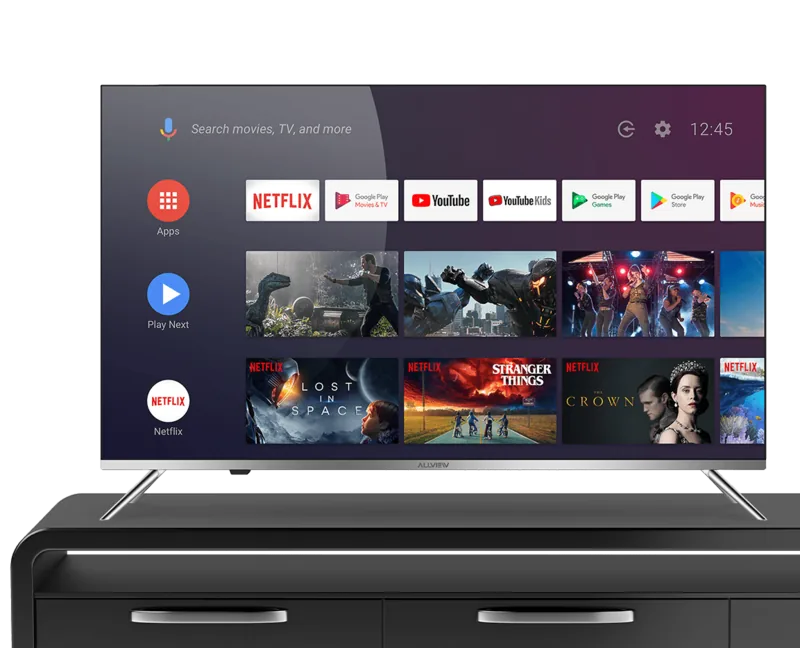
The Allview e Play 6100-U is a feature-rich Android TV designed for everyday home entertainment. It combines standard smart-TV conveniences—built-in Chromecast, Google account integration, Wi‑Fi and app support—with traditional TV tuners (Antenna, Cable, optional Satellite on DVB‑S/S2 models). The set-up process is guided, from language and region selection to network pairing and channel scanning, making first-time configuration straightforward whether you use a phone/PC or the included remote.
Design and Installation
Installation is flexible: the TV ships with detachable stands and supports wall mounting (M6 screws, recommended torque specified). Clear positioning and ventilation warnings are provided and a gasket spec is noted for models whose terminals face the wall. The manual emphasizes secure mounting to prevent tipping and includes step-by-step stand and wall bracket guidance.
Remote, Controls and Connectivity
The Bluetooth-enabled remote can be paired (pairing via LEFT+MENU or LEFT+MENU alternatives depending on model) and supports voice search, dedicated Netflix/YouTube keys, navigation, media controls, and numeric input. Battery guidance (two AAA) and safety notes about coin/button cell batteries are included. Connectivity options cover Wi‑Fi setup, Google account sign-in, Chromecast, and multiple input sources selectable from the HOME screen or SOURCE button.
Tuner, Channels and Media
Tuning supports Antenna (ATV/DTV DVB‑T/T2), Cable (analog/QAM), and Satellite where applicable. Channel scanning offers auto and manual modes, update scans, and single RF tuning. Cable operator modes (predefined operator grids like DIGI and full user scans) let users choose how channels are organized.
Menus, Settings and Daily Use
The HOME screen aggregates apps, favorite shortcuts, notifications, inputs and network settings. Menus are navigated with arrows and OK/BACK; settings include picture and sound modes, parental control, audio channel selection, and open-source license info. Basic operations—power, channel up/down, volume, mute, and source switching—are straightforward with remote or TV buttons.
Safety, Compliance and Troubleshooting
Extensive safety guidance covers ventilation, electrical grounding/polarized plugs, battery handling, avoiding moisture and heat sources, and safe disposal (WEEE/RoHS). The declaration of conformity and CE marking are included, detailing relevant EU directives and standards. A troubleshooting section addresses common issues (no picture/sound, remote problems, poor reception) with practical checks before service contact.
Notes
- Pair Bluetooth remotes using the specified button sequence; ensure external devices are in pairing mode.
- For wall mounting, follow recommended torque and gap/gasket specifications to preserve terminal access.
- Observe battery polarity and remove batteries if remote won’t be used for long periods.
Search for 67,706 Manuals online


Type-in Brand or Model