
Alesis Q49 MKII Manual
PDF manual · 64 Pages
English



Quick check
Incorrect answer, please try again.
Chat with your Alesis Q49 MKII manual using AI
Get instant AI answers from your Alesis Q49 MKII manual
Ask anything about the Alesis Q49 MKII. Answers come from this manual, with the pages they are based on.
Ask a Question
Do you recommend Q49 MKII?
Yes NoFrequently Asked Questions
No, the Q MKII is a MIDI controller only. It sends data to your computer or iPad to trigger sounds in software synthesizers or sample libraries. You must connect it to a sound source to hear audio.
Is this answer helpful?
You need the iPad Camera Connection Kit to link the keyboard to your iPad. Once connected, you can use supported music creation apps to control them with the Q MKII's keys and controllers.
Is this answer helpful?
Yes, you can select any of the 16 MIDI channels. Enter Edit Mode using the Advanced button, then press one of the labeled Channel keys (D2 to E4) to set your desired channel number.
Is this answer helpful?
The keyboard detects pedal polarity at startup. If the pedal is inverted, turn off the keyboard, hold the sustain pedal down, and then turn the unit back on. This resets the polarity detection.
Is this answer helpful?
Power off the Q MKII, then hold both the Octave Plus and Octave Minus buttons simultaneously. While holding them, power the unit on and release the buttons once the device starts up.
Is this answer helpful?
Yes, it is fully compatible with both operating systems. On Windows 7 and 8, it appears as USB Audio Device, while other systems typically recognize it as Q MKII in the MIDI device list.
Is this answer helpful?
Advantages and Disadvantages
Advantages

- Semi-weighted keys provide a realistic playing feel
- USB bus-powered design eliminates need for extra adapters
- Extensive MIDI customization via Edit Mode
- Supports Mackie Control and HUI protocols for DAW integration
- Octave shift range covers 8 octaves total (+/- 4)
Disadvantages

- Sustain pedal sold separately
- No built-in speakers or sounds, requires external software
- Latency depends heavily on computer and driver configuration
- iPad connection requires additional Apple Camera Connection Kit
- Learning curve for advanced MIDI assignments
Product Specification
Type
MIDI Keyboard
Pads
No
Knobs
No
Faders
1
Product Description
Discover the Alesis Q MKII: Your Ultimate MIDI Controller
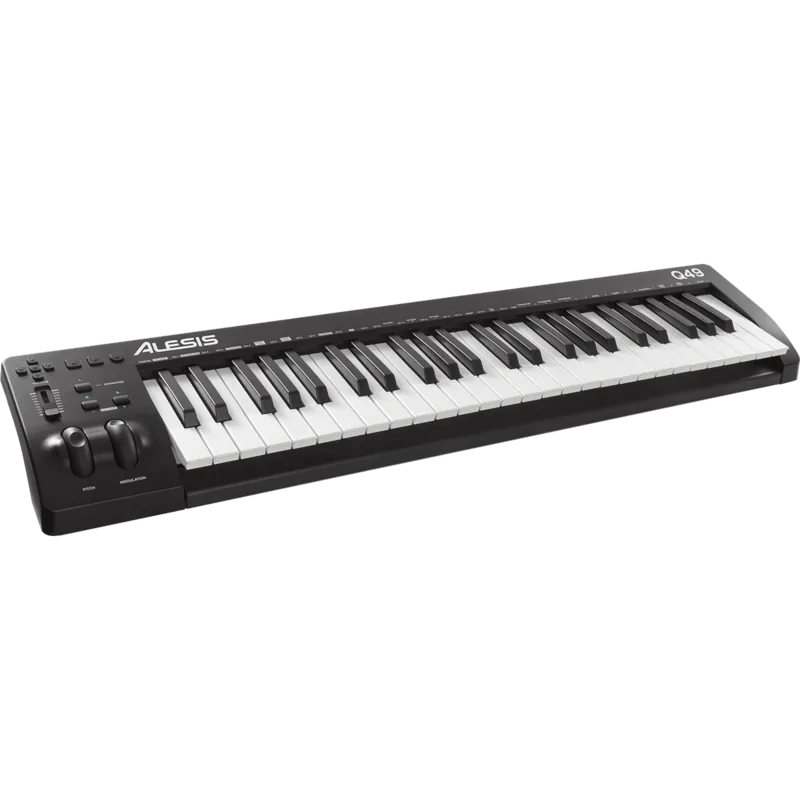
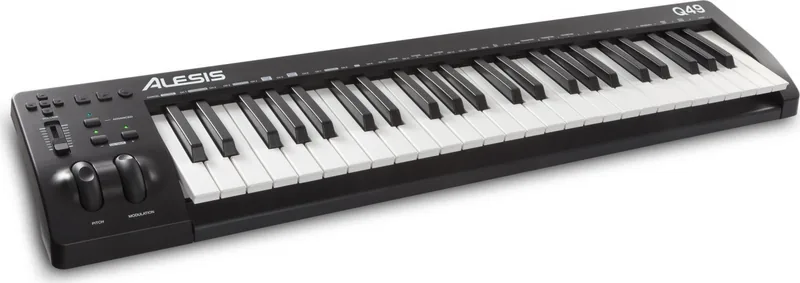
The Alesis Q MKII stands as a versatile and powerful tool for musicians seeking to bridge the gap between physical performance and digital creation. Designed with a 49-key semi-weighted keyboard, this controller offers a tactile experience that feels natural while remaining compact enough for any studio setup. Whether you are a producer crafting beats or a performer triggering software synths live, the Q MKII delivers precision and flexibility.
One of the standout features is its extensive connectivity and power efficiency. The unit draws power directly from your computer via USB, eliminating the need for an external power adapter in most scenarios. This makes it incredibly portable for on-the-go sessions. Connecting to an iPad is also seamless, provided you have the Camera Connection Kit, allowing you to control music creation apps right from your tablet.
The top panel is packed with intuitive controls that go beyond simple note playing. The dedicated octave buttons allow you to shift the pitch range up or down by four octaves, ensuring you can cover the full spectrum of sound without leaving your seat. The volume slider and modulation wheel provide real-time expression, letting you shape the dynamics and texture of your performance just like on a traditional acoustic instrument. Additionally, the pitch bend wheel enables guitar-style riffs and expressive nuances that add life to your tracks.
Advanced functionality is accessible through the Edit Mode, activated by the Advanced button. Here, you can assign specific MIDI functions to various keys, including transposition, program changes, bank selection, and channel switching. The directional and transport buttons support protocols like Mackie Control and HUI, giving you direct hardware control over your Digital Audio Workstation (DAW) for tasks like playback, recording, and mixing. With customizable assignments for every control, the Alesis Q MKII adapts to your unique workflow, making it a true partner in your musical journey.
Key Features
- 49 semi-weighted keys for comfortable playing
- Octave shifting up to 4 octaves
- Assignable volume slider and modulation wheel
- Support for MIDI, Mackie Control, and HUI protocols
- Direct USB power and data transmission
Troubleshooting Tips
If you encounter latency issues, ensure your audio interface drivers are updated and buffer sizes are optimized. For sustain pedal problems, check the polarity during startup; if the pedal acts reversed, simply hold it down while powering on the unit.
Search for 67,706 Manuals online


Type-in Brand or Model