
Alesis Q mini Manual
PDF manual · 84 Pages
English



Quick check
Incorrect answer, please try again.
Chat with your Alesis Q mini manual using AI
Get instant AI answers from your Alesis Q mini manual
Ask anything about the Alesis Q mini. Answers come from this manual, with the pages they are based on.
Ask a Question
Do you recommend Q mini?
Yes NoFrequently Asked Questions
Plug the included USB cable into a free port on your computer and the other end into the USB input on the Q mini. Ensure the port provides enough power, or use a powered USB hub if necessary.
Is this answer helpful?
Yes, pressing the Octave/Data plus or minus buttons shifts the range by one octave at a time. You can extend the range up to four octaves above or below the default setting.
Is this answer helpful?
The Edit button switches the keyboard into Edit Mode, allowing you to access advanced settings such as assigning functions to buttons, changing channels, and adjusting velocity curves.
Is this answer helpful?
To perform a Full Reset, turn on the Q mini while holding down the Octave/Data plus and minus buttons simultaneously. This restores all assignments to their default values.
Is this answer helpful?
It works best with a powered USB hub. Passive hubs without external power may not supply enough energy to run the keyboard reliably, especially if other devices are connected.
Is this answer helpful?
Advantages and Disadvantages
Advantages

- Compact 32-key design perfect for travel and small studios
- Single USB cable powers the unit and transmits MIDI data
- Assignable octave buttons expand range by four octaves
- Edit mode allows deep customization of controls and functions
- Includes Panic and Full Reset features for quick troubleshooting
Disadvantages

- Limited key count restricts complex polyphonic playing
- Passive USB hubs may not provide sufficient power
- Requires manual configuration for optimal software integration
- No built-in speakers or audio output jacks
- Some advanced settings require navigating through menus
Product Specification
Type
MIDI Keyboard
Pads
no
Knobs
no
Product Description
Discover the Alesis Q Mini: Your Portable MIDI Controller
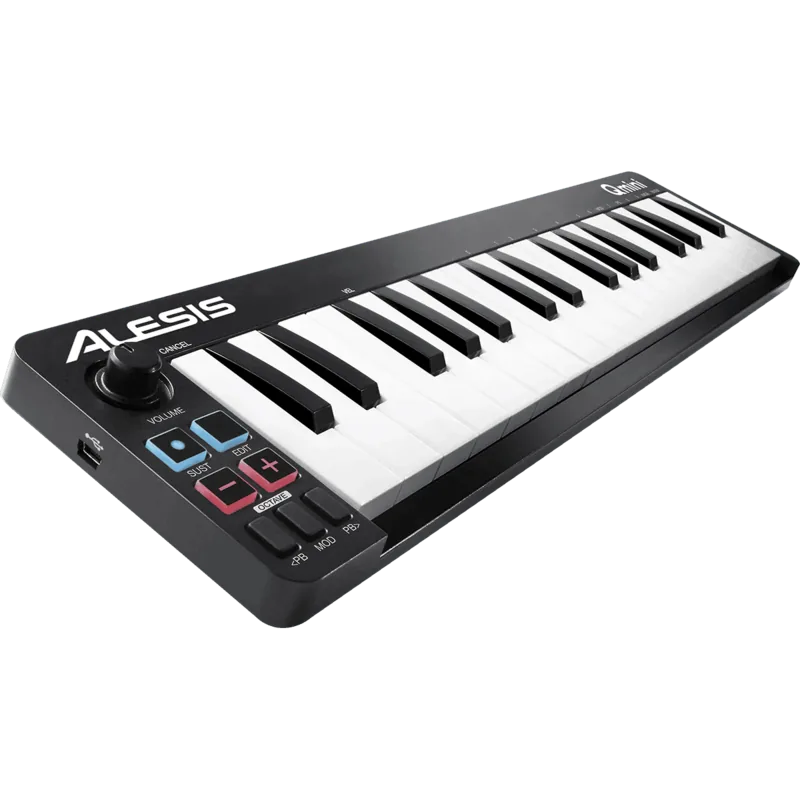
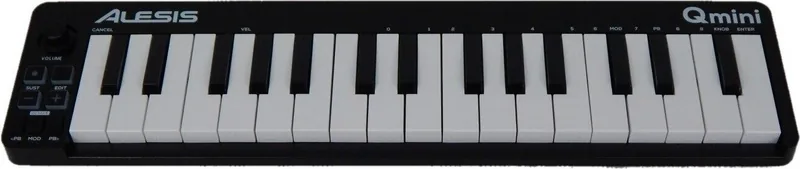
The Alesis Q mini is a compact and powerful MIDI controller designed for musicians who need flexibility on the go. With its 32 keys spanning two and a half octaves, this keyboard fits easily into any setup while still offering the range needed for modern production. The device connects via a single USB cable that provides both power and data transmission, eliminating the need for external adapters.
One of the standout features of the Q mini is its assignable controls. The octave shift buttons allow you to extend your playing range by up to four octaves in either direction, giving you access to the full 88-note spectrum of a grand piano without increasing the physical size. The pitch bend and modulation buttons mimic traditional controllers, enabling expressive guitar-style phrasing and vibrato effects directly from your fingertips. Additionally, the volume knob offers real-time control over sound levels or can be reassigned to parameters like pan, reverb, or attack.
For advanced users, the Edit mode unlocks a world of customization. You can assign specific MIDI functions to the octave buttons, including transpose, program changes, bank selection, channel switching, and tuning adjustments. This level of control ensures the Q mini adapts to your workflow, whether you are composing, performing live, or producing tracks in a DAW. The sustain button also offers latching and momentary modes, providing versatility similar to a traditional piano pedal.
Troubleshooting is straightforward with built-in Panic and Full Reset functions to resolve MIDI conflicts instantly. Whether you are a beginner looking for an affordable entry point or a professional needing a reliable backup controller, the Alesis Q mini delivers exceptional value and performance.
Search for 67,706 Manuals online


Type-in Brand or Model