
Alesis Nitro Max Kit Manual
PDF manual · 35 Pages
English



Quick check
Incorrect answer, please try again.
Chat with your Alesis Nitro Max Kit manual using AI
Get instant AI answers from your Alesis Nitro Max Kit manual
Ask anything about the Alesis Nitro Max Kit. Answers come from this manual, with the pages they are based on.
Ask a Question
Do you recommend Nitro Max Kit?
Yes NoFrequently Asked Questions
Press the Bluetooth button on the module to enter pairing mode. On your phone, select 'Alesis Nitro Max' from the available devices. Once paired, the LED will stay solid, allowing you to stream audio wirelessly.
Is this answer helpful?
Yes, you can record your performance using the Record button. The module stores your plays in memory, which you can review later by pressing Play/Practice. Note that memory fills up after several takes.
Is this answer helpful?
Normal Mode is for selecting kits, voices, and songs. Learning Mode focuses on practicing with beats, rhythms, and patterns, providing scoring feedback and accompaniment options.
Is this answer helpful?
No, the USB-B port transmits MIDI data only. To hear audio from a computer, you must use the Audio Output jacks or headphones connected to the module itself.
Is this answer helpful?
Hit the pad you want to adjust, press the Utility button until SEN appears, then use the plus and minus buttons to increase or decrease sensitivity. Higher values mean less force is needed.
Is this answer helpful?
Yes, the module has dedicated inputs for Tom 4 and Crash 2, allowing you to connect additional pads separately to expand your drum kit configuration.
Is this answer helpful?
Advantages and Disadvantages
Advantages

- Extensive library of 441 instruments covering diverse genres
- Integrated Learning Mode with scoring and playback features
- Bluetooth connectivity for wireless music streaming
- Customizable user kits with detailed pad editing options
- USB-MIDI and Bluetooth support for DAW integration
Disadvantages

- No audio output over USB connection, only MIDI data
- Headphone jack is located on the side, which may be inconvenient
- Optional expansion pads sold separately limit initial setup
- Memory can fill up quickly if many recordings are made
- Mobile device shelf may not hold heavy tablets securely during intense play
Product Specification
Sounds
40 Drumkits, 440 Sounds, configurable
Sound Module
Nitro Drum Module (LCD)
Snare
10", Mesh Head Pad, 2 Zones
Bass
Rubber Pad
Rack-Tom
2x 8", Mesh Head Pad
Floor-Tom
8", Mesh Head Pad
Hi-Hat
10"
Crash
10"
Ride
10"
Hardware
Bass-Drum Control Pedal, Hi-Hat Control Pedal, Rack
Connections
Stereo Main Out (1/4" Jack), AUX In (1/8" Jack), Headphones (1/8" Jack), 2x Trigger In, USB-B
Features
MIDI Recorder, Playalong Songs
Weight
31.97 lbs
Product Description
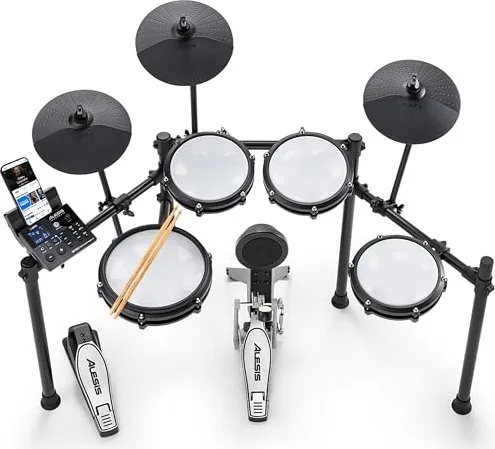
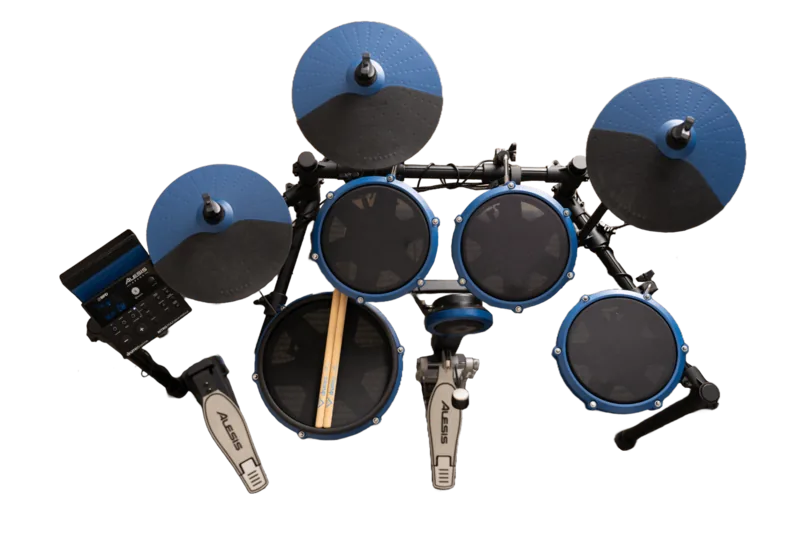
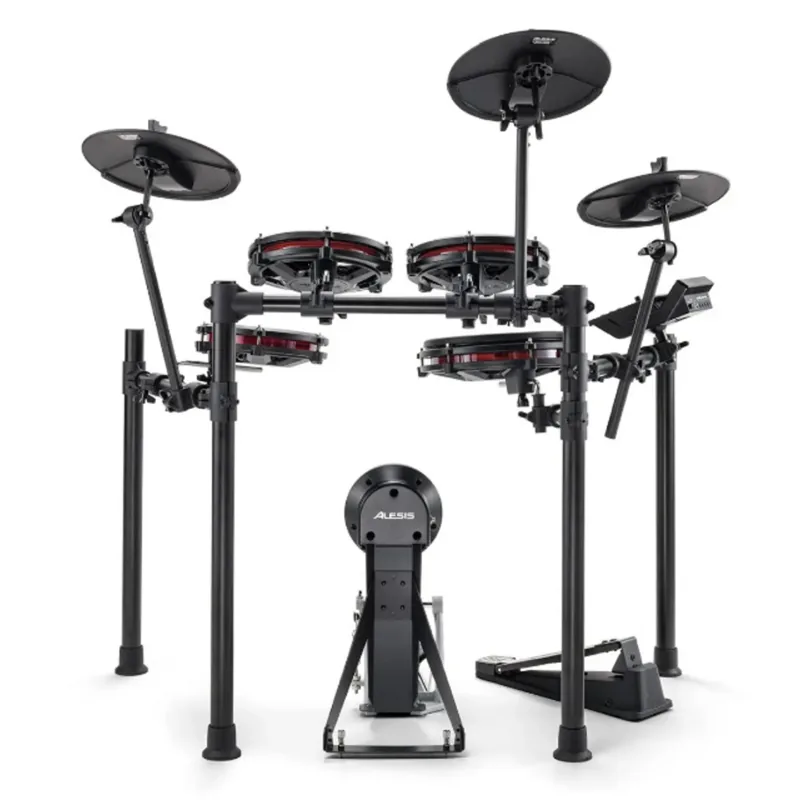
Unlock Your Rhythm with the Alesis Nitro Max Kit
The Alesis Nitro Max Kit stands as a premier choice for drummers seeking a versatile electronic experience without breaking the bank. At the heart of this system lies the Nitro Max Drum Module, a powerhouse designed to transform simple pad hits into rich, dynamic musical expressions. Whether you are a beginner taking your first steps or an experienced player looking for a robust practice tool, this kit offers a comprehensive suite of features that cater to all skill levels.
One of the most compelling aspects of the Nitro Max is its extensive sound library. The module houses 441 high-quality instruments, ranging from classic acoustic drums and cymbals to modern electronic percussion and special effects. With 32 factory presets and 16 customizable user kits, you can easily switch between genres like rock, jazz, funk, and hip-hop in seconds. The ability to edit individual pad settings allows for deep customization, letting you adjust volume, pan, pitch, reverb, and equalization to perfectly match your playing style.
Learning has never been more engaging thanks to the integrated Learning Mode. This feature provides 20 beats, 12 rhythms, and 10 patterns designed to help you improve your timing and accuracy. You can play along with pre-recorded tracks, receive instant scoring on your performance, and even mute the original drum parts to focus solely on your own playing. The built-in metronome is equally impressive, offering adjustable time signatures, intervals, and sounds to keep you strictly on beat during practice sessions.
Connectivity is seamless, featuring Bluetooth 5.0 support that lets you wirelessly stream audio from your smartphone or tablet directly to the module. This makes jamming along with your favorite songs effortless. For those who prefer recording, the onboard sequencer supports up to 80 songs and allows you to record your performances directly to the module's memory. You can also connect via USB-B to your computer for MIDI integration with digital audio workstations or use BFD Player as a standalone drum module for studio-quality sounds.
Key Features at a Glance
The Nitro Max Kit includes a cable snake for easy setup, connecting all pads and cymbals to the module effortlessly. The rear panel offers multiple inputs including trigger inputs for optional expansion pads, ensuring your kit can grow with your needs. The top panel is intuitive, with clearly labeled buttons for Kit, Voice, Song, and Utility functions, making navigation simple even in low-light environments.
Important Notes
- Ensure you use the included 9V DC power adapter to avoid damaging the module.
- The module will automatically shut down after 30 minutes of inactivity to save energy, though this can be adjusted in the utility settings.
- Keep mobile devices secure on the side shelf during vigorous playing to prevent them from moving due to vibrations.
Search for 67,706 Manuals online


Type-in Brand or Model