
Akko Monsgeek M1W SP Manual
PDF manual · 12 Pages
English



Quick check
Incorrect answer, please try again.
Chat with your Akko Monsgeek M1W SP manual using AI
Get instant AI answers from your Akko Monsgeek M1W SP manual
Ask anything about the Akko Monsgeek M1W SP. Answers come from this manual, with the pages they are based on.
Ask a Question
Do you recommend Monsgeek M1W SP?
Yes NoFrequently Asked Questions
Press Fn+BT buttons to enter pairing mode. Select Akko Monsgeek from your device list. Wait for the light to blink slowly.
Is this answer helpful?
Yes, the keyboard features hot-swap sockets compatible with most mechanical switches.
Is this answer helpful?
Battery life depends on lighting usage but lasts several days on a single charge with standard LED settings.
Is this answer helpful?
Yes, system commands differ slightly but both operating systems are fully supported via the Fn key combinations.
Is this answer helpful?
Hold Fn+Win+Ctrl+Tilde simultaneously to restore default configurations and firmware settings.
Is this answer helpful?
No, the dongle is for 2.4G wireless mode. Bluetooth works independently via the paired device settings.
Is this answer helpful?
Warranty details are included in the US Manual section regarding MONSGEEK Guarantee and Service Statement.
Is this answer helpful?
Advantages and Disadvantages
Advantages

- Hot-swap socket allows easy switch changes
- V3 Piano Pro switches offer durability
- USB/Bluetooth supports multi-device connection
- LEDs RGB provides customizable lighting
- Us Manual guides setup clearly
Disadvantages

- May require manual adjustment for some users
- Bluetooth latency varies by device
- Software support not always updated
- Grey & Black might limit color choices
- Price points higher than budget options
Product Specification
Layout
US
Type
mechanical
Switch Name
Akko V3 Piano Pro
Backlight
RGB
Keycap Profile
standard, with frame
Keycap Size
standard
Keycap Shape
concave
Numpad
N/A
Cursor Keys
staggered
Control Keys
proprietary
F-Keys
standard (top row, with space below, in 4 groups)
Enter Key
shortened
Delete Key
standard
Status Indicator
CapsLock
Wrist Rest
N/A
Case
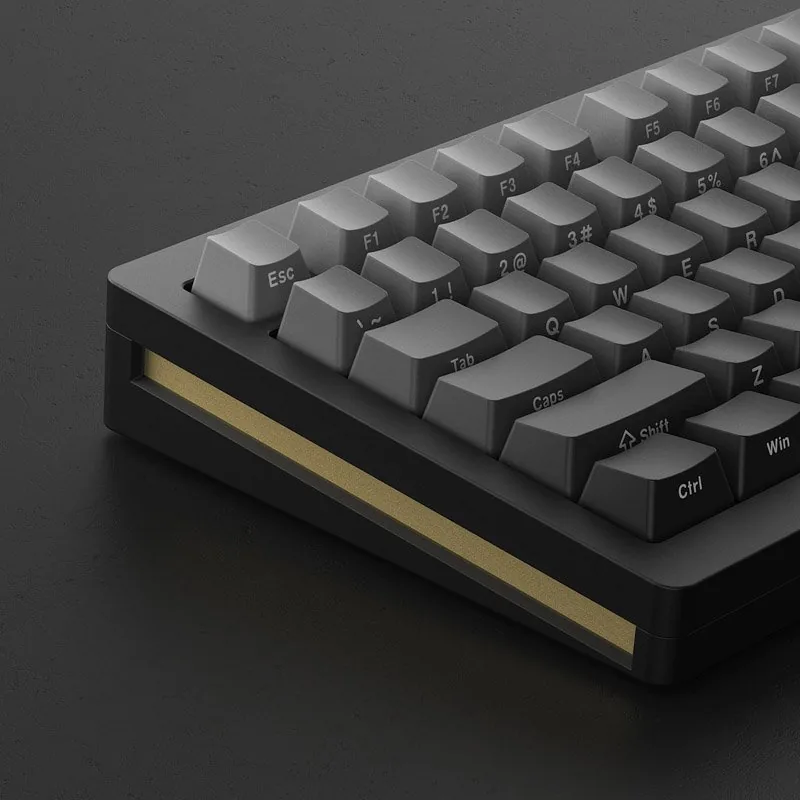
Metal
Case Color
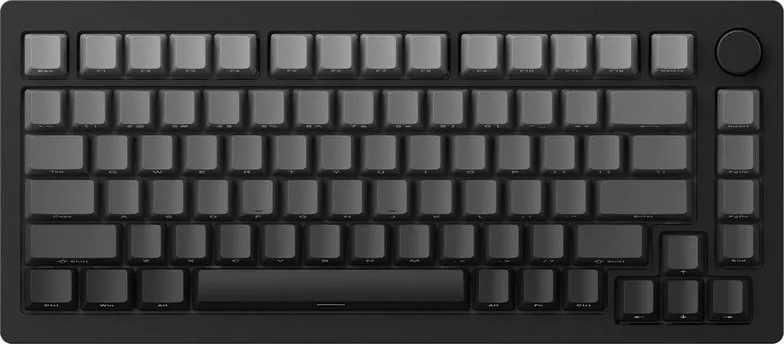
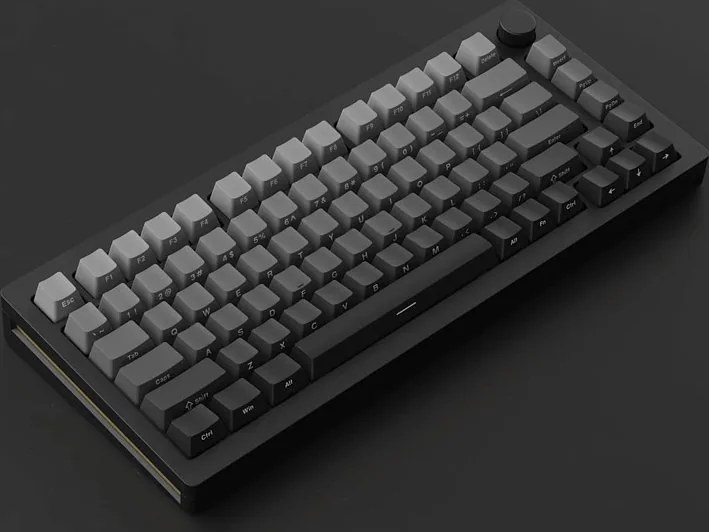
solid black; Manufacturer Name: Grey & Black
Keycap Material
PBT, multi-color, gray/black (gradient)
Keycap Legend
Double-Shot, side legends, solid gray (translucent)
Connectivity
wired, USB-A 2.0 or wireless (2.4GHz), USB-A (USB-A 2.0 Receiver) or wireless (Bluetooth 5.0), detachable cable (USB-C jack)
Power Source
Battery (built-in, 6000mAh)
Dimensions (WxHxD)
13.11x1.28x5.75 inches
Weight
4.85 lbs
Features
1x Knob (knob, top right), Anti-Ghosting (N-Key-Rollover), Bluetooth connectivity switchable per key (3 devices), Switch swapable (Hot-Swap), FN Key, sound dampened (foam), Switches pre-lubed
Switch Manufacturer
Akko
Switch Module
V3 Pro
Switch Model
Piano
Actuation Style
linear
Tactile Feedback
none
Damping
none
Actuation Force
44.13 cN (+/-4.90 cN Tolerance) ~ 45.00 gf (+/-5.00 gf Tolerance)
Key Travel
0.14 inches
Actuation Force Point
N/A
Pre-travel
0.07 inches (+/-0.02 inches Tolerance)
Lifespan
60 million
Product Description
The Ultimate Typing Experience with the Akko Monsgeek M1W SP
If you are looking for a high-performance mechanical keyboard, the Akko Monsgeek M1W SP is a fantastic choice for professionals. This product arrives in a stylish Grey & Black colorway that will match any modern workspace environment. It features a hot-swap socket, allowing you to modify switch types without soldering skills. The included V3 Piano Pro switches deliver a satisfying click sound and smooth travel distance. Connectivity is flexible with USB/Bluetooth integration options. You can connect wirelessly to multiple devices or via a wired USB cable. The package includes a US Manual to guide your initial setup process.
The lighting system is vibrant and customizable. LEDs RGB lights cover the entire keycaps for a stunning visual effect. You can choose from many dynamic modes using simple hotkeys. Battery life is excellent and indicated by independent LED indicators. You can check power status easily with Fn key combinations. Low battery warnings prevent unexpected shutdowns during use. Charging is fast with a dedicated port. Pairing with Bluetooth devices is straightforward using the Fn+BT buttons. The 2.4G wireless receiver ensures a lag-free connection for gaming sessions.
Functionality is enhanced by system commands. Windows and Mac users can access media controls effortlessly. Fn key groups unlock calculator, browser, and mute functions. The Win lock feature prevents accidental window switching. You can reset factory settings if needed using Fn+Win+Ctrl. Arrow keys can swap with WASD for FPS gaming convenience. This flexibility makes the M1W suitable for gaming or office work. Build quality is robust and designed for daily longevity.
Please note that the Us Manual contains important safety precautions. Avoid liquid exposure to ensure durability. The product warranty covers manufacturing defects for a specific period. Support teams are available for firmware updates. This keyboard balances quality and affordability perfectly. It is ideal for programmers, gamers, and writers. The Akko Monsgeek M1W SP stands out in its class. Enjoy a premium typing experience with this complete solution.
Notes
Always follow the installation guide provided in the documentation. Ensure the keyboard is fully charged before pairing. Keep the USB receiver safe when not in use. Clean the surface regularly with a dry cloth. The V3 switches are durable but require proper alignment. Check the LEDs RGB regularly to maintain battery health. Refer to the Us Manual for specific troubleshooting steps.
Search for 67,732 Manuals online


Type-in Brand or Model