
Akko ACR Pro 75 RGB Manual
PDF manual · 14 Pages
English



Quick check
Incorrect answer, please try again.
Chat with your Akko ACR Pro 75 RGB manual using AI
Get instant AI answers from your Akko ACR Pro 75 RGB manual
Ask anything about the Akko ACR Pro 75 RGB. Answers come from this manual, with the pages they are based on.
Ask a Question
Do you recommend ACR Pro 75 RGB?
Yes NoFrequently Asked Questions
Yes, the Akko ACR Pro 75 typically supports hot-swap switches allowing for easy changes without soldering.
Is this answer helpful?
It features a compact 75% layout including a function row and arrow keys using the ANSI standard.
Is this answer helpful?
No, this is a barebone model so you will need to buy keycaps separately that fit the layout.
Is this answer helpful?
Yes, you can adjust colors, brightness, and effects using the onboard menu and software control.
Is this answer helpful?
Yes, the keyboard works seamlessly with Windows, macOS, and Linux operating systems without issues.
Is this answer helpful?
It supports standard MX style switches which are the most common type for mechanical keyboards.
Is this answer helpful?
Advantages and Disadvantages
Advantages

- Transparent acrylic case provides a unique floating look for any desk setup.
- 75% layout offers navigation keys while saving valuable desk space.
- RGB lighting system allows deep customization of colors and effects.
- Barebone design enables users to choose specific mechanical switches.
- Compatible with standard three-pin and five-pin MX style switches.
Disadvantages

- Keycaps are not included so users must purchase compatible options separately.
- Switches are not pre-installed requiring extra time for assembly and testing.
- Acrylic material may show scratches more easily than plastic or aluminum.
- Software setup is necessary to access full RGB and macro customization features.
- Requires specific knowledge about switch types for optimal typing experience.
Product Specification
Consists of
Keyboard Barebone
Layout
ANSI (75%)
Compatibility
3- and 5-Pin Switches
Ports
1x USB-C 2.0 (480Mb/s, Power, socket via detachable cable, 70.87 in cable length, to USB-A)
Numpad
N/A
Navigation Block
Offset
Control Keys
Proprietary
F-keys
Present
Enter Key
Compact
Wrist Rest
N/A
Backlighting
RGB Backlit
Sound Dampening
Available (Foam)
Features
Anti-Ghosting, Switchable (Hot-Swap)
Dimensions
12.95 x 1.18 x 5.67 in (W x H x D)
Weight
1.63 lbs
Color
White, Transparent (Bottom, Frame)
Material
Plastic
Note
Barebone Keyboard. Without Switches or Keycaps.
Product Description
The Ultimate Custom Build with Akko ACR Pro 75
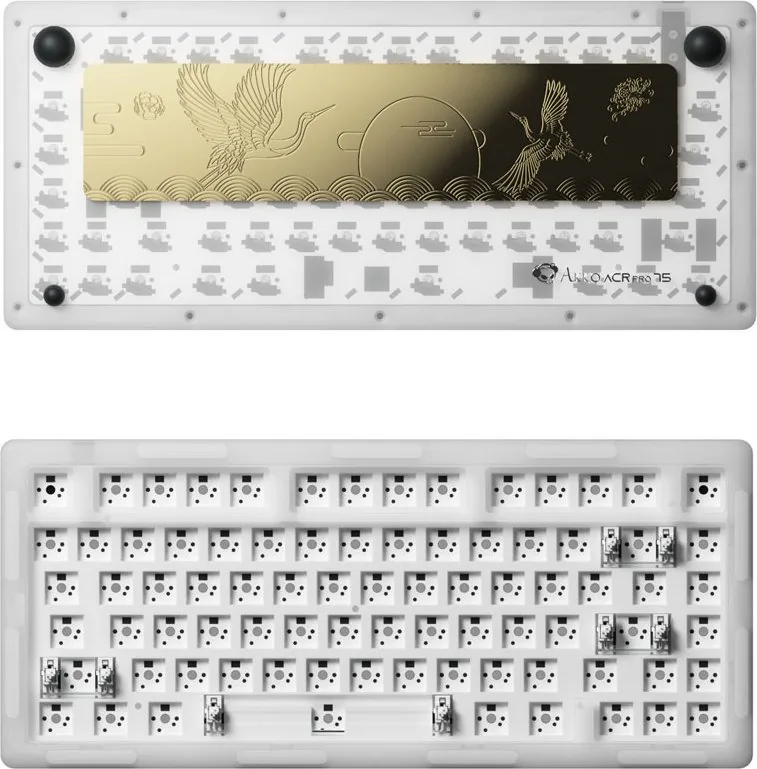
Are you looking for a mechanical keyboard that truly reflects your personal style? The Akko ACR Pro 75 RGB 75% Layout Barebone Keyboard Acrylic White Transparent ANSI Manual defines the ultimate DIY experience. This device is designed for enthusiasts who want full control over every keystroke. Unlike standard pre-built keyboards, the barebone format allows you to select your own switches, resulting in a typing feel that matches your unique needs. Whether you prefer smooth linear switches for gaming or tactile feedback for typing, this platform supports a wide variety of options.
Stunning Aesthetic Design
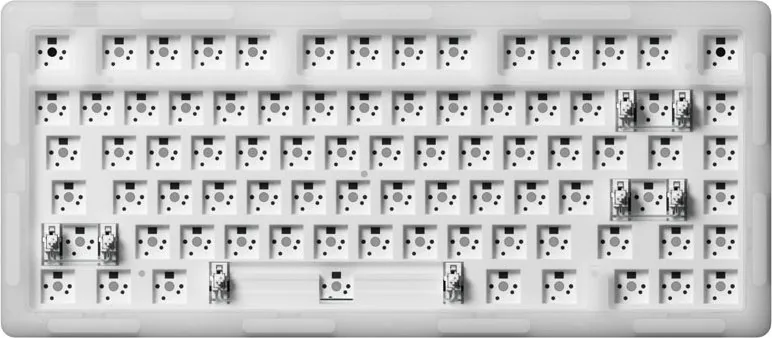
The visual appeal of this keyboard is unmatched. The case is made from high-quality acrylic in a white transparent finish. This material choice allows you to see through the body, creating a floating look for your custom keycaps and RGB lights. The 75 percent layout is perfect for those who need navigation keys but lack the room for a full-sized board. It includes a function row and dedicated arrow keys, maintaining productivity in a compact chassis. The ANSI layout supports standard North American key placement for seamless compatibility with existing software workflows.
Advanced Lighting and Features
Lighting customization is a core strength of this model. The RGB system provides vibrant colors that can change dynamically or remain static. You can program specific zones to react to your typing speed or activity. The manual controls allow for quick switching between brightness levels and patterns without needing to open software every time. Connectivity options ensure you stay connected across multiple devices. Battery life is optimized to keep you working without constant interruptions.
Software and Support
Setting up the keyboard is straightforward with the included tools. The Akko software enables deep customization of macros and on-board memory profiles. You can save these settings directly to the device, making it portable. The comprehensive user manual guides you through installation and troubleshooting. This support ensures that even first-time builders can enjoy a premium experience without technical frustration. Furthermore, the keycaps are not included, giving you the power to choose from hundreds of acrylic or PBT options compatible with MX style stems. This ecosystem support ensures longevity and future-proofing for your build. The sound profile can also be tuned with foam inserts often included or added later to dampen noise. This level of control over acoustics is rare in the pre-packaged sector. Many users appreciate the ability to replace keycaps immediately after buying. The keyboard layout accommodates both gaming and professional applications effectively. The RGB lighting enhances visibility in low-light environments without overwhelming the user. Investing in a customized keyboard enhances your workflow and enjoyment. The transparent acrylic case adds a touch of elegance to any workspace. It serves as a conversation starter and a functional tool. By choosing this barebone version, you avoid paying for components you might not want. This flexibility defines the modern mechanical keyboard market and makes the Akko ACR Pro 75 a top contender for your next upgrade.
Search for 67,732 Manuals online


Type-in Brand or Model