
Advance Paris MyConnect 250 Manual
PDF manual · 56 Pages
English



Quick check
Incorrect answer, please try again.
Chat with your Advance Paris MyConnect 250 manual using AI
Get instant AI answers from your Advance Paris MyConnect 250 manual
Ask anything about the Advance Paris MyConnect 250. Answers come from this manual, with the pages they are based on.
Ask a Question
Do you recommend MyConnect 250?
Yes NoFrequently Asked Questions
You must allow the tubes to warm up for approximately thirty seconds before the amplifier operates fully when powering on.
Is this answer helpful?
Yes, the unit includes a Phono input with settings for Moving Magnet or Moving Coil cartridges to accommodate vinyl record players.
Is this answer helpful?
Bluetooth connectivity is available through optional Bluetooth dongles that plug into the rear panel for wireless streaming.
Is this answer helpful?
Yes, there are dedicated subwoofer outputs that allow you to connect active subwoofers and select crossover frequencies.
Is this answer helpful?
No, firmware updates must be performed by an authorized retailer to avoid damaging the system software or hardware.
Is this answer helpful?
Connect speakers with an impedance of at least 4 ohms for primary usage, or 6 ohms when using multiple speaker pairs.
Is this answer helpful?
Download the Advance PlayStream app on your mobile device to manage volume and source selection remotely.
Is this answer helpful?
Advantages and Disadvantages
Advantages

- Hybrid tube and transistor technology for optimal sound quality and reliability.
- Extensive connectivity including optical, coaxial, HDMI, and Bluetooth inputs.
- Remote control via mobile app allows for easy multi-room streaming management.
- High Bias mode provides Class A sound characteristics for lower power usage.
- Balanced XLR outputs and inputs reduce interference for professional audio setups.
Disadvantages

- Tubes require a thirty-second warm-up period before full functionality is reached.
- High Bias mode generates significant heat requiring ample ventilation space.
- User service is prohibited; repairs must be handled by qualified technicians only.
- USB-A port supports storage but firmware updates require authorized retailer assistance.
- Some streaming services may require premium subscriptions for full functionality access.
Product Specification
Type
Streaming Amplifier
Power
2x 190W (8 Ohm), 2x 280W (4 Ohm)
DAC
24bit/192kHz
Tuner
FM, DAB
Streaming Services
Deezer, Qobuz, Spotify, Tidal
Audio Connections
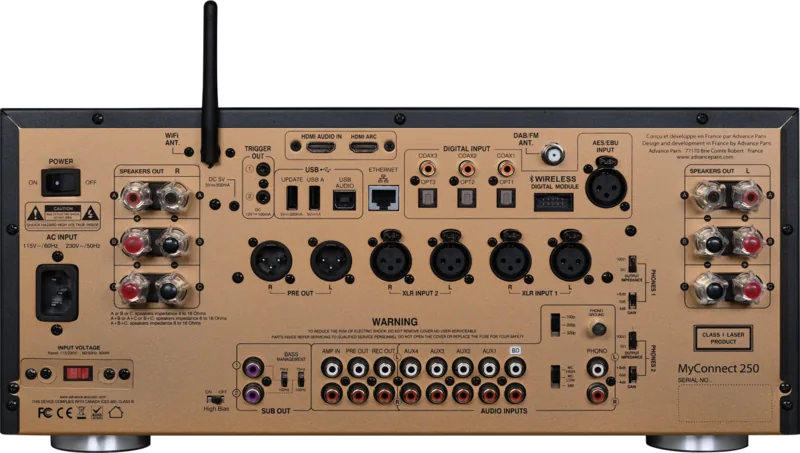
2x Digital Audio In (coaxial), 3x Digital Audio In (optical), Digital Audio In (AES/EBU), 5x Stereo Line In (RCA), 2x Stereo Line In (XLR), Amp In (RCA), Phono In (RCA), Stereo Line Out (RCA), Pre Out (RCA), Pre Out (XLR), Headphone (0.14in Jack), Headphone (0.25in Jack)
Other Connections
USB-A, USB-B, RJ-45
Wireless
Wi-Fi (WLAN)
Features
A/B Speaker Outputs, CD Player, Remote Control
Color
Black
Dimensions
16.93 x 7.68 x 17.91 in (W x H x D)
Weight
41.89 lbs
Product Description
Experience Superior Audio Quality
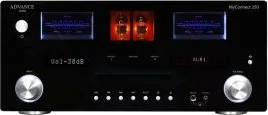
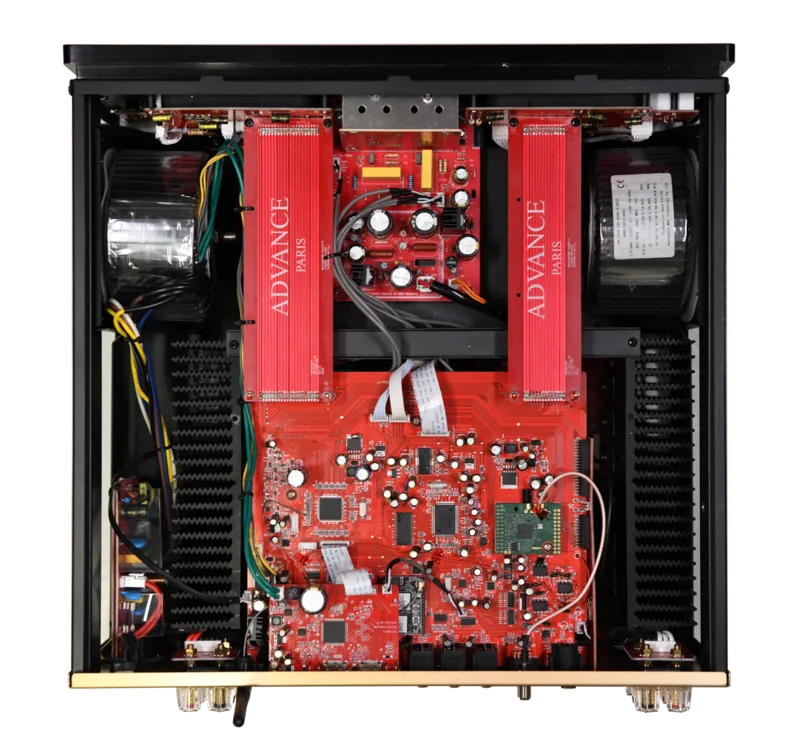
Welcome to a sophisticated world with the Advance Paris MyConnect 250 amplifier. When you consult the Advance Paris MyConnect 250 Manual, you will discover a hybrid technology blending tube preamplification with transistor amplification. This combination offers the warmth of tubes with the stability of modern electronics. The device is designed for high fidelity enthusiasts who demand versatility and power in their home setup. It supports numerous inputs including optical, coaxial, and digital audio sources for maximum flexibility. Users can connect various devices like CD players, tuners, and streaming boxes simultaneously.
Connectivity and Streaming Solutions
The system integrates wireless capabilities through optional Bluetooth dongles. It also supports direct Wi-Fi connection for network streaming and online services. The multifunction button simplifies menu navigation and volume adjustments effectively. You can control playback directly on the unit or remotely via the Advance PlayStream application. This app allows users to manage playlists and rename devices easily on mobile screens. Multi-room streaming features enable music playback in different areas of the home simultaneously. The unit handles both digital and analog signals efficiently without loss of detail.
Network and Setup Configuration
Network setup requires a router with DHCP functions for proper IP assignment. Ensure your broadband modem supports the necessary protocols for stable connectivity. The device supports wired Ethernet connections for more reliable data transmission. You can also use WPS for quick pairing with compatible wireless routers. This process ensures your music sources are accessible across your home network seamlessly. Always check your local area network settings before attempting connections to avoid delays.
Performance and Safety Standards
A High Bias switch allows the amplifier to operate in Class A mode initially. This improves sound quality significantly but increases heat generation during operation. Adequate ventilation is required around the unit to prevent overheating during this mode completely. The display indicates the current source input and volume settings at all times clearly. Safety instructions emphasize keeping the equipment away from water sources and moisture. Users should not attempt to service the device themselves to ensure personal safety.
Inputs and Outputs Specification
There are various connection options available for different audio setups. Two subwoofer outputs allow for customized bass management settings for the room. Crossover frequencies can be selected for optimal low-frequency reproduction and system balance. XLR balanced inputs and outputs reduce electrical interference over long cable runs effectively. The USB ports support file playback and system updates via authorized retailers only. Speakers must meet impedance requirements to protect the internal components from damage.
Maintenance Guidelines and Notes
Always allow the tubes to warm up for thirty seconds before use. Keep dust away from ventilation grills to maintain cooling efficiency during operation. Use the cleaning products recommended by the manufacturer for specific surfaces. Check cables regularly to ensure they are not damaged or pinched accidentally. Recycle the unit responsibly when reaching the end of its useful life span. Contact authorized dealers for any warranty or technical support needs immediately.
Search for 67,706 Manuals online


Type-in Brand or Model