
Adesso iMouse S60 Manual
PDF manual · 1 Pages
English


Quick check
Incorrect answer, please try again.
Chat with your Adesso iMouse S60 manual using AI
Get instant AI answers from your Adesso iMouse S60 manual
Ask anything about the Adesso iMouse S60. Answers come from this manual, with the pages they are based on.
Ask a Question
Do you recommend iMouse S60?
Yes NoFrequently Asked Questions
Insert two AAA batteries into the battery cover and turn the switch to ON. Insert the USB receiver into a free USB port on your computer. For basic use it works immediately. For advanced features install the driver software from the included CD or download it.
Is this answer helpful?
Yes, it supports Mac OS 10.3 and above. However note that universal scrolling and programmable buttons are optimized for Windows operating systems while Mac OS supports basic functions.
Is this answer helpful?
Adesso provides a one-year limited warranty for all of its products against defects in materials and workmanship. During this period they will repair or replace any product which proves defective.
Is this answer helpful?
Yes, all seven buttons are programmable. You can assign single keys, macro commands, basic text functions, windows operating commands, or media functions like volume control and track skipping through the driver interface.
Is this answer helpful?
The mouse includes a built-in DPI resolution of 800 and 1,600 DPI. You can switch between these settings to achieve precision navigation or fast maneuvering depending on your task requirements.
Is this answer helpful?
You can download the driver directly from the Adesso website support pages. The file is typically named iMouseS60.zip and includes all necessary software for full functionality.
Is this answer helpful?
You can visit the FAQ service and support pages or email [email protected]. Telephone support is available toll free during business hours Monday through Friday.
Is this answer helpful?
Advantages and Disadvantages
Advantages

- Offers 2.4 GHz wireless freedom up to 30 feet
- Seven buttons are fully programmable via driver
- Optical sensor works on most surfaces
- Features adjustable DPI for precision and speed
- Compact and portable design for travel
Disadvantages

- Requires two AAA batteries for power
- Advanced driver features limited on Mac OS
- Does not include built-in rechargeable battery
- Standard ergonomic shape may not fit all hands
- Basic connectivity does not need extra software
Product Specification
Handedness
Right
Buttons
6 (total, 8 button functions), 2 (main), 1 (top), 2 (left), 1 (scroll wheel click, 3 button functions)
Scroll Wheel
1x 4-way
Sensor
LED Red/IR
Resolution
1600 dpi, reducible to 800 dpi
Lighting
N/A
Connection
Wireless (2.40 GHz), USB-A (USB-A Receiver)
Power
2x AAA
Dimensions (WxHxD)
2.36x1.38x3.74 in
Approximate Volume
3.17 cu in (approximate shape)
Weight
0.13 lbs
Features
Thumb rest, stowable receiver
Product Description
Experience Enhanced Productivity with the Adesso iMouse S60
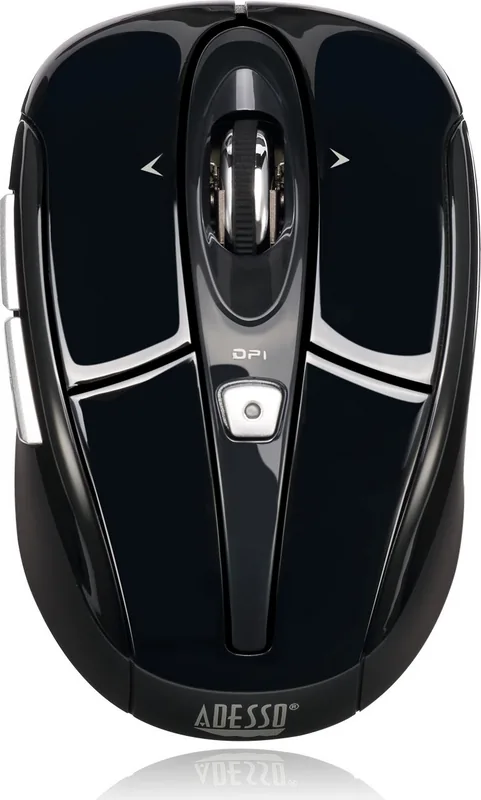
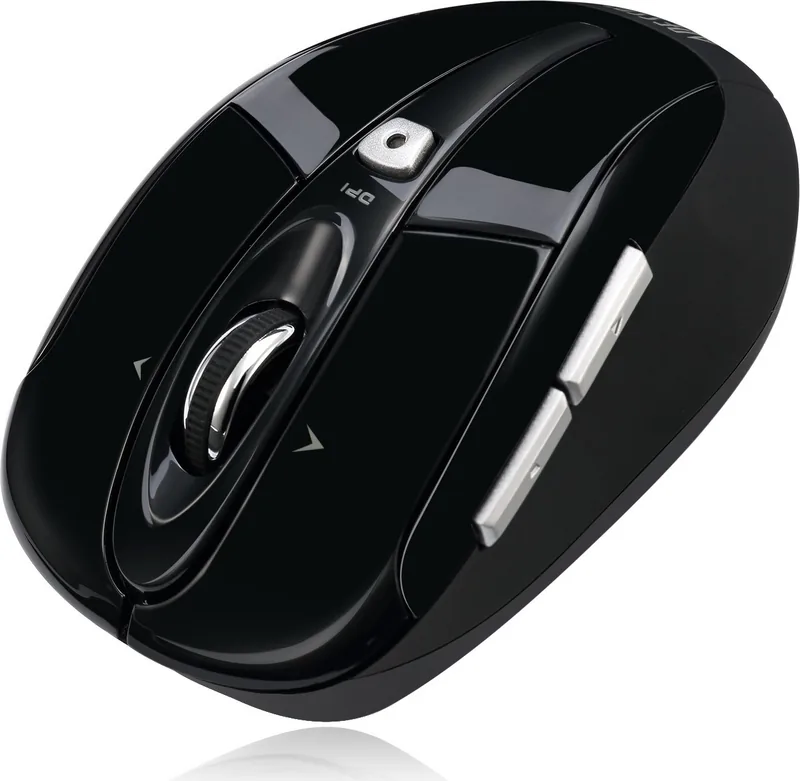
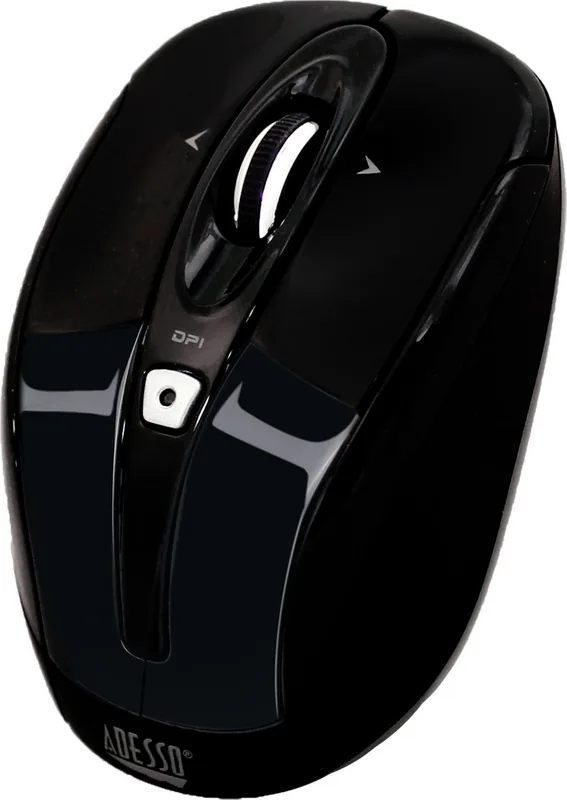
Are you looking for a way to streamline your computer workflow without the clutter of wires? The Adesso iMouse S60 Wireless Programmable Nano Mouse offers a solution tailored for modern users who value freedom and precision. This peripheral is designed to eliminate the constraints that wired mice often impose on your desk space. With a robust optical sensor, you can work on most surfaces with improved speed and accuracy. The ergonomic design fits comfortably in your right hand, ensuring comfort during extended use sessions.
Wireless Freedom and Connectivity
Connecting to your device is effortless thanks to the 2.4 GHz wireless RF technology. You enjoy up to thirty feet of wireless freedom, allowing you to work comfortably from your chair. Requiring no drivers for basic connectivity, you simply insert the USB receiver into an available USB port, and the system detects it automatically. For advanced customization, the setup requires the USB Manual to guide you through driver installation which unlocks the true potential of the hardware. Note that universal scrolling and programmable buttons are optimized for Windows operating systems although Mac OS is supported for basic functions.
Programmable Buttons and Precision
One of the standout features of this mouse is its fully programmable nature. All seven buttons can be configured to suit your specific needs including forward and backward navigation. The driver interface allows for single key assignments or complex macro commands. You can define basic text editing functions like cut and paste. You can also select from standard Windows operating commands to swap windows or zoom in. For multimedia users, there are dedicated media functions for play, pause, and volume control.
The device includes a DPI switch for instant resolution changes between 800 and 1,600 DPI. This ensures precise navigation during detailed work or fast maneuvering during general browsing. It runs on two AAA batteries, fitting easily within the compact form factor measuring 60 by 95 by 35mm. Holding the DPI button creates media shortcuts. This flexibility makes it superior to standard mice for power users.
Compatibility and Long-term Support
The iMouse S60 supports Windows (R) 7 and above as well as Mac OS 10.3 and above. The system requirements are minimal, needing only an available USB port. Adesso provides a one-year limited warranty covering defects in materials and workmanship. Should defects occur, return merchandise authorization allows for repair or replacement without charge during the warranty period. You must include your name, shipping address, and proof of purchase. Support channels include email and telephone for technical assistance. Visiting the service and support pages offers a library of frequently asked questions to resolve common issues before contacting help desks. This comprehensive approach ensures that the user experience remains smooth throughout the lifecycle of the device. It is the perfect companion for anyone seeking reliability and portability in a wireless mouse package. Download the software directly from the official support page to ensure you always have the latest version for optimal performance on your specific operating system version. Battery life is maintained by efficient power management using standard alkaline cells which are easy to find locally.
Search for 67,732 Manuals online


Type-in Brand or Model