
ADATA XPG Kyber Manual
PDF manual · 17 Pages
English



Quick check
Incorrect answer, please try again.
Chat with your ADATA XPG Kyber manual using AI
Get instant AI answers from your ADATA XPG Kyber manual
Ask anything about the ADATA XPG Kyber. Answers come from this manual, with the pages they are based on.
Ask a Question
Do you recommend XPG Kyber?
Yes NoFrequently Asked Questions
The product comes with a five-year limited warranty period unless regional laws state otherwise.
Is this answer helpful?
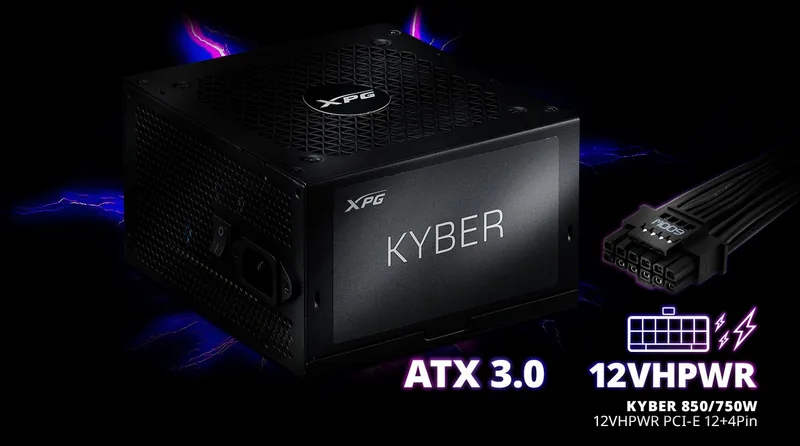
Yes, this unit supports the ATX 3.0 standard and includes native 12VHPWR connectivity.
Is this answer helpful?
There are three main wattage variants available in the Kyber Gold Series lineup.
Is this answer helpful?
It features OVP, OPP, SCP, OCP, UVP, and OTP protections for total system safety.
Is this answer helpful?
No, only use the modular cables bundled with the power supply unit for warranty compliance.
Is this answer helpful?
Yes, the design is fully modular to allow for flexible cable routing and organization.
Is this answer helpful?
Contact ADATA Tech Support, Service Center, or your local dealer for assistance.
Is this answer helpful?
Advantages and Disadvantages
Advantages

- 80 Plus Gold certified for high energy efficiency
- Includes 12VHPWR connector for modern graphics cards
- Fully modular design simplifies internal cable management
- Five-year limited warranty covers long-term security
- Multiple protection circuits prevent electrical damage
Disadvantages

- Requires specific ATX 3.0 compatible cabling
- May not fit in smaller computer cases easily
- Price point is higher than basic power supplies
- Fan noise may be noticeable under heavy load
- Requires manual verification of cable compatibility
Product Specification
Fan
4.72 inches, 2400 rpm
Cable Management
Fixed
Connectors
1x 20/24-Pin, 2x 4/8-Pin ATX12V, 1x 16-Pin PCIe 5.0 (12+4-Pin 12VHPWR, total max.: 600W), 2x 6/8-Pin PCIe, 6x SATA, 2x IDE
Manufacturer Certifications
80 PLUS Gold (according to manufacturer, 115V)
80 PLUS Certifications
80 PLUS Gold (115V, per 80 PLUS certificate)
Dimensions (WxHxD)
5.91 x 3.39 x 5.51 inches
Manufacturer Warranty
5 Years
+3.3V
20A
+5V
20A
-12V
0.3A
+5Vsb
3A
Number of 12V Rails
1
PFC
Active
Form Factor
ATX PS/2
Specification
ATX 3.0
Features
ErP Lot 6
Color
Black
Weight
4.48 lbs
Product Description
Build Your High Performance PC with Reliability
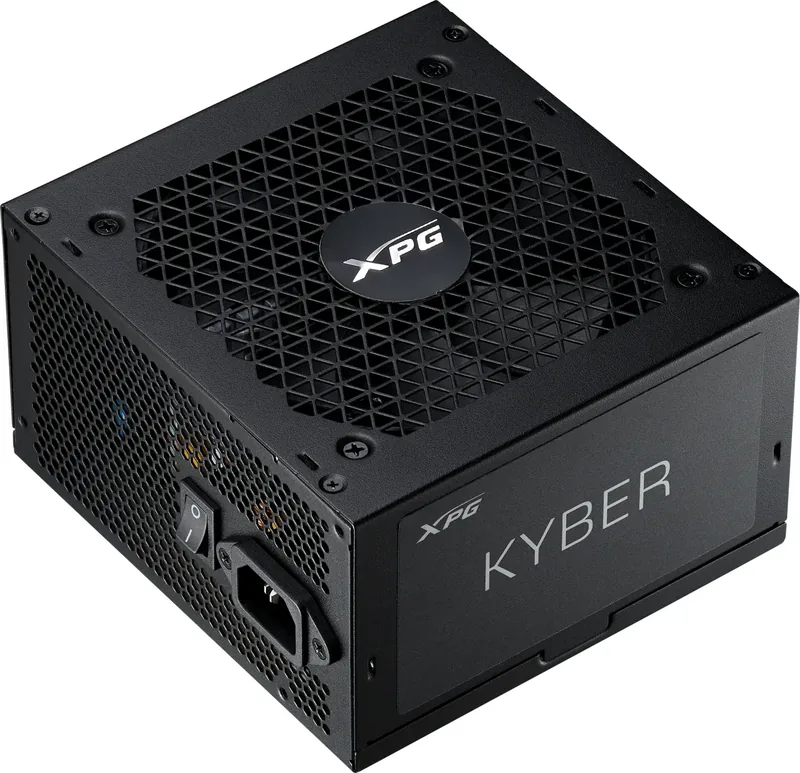
When assembling a cutting-edge gaming rig or workstation, selecting the right power supply is critical for long-term stability and efficiency. The ADATA XPG Kyber ATX 3.0 series stands out as a robust choice for enthusiasts seeking reliability across the board. This power brick delivers consistent performance across multiple wattage options including 650 watts, 750 watts, and 850 watts to match the specific demands of your system. Users planning these advanced builds should consult the ADATA XPG Kyber ATX 3.0 Manual for specific connector placements and safety protocols during installation. Efficiency matters greatly in modern computing environments where heat management is key. With an 80 Plus Gold certification, units in this lineup achieve high efficiency rates under varying loads, reducing heat generation and electricity waste significantly. This ensures that power delivery remains stable even during the most intense gaming sessions or heavy rendering tasks.
Advanced Connectivity Features and Modularity
Modern graphics cards often require specific power interfaces to operate correctly. These units address that demand by including native support for the new 12VHPWR connector. This allows for easier cable management and better thermal distribution compared to older adapter methods that can create bottlenecks. The fully modular design further aids organization inside the chassis for a cleaner look. Cables are supplied as necessary for standard connections like the Motherboard 20+4 Pin and CPU 8 Pin. Additional PCI-E lines ensure high-end GPUs receive dedicated power without strain. Cable lengths are optimized for various case sizes to prevent obstruction. Safety is never compromised in the design process of these advanced power units.
Protection Circuits and Safety Standards
Multiple protection layers guard against electrical faults to protect internal components. Features like Over Voltage Protection, Over Power Protection, and Short Circuit Protection are integrated directly into the circuit board. Restricted substances are controlled within the chassis and components to meet environmental standards including lead and mercury limits. The cooling system utilizes a smart fan curve to balance noise and temperature effectively. Users can find detailed load graphs showing power efficiency at different utilization levels to maximize performance. A limited warranty period provides peace of mind for owners investing in quality components. Proper installation and adherence to guidelines help maintain this coverage status over time. For technical assistance regarding operation or troubleshooting, users can visit the official product site for online customer service details.
Installation and Maintenance Best Practices
Ensuring all cables are connected properly during setup avoids unnecessary complications with power delivery. Always turn off the main power switch before swapping components to prevent any electrical hazards. Check that the AC cable is securely connected to both the unit and the wall outlet. If your system does not turn on after installation, review the connection points first. Whether upgrading an existing system or starting fresh, this power solution offers the endurance required for demanding applications. Stay informed on best practices to maximize longevity and performance for years to come. Avoid placing the unit in areas with poor airflow or extreme temperatures to ensure optimal operation.
Search for 67,706 Manuals online


Type-in Brand or Model