
ADATA XPG Battlecruiser Manual
PDF manual · 20 Pages
English



Quick check
Incorrect answer, please try again.
Chat with your ADATA XPG Battlecruiser manual using AI
Get instant AI answers from your ADATA XPG Battlecruiser manual
Ask anything about the ADATA XPG Battlecruiser. Answers come from this manual, with the pages they are based on.
Ask a Question
Do you recommend XPG Battlecruiser?
Yes NoFrequently Asked Questions
The chassis supports Mini-ITX, Micro-ATX, ATX, and E-ATX motherboards.
Is this answer helpful?
The limited warranty period is two years for repairs or replacements unless local laws state otherwise.
Is this answer helpful?
Yes, the glass side panel can be removed using standard tools as per the installation guide.
Is this answer helpful?
Operate between 0 degrees Celsius and 40 degrees Celsius to prevent hazards.
Is this answer helpful?
Yes, the package includes various screws, pillars, and tie wraps to facilitate the process.
Is this answer helpful?
Yes, the case supports up to 360mm radiators on the front and top sides.
Is this answer helpful?
Use a damp cloth without soap or solvent agents to preserve surface integrity.
Is this answer helpful?
Advantages and Disadvantages
Advantages

- Compatible with Mini-ITX, Micro-ATX, ATX, and E-ATX motherboards
- Includes 4mm tempered glass side panel for viewing components
- Magnetic front panel design simplifies dust filter cleaning access
- Supports up to 360mm radiators on front and top sides easily
- Features USB Type-C Gen 1 and multiple USB 3.0 ports
Disadvantages

- PSU height limited to 225mm which restricts some larger units
- Limited two-year warranty period covers only manufacturer defects
- Requires careful cable management despite included straps
- Self-repair is prohibited by safety guidelines to ensure user safety
- Must keep away from liquids to avoid shock hazards and voiding support
Product Specification
External
N/A
Internal
2x 2.5"/3.5" (horizontal, drive rails), 1x 2.5"/3.5", 5x 2.5"
Ports
1x USB-C 3.0 (5Gb/s), 2x USB-A 3.0 (5Gb/s), 1x 3.5mm Jack (Line-Out), 1x 3.5mm Jack (Line-In)
PCIe Slots
9 (2x Riser Card)
Fans (Left)
N/A
Fans (Right)
2x 120mm (optional)
Fans (Top)
3x 120mm (optional) or 2x 140mm (optional)
Fans (Bottom)
1x 120mm (optional)
Fans (Other)
N/A
Radiator Sizes
240/280/360mm front, 240/360mm top, 120mm rear
Motherboard
Up to ATX (E-ATX possible with unknown dimensions)
Motherboard Support
Mini-ITX (6.7"x6.7")/µATX (9.6"x9.6")/ATX (12"x9.6")/E-ATX (unknown dimensions)
Power Supply
ATX (max. 8.86" deep)
Power Supply Position
Bottom
CPU Cooler
max. 6.69" height
Graphics Cards
max. 15.75"
Lighting
RGB-Header 3-Pin ARGB (+5V/DATA/GND), Integrated LED controller, Integrated RGB-LED lighting, Illuminated fans
Dimensions (WxHxD)
8.86"x19.09"x19.92"
Volume
1.95 cubic feet
Case Type
Midi-Tower
Front
Solid, Glass, Ventilation slots sides, Dust filter inside
Top
Solid, Glass, Ventilation slots sides
Left
Solid, Glass, Ventilation slots Front, Ventilation slots Top
Right
Solid, Glass, Ventilation slots Front, Ventilation slots Top
Back
Partially closed, Fan grille top right, PCIe Slots (7x horizontal, 2x vertical)
Front I/O Position
Case side: Top, Height: Front, Position: Center
Features
Cable management, Dust filter, GPU vertical mounting, Glass viewing window
E-ATX Note
Motherboard and case manufacturers designate different dimensions as E-ATX. This manufacturer makes no specification on supported E-ATX dimensions. Motherboards with E-ATX/SSI EEB dimensions of 12.01"x12.99" or 12"x13" may not be supported.
USB Location
Left
Product Description
Product Overview
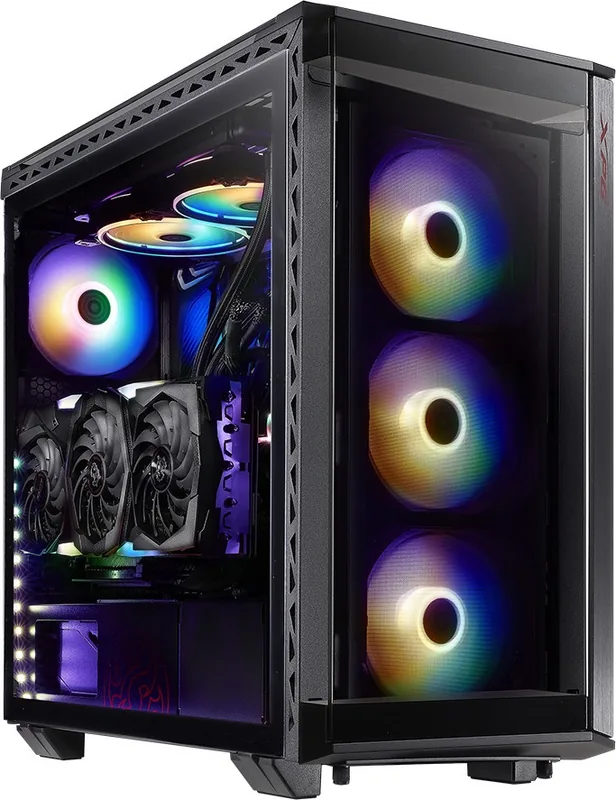
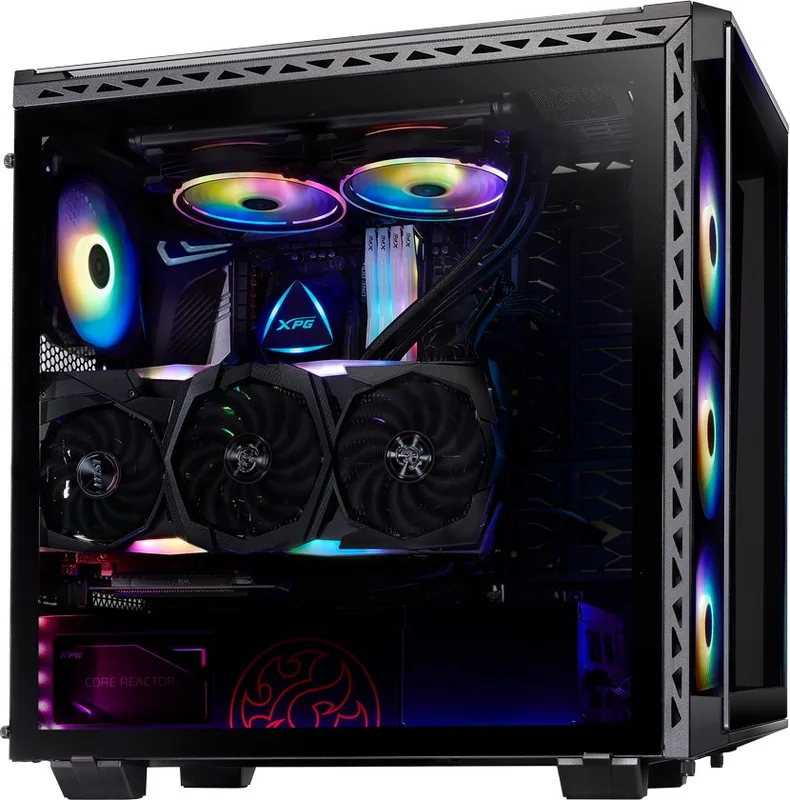
The ADATA XPG Battlecruiser stands out as a premium mid-tower chassis designed for high-performance builds. This case offers significant flexibility with support for Mini-ITX, Micro-ATX, ATX, and E-ATX motherboards within a compact yet spacious enclosure. The exterior features a sleek black or white finish crafted from durable SPCC material. A standout feature is the 4mm tempered glass side panel that showcases your internal components beautifully, allowing enthusiasts to display their unique build setups to visitors.
Cooling and Connectivity
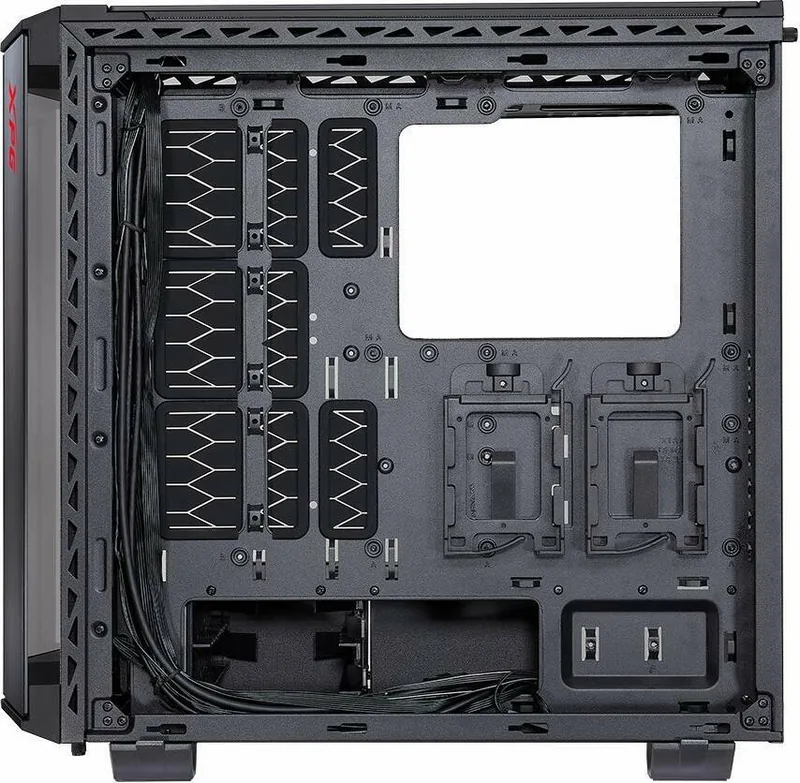
Cooling options are abundant with numerous fan mounts available throughout the case. You can fit up to three 120mm fans on the front or opt for larger 140mm options on the top for enhanced airflow. Radiators up to 360mm can be installed in the front or top positions, ensuring your system stays cool under heavy load. The front panel is magnetic, making it easy to remove quickly for dust filter access and thorough cleaning without tools. Connectivity is modern with a USB Type-C Gen. 1 port alongside two standard USB 3.0 slots on the I/O hub. An LED control switch on the panel allows users to toggle lighting effects instantly without needing specific motherboard headers. The interior provides ample space for drive installation, supporting both 3.5-inch hard drives and 2.5-inch SSDs with versatile combo trays. Cable management is well-thought-out with dedicated hooks and loops straps included in the accessory box to keep the interior tidy.
Safety and Warranty
PSU mounts and drive rails are designed for flexibility during build time. CPU cooler clearance reaches 175mm and graphics card length fits up to 400mm, accommodating high-end hardware without clearance issues. Safety instructions emphasize keeping the device away from liquids and operating strictly within temperature ranges between 0 to 40 degrees Celsius to prevent hazards. The warranty period spans two years for covered defects regarding repair or replacement. Cleaning should be done with a clean damp cloth without soap or solvents to preserve surface integrity. Avoid unauthorized agents when purchasing to maintain warranty validity. If issues arise, contact support rather than attempting self-repair to ensure continued protection. This chassis combines aesthetic appeal with functional design for gamers and creators looking to build a reliable and powerful system that lasts. The package also includes essential screws, pillars, and tie wraps to facilitate the installation process. Additional support is available via the online customer service portal for troubleshooting tips or service instructions.
Search for 67,706 Manuals online


Type-in Brand or Model