ADATA welcomes any suggestion and will do our best to
insure customer satisfactions. Please contact us at:
http://www.adata.com/en/service_support
TÉLÉCHARGEMENTS EXCLUSIFS
Télécharger les pilotes et les divers utilitaires des produits à
www.adata.com/en/exclusive_download
Veuillez vous référer à www.adata.com/en/service pour les
termes et conditions de garantie complets.
La politique de garantie sur le site Web remplace toute autre
information, en cas de différence.
GARANTIEERKLÄRUNG
Wenn sich ein Produkt innerhalb der Garantiedauer als defekt erweist, wird
da Produkt nach Ermessen von ADATA repariert oder ausgetauscht. ADATA
übernimmt keine Garantieleistungen, wenn das Produkt aufgrund einem der
folgenden Faktoren beschädigt wurde:
( ) Schäden, die durch Naturkatastrophen oder durch unsachgemäße
Verwendung verursacht wurden.
(2) Das Produkt wurde von nicht autorisierten Personen repariert oder
auseinander genommen.
(3) Das Garantieetikett wurde geändert, beschädigt oder fehlt.
(4) Die Seriennummer des Produkts stimmt nicht mit unserem
Originalsystem überein oder wurde beschädigt.
(5) Das Produkt wurde von einem nicht autorisierten Händler erworben.
Diese beschränkte Garantie umfasst nur die Reparatur oder den Ersatz
defekter Produkte von ADATA.
ADATA ist nicht haftbar für Datenverluste oder Kosten, die für die
Feststellung der Ursache von Systemproblemen oder für das Entfernen,
Reparieren oder Installieren von ADATA-Produkten auftreten. Die
Garantiebestimmungen von ADATA betreffen nur die Reparatur bzw. den
Ersatz von ADATA-Produkten.
EXCLUSIVE DOWNLOAD:
Download product drivers and various software utilities at
http://www.adata.com/en/exclusive_download
Please refer to http://www.adata.com/en/service for complete
warranty terms and conditions.
Warranty policy on the Web site supersedes any other
information if there is a discrepancy.
ONLINE-KUNDENSERVICE
Wir stellen den ADATA Online-Kundenservice zur Verfügung,
um den Kunden einen noch effizienteren Service anbieten zu
können. Kunden erhalten schnelle Antworten auf Fragen zur
Produktverwendung
und können schnell und direkt mit ADATA in Kontakt treten.
Wir bei ADATA freuen uns über alle Vorschläge und geben
Bestes, um unsere Kunden zufriedenzustellen. Kontaktieren
Sie uns: www.adata.com/en/service_support
FAQ DU SERVICE CLIENT EN LIGNE
Pour les questions fréquemment posées,
veuillez visiter le site Web
de ADATA à www.adata.com/faq
SPÉCIFICATIONS
CARACTÉRISTIQUES ENVIRONNEMENTALES
Température de travail de 5° à 50°C
Température d’entreposage de -40°C à 60°C
Humidité d’entreposage de 10% à 90% d’humidité
relative
FR
Logiciel pour améliorer
votre matériel
CâbleUSB 3.1
Cavo USB 3.1
Cable USB 3.1
GUIDE D’INSTALLATION RAPIDE
IT
MANUALE RAPIDO DI
INSTALLAZIONE
(HDDtoGO)
Après avoir branché le matériel,
téléchargez le logiciel (HDDtoGO) à
partir de
(www.adata.com/en/software.download.
php) et enregistrez le fichier sur le
disque.
(HDDtoGO)
Kliknij dwukrotnie plik HDDtoGo.exe
pobrany na dysk. Postępuj zgodnie z
instrukcjami na ekranie.
USB 3.1 Cable
Oprogramowanie
stanowiące wartość dodaną
SKRÓCONA INSTRUKCJA
OBSŁUGI
INTERNETOWA OBSŁUGA KLIENTA
CZĘSTO ZADAWANE PYTANIA
Aby zapoznać się z często zadawanymi pytaniami
prosimy o przejście na stronę ADATA pod adresem
www.adata.com/faq
SPECYFIKACJA
ŚRODOWISKO PRACY
Temperatura pracy 5° do 50°C
Temperatura przechowywania -40° do 60°C
Wilgotność względna przechowywania 10% do 90%
PL
Po podłączeniu dysku pobierz
oprogramowanie (HDDtoGO) pod adresem
(www.adata.com/en/software.download.ph
p) i zapisz plik na dysku.
EXKLUSIVE DOWNLOADS
Produkttreiber und Software-Utilitys
können Sie unter
www.adata.com/en/exclusive_download herunterladen
TECHNISCHE DATEN
BETRIEBSUMGEBUNG
Betriebstemperatur 5 ° bis 50 ° C
Lagertemperatur -40 ° bis 60 ° C
Luftfeuchtigkeit bei Lagerung 10% bis 90% RH
Unterstützte Betriebssysteme
USB 3.1 Kabel
QUICK START GUIDE
DE
(HDDtoGO)
Zusätzliche Software
Nachdem das Laufwerk angeschlöossen
und erkannt wurde, können Sie die
Software
(HDDtoGO)herunterladen(www.adata.com
/en/software.download.php) and und auf
dem Laufwerk sichern.
(HDDtoGO)
Después de conectar el dispositivo,
descargar el software (HDDtoGO) desde
(www.adata.com/en/software.download.ph
p) y guardarlo en el Disco Duro Externo
Bitte Starten Sie die Applikation
HDDtoGO.exe und folgen Sie den
Anweisungen auf dem Bildschirm.
Für Technische Fragen
Bitte besuchen Sie www.adata.com
GUÍA DE INSTALACIÓN RÁPIDA
ES
PT
Pour une assistance technique
Rendez-vous sur www.adata.com
FAQ ASSISTENZA AI CLIENTI ONLINE
Per le domande più frequenti, visitare il sito ADATA
www.adata.com/faq
SPECIFICHE TECNICHE
CONDIZIONI DI UTILIZZO
Temperatura di funzionamento da 5° a 50°C
Temperatura a riposo -40° to 60°C
Umidità 10% to 90% RH
PÁGINA WEB PARA PREGUNTAS
FRECUENTES (FAQ)
Para consultar las preguntas frecuentes,
visite el sitio web de ADATA en www.adata.com/faq
ESPECIFICACIONES
CONDICIONES DE TRABAJO
Y ALMACENAMIENTO
Temperatura: Funcionamiento 5°a 50°C
Almacenamiento -40° a 60°C
Humedad de 10% a 90% RH
FAQ DE ATENDIMENTO ON-LINE
AO CLIENTE
Para Perguntas Mais Frequentes (FAQs) visite o site
na Internet da ADATA no endereço
www.adata.com/faq
ESPECIFICAÇÕES
AMBIENTE DE OPERAÇÃO
Temperatura de operação 5° a 50° C
Temperatura de armazenagem -40° a 60° C
Umidade de armazenagem 10% a 90% RH
Cabo USB 3.1
GUIA DE INÍCIO RÁPIDO
Questões de suporte técnico
Visite www.adata.com
Per quesiti al Supporto Tecnico
Consultare il sito internet www.adata.com
Value Added Software
Doble Click en el archivo ejecutable
HDDtoGO.exe y descargar en el
dispositivo. Después seguir las
instrucciones que aparecen en la pantalla.
(HDDtoGO)
Depois que o drive estiver conectado faça o
download do software (HDDtoGO) em
(www.adata.com/en/software.download.ph
p) e salve o arquivo no drive.
Software de valor
agregado
Clique duas vezes no arquivo HDDtoGO.exe
que acabou de ser baixado no drive. Em
seguida, siga as instruções na tela.
Effectuez un double clic sur le fichier
HDDtoGO.exe que vous venez de
télécharger. Suivez ensuite les
instructions à l’écran.
Value Added Software
(HDDtoGO)
Dopo aver collegato l’unità HDDtoGO,
scaricare il software da
(www.adata.com/en/software.download.
php) e salvare i file sul drive.
Cliccare due volte sul file HDDtoGO.exe
appena scaricato sul drive. Seguire le
istruzioni che appaiono sul monitor
Para Soporte Técnico:
Por favor Visite www.adata.com
Pytania dotyczące pomocy technicznej
Zapraszamy na stronę www.adata.com
(HDDtoGO)
Poklepáním na soubor HDDtoGo.
exe se software naisntalu je HDD.
Poté postupujte podle pokynů na obrazovce.
USB 3.1 Cable
Software s přidanou
hodnotou pro uživatele
PROHLÁŠENÍ O ZÁRUCE
Společnost ADATA poskytuje svým zákazníkům službu náhrady a
opravy vadných produktům v rámci platné záruční doby. Upozorňujeme,
že společnost ADATA nezodpovídá za poskytování bezplatné opravy,
pokud je závada produktu způsobená některým z následujících faktorů:
( ) Poškození vzniklé v důsledku přírodní pohromy nebo jakéhokoliv
nevhodného používání.
(2) Produkt byl opraven nebo rozebrán neautorizovaným personálem.
(3) Záruční štítek je změněný, poškozený nebo chybí.
(4) Sériové číslo produktu se neshoduje se záznamy v našem
systému nebo byly provedeny úpravy štítku.
(5) Produkty zakoupené od neautorizovaných zprostředkovatelů.
Tato omezená záruka se týká pouze opravy nebo výměny produktů
ADATA.
Společnost ADATA není odpovědná za jakoukoli ztrátu dat nebo jakékoli
náklady spojené s určením zdroje problémů, demontáží, servisem nebo
instalací produktů ADATA ani se na ně nevztahuje záruka. Záruka
společnosti
ADATA se vztahuje pouze na opravy nebo výměny produktů ADATA.
EXKLUZIVNÍ POLOŽKY KE STAŽENÍ
Ovladače produktů a různé softwarové nástroje lze stáhnout z
webu www.adata.com/en/exclusive_download.
Celé znění záručních podmínek najdete na webu
www.adata.com/en/service.
V případě rozporu v informacích mají přednost záruční
podmínky uvedené na webu.
ONLINE SLUŽBY ZÁKAZNÍKŮM
Pro plynulejší a efektivnější službu zákazníkům jsou k
dispozici online služby zákazníkům společnosti ADATA. Jejím
prostřednictvím mohou zákazníci získat rychlou informaci k
používání produktů a předat zpětnou vazbu přímo společnosti
ADATA. Společnost ADATA vítá jakékoli návrhy a vyvíjí
veškeré úsilí k uspokojení potřeb zákazníků. Obraťte se
prosím na web: www.adata.com/en/service_support.
NEJČASTĚJŠÍ DOTAZY ZÁKAZNÍKŮ K
ONLINE SLUŽBÁM
Odpovědi na nejčastější dotazy najdete na webu
společnosti ADATA na adrese www.adata.com/faq.
ÚDAJE
PROVOZNÍ PROSTŘEDÍ
Provozní teplota 5 ° až 50 ° C
Skladovací teplota -40 ° až 60 ° C
Skladovací vlhkost 10% až 90% relativní vlhkosti
CZ
Poté, co disk je připojen, stáhněte
software (HDDtoGO) na
(www.adata.com/en/software.download.
php)a uložite soubor na disk.
Pro technické dotazy prosíme
navštivtewww.adata.com
QUICK START PRŮVODCE
1
1
1
1
1
1
1
/2
%
Quick check
I'm not a robot
Incorrect answer, please try again.
Chat with your ADATA HV620S manual using AI
Get instant AI answers from your ADATA HV620S manual
Ask anything about the ADATA HV620S. Answers come from this manual, with the pages they are based on.
Ask a Question
0/1000
Do you recommend HV620S?
YesNo
Frequently Asked
Questions
A
After connecting the drive, download the HDDtoGO software from ADATA’s support site and save it to the external drive. Then open the executable file and follow the on-screen instructions.
Is this answer helpful?
A
HDDtoGO is the bundled value-added software that helps extend the drive’s usability. It is downloaded separately and stored on the drive, making setup and use more convenient for the owner.
Is this answer helpful?
A
Yes. The included information highlights a USB 3.1 cable as part of the package, supporting modern external drive connectivity and simpler data transfer.
Is this answer helpful?
A
The warranty covers repair or replacement of defective ADATA products during the applicable warranty period. It is limited to product defects and does not extend to broader system issues.
Is this answer helpful?
A
The warranty excludes data loss, damage from misuse or natural events, unauthorized repairs or disassembly, altered warranty labels, and products bought through unauthorized sellers.
Is this answer helpful?
A
Users can visit ADATA’s online customer service, FAQ, exclusive download, and warranty pages. These resources provide support, software, and the latest warranty information.
Is this answer helpful?
M: OA-GPT-54-NAN
Advantagesand
Disadvantages
Advantages
Easy start-up process with clear steps after the drive is connected.
Includes USB 3.1 connectivity and value-added HDDtoGO software.
Strong support ecosystem with FAQs, downloads, and online service.
Warranty policy is clearly stated, helping users understand coverage.
VS
Disadvantages
Warranty does not cover data loss, even if the drive fails.
Some functions require downloading software from ADATA’s website.
Warranty is limited by conditions such as unauthorized repair or misuse.
Support details are web-based, which may be inconvenient offline.
M: OA-GPT-54-NAN
Product
Specification
Form Factor
2.5"
Internal Connector
1x SATA 6Gb/s
External Connector
1x USB 3.0 Micro-B
RAID Level
N/A
Fan
N/A
Manufacturer Warranty
please refer to the link
USB Notation
Link
M: OA-GPT-54-NAN
Product
Description
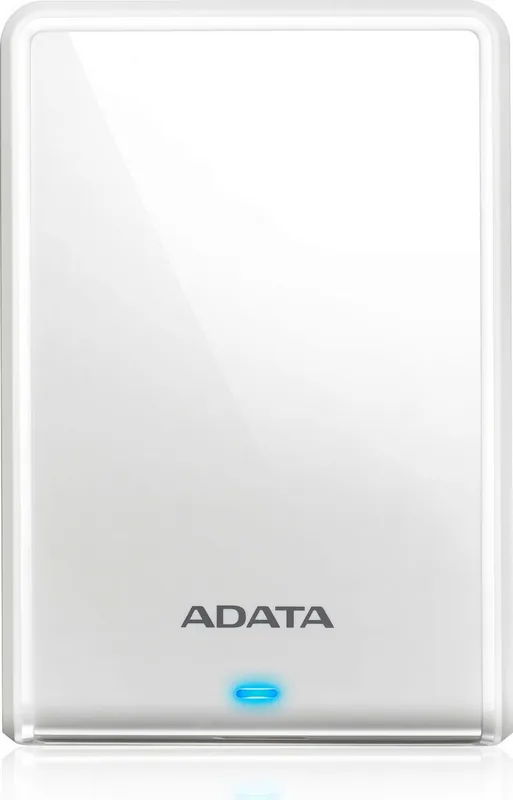
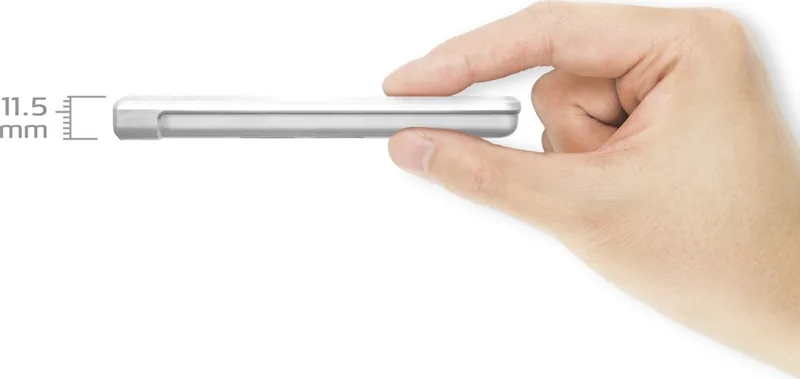
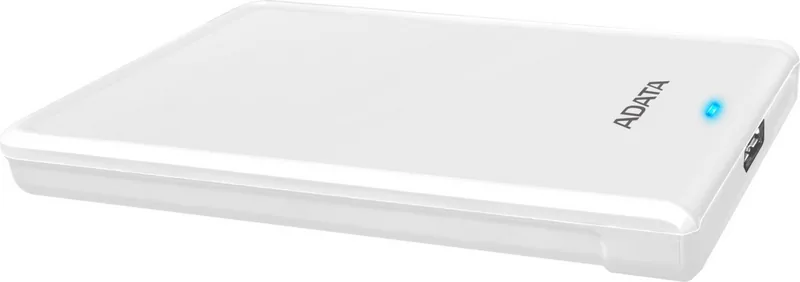
ADATA HV620S External HDD: Simple Storage, Smooth Setup, and Everyday Support
The ADATA HV620S External HDD is presented as a practical companion for users who want portable storage with minimal setup hassle. The tone of the included quick-start information suggests a drive designed for convenience: connect it, follow the on-screen steps, and then add the included software experience to make the most of the device. For anyone searching for the ADATA HV620S External HDD Manual, the most helpful takeaway is that the product is built around a straightforward user journey rather than a complicated installation process.
A standout part of the experience is the HDDtoGO software flow. After the drive is connected, users are instructed to download the software from ADATA’s support site and save it to the drive, then run the executable and follow the prompts. This makes the HV620S feel more than just a storage device; it becomes a small ecosystem of hardware, cable, and value-added software. The inclusion of a USB 3.1 cable also signals modern connectivity and a focus on easy transfer workflows for backups, media, or everyday file transport.
The support structure around the product is another notable strength. ADATA points users to online customer service, FAQs, exclusive downloads, and warranty details through its web resources. That matters because external drives are often purchased for reliability and peace of mind, and having a clear support path can be just as important as the hardware itself. The warranty language is also transparent about what is covered, which helps set realistic expectations for ownership.
Environmental specifications further reinforce the product’s practical design. The drive is intended for use in ordinary indoor conditions, with operating, storage, and humidity ranges clearly defined. While the text does not focus on flashy features, it does emphasize usability, compatibility support, and after-sales confidence—three things that make a big difference in real-world storage products.
Notes
Install and launch HDDtoGO only after the drive is connected.
Keep the warranty label and serial information intact for service eligibility.
Back up important data separately; warranty coverage does not include data loss.
Check ADATA’s support pages for the latest software and warranty terms.