
Adafruit Trinket Manual
PDF manual · 43 Pages
English



Quick check
Incorrect answer, please try again.
Chat with your Adafruit Trinket manual using AI
Get instant AI answers from your Adafruit Trinket manual
Ask anything about the Adafruit Trinket. Answers come from this manual, with the pages they are based on.
Ask a Question
Do you recommend Trinket?
Yes NoFrequently Asked Questions
It is best for compact electronics projects where size, simplicity, and low-voltage logic matter. Common uses include wearables, small controllers, LED effects, sensor interfaces, and battery-powered prototypes.
Is this answer helpful?
Yes. It can be programmed from the Arduino IDE after installing the Adafruit board support package. It is not fully Arduino-compatible, but many basic sketches and libraries work well with minor adjustments.
Is this answer helpful?
The Trinket does not include a USB-to-serial chip. It uploads code directly over USB through its bootloader, so you won’t see a normal serial port for monitoring or communication.
Is this answer helpful?
Yes. The board supports external power through its battery input and can also switch between USB and external power. That makes it a good fit for portable or off-grid projects.
Is this answer helpful?
Connect the board to USB and press the onboard reset button briefly. When the red LED pulses, the bootloader is active and ready to receive a new sketch.
Is this answer helpful?
Yes, for small setups. The board can drive short NeoPixel chains and can handle servos if they are powered properly. Keep RAM and timing limits in mind, especially in larger projects.
Is this answer helpful?
Advantages and Disadvantages
Advantages

- Very small board that fits into tight or portable projects.
- 3.3V logic works well with many sensors and low-power builds.
- USB bootloader simplifies sketch uploads through the Arduino IDE.
- Built-in regulator and protections improve everyday reliability.
Disadvantages

- No native serial port, so debugging is less convenient.
- Only a few GPIO pins are available for expansion.
- 3.3V version is intended for 8 MHz use, limiting speed options.
- USB 3.0 ports may cause upload issues on some computers.
Product Specification
Format
Entry Level, Enhanced Features, Wearable, Robot
Platform
Gemma, Trinket, Digispark
Manufacturer
Adafruit
Type
Mainboard
MCU
Atmel ATtiny85, 8MHz, 2.7-5.5V
Memory
8kB Flash (2.75kB for Bootloader), 512B EEPROM, 512B SRAM
Host Interface
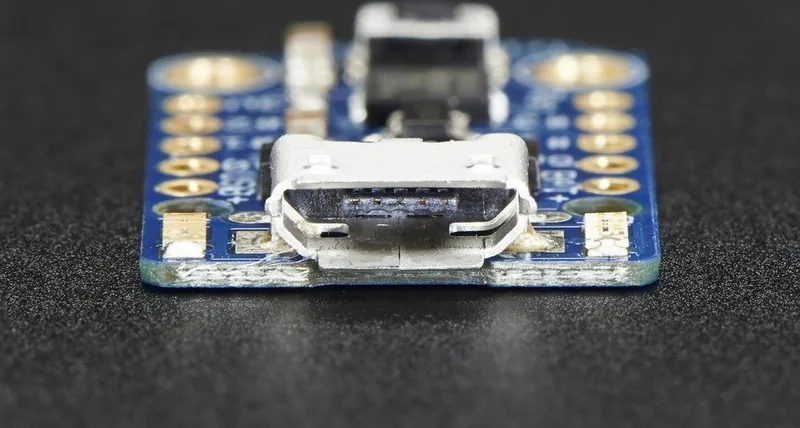
USB 2.0 Micro-B, 5.0V
Operating Voltage
3.3V, USB 2.0 Micro-B
I/O Pin Current
150mA
Digital I/O Pins
5 total, 2 with PWM
Analog I/O Pins
1 (input)
UART/USART
I2C, SPI
Additional SoC
N/A
Dimensions
1.06x0.16x0.59in (WxHxD)
Weight
0.07oz
Features
Diagnostic LED, Li-Polymer Battery Pins, Reset Button
Package Contents
1x Mainboard
Product Description
Adafruit Trinket 3.3V Manual: Tiny Power for Creative Builds
A compact board with real project potential
Adafruit Trinket 3.3V is a small but capable microcontroller board built around the ATtiny85. It is designed for makers who want a lightweight, affordable controller that can slip into tight spaces without sacrificing the essentials. With USB bootloading, Arduino IDE support, and a thoughtful set of on-board features, it is a practical choice for prototypes, wearables, LED projects, and small embedded systems.
What makes it appealing
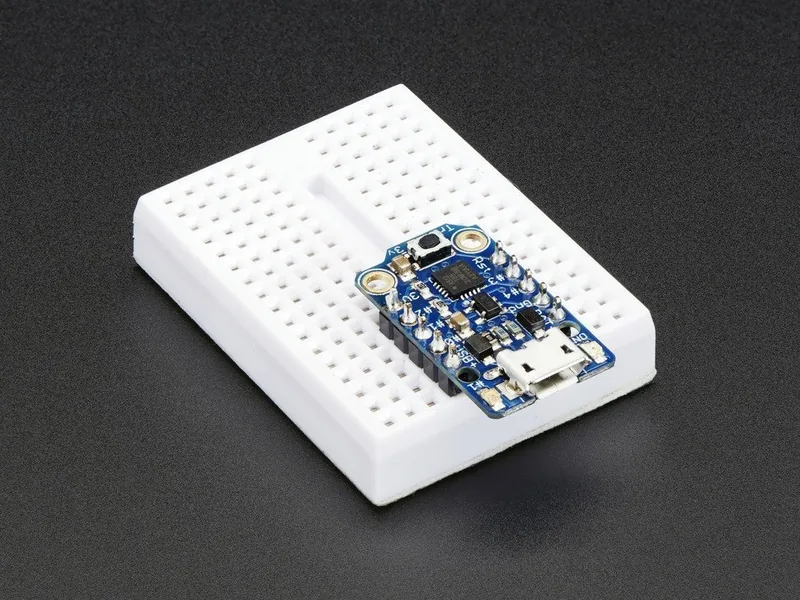
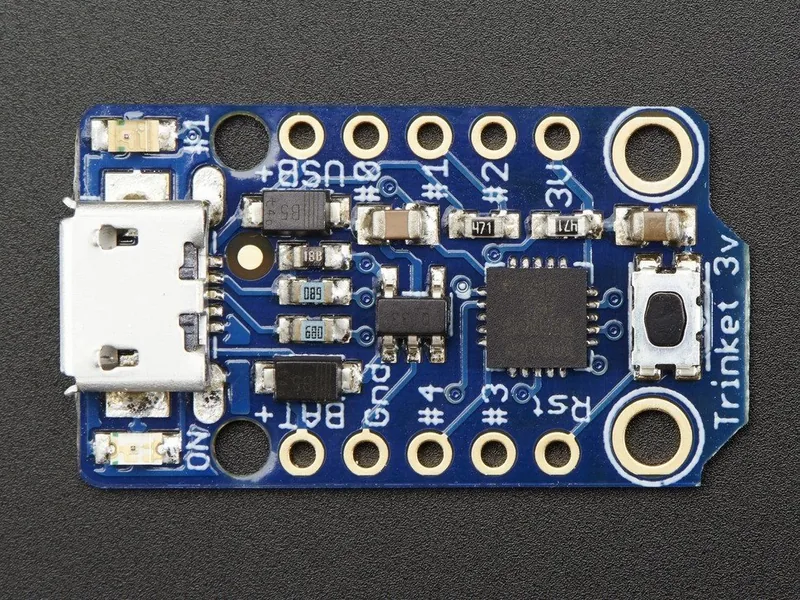
At its core, the Trinket 3.3V offers just enough to keep things simple: five GPIO pins, analog input support, PWM output, I2C and SPI capability, and an on-board regulator that helps keep power stable. The 3.3V logic level is especially useful when working with sensors or modules that prefer lower-voltage signaling, and it can also be a better fit for battery-powered designs. The board’s small footprint and breadboard-friendly layout make experimentation quick and approachable.
Programming and everyday use
One of the biggest strengths of the Trinket is its USB bootloader, which lets you upload sketches directly from a computer without an external programmer. That makes setup smoother for beginners and still efficient for experienced users. The board works well with simple Arduino-style code, though it is not fully Arduino-compatible in the same way as larger boards. In practice, that means many sketches and libraries work with minimal changes, especially when the code is focused on timing, LEDs, buttons, sensors, or lightweight control tasks.
The 3.3V version is best kept at 8 MHz, which is more than enough for many practical builds. It also includes protection features such as reverse-polarity handling and thermal/current limiting, giving it a bit more resilience in real-world projects. For compact devices, the combination of portability, low power draw, and direct USB programming makes it a strong little workhorse.
Notes
- The Trinket does not provide a serial console like larger boards.
- USB 3.0 ports can be unreliable; USB 2.0 is often the safer choice.
- Pin numbering for analog reads differs from digital pin labels, so check the mapping carefully.
- Best results come from projects that stay small, efficient, and timing-aware.
Search for 67,706 Manuals online


Type-in Brand or Model