
Adafruit Trinket Pro Manual
PDF manual · 50 Pages
English



Quick check
Incorrect answer, please try again.
Chat with your Adafruit Trinket Pro manual using AI
Get instant AI answers from your Adafruit Trinket Pro manual
Ask anything about the Adafruit Trinket Pro. Answers come from this manual, with the pages they are based on.
Ask a Question
Do you recommend Trinket Pro?
Yes NoFrequently Asked Questions
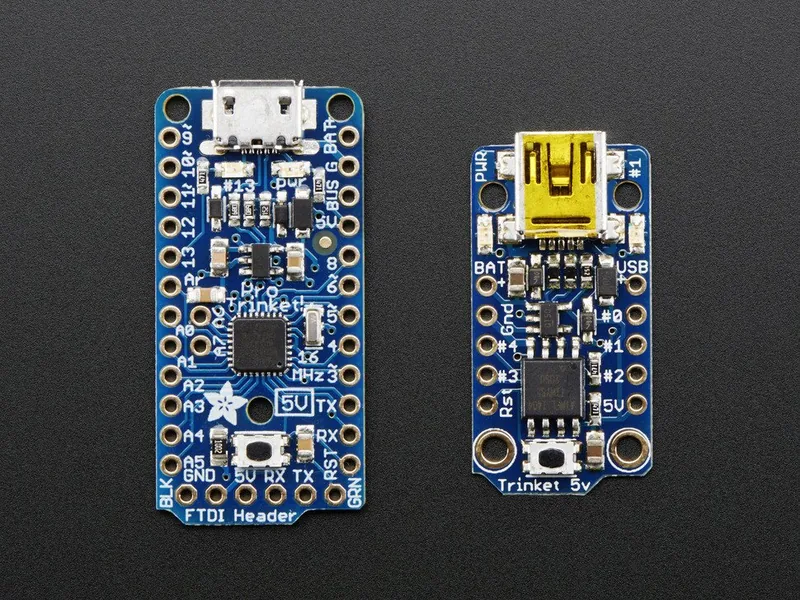
It offers more GPIO pins, more memory, and a more Arduino-like experience. The Pro version is better for projects that need extra expansion without moving to a full-sized board.
Is this answer helpful?
Yes. It is designed to work with the Arduino IDE, and most sketches built for ATmega328P-based boards will run with little or no modification.
Is this answer helpful?
Yes. It includes a USB bootloader, so you can upload code through the micro-B USB connector. You may need to press the reset button to enter bootloader mode.
Is this answer helpful?
Yes. The FTDI header supports programming and serial debugging. This is especially useful if you want a live serial monitor or prefer the FTDI workflow.
Is this answer helpful?
It runs at 3.3V and 12 MHz, so some 5V-only parts are not suitable. Also, pins 2 and 7 are reserved for USB bootloading and are not available for general use.
Is this answer helpful?
Yes. It accepts external battery input and can switch between USB and battery power automatically, making it a solid fit for portable electronics.
Is this answer helpful?
Advantages and Disadvantages
Advantages

- Small footprint with Arduino-compatible ATmega328P support.
- 18 GPIO pins plus extra analog inputs for flexible projects.
- USB bootloader and FTDI support give multiple upload options.
- Battery and USB power switching makes portable builds easier.
Disadvantages

- Pins 2 and 7 are reserved and cannot be used in projects.
- 3.3V regulator current is limited, so high-power loads need care.
- Arduino shields do not connect directly to the board.
- No built-in serial-to-USB chip, so debugging may need FTDI.
Product Specification
Format
Entry Level, Enhanced Features, Wearable, Robot
Platform
Trinket, C-Control, Grove
Manufacturer
Adafruit
Type
Mainboard
MCU
Atmel ATMega328P, 12MHz, 2.7-5.5V
Memory
8kB Flash (2.75kB for Bootloader), 512B EEPROM, 512B SRAM
Host Interface
USB 2.0 Micro-B, 5.0V
Operating Voltage
3.3V, USB 2.0 Micro-B
I/O Pin Current
150mA
Digital I/O Pins
5 total, 2 with PWM
Analog I/O Pins
1 (input)
UART/USART
I2C, SPI
Additional SoC
N/A
Dimensions
1.50x0.08x0.71in (WxHxD)
Weight
0.09oz
Features
Diagnostic LED, Li-Polymer Battery Pins, Reset Button
Package Contents
1x Mainboard
Product Description
Adafruit Trinket Pro 3.3V
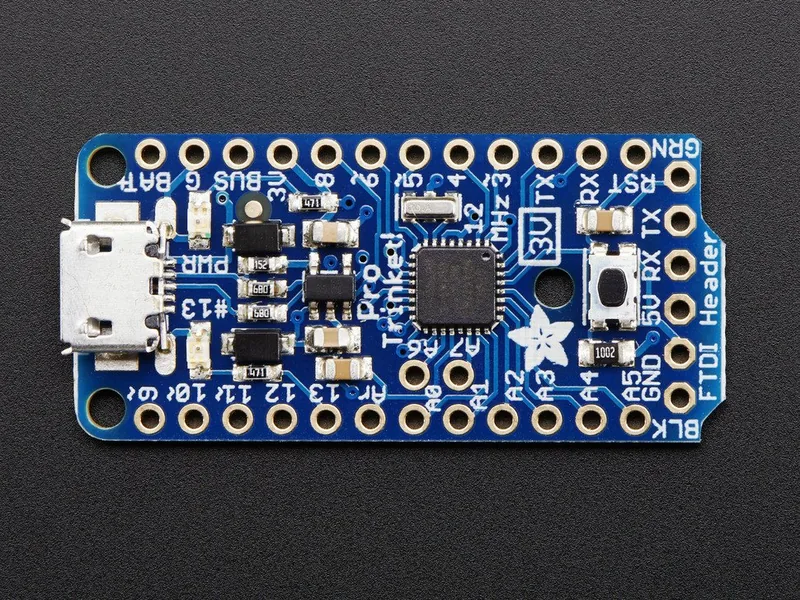
The Adafruit Trinket Pro 3.3V is a compact microcontroller board built for makers who need more room to grow without stepping up to a full-size development board. If you’re searching for an Adafruit Trinket Pro 3.3V Manual-style overview, think of this as a tiny but capable platform that blends Arduino familiarity with a more flexible pin layout and practical onboard power features.
At its core, the board uses the ATmega328P, the same family of chip found in classic Arduino projects, so it feels instantly approachable. The 3.3V version runs at 12 MHz and offers enough memory for many everyday builds, from sensor nodes to portable gadgets and small interactive installations. With 18 GPIO pins, extra analog inputs, and support for common Arduino workflows, it’s a strong choice when you want something smaller than an Uno but still broadly compatible.
One of the biggest strengths of the Pro Trinket line is its programming flexibility. You can upload sketches through the built-in USB bootloader or use an FTDI cable for serial-style programming and debugging. That dual approach makes it useful for both beginners and experienced developers. The USB micro-B connector also keeps the board easy to power and reprogram, while the onboard regulator and battery input options make it well suited to mobile projects.
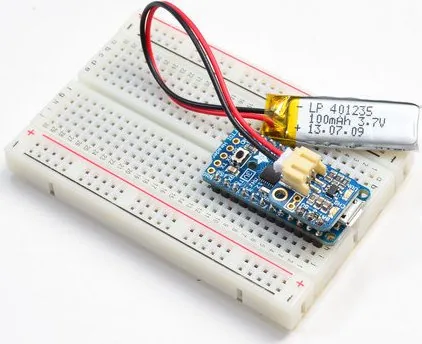
Power handling is another highlight. The board can accept external input and automatically switch between USB and battery sources, which is great for battery-powered devices. It also includes protections that help with safer operation during prototyping. Add in the red pin 13 LED, reset button, and breadboard-friendly footprint, and you get a board that is genuinely practical for real-world experimentation.
Of course, the smaller size comes with tradeoffs. Pin numbers 2 and 7 are reserved for USB bootloading, the built-in regulator has limited current output, and shields do not plug in directly like they would on an Uno. Still, for compact builds that need a reliable, Arduino-compatible brain, the Adafruit Trinket Pro 3.3V delivers a thoughtful balance of size, capability, and convenience.
Notes
- Best for compact, low-power projects
- Use 3.3V logic with compatible peripherals
- FTDI is helpful for serial debugging
- USB bootloading requires a proper data cable
Search for 67,706 Manuals online


Type-in Brand or Model