
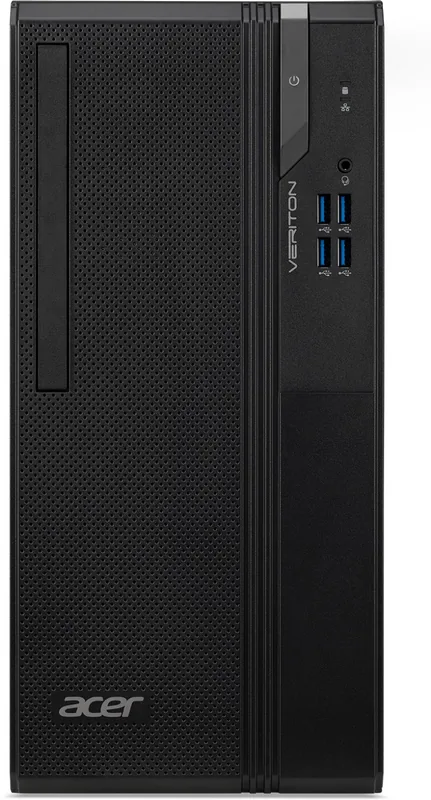
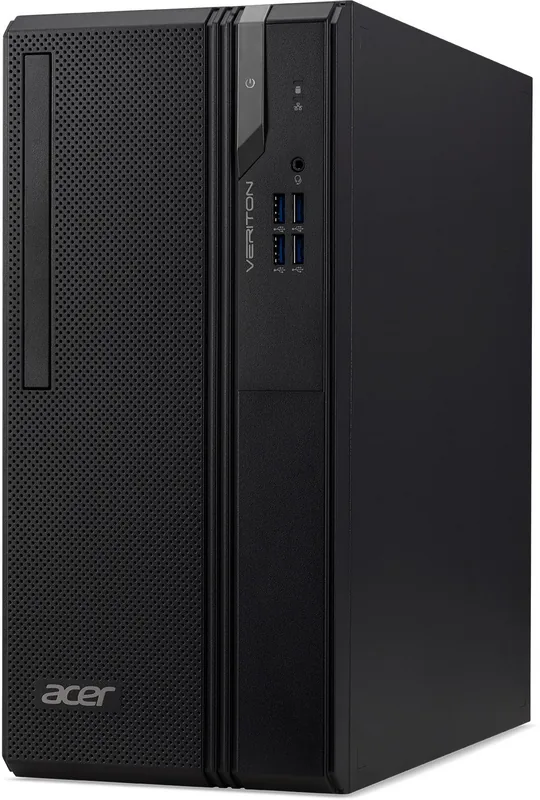
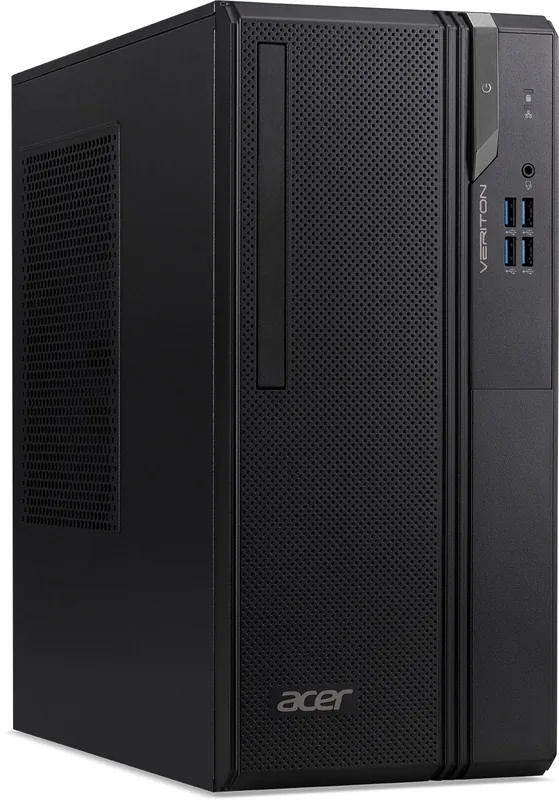
Acer Veriton S2690G Manual
PDF manual · 45 Pages
English


Quick check
Incorrect answer, please try again.
Chat with your Acer Veriton S2690G manual using AI
Get instant AI answers from your Acer Veriton S2690G manual
Ask anything about the Acer Veriton S2690G. Answers come from this manual, with the pages they are based on.
Ask a Question
Do you recommend Veriton S2690G?
Yes NoFrequently Asked Questions
It is a desktop platform for everyday productivity, office tasks, internet access, communication, peripheral connectivity, and basic system management. Its Windows tools and connection options support common home, business, and workspace needs.
Is this answer helpful?
Yes. Depending on the configuration, external displays can be connected through interfaces such as HDMI, DisplayPort, VGA, DVI, or USB Type-C. Connect the monitor while both devices are off, then power on the monitor before the desktop.
Is this answer helpful?
Use Acer Control Center Recovery Management or Windows Recovery settings. You can reset Windows while keeping personal files, or remove everything for a clean reset. Back up important information first, because applications can be removed during recovery.
Is this answer helpful?
Bluetooth can be used with compatible wireless accessories such as headsets, keyboards, tablets, and phones when Bluetooth hardware is available. Enable Bluetooth in Windows settings, add the device, and complete the pairing process.
Is this answer helpful?
You can use a wired Ethernet connection by linking the desktop to a router with an RJ45 cable. If the configuration includes wireless networking, select a Wi-Fi network from Windows network settings and enter its password.
Is this answer helpful?
Use the Windows eject option before physically removing external storage. This lets the operating system finish pending activity and helps prevent data loss or damage to the connected device.
Is this answer helpful?
Advantages and Disadvantages
Advantages

- Supports Windows productivity features for search, multitasking, notifications, updates, and routine office work.
- Offers recovery tools for file backup, driver backup, Windows reinstallation, and full system reset.
- May provide versatile connectivity, including USB, USB Type-C, HDMI, Ethernet, audio, display ports, and SD card support.
- Includes guidance for BIOS passwords, boot protection, network safety, and safe hardware maintenance.
Disadvantages

- Exact ports, wireless functions, and hardware capabilities may vary by specific configuration.
- Resetting the PC can remove installed applications, even when personal files are retained.
- Some recovery options, such as cloud download, require a reliable internet connection.
- Users must manage backups and safe removal of external storage to reduce data-loss risk.
Product Specification
RAM
8 GB DDR4-3200 (1 x 8 GB module, 2 slots, max. 64 GB)
HDD
N/A
Flash
N/A
Rear ports
4 x USB-A 2.0 (480 Mb/s), 1 x VGA, 1 x HDMI, 1 x DisplayPort, 3 x 3.5 mm jack, 1 x RJ-45 1 Gb LAN, 1 x serial, 1 x AC-in C13 (power connection)
Front/side ports
4 x USB-A 3.0 (5 Gb/s), 1 x 3.5 mm jack
Camera
N/A
Power supply
Internal 180 W
Dimensions
6.3 x 13.7 x 12.05 in (W x H x D)
Weight
15.43 lb
Volume
4.49 gal (calculated)
Special features
Includes mouse, includes keyboard
Color
Black
Warranty
One year (on-site)
USB notation
Link
Product Description
Acer Veriton S2690G - Read, Download & Print Free
The Acer Veriton S2690G is a desktop computer designed for practical everyday computing in office, home, and small-business environments. It combines a familiar Windows-based experience with the connectivity, maintenance guidance, and security tools expected from a modern desktop platform. The system is suited to users who need a dependable workstation for productivity tasks, communication, web access, peripheral use, and routine data management.
Everyday Productivity and Windows Features
With Windows features such as Start, Search, Task View, Widgets, Quick Settings, and notifications, the Acer Veriton S2690G supports an organized workflow. Users can locate applications quickly, manage open tasks, adjust sound and network settings, and keep the system updated through Windows Update. These functions make the desktop appropriate for documents, email, browser-based services, and multitasking across daily workloads.
The computer also includes recovery options that help users maintain continuity when issues occur. Through Acer Control Center and Windows recovery settings, users can back up selected folders, preserve wireless and LAN drivers, reinstall Windows while retaining personal data, or remove everything for a full reset. Regular backups remain important because installed applications may be removed during a recovery process.
Connectivity for Workspaces
The Acer Veriton S2690G supports a broad range of connections, depending on the installed configuration. Available interface types may include USB, USB Type-C, HDMI, DisplayPort, VGA, DVI, Ethernet, audio ports, and an SD card reader. This flexibility helps users connect displays, storage devices, printers, headsets, microphones, networks, and compatible accessories.
USB connections support common peripherals and external storage, while USB Type-C offers a reversible connector for compatible devices and displays. HDMI provides a simple single-cable route for digital video and audio output to monitors or televisions. Wired Ethernet offers a stable network connection, while Bluetooth and wireless networking can support cable-free accessories and internet access where available.
Security, Care, and Support
Built-in security guidance covers user passwords, supervisor passwords, and boot protection through BIOS settings. The system also encourages strong passwords, regular updates, cautious browsing, and security software to reduce exposure to phishing, malware, ransomware, and unsafe public wireless networks.
Proper care can support long-term reliability. Keep the desktop away from moisture, excessive heat, direct sunlight, dust, and unstable surfaces. Use approved power equipment, disconnect storage safely before removal, and clean the unit with a soft, lightly dampened cloth after powering it off.
Notes
- Port availability and wireless capabilities can vary by configuration.
- Use Acer support resources with the device serial number or SNID to locate relevant updates.
- Back up important data before resetting the system or changing recovery settings.
Search for 67,706 Manuals online


Type-in Brand or Model