
Acer TravelMate Spin B3 TMB311RNA-32 Manual
PDF manual · 89 Pages
English


Quick check
Incorrect answer, please try again.
Chat with your Acer TravelMate Spin B3 TMB311RNA-32 manual using AI
Get instant AI answers from your Acer TravelMate Spin B3 TMB311RNA-32 manual
Ask anything about the Acer TravelMate Spin B3 TMB311RNA-32. Answers come from this manual, with the pages they are based on.
Ask a Question
Do you recommend TravelMate Spin B3 TMB311RNA-32?
Yes NoFrequently Asked Questions
It is a compact convertible laptop designed for mobile learning and everyday productivity. Its flexible hinge supports multiple viewing and working positions, while its keyboard, touchpad, webcam, and connectivity options support common school and office tasks.
Is this answer helpful?
Yes. It includes HDMI for digital audio and video output. Its USB Type-C connection also supports DisplayPort output, allowing compatible external displays to be connected with the appropriate cable or adapter.
Is this answer helpful?
The configuration described includes USB ports, USB Type-C with DC input, HDMI, a headset jack, Ethernet, and a microSD card reader. Some configurations may also include a nano-SIM slot and a stylus compartment.
Is this answer helpful?
Yes. It supports WLAN connectivity and Bluetooth for compatible wireless accessories. Some configurations can also use mobile data through a nano-SIM card, but this requires compatible hardware and a carrier data plan.
Is this answer helpful?
Windows passwords, BIOS password settings, a Kensington lock slot, and supported Acer ProShield Plus tools provide several protection options. ProShield Plus may offer encryption, secure storage, data shredding, alerts, and security reports on supported models.
Is this answer helpful?
The battery is integrated. Acer advises having an authorized service provider replace it rather than attempting a replacement independently. Use approved charging equipment and avoid extreme temperatures to help preserve battery performance.
Is this answer helpful?
Advantages and Disadvantages
Advantages

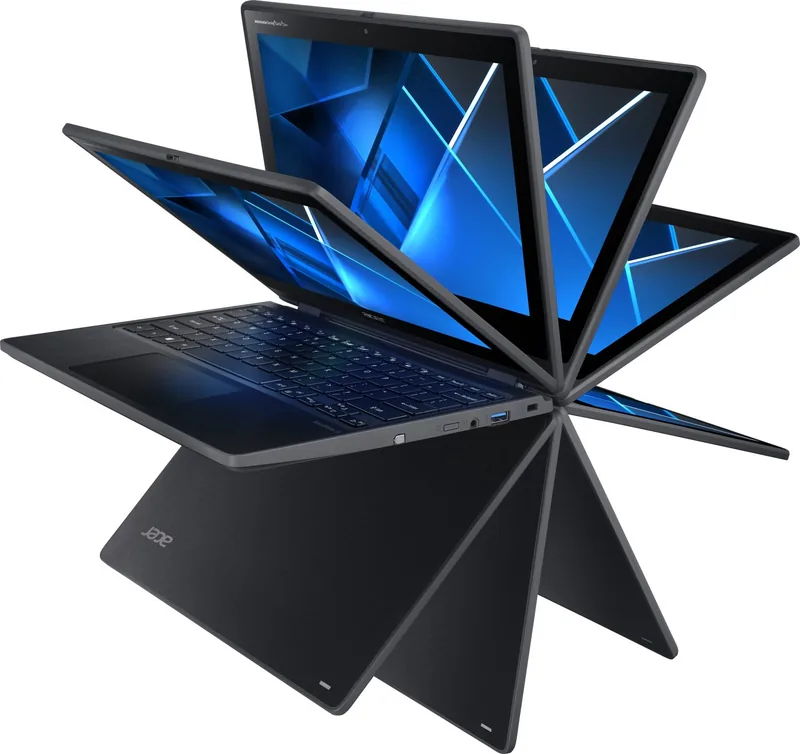
- Convertible design supports laptop, tablet, tent, and display-style use for flexible learning and work.
- USB-C supports charging, DisplayPort output, and USB 3.2 Gen 1 transfers up to 5 Gbit/s.
- Includes HDMI, Ethernet, USB ports, headset connection, and microSD expansion for broad connectivity.
- Optional touch, stylus, SIM, webcam cover, and security features can suit different user needs.
- Windows recovery and Acer security tools help with maintenance, backups, and data protection.
Disadvantages

- Optional features such as stylus, touch input, SIM support, and webcam cover may not be included in every configuration.
- USB-C video and charging compatibility depends on using supported accessories and an adequate power source.
- The integrated battery should be replaced only through an authorized service provider.
- Battery life varies with usage, accessories, temperature, charging habits, and power settings.
- Some software features and interface instructions are specific to the included Windows version.
Product Specification
Type
Notebook, convertible
Display
11.6 in, 1920x1080 (FHD), 16:9, 190 ppi, 60 Hz, multi-touch, glossy, IPS, digitizer
CPU
Intel Pentium Silver N6000, 4C/4T, 1.10-3.30 GHz, 4 MB+2 MB cache, 4.8 W SDP, codename "Jasper Lake" (Tremont, Intel 10 nm+ + Intel 14 nm)
RAM
8 GB DDR4 (8 GB soldered, not expandable)
SSD
128 GB M.2 PCIe
HDD
N/A
Flash
N/A
Graphics
Intel UHD Graphics (iGPU), 32 EU/256 SP, 0.35-0.85 GHz, architecture "Gen 11" (Jasper Lake GT1)
Operating system
Windows 10 Pro 64-bit
Input
Keyboard with German layout (rubber dome), touchpad, stylus (Acer Active Pen, stored in device)
Ports
1x USB-C 3.1 with DisplayPort (10 Gb/s, power delivery), 2x USB-A 3.0 (5 Gb/s), 1x 3.5 mm audio jack, 1x RJ-45 1 Gb LAN (Intel I219-LM), 1x SD card, 1x DC-in barrel jack (power connection)
Wireless
Wi-Fi 6 (WLAN 802.11a/b/g/n/ac/ax), Bluetooth 5.1
Authentication
TPM 2.0
Camera
0.9 megapixel, webcam cover (camera 1), 5 megapixel, keyboard webcam (camera 2)
Optical drive
N/A
Battery
Built-in, lithium-ion, 4 cells, 48 Wh, 3,220 mAh, 12-hour runtime
Power adapter
1x barrel plug (45 W/20 V/2.25 A), optional 1x USB-C power plug (45 W/20 V/2.25 A)
Special features
MIL-STD-810G, docking connector
Weight
3.31 lb
Dimensions
11.61 x 8.54 x 0.82 in (W x D x H)
Color
Black
Note
Education version for students and teachers!
USB notation
Link
Product Description
Acer TravelMate Spin B3 TMB311RNA-32 - Read, Download & Print Free
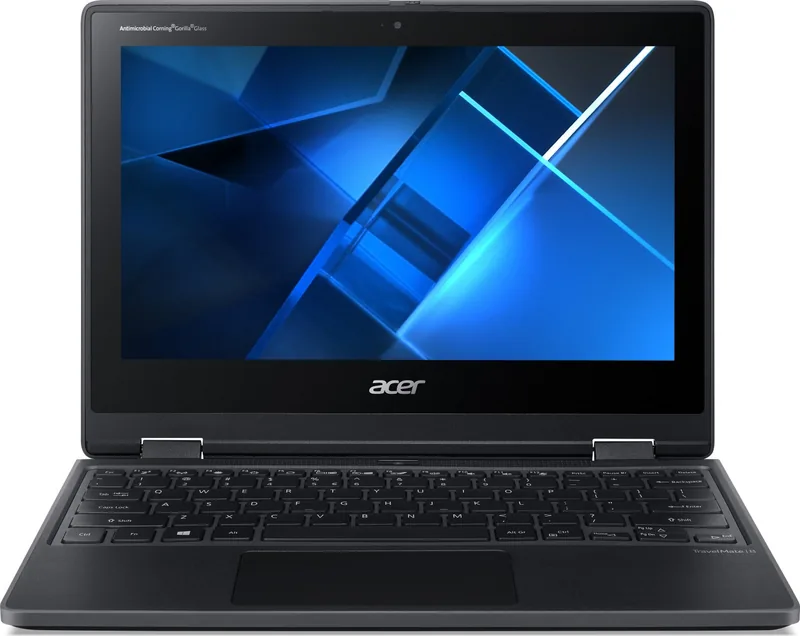
The Acer TravelMate Spin B3 TMB311RNA-32 is a practical, school-ready convertible laptop designed for flexible everyday computing. Its compact format, touch-capable display options, and 360-degree hinge make it suitable for lessons, note-taking, research, video calls, and work completed at home or on the move. The adaptable design lets users switch naturally between laptop, tablet, tent, and display-style positions.
Built for productive daily use
This TravelMate model combines familiar Windows controls with a keyboard, precision touchpad, webcam, microphones, and stereo speakers. Keyboard shortcuts support quick access to brightness, volume, sleep mode, display switching, and wireless controls. Multi-finger touchpad gestures help users scroll, zoom, search, view tasks, and move between open windows efficiently.
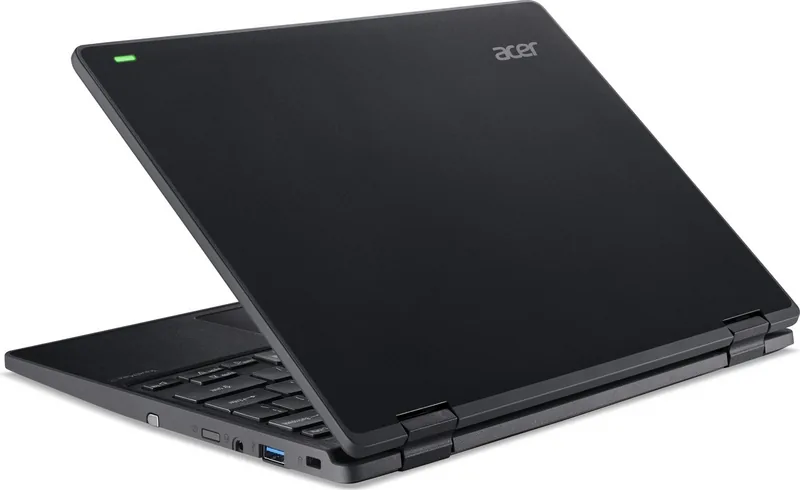
Connectivity is a strong part of the experience. The Acer TravelMate Spin B3 TMB311RNA-32 includes USB ports for accessories and storage, USB Type-C with DisplayPort support and charging capability, HDMI for external displays, a headset jack, Ethernet, and a microSD card reader. Depending on configuration, optional features can include a nano-SIM slot, stylus support, touch input, and a webcam privacy cover. This range of connections makes it easier to attach classroom tools, monitors, headphones, network cables, and portable devices.
Designed with mobility in mind
A built-in lithium battery supports portable use between charging sessions, while power-management settings can help reduce unnecessary energy use. Acer advises charging with approved equipment, keeping the device away from extreme temperatures, and avoiding prolonged charging after the battery reaches full capacity. For travel, the compact computer can be placed in a protective case and carried with its power adapter when longer sessions are expected.
The chassis also includes useful practical details. A Kensington-compatible lock slot can help secure the laptop in shared spaces, and some versions feature drainage openings intended to guide spilled liquid away from the keyboard area. Status lights provide quick visibility of battery level and wireless-network activity.
Security and recovery tools
For users handling important school or work material, supported Acer ProShield Plus functions add protection through Windows Hello authentication, encrypted storage options, secure data removal, alerts, and security reporting. Windows recovery tools can create backups and reset the computer while either keeping personal data or removing everything for a fresh start.
Notes
Features may vary by regional configuration and operating system version. Check the exact hardware specification before purchase, especially if you need mobile connectivity, a stylus, touch support, or biometric sign-in options.
Search for 67,706 Manuals online


Type-in Brand or Model