
Acer TravelMate P4 TMP416-51 Manual
PDF manual · 90 Pages
English


Quick check
Incorrect answer, please try again.
Chat with your Acer TravelMate P4 TMP416-51 manual using AI
Get instant AI answers from your Acer TravelMate P4 TMP416-51 manual
Ask anything about the Acer TravelMate P4 TMP416-51. Answers come from this manual, with the pages they are based on.
Ask a Question
Do you recommend TravelMate P4 TMP416-51?
Yes NoFrequently Asked Questions
Open Control Center, select Recovery Management, choose Restore tab, click Get started, select Keep my files, then Reset PC. Windows reinstalls without deleting personal data.
Is this answer helpful?
Located on the left view of the notebook. Press and hold for ten seconds to force shut down if normal power off fails.
Is this answer helpful?
No, built-in batteries must be replaced by an authorized service center to ensure safety and warranty protection.
Is this answer helpful?
Use Wi-Fi hotkey or network settings. Ensure router is on. Connect to network name and enter password if required.
Is this answer helpful?
It is an all-in-one security solution using Windows Hello to protect files, application access, and browser data from intrusion.
Is this answer helpful?
Turn off computer, disconnect power. Use soft moist cloth. Avoid aerosol cleaners or liquid directly on screen area.
Is this answer helpful?
USB 3.2 Gen 1 compatible ports are colored blue. They offer SuperSpeed data transfer capabilities.
Is this answer helpful?
Advantages and Disadvantages
Advantages

- Robust security features including Acer ProShield Plus and Fingerprint Reader for safe access to personal data and applications.
- Comprehensive connectivity options with Thunderbolt 4 and USB 3.2 Gen 1 ports support high-speed data transfer and external display output.
- Integrated Bluelight Shield technology reduces eye strain during extended work sessions by adjusting screen color temperature effectively.
- Long battery life optimization tools help manage power consumption while traveling or away from a reliable power outlet source.
- Windows Hello biometric authentication allows for quick and secure login without needing to remember complex password strings.
Disadvantages

- Built-in battery requires replacement by an authorized service center rather than allowing easy user swap for extended power needs.
- Some advanced security modules like Personal Secure Drive availability depends on specific hardware configurations and operating system versions.
- Touchpad gestures can be overly sensitive for some users preferring a more rigid click response on the integrated pointing surface.
Product Specification
Type
Laptop
Hard Drive
N/A
Flash Memory
N/A
Operating System
Windows 11 Pro
Input
Keyboard with German Layout (Numpad, Rubber Dome), Touchpad (2 separate mouse buttons below)
Authentication
Fingerprint Reader, TPM 2.0
Optical Drive
N/A
Battery
Built-in, Li-ion, 4 cells, 56 Wh
Power Adapter
1x USB-C Power Connector (65W)
Special Features
Security Lock (Kensington Security Slot)
Weight
3.70 lbs
Warranty
3 years (Mail-in)
USB Marking
Left
Product Description
Experience the Versatility of the Acer TravelMate P4 TMP416-51
When you invest in a durable workstation for business travel, the Acer TravelMate P4 TMP416-51 stands out as a reliable companion for daily tasks. Many users looking for detailed guidance often search for an Acer TravelMate P4 TMP416-51 Manual before diving into their new device capabilities to maximize productivity. This machine is engineered for mobility without compromising on performance or security protocols in corporate settings.
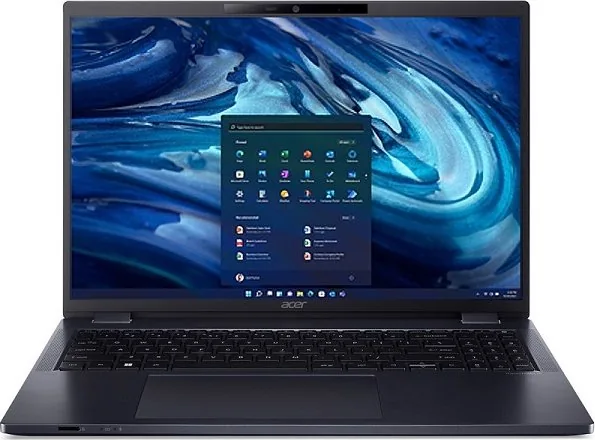
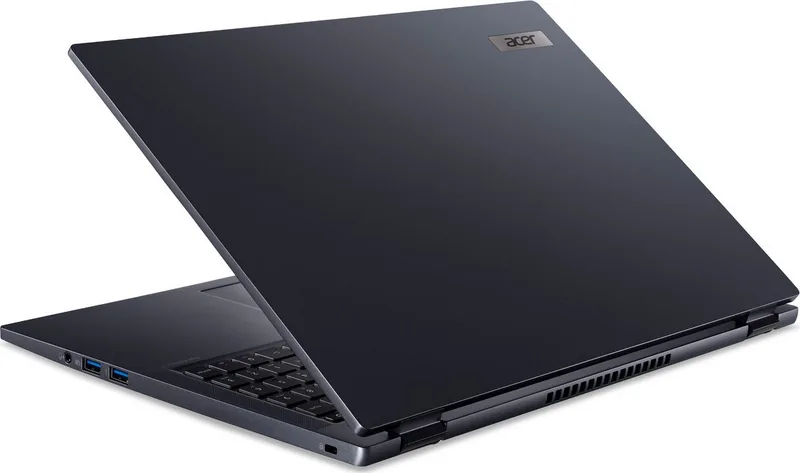
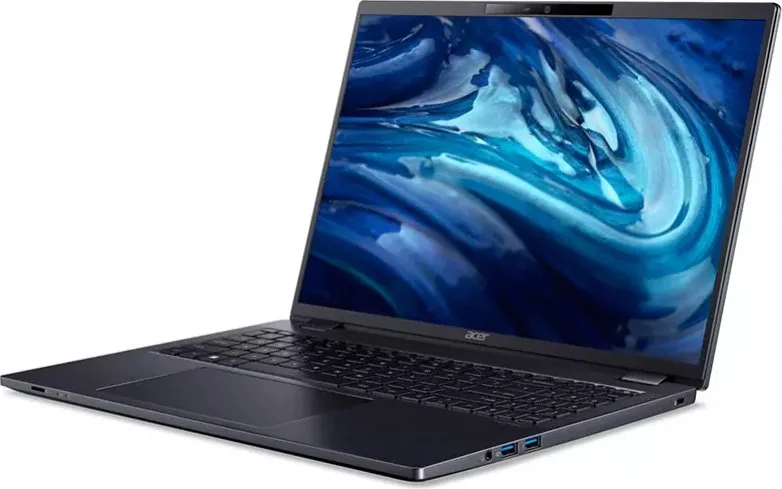
Starting with the physical design, the notebook features a sleek chassis suitable for professional environments. The screen view offers clear output, complemented by an ambient light sensor that adjusts brightness automatically for reduced eye strain. Safety is a priority, with an optional webcam shutter and infrared LED for face authentication. You will appreciate the comprehensive connectivity found on the left and right views. Ports include USB 3.2 Gen 1, Thunderbolt 4, and a standard HDMI connection for high-definition external monitors. The base view reveals essential ventilation fans to maintain optimal cooling. Internal battery packs provide freedom from power cords while out of the office.
Operating system management takes center stage on Windows 11. The desktop layout provides easy access to settings. Navigation is smooth thanks to the Precision Touchpad, which supports a wide range of gestures. Power management features ensure longevity, guiding users on charging habits to optimize battery life. If issues arise, recovery tools allow you to refresh the PC or restore factory settings efficiently. Security is non-negotiable for corporate data. Acer ProShield Plus integrates with Windows Hello, using fingerprints to protect files. Users can shred files permanently to ensure privacy compliance. Travelers benefit from the International Travelers Warranty globally. Whether managing emails or presenting in a conference room, this model delivers consistent performance.
For those new to the interface, tips are available for managing apps. The keyboard layout includes full-sized keys and dedicated hotkeys for volume control. Cleaning protocols keep dust away from fans, maintaining efficiency. Always use an Acer-approved AC adapter to prevent damage. Connecting to the internet is streamlined via Wi-Fi or cable using built-in network features. Remember to register your device online to access warranty support. This approach ensures your hardware remains protected and functional for years. Bluetooth pairing allows for wireless peripherals easily. The fingerprint reader on the power button offers quick access to Windows logins. Battery conditioning steps maximize initial charge duration for new users. Do not expose the device to moisture or extreme temperatures to ensure safe operation long-term. Wireless network settings are managed through the notification area. You should also familiarize yourself with the BIOS utility to change boot sequences. Proper care of the AC adapter prevents cord damage. These small steps contribute significantly to the overall lifespan of the hardware unit.
Search for 67,706 Manuals online


Type-in Brand or Model