
Acer Swift X SFX14-51G Manual
PDF manual · 75 Pages
English


Quick check
Incorrect answer, please try again.
Chat with your Acer Swift X SFX14-51G manual using AI
Get instant AI answers from your Acer Swift X SFX14-51G manual
Ask anything about the Acer Swift X SFX14-51G. Answers come from this manual, with the pages they are based on.
Ask a Question
Do you recommend Swift X SFX14-51G?
Yes NoFrequently Asked Questions
This overview covers the Acer Swift X SFX14-51G notebook. Features can vary by regional configuration, installed operating system, and connected accessories.
Is this answer helpful?
Yes. The USB Type-C port supports DisplayPort audio/video output and is compatible with Thunderbolt 4. Compatible displays or adapters may be required depending on the monitor connection.
Is this answer helpful?
Open Windows Settings, go to Accounts, select Sign-in options, and set up Fingerprint recognition under Windows Hello. You will need a PIN to confirm your identity during setup.
Is this answer helpful?
Back up important personal data first. The recovery options can reinstall Windows while keeping files or remove everything, and installed applications may be removed during the process.
Is this answer helpful?
Select the network icon in the Windows notification area, open Wi-Fi connections, choose the desired network, select Connect, and enter the network password if requested.
Is this answer helpful?
No. The integrated battery should be replaced by an Acer-authorized service provider. Attempting a replacement without proper service support can cause damage or safety risks.
Is this answer helpful?
Advantages and Disadvantages
Advantages

- Thunderbolt 4 and USB Type-C support enable modern accessories, charging, and external display connections.
- Fingerprint reader supports convenient Windows Hello sign-in and device unlocking.
- HDMI, USB Type-A, audio jack, Bluetooth, and Wi-Fi provide flexible everyday connectivity.
- Recovery tools support file backup, driver backup, Windows reinstallation, and reset options.
- Keyboard hotkeys and precision touchpad gestures improve navigation and daily productivity.
Disadvantages

- The integrated battery is not intended for user replacement and requires authorized service support.
- Some functions and specifications may vary by configuration or operating system version.
- Thunderbolt display capabilities can depend on compatible cables, adapters, and connected devices.
- A full system reset can remove installed apps and, if selected, personal data.
- Charging and battery longevity require attention to temperature and recommended charging practices.
Product Specification
Type
Laptop
Display
14 in, 2240 x 1400, 16:10, 189 ppi, 60 Hz, non-glare (matte), IPS, 100% sRGB
HDD
N/A
Flash
N/A
Input
Keyboard with German layout (backlit, rubber dome), touchpad
Ports
1x USB-A 3.1 (10 Gb/s, BC), 1x USB-A 3.1 (10 Gb/s), 2x Thunderbolt 4 (40 Gb/s, power input, PD), 1x HDMI 2.0, 1x 0.14 in jack
Wireless
Wi-Fi 6E (WLAN 802.11a/b/g/n/ac/ax, 2x2), Bluetooth 5.2
Authentication
Fingerprint reader (power button), TPM 2.0
Camera
2 megapixels
Optical Drive
N/A
Battery
Built-in, Li-ion, 4 cells, 58.7 Wh, 3,815 mAh, 8.5-hour runtime (MobileMark 2018)
Power Adapter
1x USB-C power connector (100 W/20 V/5 A)
Weight
3.09 lb
Dimensions
12.32 x 8.43 x 0.7 in (W x D x H)
Color
Gray, manufacturer designation: Steel Gray
Warranty
Two years (send-in)
USB Naming
Link
Product Description
Acer Swift X SFX14-51G - Read, Download & Print Free
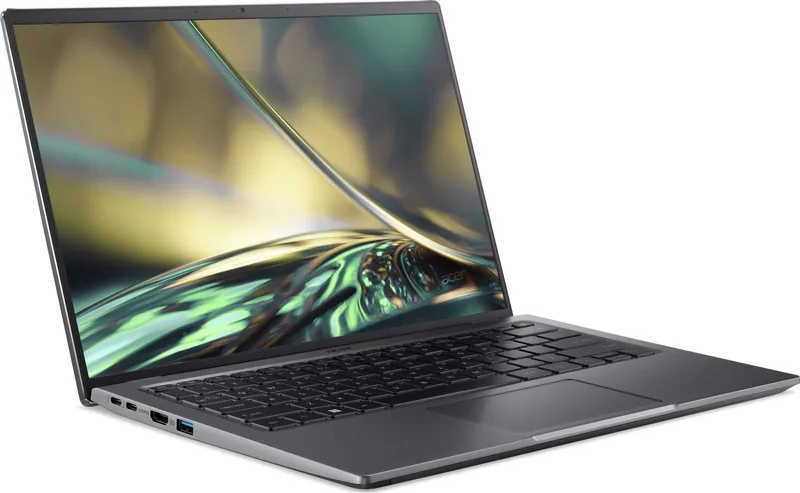
The Acer Swift X SFX14-51G is a versatile notebook designed for people who want dependable everyday computing, flexible connectivity, and practical features for work, study, and travel. This guide-focused overview highlights the tools that help owners get started confidently, maintain the system properly, and make the most of Windows 11.
Designed for Productive Everyday Use
A compact notebook is only as useful as its controls and connections, and the Swift X SFX14-51G brings together a full keyboard, precision touchpad, integrated camera and microphones, stereo speakers, and a power button with a fingerprint reader. Windows Hello fingerprint sign-in adds a convenient layer of security, while keyboard shortcuts provide quick access to brightness, volume, microphone controls, airplane mode, display switching, and fan modes.
The precision touchpad supports familiar multi-finger gestures for scrolling, zooming, task switching, desktop access, and search. These controls can be adjusted through Windows settings, allowing users to tailor sensitivity and gesture behavior to their working style.
Connectivity for Modern Setups
The Acer Swift X SFX14-51G includes useful ports for accessories and external displays. USB Type-A ports support compatible peripherals and storage, while USB Type-C supports charging, DisplayPort audio/video output, and Thunderbolt 4 compatibility. Thunderbolt 4 can connect high-speed accessories and supports display expansion, including up to two 4K displays through a single connection where compatible equipment is used.
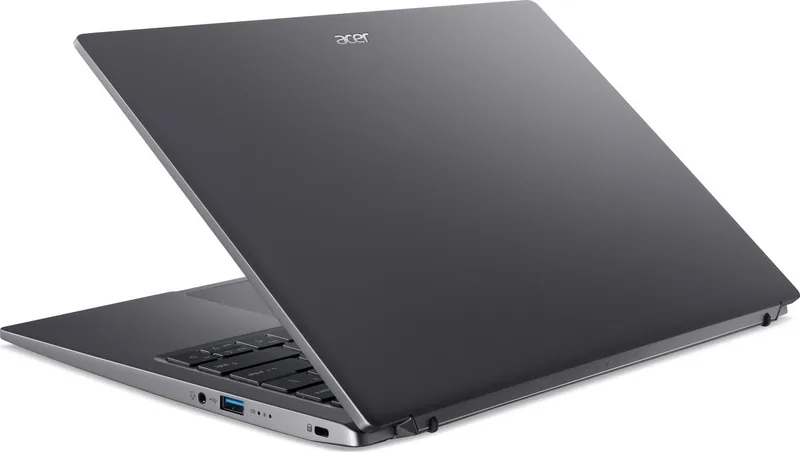
An HDMI port makes it simple to connect a monitor or television, and the combined audio jack supports headphones, speakers, or a headset with microphone. Bluetooth and Wi-Fi features help connect wireless devices and networks, while the Kensington lock slot supports physical security in shared spaces.
Care, Security, and Recovery
Proper care can help preserve long-term reliability. Keep the notebook away from moisture, dust, direct heat, extreme temperatures, and blocked ventilation. Use an approved power adapter, clean the surface with a soft damp cloth, and avoid placing heavy items on the computer.
The integrated lithium battery should be charged in a clean, ventilated environment and protected from extreme temperatures. For longer storage, keep the device powered off in a dry place and check the battery periodically. Because the battery is internal, replacement should be handled by an authorized service provider.
Windows recovery tools and Acer Care Center options support file backups, wireless and LAN driver backups, and system reset choices. Users can reinstall Windows while keeping personal files or choose a full reset when needed. Built-in guidance also covers Wi-Fi setup, Bluetooth pairing, BIOS access, safe peripheral removal, and online security habits.
Notes
- Install Windows and driver updates promptly to improve security and stability.
- Back up important data before using any reset option.
- Use a VPN and strong unique passwords when working on public Wi-Fi networks.
Search for 67,706 Manuals online


Type-in Brand or Model