
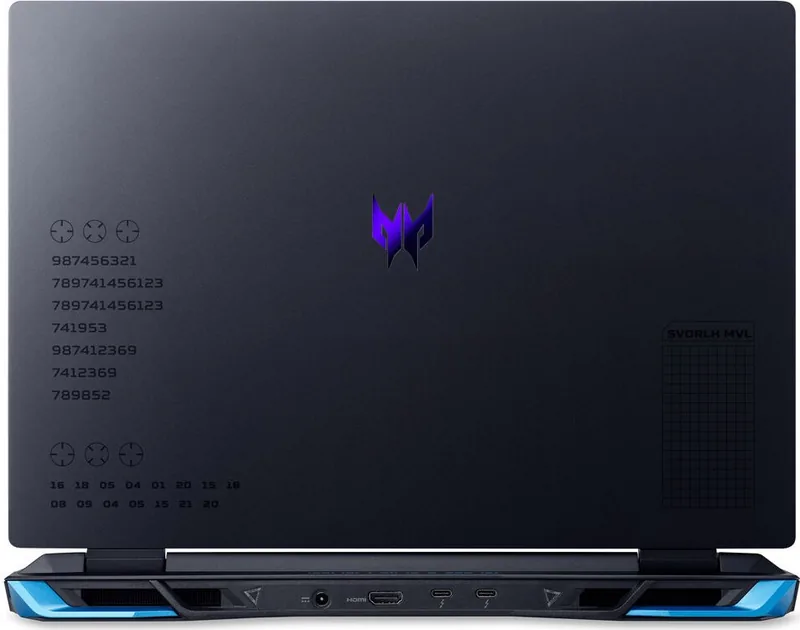


Acer Predator Helios Neo 16 PHN16-71 Manual
PDF manual · 105 Pages
English


Quick check
Incorrect answer, please try again.
Chat with your Acer Predator Helios Neo 16 PHN16-71 manual using AI
Get instant AI answers from your Acer Predator Helios Neo 16 PHN16-71 manual
Ask anything about the Acer Predator Helios Neo 16 PHN16-71. Answers come from this manual, with the pages they are based on.
Ask a Question
Do you recommend Predator Helios Neo 16 PHN16-71?
Yes NoFrequently Asked Questions
PredatorSense is the laptop control center for viewing system activity and adjusting performance-related settings. It can manage operating modes, fan behavior, scenario profiles, lighting effects, application shortcuts, and selected advanced options.
Is this answer helpful?
The PHN16-71 includes Ethernet, USB ports, a microSD card reader, a headset jack, HDMI 2.1, USB Type-C, and Thunderbolt 4. These connections support accessories, storage, wired networking, audio devices, and compatible external displays.
Is this answer helpful?
Yes. PredatorSense supports lighting adjustments for the keyboard and other supported lighting zones. Depending on the selected effect, users can change brightness, colors, animation speed, direction, and individual zone colors.
Is this answer helpful?
Yes. External displays can be connected through HDMI 2.1 or the USB Type-C/Thunderbolt 4 connection. Thunderbolt 4 can support compatible high-resolution display arrangements, while actual results depend on the display, cable, adapter, and configuration.
Is this answer helpful?
Use Bluelight Shield modes to reduce blue-light emissions, set brightness and contrast to comfortable levels, keep the screen clean, reduce glare, and take regular visual breaks. The guidance recommends resting your eyes for 5 to 10 minutes each hour.
Is this answer helpful?
Acer Care Center and Windows Recovery settings provide reset options. You can reinstall Windows while keeping personal files or remove everything for a full reset. Back up important data first, because installed apps may be removed and a full reset erases personal content.
Is this answer helpful?
Advantages and Disadvantages
Advantages

- PredatorSense provides performance modes, fan controls, monitoring, scenario profiles, and application-linked settings.
- Strong connectivity includes Thunderbolt 4, USB Type-C, HDMI 2.1, Ethernet, multiple USB ports, and microSD support.
- Customizable keyboard and lighting controls support personalized gaming and workspace setups.
- Recovery, backup, security, and Windows Hello fingerprint features support convenient everyday ownership.
Disadvantages

- Actual features, display type, and hardware specifications can vary by configuration and region.
- High-performance cooling can require higher fan speeds and potentially more audible operation under heavy loads.
- The integrated battery is not intended for user replacement and requires authorized service.
- External display and peripheral capabilities can depend on the connected device, cable, adapter, and configuration.
Product Specification
Type
Notebook
HDD
N/A
Flash
N/A
Operating system
Windows 11 Home
Ports
1 x USB-A 3.1 (10 Gb/s, BC), 1 x USB-A 3.1 (10 Gb/s), 1 x USB-A 3.0 (5 Gb/s), 2 x Thunderbolt 4 (40 Gb/s, PD), 1 x HDMI 2.1, 1 x 0.14 in jack, 1 x RJ-45 1 Gb LAN (Intel Killer E2600), 1 x microSD, 1 x DC-in barrel jack (power connector)
Wireless
Wi-Fi 6 (WLAN 802.11a/b/g/n/ac/ax, 2 x 2, Intel Killer AX1650), Bluetooth 5.2
Authentication
TPM 2.0
Camera
0.9 megapixel
Optical drive
N/A
Battery
Built-in, lithium-ion, 4-cell, 90 Wh, 6.5-hour runtime (MobileMark 2018)
Special features
Security lock (Kensington Security Slot)
Weight
5.73 lb
Dimensions
14.18 x 11.02 x 1.11 in (W x D x H)
Color
Black, manufacturer designation: Obsidian Black
Warranty
Two years (mail-in)
USB notation
Link
Product Description
Acer Predator Helios Neo 16 PHN16-71 - Read, Download & Print Free
The Acer Predator Helios Neo 16 PHN16-71 is a performance-focused gaming laptop designed for players, creators, and users who want a flexible Windows 11 machine for demanding daily tasks. Its Predator identity is reflected in practical controls, advanced cooling options, customizable lighting, and a broad selection of connectivity features that support both play and productivity.
A dedicated PredatorSense control center gives users a convenient way to adjust operating modes, monitor CPU and GPU activity, and manage fan behavior. Auto, Max, and Custom fan settings help tailor cooling to the task at hand, while scenario profiles can connect preferred performance and lighting settings to selected applications. This makes it easier to move from quiet everyday work to more intensive gaming sessions without repeatedly changing settings.
The laptop also emphasizes adaptable input and display controls. The full-size keyboard includes useful shortcuts for volume, brightness, display switching, microphone control, airplane mode, touchpad control, and keyboard backlighting. PredatorSense adds options for Pulsar lighting effects, including global and zone-based color adjustments. Bluelight Shield settings are available to reduce blue-light emissions during long viewing sessions, supporting more comfortable use when reading, working, or gaming late into the day.
For accessories and external setups, the Acer Predator Helios Neo 16 PHN16-71 offers versatile connections. These include Ethernet, multiple USB ports, a microSD card reader, HDMI 2.1, a headset jack, USB Type-C, and Thunderbolt 4. The Thunderbolt 4 connection supports compatible displays and high-speed peripherals, while HDMI makes connecting to a larger monitor or TV straightforward. The system can also use Bluetooth and Wi-Fi for wireless devices and network access.
Security and maintenance features add further value for everyday ownership. Users can configure BIOS, boot, and account protections, while supported configurations may include Windows Hello fingerprint sign-in. Acer Care Center recovery tools help with backups, driver preservation, and system reset options. Battery guidance, travel advice, and cleaning recommendations encourage responsible long-term use.
Notes
- Keep cooling vents clear to maintain airflow during intensive workloads.
- Use approved charging equipment and avoid charging the battery in extreme temperatures.
- Feature availability can vary by regional configuration and installed hardware.
Search for 67,706 Manuals online


Type-in Brand or Model