
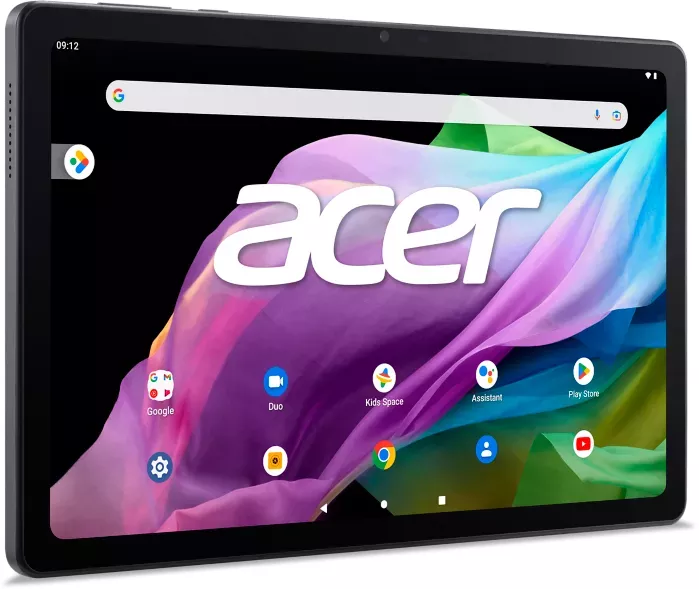
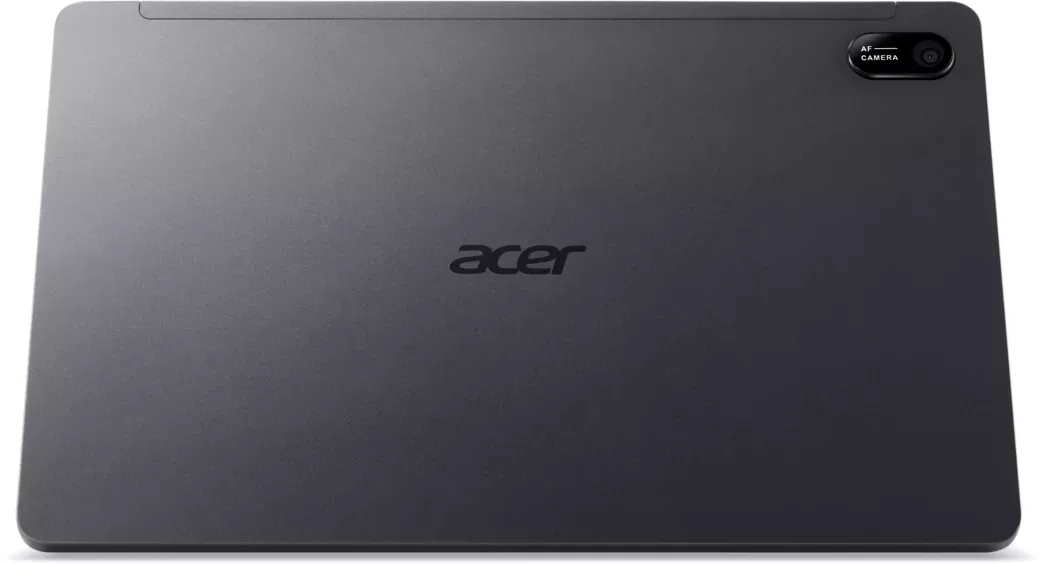

Acer Iconia Tab P10 P10-11 Manual
PDF manual · 51 Pages
English


Quick check
Incorrect answer, please try again.
Chat with your Acer Iconia Tab P10 P10-11 manual using AI
Get instant AI answers from your Acer Iconia Tab P10 P10-11 manual
Ask anything about the Acer Iconia Tab P10 P10-11. Answers come from this manual, with the pages they are based on.
Ask a Question
Do you recommend Iconia Tab P10 P10-11?
Yes NoFrequently Asked Questions
You should charge the tablet for at least four hours before using it for the first time. This ensures optimal battery health. If the battery is depleted, charge it for at least 30 minutes using the adapter.
Is this answer helpful?
The tablet features a microSD card slot that supports cards up to 512 GB. Ensure the card uses FAT, FAT32, exFAT, or NTFS file systems for compatibility.
Is this answer helpful?
The tablet has a 5-megapixel front-facing camera for video chats and an 8-megapixel rear-facing camera for high-resolution images. Both support audio recording for videos.
Is this answer helpful?
Open the Settings menu, select System, then tap Reset options. Choose Erase all data to restore factory settings. Note that this removes all personal information.
Is this answer helpful?
The device is powered by a MediaTek processor. It comes with 4 GB or 6 GB of RAM and 64 GB or 128 GB of internal memory options available at purchase.
Is this answer helpful?
Open Settings and go to Network and internet. Select Data Saver to control background data for individual apps. This helps monitor your internet consumption effectively.
Is this answer helpful?
Yes, the tablet supports voice actions for sending text messages, placing calls, and searching the internet. Tap the microphone in the search bar to start using voice commands.
Is this answer helpful?
Advantages and Disadvantages
Advantages

- 10.4 inch WUXGA capacitive multi-touch screen offers clear visuals.
- Up to 10.5 hours battery life during video playback sessions.
- Expandable storage via microSD card supports up to 512 GB capacity.
- Bluetooth 5.0 connectivity supports various peripheral devices easily.
- Android 12 operating system provides modern security and features.
Disadvantages

- Cannot uninstall preloaded applications to free up extra storage space.
- Device heats up slightly during charging or long periods of high use.
- Only two cameras limit photography versatility compared to other tablets.
- Internal storage options are fixed without external expansion in some configurations.
- Some region specific features may be limited based on location settings.
Product Specification
CPU
MediaTek MT8183, 4x 2.00GHz (ARM Cortex-A73) + 4x 2.00GHz (ARM Cortex-A53)
RAM
4GB LPDDR4
Storage
64GB Flash (eMMC)
Graphics
ARM Mali-G72 MP3 (iGPU)
Display
10.4", 2000x1200, 224ppi, Multi-Touch, IPS
Ports
1x USB-C 2.0 (480Mb/s), 1x 3.5mm Jack
Wireless
Wi-Fi 5 (WLAN 802.11a/b/g/n/ac), Bluetooth 5.0
SIM
N/A
Cellular
N/A
Networks
N/A
Cardreader
N/A
Webcam
5 Megapixel (front), 8 Megapixel (rear)
Operating System
Android 12
Battery
Li-Ion, 2 cells, 6000mAh, 22.8Wh, 9.5h runtime
Dimensions
9.73 x 6.18 x 0.31 in
Weight
0.97 lbs (Tablet)
Color
gray (Iron Grey)
Features
Light sensor, fanless
Note
Different country versions possible.
Product Description
Discover the Ultimate Tablet Experience
The Acer Iconia Tab P10 P10-11 represents a significant step forward in mobile computing versatility. Referencing the Acer Iconia Tab P10 P10-11 Manual ensures you unlock every feature this device offers right from the box. Upon unpacking, care is required to confirm the contents match the safety information provided. You will find the AC adapter and USB cable essential for initial power. Charging the tablet for at least four hours before first use is highly recommended for battery health. The display is a standout 10.4 inches with WUXGA clarity. This resolution supports crisp text and vibrant media consumption. Under the hood lies a powerful processor paired with Android 12. Storage options include 64GB or 128GB which can be expanded via microSD. Connectivity remains robust with Wi-Fi and Bluetooth support for peripherals. The built-in stereo speakers provide immersive audio for entertainment purposes. Navigation is seamless with a responsive multi-touch screen interface. Customization allows you to arrange icons and manage widgets freely. Personal settings let you adjust brightness, sound, and language preferences easily. Security is prioritized with options for screen locks and PIN patterns. Camera functionality covers both photo and video recording needs. The rear camera captures high-quality shots while the front lens aids in communication sessions. Battery life supports up to ten hours of continuous video playback. This ensures productivity remains uninterrupted during long days. Updates are managed through the system settings to keep the software secure. Troubleshooting common issues like charging or storage management is straightforward. The tablet handles multitasking well due to its ample memory capacity. Google Play integration provides access to a vast library of applications for both work and leisure. Voice search capabilities streamline navigation without needing physical input. Whether you are streaming content or creating documents the tablet performs reliably. The design balances portability with a screen real estate that remains useful for reading. Heat generation during operation is normal and dissipates after charging completes. Protecting the device with approved accessories ensures longevity over years of use. Ultimately the Acer Iconia Tab P10 P10-11 is a comprehensive solution for modern digital demands. Additional features include voice actions for hands free control and secure file transfers. You can manage storage and apps efficiently through the dedicated menu options. Regular updates ensure the system stays modern with the latest security patches available. Enjoy seamless integration with Google services for emails and calendars on the go. The tablet handles daily tasks with ease and provides a reliable mobile computing experience for users everywhere.
Search for 67,706 Manuals online


Type-in Brand or Model