
Acer Chromebook Spin 713 CP713-3W Manual
PDF manual · 15 Pages
English


Quick check
Incorrect answer, please try again.
Chat with your Acer Chromebook Spin 713 CP713-3W manual using AI
Get instant AI answers from your Acer Chromebook Spin 713 CP713-3W manual
Ask anything about the Acer Chromebook Spin 713 CP713-3W. Answers come from this manual, with the pages they are based on.
Ask a Question
Do you recommend Chromebook Spin 713 CP713-3W?
Yes NoFrequently Asked Questions
Chromebooks primarily use apps from the Google Play Store and web applications. You can also run Microsoft Word, Excel, and PowerPoint via the browser or by downloading them.
Is this answer helpful?
Select a network from the connection list during setup. If the network is secured, you will need to enter the password to establish an internet connection.
Is this answer helpful?
Yes, you can use Microsoft Office online or download the apps from the Google Play Store. Some extra features require a Microsoft 365 subscription.
Is this answer helpful?
All files are saved in the Files app. You can access this by clicking the start icon and searching for 'Files'. Local files can be transferred via USB drives or external hard drives.
Is this answer helpful?
Sign in with your child's personal Google account. If they do not have one, create it during setup. You can then add their school account after the initial configuration is complete.
Is this answer helpful?
Yes, the USB-C ports support Thunderbolt 4 and DisplayPort, allowing you to connect to external monitors for expanded workspace.
Is this answer helpful?
Advantages and Disadvantages
Advantages

- Versatile 2-in-1 convertible design with multiple usage modes
- Thunderbolt 4 support for high-speed data and video output
- Optional fingerprint reader for enhanced security
- Access to Microsoft Office apps via web or Play Store
- Long battery life with clear LED status indicators
Disadvantages

- Relies entirely on cloud computing which requires internet
- No internal storage expansion beyond microSD slot
- Microphone quality may vary depending on environment
- Some advanced features require Microsoft 365 subscription
- Touchscreen might show fingerprints easily
Product Specification
Type
Notebook, Convertible
HDD
N/A
Flash
N/A
Operating System
Chrome OS
Input
Keyboard with DE layout (backlit, rubber dome), touchpad
Ports
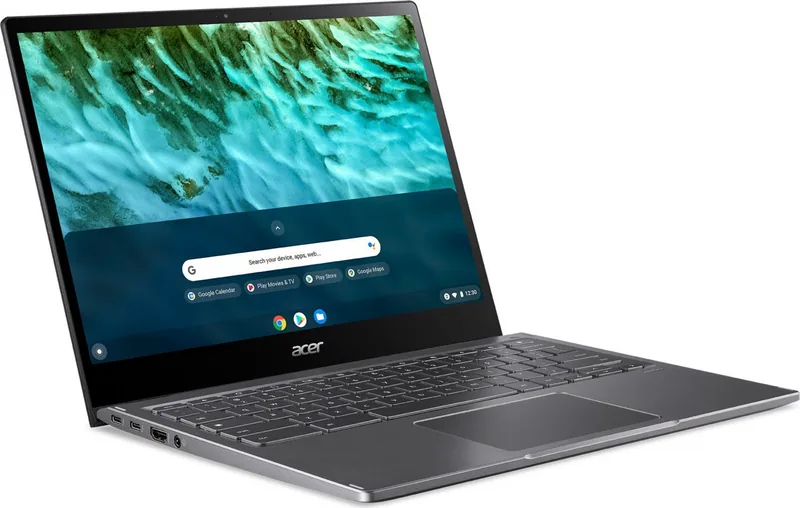
2x USB-C 3.0 with DisplayPort 1.2 (5Gb/s, power delivery), 1x USB-A 3.0 (5Gb/s), 1x HDMI, 1x 3.5mm jack, 1x microSD
Wireless
Wi-Fi 6 (WLAN 802.11a/b/g/n/ac/ax), Bluetooth 5.0
Camera
0.9 Megapixel
Optical Drive
N/A
Battery
Fixed, Li-Ion, 4 cells, 56Wh, 10h runtime
Power Adapter
1x USB-C power plug (45W)
Weight
3.02 lbs
Dimensions
11.83x9.25x0.67 in (WxDxH)
Warranty
two years (mail-in)
USB Spelling
Link
Product Description
Acer Chromebook Spin 713 CP713-3W Review
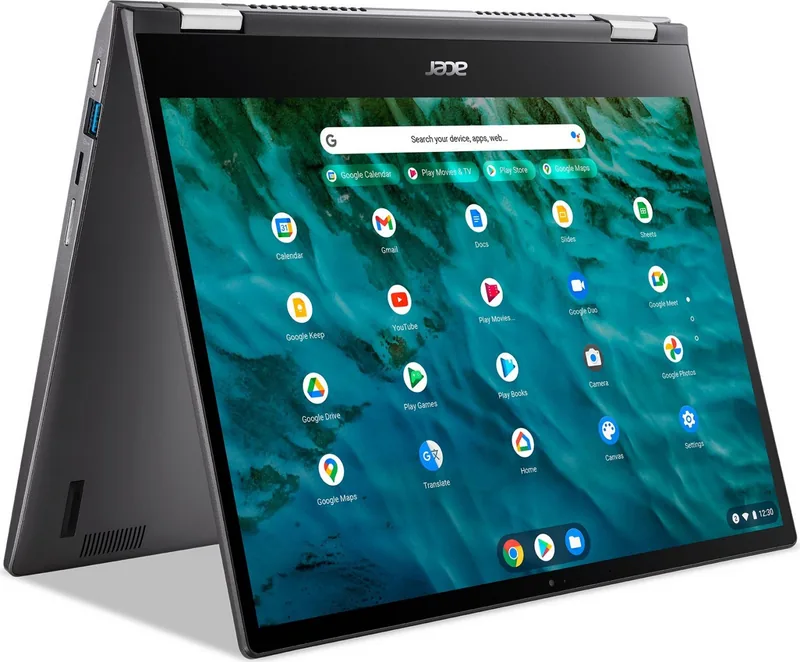
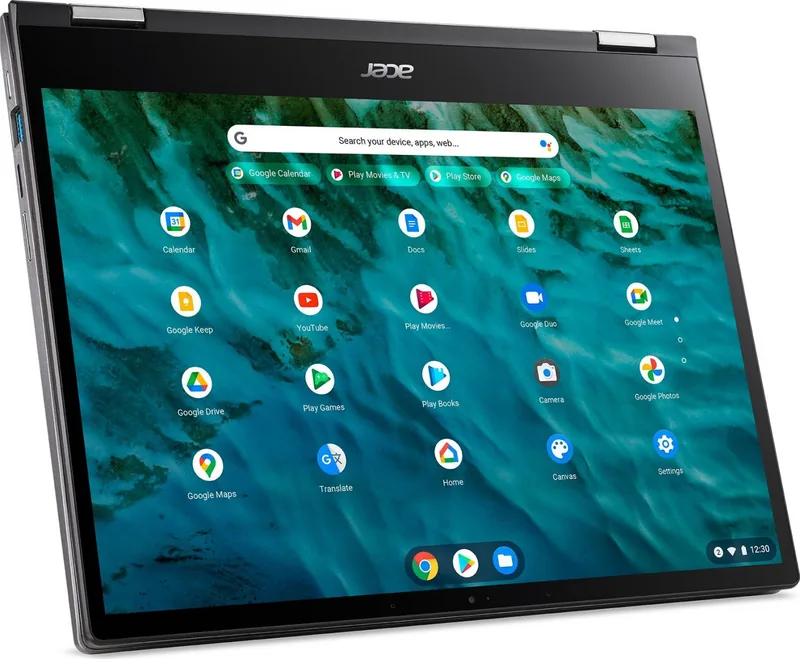
The Acer Chromebook Spin 713 CP713-3W stands out as a versatile 2-in-1 laptop designed for users who demand flexibility and performance. This device features a stunning touchscreen display that supports multiple touch inputs, allowing for intuitive interaction whether you are working in traditional laptop mode or flipping it into tablet mode. The convertible design makes it ideal for students, professionals, and creative users who need a machine that adapts to their workflow throughout the day.
Equipped with powerful connectivity options, this Chromebook includes Thunderbolt 4 support via its USB-C ports, enabling fast data transfer and high-resolution external monitor connections. The inclusion of an HDMI port simplifies presentations, while the microSD card slot offers convenient storage expansion. Security is not overlooked, with an optional fingerprint reader providing quick and secure access to your system. The keyboard layout is ergonomic, featuring dedicated function keys for brightness, volume, and screen controls, alongside a responsive touchpad that supports complex gestures like two-finger scrolling and right-clicking.
Performance-wise, the device runs on Chrome OS, leveraging the vast ecosystem of Google Play Store applications and web-based tools. Users can run Microsoft Office apps either through the browser or by downloading them from the store, ensuring compatibility with essential productivity software. The battery life is optimized for all-day use, with LED indicators clearly showing charging status and power levels. Whether you are browsing the web, editing documents, or streaming media, the Acer Chromebook Spin 713 delivers a smooth and reliable experience.
Key Features
The laptop boasts a robust build quality with effective ventilation systems located on the bottom and rear to keep temperatures low during intensive tasks. Audio output is handled by stereo speakers, providing clear sound for multimedia consumption. The device also supports guest browsing modes, making it easy to share the computer without compromising personal data.
Important Notes
Always ensure ventilation openings remain unobstructed to prevent overheating. Use certified power adapters for optimal charging performance. Register your product on the official website to track warranty status.
Search for 67,706 Manuals online


Type-in Brand or Model