
Acer Chromebook 317 CB317-1H Manual
PDF manual · 14 Pages
English


Quick check
Incorrect answer, please try again.
Chat with your Acer Chromebook 317 CB317-1H manual using AI
Get instant AI answers from your Acer Chromebook 317 CB317-1H manual
Ask anything about the Acer Chromebook 317 CB317-1H. Answers come from this manual, with the pages they are based on.
Ask a Question
Do you recommend Chromebook 317 CB317-1H?
Yes NoFrequently Asked Questions
Chromebooks primarily use apps from the Google Play Store and web-based applications. You can run productivity tools, games, and creative apps online or via the store.
Is this answer helpful?
Yes, you can use Microsoft Word, Excel, and PowerPoint either by downloading the apps from the Google Play Store or using their web versions. Some features require a subscription.
Is this answer helpful?
You can transfer local files using compatible external storage devices such as USB thumb drives or removable hard drives connected via the USB ports.
Is this answer helpful?
A Google Account is required to sign in, access Google services like Gmail and Drive, and automatically log you into apps and settings on the device.
Is this answer helpful?
Sign in using your child's personal Google Account during the setup process. This allows you to manage their access and add school accounts after onboarding.
Is this answer helpful?
Yes, the USB Type-C ports support DisplayPort over USB-C, allowing you to connect to external monitors or displays for video and audio output.
Is this answer helpful?
Advantages and Disadvantages
Advantages

- Supports Microsoft Office apps via web and Play Store
- USB Type-C ports support DisplayPort and fast charging
- Includes numeric keypad for efficient data entry
- Easy setup with automatic system updates
- Kensington lock slot enhances physical security
Disadvantages

- Requires Google Account for full functionality
- Limited offline capabilities compared to traditional laptops
- Battery life depends heavily on usage intensity
- No dedicated graphics card for heavy gaming
- MicroSD slot may wear out with frequent use
Product Specification
Type
Notebook
SSD
N/A
HDD
N/A
Operating System
Chrome OS
Ports
2x USB-C 3.0 with DisplayPort (5Gb/s, network), 2x USB-A 3.0 (5Gb/s), 1x 3.5mm jack, 1x microSD
Wireless
Wi-Fi 6 (WLAN 802.11a/b/g/n/ac/ax), Bluetooth 5.1
Authentication
TPM 2.0
Optical Drive
N/A
Power Supply
1x USB-C power connector (45W)
Weight
4.85 lbs
Dimensions
15.79x10.52x0.89 in (WxDxH)
Warranty
two years (mail-in)
USB Spelling
Link
Product Description
Acer Chromebook 317 CB317-1H Review
The Acer Chromebook 317 CB317-1H stands out as a versatile and efficient laptop designed for everyday computing tasks. This device runs on Chrome OS, offering a seamless experience for users who rely heavily on web applications and cloud storage. Whether you are a student managing assignments or a professional handling emails, this Chromebook provides the necessary tools to stay productive.
Getting Started with Ease
Setting up your new Chromebook is straightforward. Upon powering on the device, you will be greeted by a welcome screen where you can select your preferred language and connect to a network. The system automatically downloads updates to ensure you have the latest features. Signing in is simple; you can create a new Google Account if needed or use an existing one to access services like Gmail, Google Drive, and Google Calendar. For those who prefer privacy, the guest browsing mode allows temporary access without saving any data.
Hardware Tour and Connectivity
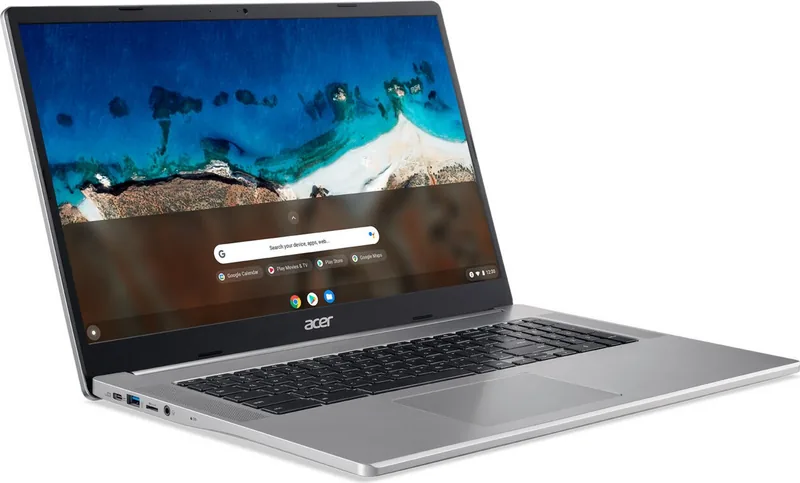
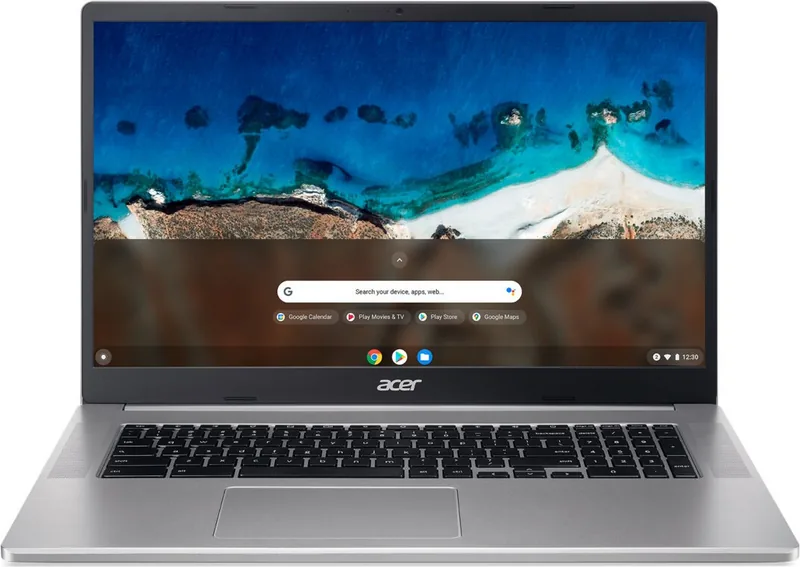
The CB317-1H features a robust design with a clear layout of ports and controls. On the front, you will find a webcam with an indicator light, internal microphones, and a responsive touchpad that supports multi-touch gestures like two-finger scrolling and right-clicking. The keyboard includes a numeric keypad, which is ideal for data entry tasks.
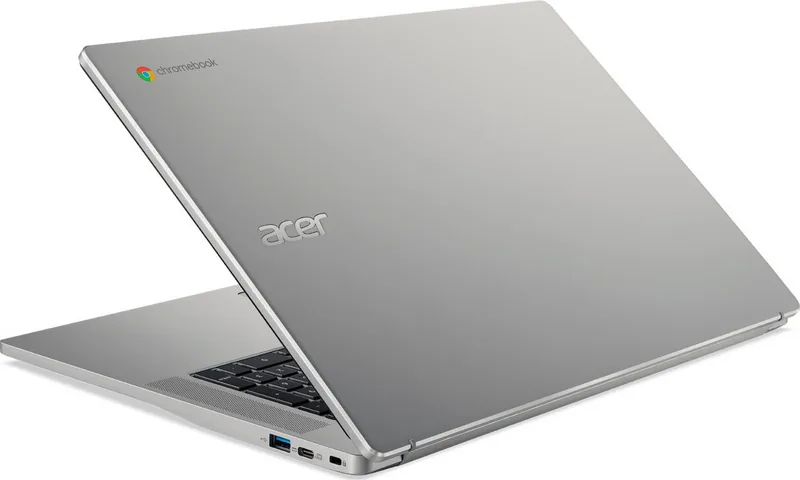
Connectivity is extensive, with USB Type-C ports supporting DisplayPort output and fast charging capabilities. The left side houses additional USB ports, a microSD card slot for expanded storage, and a headset jack. Security is not overlooked, as a Kensington lock slot is available on the right side to prevent theft. The device also supports USB 3.2 Gen 1 for high-speed data transfer.
Software and Performance
One of the key strengths of this model is its software compatibility. Users can access Microsoft Office apps via the Google Play Store or use them directly through the web browser. File management is handled through the intuitive Files app, making it easy to organize documents and media. For those needing parental controls, setting up a child's account during the initial sign-in process ensures a safe browsing environment.
Key Takeaways
This Chromebook combines portability with power, making it suitable for various user needs. Its focus on security, ease of use, and cloud integration makes it a top choice in the budget-friendly laptop market.
Search for 67,706 Manuals online


Type-in Brand or Model