
Acer Aspire Vero AV15-52 Manual
PDF manual · 81 Pages
English


Quick check
Incorrect answer, please try again.
Chat with your Acer Aspire Vero AV15-52 manual using AI
Get instant AI answers from your Acer Aspire Vero AV15-52 manual
Ask anything about the Acer Aspire Vero AV15-52. Answers come from this manual, with the pages they are based on.
Ask a Question
Do you recommend Aspire Vero AV15-52?
Yes NoFrequently Asked Questions
Log in at www.acer.com/myproducts with Windows email or visit www.acer.com/register-product with SNID.
Is this answer helpful?
Charge between 0 and 35 C. Avoid charging at 100% for long periods to prevent deformation.
Is this answer helpful?
Go to Settings System Notifications to disable notifications for specific apps or all.
Is this answer helpful?
It is Acer built-in software for eco-minded users to manage power modes like ECO+ for battery saving.
Is this answer helpful?
Use Recovery Management to choose Keep my files or Remove everything to restore default settings.
Is this answer helpful?
Yes, enable Bluetooth in settings, add device, pair them for wireless audio connections easily.
Is this answer helpful?
Norton Security is pre-installed on select models to protect identity and financial data from online threats.
Is this answer helpful?
Advantages and Disadvantages
Advantages

- Eco-friendly VeroSense modes optimize energy usage effectively for daily tasks.
- Built-in fingerprint reader provides secure Windows Hello access for users.
- USB Type-C ports support Thunderbolt 4 and high-speed data transfer efficiently.
- Bluelight Shield reduces eye strain during long work sessions daily.
- Comprehensive recovery options allow resetting PC while keeping files easily.
Disadvantages

- Internal battery cannot be replaced by users and requires service center help.
- Fast startup feature can occasionally drain battery power overnight slowly.
- Specific charging temperatures must be maintained to prevent battery damage.
- Recovery process may remove preinstalled apps and programs without backup.
- Ethernet port limits speed to 10/100/1000 Mbps for some configurations.
Product Specification
Type
Laptop
Display
15.6", 1920x1080 (FHD), 16:9, 141ppi, 60Hz, non-glare (matte), IPS
Hard Disk Drive
N/A
Solid State Drive
N/A
Operating System
Windows 11 Home
Input
Keyboard with US Layout (backlit, Numpad, Rubber-Dome), Touchpad (Microsoft Precision Touchpad)
Ports
1x USB-A 3.0 (5Gb/s, BC), 2x USB-A 3.0 (5Gb/s), 1x Thunderbolt 4 (40Gb/s, Power, PD), 1x HDMI 2.1, 1x 3.5mm Jack, 1x RJ-45 1Gb LAN (Intel I219-LM), 1x DC-In Barrel Jack (Power)
Security
Fingerprint Reader (Touchpad), TPM 2.0
Camera
2 Megapixel
Optical Drive
N/A
Power Adapter
1x USB-C Power Adapter (65W), optional 1x Barrel Jack (65W)
Features
Security Lock (Kensington Security Slot)
Weight
3.97 lbs
Dimensions
14.31" x 9.39" x 0.70" (WxDxH)
Warranty
Two years (Mail-in)
USB Type
Link
Product Description
Product Overview
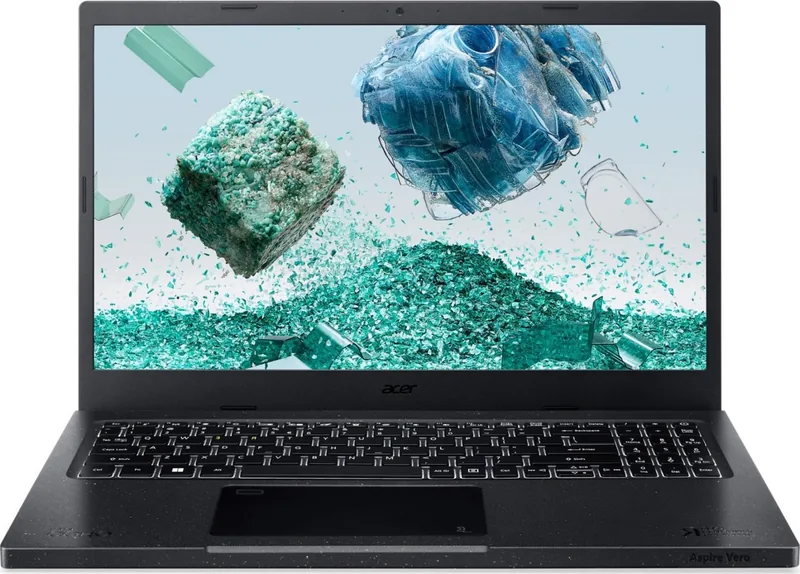
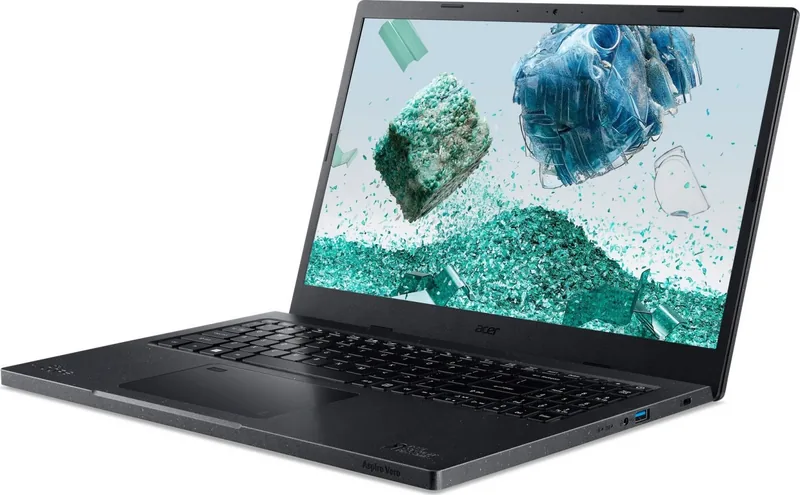
The Acer Aspire Vero AV15-52 stands out as a reliable choice for modern mobile computing needs. Designed with sustainability in mind, this notebook integrates eco-friendly features that cater to environmentally conscious users without compromising performance. The device features a robust screen view equipped with an internal microphone and webcam for seamless communication. The keyboard offers full-sized keys with lock keys and special hotkeys for enhanced productivity. Users can access detailed control over their system via the Windows OS Desktop, which includes settings, search, and widgets for weather and news. This interface allows users to easily manage applications and system settings from a centralized location.
Advanced Features
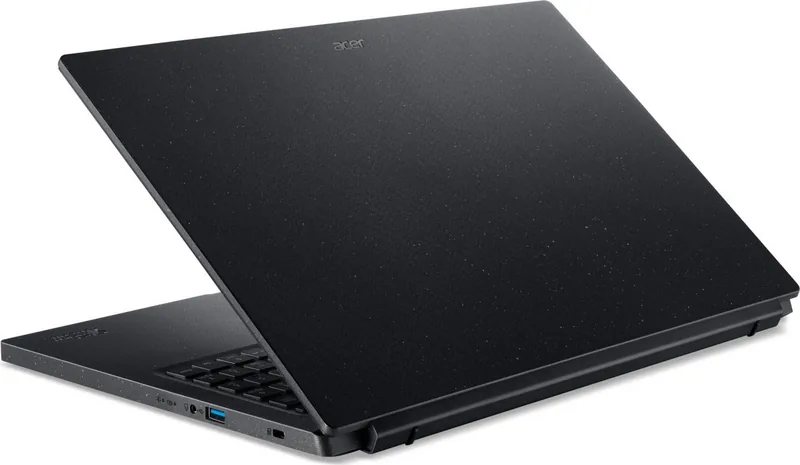
One of the standout aspects of this machine is the VeroSense software. It allows users to manage eco-friendly modes such as ECO+ and Balanced to extend battery life. This ensures that the laptop adapts energy consumption to daily tasks effectively. ECO+ mode is designed to save critical functions when battery is low, while Balanced mode optimizes performance. Additionally, the Bluelight Shield technology reduces blue-light emissions to protect eyes during extended screen time. Connectivity is robust, offering USB Type-C ports that support Thunderbolt 4 and video output, alongside standard USB 3.2 Gen 1 ports for peripherals. The Left view panel includes an HDMI port for high-definition digital connections and an Ethernet port for stable network access.
Security and Maintenance
Security is prioritized with a built-in fingerprint reader for Windows Hello. This adds an extra layer of protection alongside password features and BIOS utilities. The recovery options help maintain system integrity, allowing users to reset the PC while keeping files or removing everything for a fresh start. Battery management is crucial for travelers. The internal Lithium battery requires specific charging conditions to maintain longevity, ideally kept between 15 and 25 degrees Celsius. Power management settings help monitor system activity to conserve energy when inactivity is detected. The system includes a battery reset pinhole for maintenance purposes.
Connectivity and Support
Navigating the internet is secure with pre-installed Norton Security protection against malware and phishing. The interface simplifies connecting to wireless LANs or using a cable for wired stability. For maintenance, the cleaning and servicing guidelines ensure the hardware remains cool and functional. The AC adapter must be handled carefully to avoid damage. Whether traveling or working from home, the Verso Sense mode switching provides estimated time for various power settings. Ultimately, the Acer Aspire Vero AV15-52 serves as a comprehensive tool for productivity. The International Travelers Warranty provides peace of mind when moving across regions. Registration via the website ensures product records are secured. Touchpad gestures enable precise cursor control with multi-finger inputs, streamlining navigation through documents and media. This machine supports various wireless technologies, including Bluetooth for connecting headsets and keypads wirelessly. It adapts to different environments with safety guidelines for safe battery usage to prevent damage from heat or moisture.
Conclusion
Buyers can trust the quality built by the manufacturer for a solid daily experience.
Search for 67,706 Manuals online


Type-in Brand or Model