
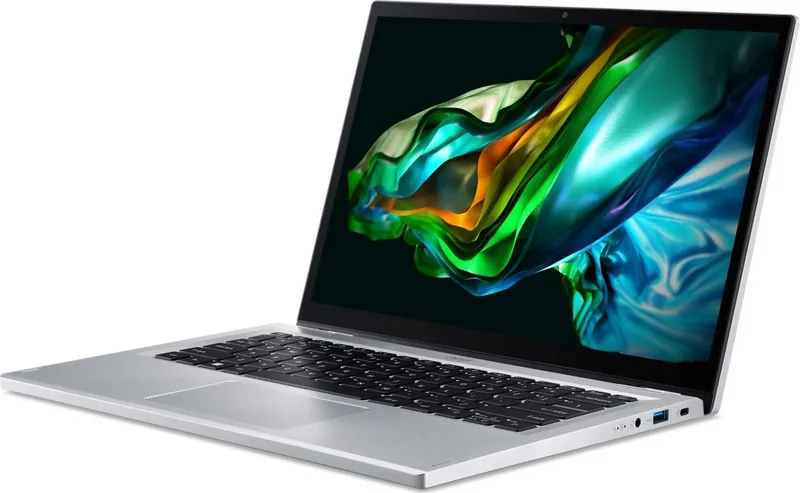
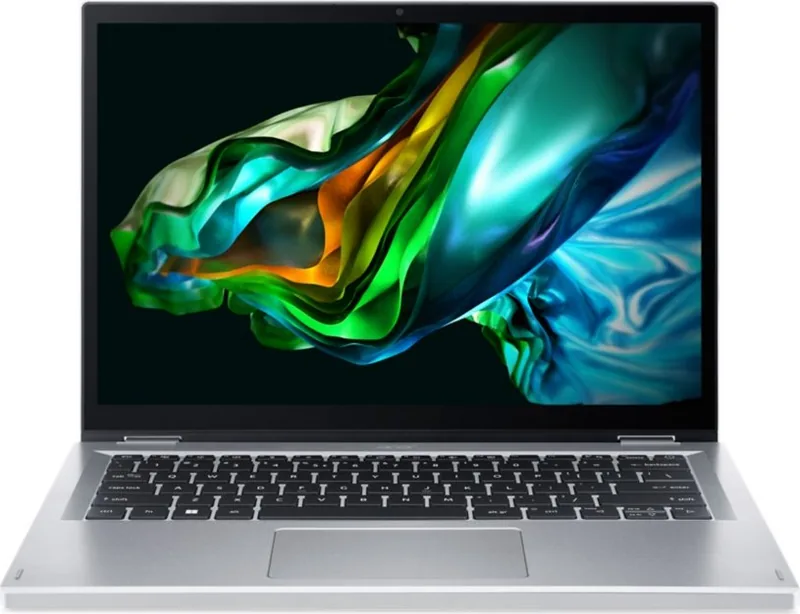
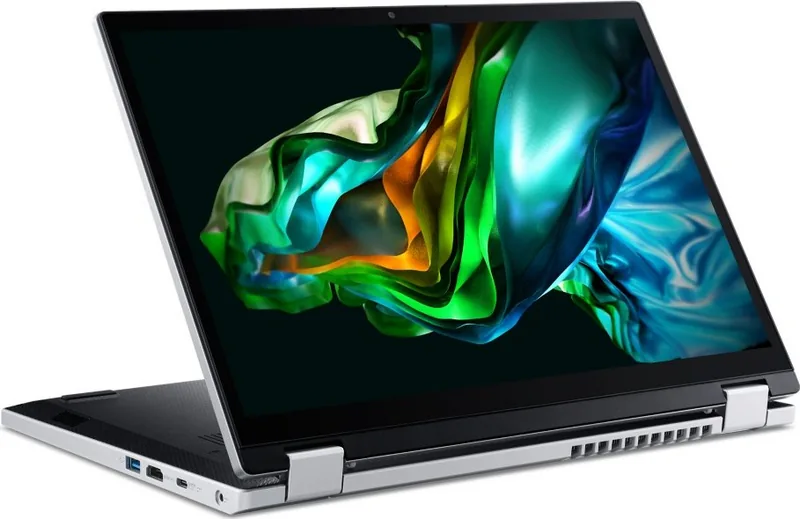
Acer Aspire 3 Spin 14 A3SP14-31PT Manual
PDF manual · 79 Pages
English


Quick check
Incorrect answer, please try again.
Chat with your Acer Aspire 3 Spin 14 A3SP14-31PT manual using AI
Get instant AI answers from your Acer Aspire 3 Spin 14 A3SP14-31PT manual
Ask anything about the Acer Aspire 3 Spin 14 A3SP14-31PT. Answers come from this manual, with the pages they are based on.
Aspire 3 Spin 14 A3SP14-31PT Maintenance Schedule
When storing the device for a long time, check the battery every 6 months and recharge it to approximately 50% capacity.
Rest your eyes for 5-10 minutes every hour to reduce strain from long monitor use.
Free maintenance reminders
Timed to your purchase date. Always free, unsubscribe anytime.
Ask a Question
Do you recommend Aspire 3 Spin 14 A3SP14-31PT?
Yes NoFrequently Asked Questions
Press the Windows key navigate to Settings System Notifications and toggle apps or disable entirely.
Is this answer helpful?
Look on the bottom base label or register online using your Acer ID and email address.
Is this answer helpful?
Yes certain ports support charging tablets or smartphones even when the computer is turned off or in hibernate.
Is this answer helpful?
Check power supply plug disconnect USB storage and restart holding the power button or press Control Alt Delete.
Is this answer helpful?
Go to Care Center select recovery choose option reset PC then pick Keep my files for local reinstall.
Is this answer helpful?
Yes the International Travelers Warranty passport booklet covers authorized service centers at destinations worldwide.
Is this answer helpful?
Enable Bluetooth in settings click add device wait for detection enter pairing code if prompted to complete.
Is this answer helpful?
Advantages and Disadvantages
Advantages

- Precision Touchpad with multi-finger gesture support enhances navigation
- Bluelight Shield reduces eye strain during prolonged screen use sessions
- Fast charging capabilities via USB Type-C ports improve efficiency
- Built-in Fingerprint Reader allows for quick and secure login access
- Comprehensive recovery tools simplify system resets and backup creation
Disadvantages

- Battery life may decrease significantly under heavy multitasking loads
- Screen brightness might remain low when used outdoors in sunlight
- Internal battery is non-user replaceable requiring service center visits
- No microSD card slot exists for expanding local storage capacity
- Display color accuracy is lower than professional grade monitors
Product Specification
Type
Laptop, Convertible
Display
14 inches, 1920x1200 (WUXGA), 16:10, 162 ppi, 60 Hz, Multi-Touch, Anti-Glare (Matte), IPS
Hard Drive
N/A
Internal Storage
N/A
Input
Keyboard with German (QWERTZ) Layout (Rubber-Dome), Touchpad
Ports
1x USB-C 3.1 with DisplayPort (10 Gb/s), 2x USB-A 3.0 (5 Gb/s), 1x HDMI 2.1, 1x 3.5mm Audio Jack, 1x DC Power Input
Authentication
N/A
Camera
0.9 Megapixels
Optical Drive
N/A
Power Adapter
1x AC Adapter (45W)
Features
Security Lock Slot (Kensington)
Weight
3.40 lbs
Dimensions
12.59 x 8.97 x 0.74 in (WxDxH)
Color
Silver, Manufacturer Name: Pure Silver
USB Nomenclature
Link
Product Description
Overview
Unlock the full potential of your computing experience with the sleek Acer Aspire 3 Spin A3SP14-31PT laptop. Designed for versatility, this 14-inch convertible device adapts to your workflow seamlessly whether you are working, learning, or creating. The vibrant touchscreen display offers clear visuals perfect for browsing media or viewing high-definition content during presentations. Equipped with robust USB Type-C ports alongside standard USB 3.2 Gen 2 interfaces for fast data transfers.
Hardware Features
Power efficiency is a priority. The built-in battery provides reliable endurance throughout the day, supported by intelligent power management settings to extend usage time without sacrificing performance. Safety features such as Bluelight Shield protect your eyes during long sessions by reducing harmful blue light emissions effectively. Security remains paramount with options like a fingerprint reader for quick Windows Hello access and password protection levels including Supervisor and User passwords integrated into the BIOS utility.
Maintenance
The Precision Touchpad supports various multi-finger gestures for enhanced control over windows and applications. The keyboard layout includes dedicated function keys for brightness, volume, and microphone toggling ensuring comfort during extended typing sessions. Connecting to peripherals is effortless via Bluetooth technology allowing wireless headsets or mice to pair quickly for productivity boosts. For data safety, built-in recovery tools enable creating backups or resetting the system to factory defaults easily when needed.
Proper maintenance extends the lifespan of your hardware significantly. Cleaning should be performed using a soft moist cloth with the device powered down to prevent damage. Avoid exposing the unit to temperatures below zero Celsius or above fifty degrees Celsius to safeguard internal components. Charging practices matter greatly as well so disconnecting once fully charged prevents overheating risks over time. If issues arise troubleshooting tips cover error messages and boot sequence adjustments through the BIOS setup menu. Internet security software integration helps protect against malware threats while surfing the net responsibly.
Support
Many users seek guidance on optimizing their new machine for maximum speed and convenience. Reference materials related to the Acer Aspire 3 Spin A3SP14-31PT Manual provide step-by-step instructions for initial configuration and driver installation processes. These resources help clarify how to manage apps pinned to the start menu or adjust notification settings for better focus. Traveling becomes less stressful when knowing exactly how to pack the adapter and handle security locks properly. Support is available through dedicated service centers ensuring customer confidence in purchase decisions.
Search for 67,706 Manuals online


Type-in Brand or Model