
Acer Aspire 3 A314-23P Manual
PDF manual · 74 Pages
English


Quick check
Incorrect answer, please try again.
Chat with your Acer Aspire 3 A314-23P manual using AI
Get instant AI answers from your Acer Aspire 3 A314-23P manual
Ask anything about the Acer Aspire 3 A314-23P. Answers come from this manual, with the pages they are based on.
Ask a Question
Do you recommend Aspire 3 A314-23P?
Yes NoFrequently Asked Questions
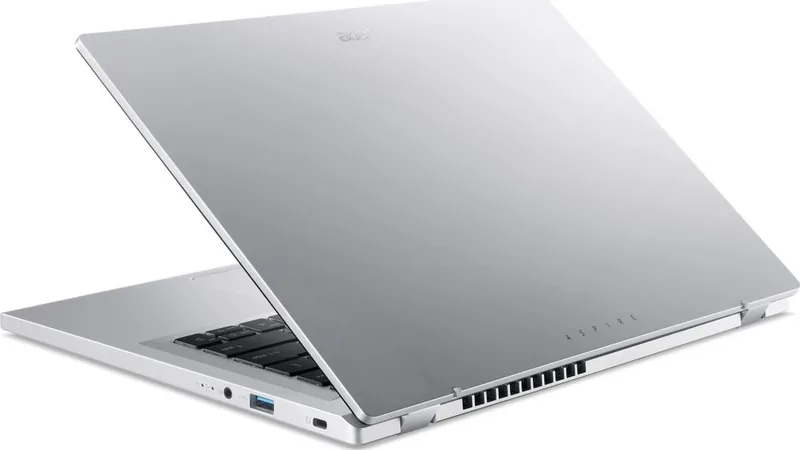
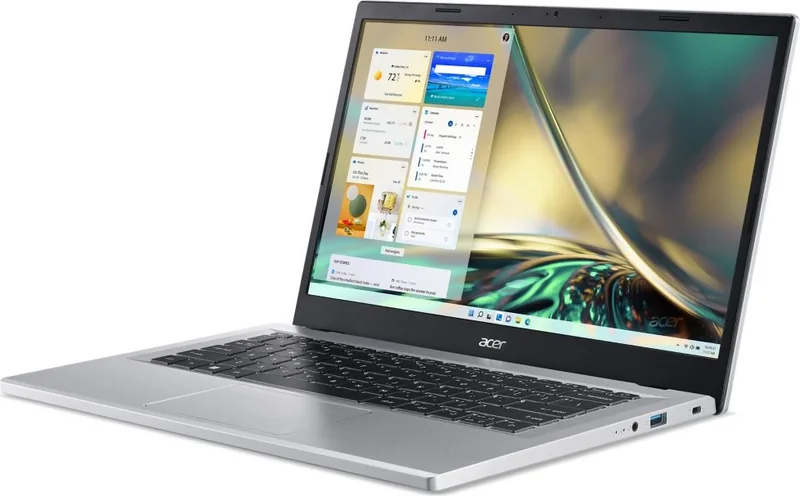
It includes DC-in, USB Type-C, HDMI, and USB Type-A on the left side. The right side adds another USB Type-A port, a combined headphone and microphone jack, and a Kensington-compatible security slot.
Is this answer helpful?
Yes. The USB Type-C port supports DisplayPort audio/video output for compatible displays. It also supports USB data connections and charging functions with compatible equipment.
Is this answer helpful?
Yes. Bluetooth can be enabled in Windows settings to pair compatible headphones, keyboards, phones, and other devices. Wi-Fi is also available for wireless network connections.
Is this answer helpful?
Use Acer Bluelight Shield through Quick Access. It offers low, medium, and high blue-light reduction settings, plus a long-hour mode designed to support more comfortable extended viewing.
Is this answer helpful?
Windows recovery options can reset the PC and reinstall Windows while keeping personal files. Installed apps are removed, so important data should still be backed up before starting recovery.
Is this answer helpful?
A fingerprint reader is available on some configurations and can be set up through Windows Hello sign-in options. Availability varies by model configuration.
Is this answer helpful?
Advantages and Disadvantages
Advantages

- USB Type-C supports up to 10 Gbit/s data transfer, charging, and DisplayPort audio/video output.
- HDMI and multiple USB ports simplify connections to displays, storage, and everyday peripherals.
- Precision touchpad supports scrolling, zooming, and multi-finger Windows 11 gestures.
- Bluelight Shield provides several blue-light reduction modes for more comfortable extended viewing.
- Optional fingerprint reader supports convenient Windows Hello sign-in on compatible configurations.
Disadvantages

- Exact hardware features, including fingerprint reader and keyboard backlighting, vary by configuration.
- The integrated battery is not intended for user replacement and requires authorized service.
- USB Type-C does not guarantee Thunderbolt video support; some functions may be unavailable.
- Battery capacity and runtime are not specified in the provided product information.
- The laptop should be protected from moisture, dust, impacts, and extreme temperatures.
Product Specification
Type
Laptop
Display
14", 1920 x 1080 (FHD), 16:9, 157 ppi, 60 Hz, non-glare (matte), IPS
RAM
8 GB LPDDR5 (8 GB soldered, not expandable)
HDD
N/A
Flash
N/A
Graphics
AMD Radeon 610M (iGPU), 2 CU/128 SP, 1.90 GHz, "RDNA 2" architecture (Mendocino)
Input
Keyboard with German layout (rubber dome), touchpad
Ports
1 x USB-C 3.1 with DisplayPort (10 Gb/s), 2 x USB-A 3.0 (5 Gb/s), 1 x HDMI 2.1, 1 x 3.5 mm jack, 1 x DC-in barrel jack (power connection)
Wireless
Wi-Fi 6 (WLAN 802.11a/b/g/n/ac/ax), Bluetooth 5.2
Authentication
N/A
Optical Drive
N/A
Power Adapter
1 x barrel connector (45 W)
Weight
3.09 lb
Dimensions
12.93 x 8.55 x 0.74 in (W x D x H)
Color
silver, manufacturer designation: Pure Silver
USB Notation
Left
Product Description
Acer Aspire 3 A314-23P - Read, Download & Print Free
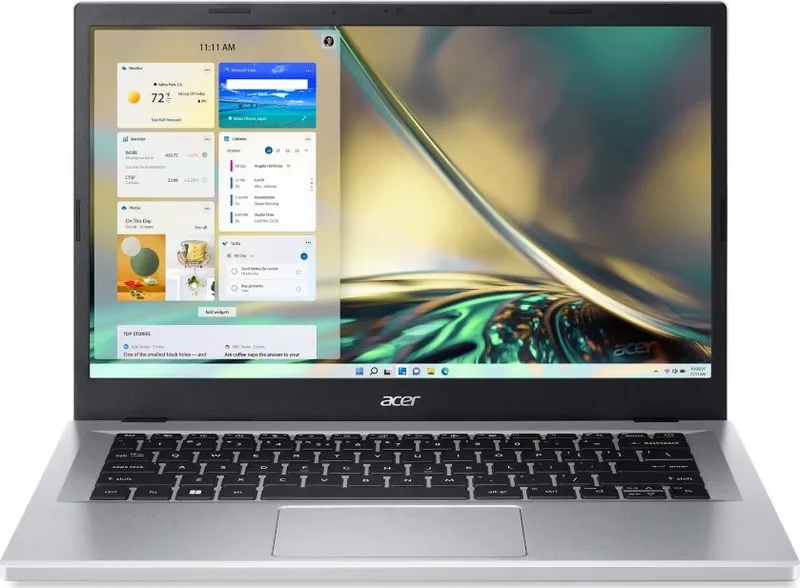
The Acer Aspire 3 A314-23P is a practical everyday laptop designed for work, study, entertainment, and connected home use. Its straightforward layout combines a built-in display, keyboard, precision touchpad, webcam, digital microphones, stereo speakers, and a power button in a compact notebook format. Selected configurations may also include a fingerprint reader for convenient Windows Hello sign-in.
Connectivity for daily tasks
This Aspire 3 model offers flexible connections for peripherals and external displays. The left side includes a DC-in port, a USB Type-C port with charging support and DisplayPort audio/video output, HDMI, and USB Type-A. On the right, users will find another USB Type-A port, a combined headphone and microphone jack, status indicators, and a Kensington-compatible security slot. USB Type-C supports data transfer speeds of up to 10 Gbit/s, making it useful for compatible storage devices and accessories.
HDMI makes it easy to connect a television or monitor for a larger workspace, presentations, or streaming. The USB ports support common devices such as mice, keyboards, external drives, and smartphones. Bluetooth support enables wireless connections with compatible headphones, keyboards, phones, and other accessories.
Windows 11 productivity features
The Acer Aspire 3 A314-23P works with the Windows 11 environment, including Start, Search, Task View, Widgets, Quick Settings, and notifications. The precision touchpad supports tap, scroll, zoom, and multi-finger gestures for navigating apps and switching between tasks. Keyboard hotkeys provide quick access to useful controls such as volume, brightness, display switching, airplane mode, and touchpad settings.
For comfortable extended viewing, Acer Bluelight Shield offers several blue-light reduction modes. Users can choose a light, medium, or high reduction level, along with a mode intended for longer sessions. This feature can help tailor display comfort for reading, browsing, and everyday screen-based activities.
Power, protection, and maintenance
An integrated lithium battery supports portable use between charges. Acer recommends using approved charging equipment, avoiding extreme temperatures, and storing the laptop in a dry, ventilated location. Battery status is visible through system indicators, while power-management settings can help reduce unnecessary energy use.
Security options include BIOS passwords, boot protection, a physical lock slot, and fingerprint sign-in on supported configurations. Windows recovery tools and Acer Care Center functions can assist with backups, driver preservation, and system reset choices. Wi-Fi connectivity, Bluetooth pairing, and practical troubleshooting guidance make the Aspire 3 A314-23P a well-rounded option for users who value simple, dependable computing.
Notes
- Features can vary by regional configuration.
- Use certified chargers and safely eject USB storage before removal.
- Keep software, Windows updates, and security protection current.
Search for 67,706 Manuals online


Type-in Brand or Model