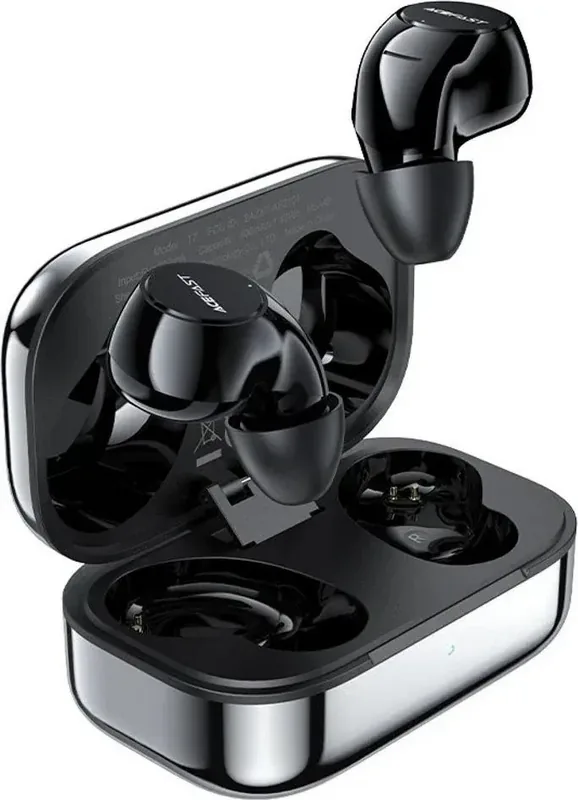
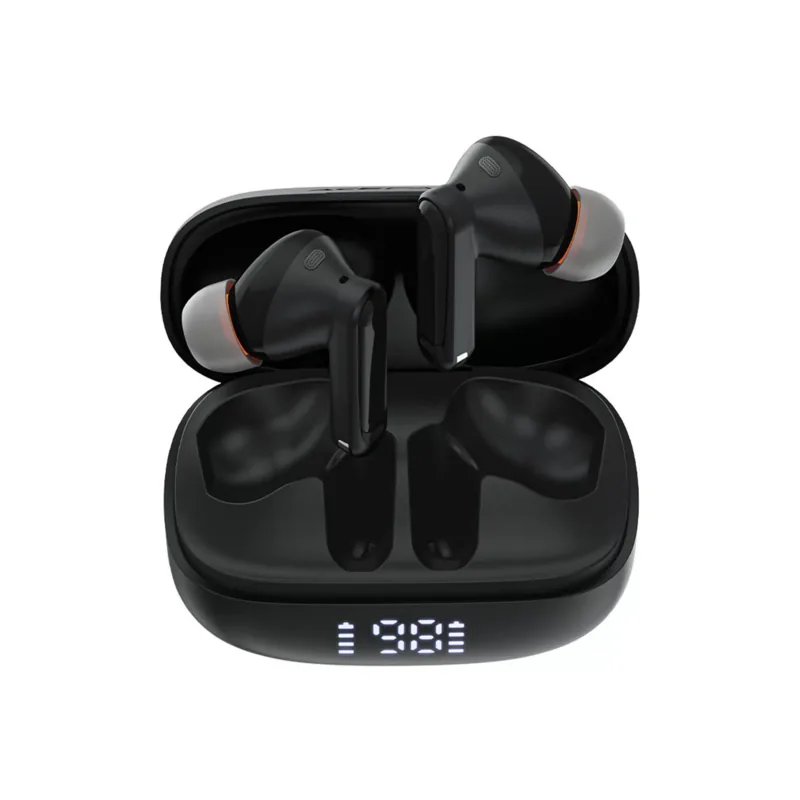
T7 Unrivalled true wireless stereo Earbuds silver
Quick Start Guide
Product information
Charging contacts
Mic
EN
Charging case
LED indicator
Charging case
contacts
USB-C charging port
Multi-function button
Thank you for purchasing this produc
Please read this user
assistanc
order number
P
Product list
EN
Product model
Bluetooth version
Bluetooth pairing name
Bluetooth chip
Audio decoding protocol
Frequency range
Speaker type
Speaker specifications
Speaker sensitivity
Tr
Music time
Call time
Charging case can charge headset (times)
Working time with charging case
Headset charging time
Charging time of charging case
Headset battery capacity
Charging case battery capacity
Headset size
Headset weight
Overall size
Total weight
Material
USB-C cable
x 1
Manual
x 1
S / M / L eartips
x 3 pairs
S M L
Charging case
x 1
Storage bag
x 1
Protection sticker
x 2
Earbuds
x 2
T7
Bluetooth 5.2
ACEFAS
QCC3040
SBC / AAC / Apt
≥10 meters
Moving coil + moving magnet
Moving coil Φ8mm+moving magnet (5.02x2.69x1.94mm)
94±3dB
20Hz-20kHz
About 6 hours
About 6 hours
About 3 times
About 24 hours
About 1.5 hours
About 2 hours
45mAh
400mAh
About
27x2 x21mm
About
9g
About
60x38x27mm
About
72g
PC+plastic, st
Instructions for use
The left and right headsets are paired successfully by default when the product leaves the fact
connecting to the phone for the first time.
1. T
2. T
After the pairing is successful, you will hear a prompt tone and the phone shows that it is connected.
When you use it again, after the headset is turned on and paired, it will automatically connect back to the connected mobile phone. If
you cannot connect to the mobile phone, please manually connect to the headset from the Bluetooth menu of the mobile phone.
ACEFAST T7
ACEFAST T7
EN
Prompt:
* When connecting the headset to the device, in order to avoid failur
be taken from the charging case at the same time.
* You have 3 minutes to connect the headset t
back into the charging case to re-enter the pairing mode.
* The left and right headsets can be used as separate mono headset when used alone.
* If there is no sound after the main and auxiliary headsets are connected, please put the headsets back into the charging case to
reset.
Touch and hold the multi-function
button for 2 seconds
Operation mode (playing music)
EN
1. Play music: click the multi-function button or operate the player on the mobile phone (some mobile phones will aut
music player when connected to the Bluetooth stereo).
2. Pause the music: click the multi-function button or operate the player on the phone when playing music.
3. Next song: when playing music, double-click the right headset multi-function button.
4. Previous song: when playing music, double-click the left headset multi-function button.
5. Volume +: touch and hold the multi-function button on the right headset, there will be a beep when the v
6. Volume -: touch and hold the multi-function button on the left headset, there will be a beep when the volume is at minimum.
7. Wake up the voice assistant: triple click the multi-function button on the right headset.
8. Mode switching: triple click the left headset multi-function button to switch between game / ambient sound / normal mode.
Click the multi-function button L / R
Double-click the right headset multi-function button
Double-click the left headset multi-function button
Touch and hold the right headset multi-function butt
Touch and hold the left headset multi-function butt
Restore factory settings: take out the two headsets, click the multi-function button 5 times after the white light flashes, the white
light flashes quickly and goes out, the reset operation is successful.
* Notice: during the reset operation, you need to clear the hist
mode cannot be entered.
* Due to the characteristics of Bluetooth headsets, electromagnetic interfer
interrupted. Based on the characteristics of wireless technology
Bluetooth sound signal at the same time, a delay may occur in the audio signal and the video signal, that is, the sound is out of
sync with the picture.
1. Power on:
① Open the charging case, take out the headset, the headset will turn on automatically
② When turned off, press and hold the multi-function button for 2 seconds, the headset enters the Bluetooth pairing
mode after power on, the white led light starts to flash.
2. T
3. Answer the call: when there is an incoming call, click the multi-function button.
4. End the call: during the call, click the multi-function button.
Operation mode (calls)
88888888888
88888888888
88888888888
EN
5. Rejecting a call: when a call comes in, touch and hold the multi-function button for 2 seconds.
88888888888
Click the multi-function button
Touch and hold the multi-function
button for 2 seconds
Operation method (charging)
Precautions for charging:
Use a charger with an output voltage of DC 5V
PC or a charger with a USB port output (must choose a charger
that has been certified by a manufacturer).
Tips:
This product contains a built-in rechargeable lithium battery
please read battery safety warnings.
It is forbidden to hit, squeeze or throw into fire. If sev
occurs, please do not continue to use it. Do not place it in a high
temperature environment. It is forbidden to use the battery after
it is immersed in water
Do not try to remove the battery from the headset to avoid
damage to the headset.
The headset will automatically consume power when it is
shelved. It is recommended to charge the headset every
3 - 6 months.
EN
1. Headset: when the battery is low, the headset will giv
charging case to start charging.
2. Charging of the charging case: use the USB-C charging cable to connect to the char
3. LED display of charging case:
① The white light flashes once intermittently
② The white light flashes twice intermittently
③ The white light flashes 3 times intermittently
④ The white light flashes 4 times intermittently
1. Encender:
① Abr
② En el estado apagado, mantenga pulsada la tecla multifuncional durante 2 segundos, se encender
2. Apagar: los auriculares se apagarán automáticamente después de colocarlos en el estuche de carga.
3. Contestar llamada: haga clic en la tecla multifuncional cuando entra una llamada.
4. Finalizar llamada: haga clic en la tecla multifuncional durante una llamada.
Métodos de operación (contestar / hacer llamada)
88888888888
88888888888
88888888888
ES
5. Rechazar llamada: mantenga pulsada la tecla multifuncional durante 2 segundos cuando entra una llamada.
88888888888
Haga clic en la tecla multifuncional
Mantener pulsada la tecla multifuncional
durante 2 segundos
Métodos de operación (carga)
Precauciones de carga:
Utilice un cargador con un voltaje de salida de DC 5V
USB de una PC o un cargador con una salida de puerto USB (el
cual debe ser un cargador con seguridad certificada por un
fabricante formal).
Consejos:
Una batería de litio recargable está incorporada en el producto,
cuyas advertencias de seguridad de uso son:
Queda prohibido golpearla, apretarla o arrojarla al fuego; no siga
utilizándola en caso de grave hinchazón. No la coloque en un
entorno de temperatura elev
después de haber sido sumergida en agua.
No intente sacar la batería de los auriculares, para evitar que se
dañen los mismos.
Los auriculares consumirán energía automáticamente cuando
están dejados de usarse, se recomienda cargarloso una vez
cada 3 a 6 meses.
ES
1. Auriculares: si la energía está baja, los auriculares le darán un r
auriculares adentro para comenzar a cargar
2. Carga del estuche de carga: conecte el cable de carga USB-C a la interfaz del estuche de carga para iniciar la car
3. Visualización LED del estuche de carga:
① Parpadeo rápido e intermitente de la luz blanca: Indica 1%-25% de energía.
② Parpadeos rápidos e intermitentes de la luz blanca: Indica 25%-50% de energía.
③ Parpadeos rápidos e intermitentes de la luz blanca: Indica 50%-75% de energía.
④ Parpadeos rápidos e intermitentes de la luz blanca: Indica 75%-100% de energía.
Métodos de operación (repr
ES
1. Reproducir música: haga clic en la tecla multifuncional u opere el reproductor en el teléfono (algunos teléfonos iniciar
automáticamente el reproductor de música cuando se conectan al estéreo Bluet
2. Pausar música: cuando se reproduce la música, haga clic en la tecla multifuncional u opere el reproduct
3. Siguiente canción: al reproducir música, haga doble clic en el botón multifunción del auricular derecho.
4. Canción anterior: al reproducir música, haga doble clic en el botón multifunción del auricular izquierdo.
5. Volumen +: mantenga pulsada la tecla multifuncional del auricular derecho, se emitirá un t
al nivel más alto.
6. Volumen -: mantenga pulsada la tecla multifuncional del auricular izquierdo, se emitir
está al nivel más bajo.
7. Activar el asistente de voz: haga triple clic en la tecla multifuncional del auricular derecho.
8. Cambio de modo: haga triple clic en la tecla multifuncional del auricular izquierdo para cambiar entre los modos de juego /
sonido ambiental / normal.
Haga clic en la tecla multifuncional L / R
Haga doble clic en el botón multifunción del auricular derecho
Haga doble clic en el botón multifunción del auricular izquierdo
Mantenga pulsada la tecla multifuncional del auricular derecho
Mantenga pulsada la tecla multifuncional del auricular izquierdo
Restaurar la configuración de fábrica: saque los dos auriculares y
multifuncional 5 veces, la luz blanca parpadeará rápidamente y se apagar
* Atención: durante la operación de restablecimient
teléfono, de lo contrario, no puede entrar en el modo de parpadeo r
* Debido a las características de los auriculares Bluetooth, la interferencia electr
conexión. Basándose en las características de la tecnología inalámbrica, puede haber un "retraso
de video cuando el equipo realiza la función de visualización y transmite la señal de sonido Bluetooth al mismo tiempo, es decir
el sonido y la imagen no se sincronizan.
1. Включение:
①Откройте зарядный чехо
②В выключенном состоянии нажмит
гарнитура перехо
2. Выключение: гарнитура автоматически выключит
3. Ответить на звонок: при входящем звонке нажмит
4. Завершить звонок: во время разговора нажмите мног
Режимы работы (звонки)
88888888888
88888888888
88888888888
RU
5. Отклонить вызов: при поступлении вызова нажмите и удер
88888888888
Коснитесь
многофункциональной кнопки
коснитесь многоф
кнопки на 2 секунды
Режим работы (зарядка)
Меры предосторожности при зарядке:
Используйте зарядное устройство с выхо
напряжением DC 5V
выходом USB (необх
сертифицированное произво
Советы:
Этот про
литиевую батарею, пожалуйста, прочтит
по безопасности батареи.
Запрещается у
случае сильного вздутия, пожалуйста, прекратит
использовать. Не помещайте устройство в среду с высок
температурой. Запрещает
того, как она была погружена в во
Не пытайтесь вынуть батарею из гарнитуры, чт
повредить гарнитуру.
Г
хранении без использования. Рекомендует
гарнитуру каждые 3-6 месяцев.
RU
1. Г
Откройте чехол для зарядки, поместит
2. Зарядка зарядного чехла: подключит
3. LED дисплей зарядного чехла:
① Белый свет мигает один раз, уровень заряда 1% -25%.
② Белый свет мигает дважды, уровень заряда 25% -50%.
③ Белый свет мигает 3 раза, уровень заряда 50% -75%.
④ Белый свет мигает 4 раза, уровень заряда 75% -100%.
Режим работы (воспроизведение музыки)
RU
1. Воспроизведение музыки: нажмите многофункциональную кнопку или управляйт
мобильные телефоны авт
2. Приостановить музыку: нажатие многофункциональной кнопки или управление плеером на т
во время воспроизведения музыки.
3. Следующая песня: при воспроизведении музыки дважды нажмите многофункциональную кнопку правой гарнитуры.
4. Предыдущая песня: при воспроизведении музыки дважды нажмите многофункциональную кнопку левой гарнитуры.
5. Г
раздастся звуковой сигнал.
6. Г
раздастся звуковой сигнал.
7. Вызов голосового помощника: трижды нажмит
8. Переключение режимов: трижды нажмите многофункциональную кнопку левой гарнитуры для переключения между
игровым / окружающим звуком / нормальным режимом.
Hажмите многофункциональную кнопку L / R
Дважды нажмите многофункциональную кнопку
правой гарнитуры
Дважды нажмите многофункциональную кнопку
левой гарнитуры
Hажмите и у
на правой гарнитуре
Hажмите и у
на левой гарнитуре
Восстановить заводские настройки: вынь
белый свет мигнет, белый свет быстро мигнет и погаснет, операция сброса прошла успешно.
* Примечание: во время операции сброса вам необхо
телефоне, в противном случае нельзя бу
* Из-за характеристик гарнитур Bluetooth электромагнитные помехи в зоне действия могут привести к прерыванию
соединения. В зависимости от характеристик беспрово
отображения и о
видеосигналом, то есть звук не синхронизирует
1. Einschalten:
①Öffnen Sie die Ladebox, nehmen Sie den Ohrhörer heraus, der ohrhörer schaltet sich aut
②Drücken Sie im ausgeschalteten Zustand die Multifunktionstaste 2 Sekunden lang, der Ohrhörer wechselt nach dem Einschalten
2. Ausschalten: Der Ohrhörer schaltet sich automatisch aus, nachdem der Ohrhörer in die Ladebox gelegt wur
3. Anruf annehmen: Wenn ein Anruf eingeht, Klicken Sie auf die Multifunktionstaste.
4. Beenden des Anrufs: Klicken Sie während des Anrufs auf die Multifunktionstaste.
Funktionsweise (Empfangen / Anrufen)
88888888888
88888888888
88888888888
DE
5. Abweisen eines Anrufs: Wenn ein Anruf eingeht, berühren Sie die Multifunktionstaste 2 Sekunden lang.
88888888888
Klicken Sie auf die Multifunktionstaste
Berühren Sie die Multifunktionstaste 2 Sekunden lang
Betriebsmethode (Laden)
Vorsichtsmaßnahmen beim Aufladen:
Verwenden Sie ein Ladegerät mit einer Ausgangsspannung von
DC 5V DC, einen USB-Port eines PCs oder ein Ladegerät mit
einem USB-Port-Ausgang (wählen Sie ein Ladegerät eines
regulären Herstellers, das für die Sicherheit zertifiziert ist).
Tipps:
Dieses Produkt enthält eine eingebaute wiederaufladbare
Lithiumbatterie. Sicherheitshinweise bei der Verwendung der
Batterie:
Es ist verboten, den Akku zu schlagen, zu quetschen oder ins
Feuer zu werfen; wenn der Akku stark anschwillt, verwenden Sie
ihn nicht weiter
hohen T
in Wasser eingetaucht wurde.
Versuchen Sie nicht, den Akku aus dem Ohrhörer zu entfernen,
um Schäden am Ohrhörer zu vermeiden.
Der Ohrhörer verbraucht automatisch Strom, wenn er nicht
verwendet wird. Es wird empfohlen, der Ohrhörer alle 3 bis 6
Monate aufzuladen.
DE
1. Ohrhörer: Wenn der Akku schwach ist, gibt der Ohrhörer eine Spracherinnerung aus.
Öffnen Sie die Ladebox, legen Sie das Headset in die Ladebox, um den Ladevorgang zu starten.
2. Aufladen der Ladebox: Verwenden Sie das USB-C-Ladekabel, verbinden Sie sich mit der Ladebox-Schnittstelle und starten Sie den
Ladevorgang.
3. Die LED-Anzeige der Ladebox:
① Das weiße Licht blinkt einmal intermittierend und zeigt die verbleibende 1%-25% Leistung an.
② Das weiße Licht blinkt zweimal intermittierend und zeigt die verbleibende 25%-50% Leistung an.
③ Das weiße Licht blinkt dreimal intermittierend und zeigt die verbleibende 50%-75% Leistung an.
④ Das weiße Licht blinkt viermal intermittierend und zeigt die verbleibende 75%-100% Leistung an.
Bedienungsmethode (Abspielen von Musik)
DE
1. Musik abspielen: Klicken Sie auf die Multifunktionstaste oder bedienen Sie den Player am T
den Musikplayer automatisch, wenn sie mit der Bluetooth-Stereoanlage verbunden sind).
2. Musik anhalten: Klicken Sie auf die Multifunktionstaste oder bedienen Sie den Player am T
Musikwiedergabe.
3. Nächstes Lied: Wenn Sie Musik abspielen, Doppel klicken Sie kurz auf die Multifunktionstaste des rechten Headsets.
4. Vorheriger Song: Wenn Sie Musik abspielen, Doppel klicken Sie kurz auf die Multifunktionstaste des link
5. Lautstärke+: Drücken Sie lange die Multifunktionstaste am rechten Ohr
6. Lautstärke -: Drücken Sie lange die Multifunktionstaste am linken Ohr
7. Aktivieren Sie den Sprachassistenten: Klicken Sie dreimal auf die Multifunktionstaste am r
8. Modusumschaltung: Klicken Sie dreimal auf die Multifunktionstaste am linken Ohr
fekten / Normalmodus zu wechseln.
Klicken Sie auf die Multifunktionstaste L / R
Dcoppel klicken Sie kurz auf die Multifunktionstaste des
rechten Headsets
Doppel klicken Sie kurz auf die Multifunktionstaste des
linken Headsets
Drücken Sie lange die Multifunktionstaste am rechten Ohr
Drücken Sie lange die Multifunktionstaste am linken Ohr
Werkseinstellungen wiederherstellen: Nehmen Sie zwei Ohrhörer heraus, klick
das weiße Licht blinkt. Das weiße Licht blinkt schnell und erlischt dann, um anzuzeigen, dass der Reset-Vorgang erfolgreich war
* Hinweis: Während des Reset-Vorgangs müssen zuerst die hist
werden, sonst kann der Flash-Modus nicht aufgerufen werden.
* Aufgrund der Bluetooth-Funktion des Ohrhörers können elektr
Elektromagnetische Wellen können dazu führen, dass die V
ausführt und gleichzeitig das Bluetooth-Tonsignal überträgt, kann es aufgrund der Eigenschaften der dr
einer "Verzögerung" im Audio- und Videosignal kommen, d. h. der T
1. Avviamento:
① Aprire la scatola di ricarica, prendere fuori gli auricolari e questi si accendernno automaticamente.
② Nello stato di spegnimento, premere a lungo il pulsante multifunzione per 2 secondi, gli auricolari entreranno nello stat
2. Spegnimento: l'auricolare si spegner
3. Risposta: quando arriva una chiamata, fare un clic sul pulsante multifunzione.
4. Chiusura: nella chiamata, fare un clic sul pulsante multifunzione.
Modalità operative (Risposta / Chiamata)
88888888888
88888888888
88888888888
IT
5. Rifiuto: quando arriva una chiamata, premere e tenere premut
88888888888
Fare un clic sul pulsante multifunzione.
Premere il pulsante multifunzione per 2 secondi.
Modalità operative (Ricarica)
Avvertimento per la ricarica:
Utilizzare il caricabatteria con una tensione di uscita di 5V a
corrente continua, il caricabatteria con la porta USB di PC o con
la porta di uscita USB (deve scegliere il caricatore che sia stato
certificato da un normale produttore).
Suggerimenti:
Questo prodotto contiene una batteria al litio ricaricabile
incorporata. Le avvertenze sulla sicurezza della batteria:
È vietato colpire, schiacciare o gettare nel fuoco; se si verifica un
forte gonfiore, non continuare a usarla. Non metterla in un
ambiente ad alta temperatura; è vietato utilizzar
dopo che è stata immersa in acqua.
Non tentare di rimuovere la batteria dall'auricolar
eventuali danni all'auricolare.
L
messo in inatività. Si consiglia di caricare l'auricolare ogni 3-6
mesi.
IT
1. Gli auricolari: quando la potenza è bassa, l’auricolare emetterà un pr
Aprire la scatola di ricarica e mettere gli auricolari nella scatola per cominciare a caricare.
2. Ricarica della scatola di ricarica: utilizzare il cavo di ricarica USB-C per Collegato all'interfaccia della scatola di ricarica iniziar
ricaricare.
3. LED della scatola di ricarica:
① La luce bianca lampeggia 1 volta a intermittenza, indicando l'1% -25% di livello elettrico.
② La luce bianca lampeggia 2 volte a intermittenza, indicando il 25%-50% di livello elettrico.
③ La luce bianca lampeggia 3 volte a intermittenza, indicando il 50%-75% di livello elettrico.
④ La luce bianca lampeggia 4 volte a intermittenza, indicando il 75%-100% di livello elettrico.
Modalità operative (Riproduzione di musica)
IT
1. Riproduzione di musica: fare un clic sul pulsante multifunzione o utilizzare il player sul telefono cellular
cellulari avviano automaticamente il player musicale quando sono collegati allo stereo Bluetooth).
2. Pausa: fare un clic sul pulsante multifunzione durante la riproduzione di musica o utilizzar
3. La canzone prossima: fare doppio clic sul pulsante multifunzionale dell'auricolar
4. La canzone precedente: fare doppio clic sul pulsante multifunzionale dell'auricolar
5. Volume +: premere a lungo il pulsante multifunzione dell’
6. Volume -: premere a lungo il pulsante multifunzione dell’
7. Riattivazione di assistente vocale: fare tre clic sul tasto multifunzione dell'
8. Commutazione di modalità: fare tre clic sul tasto multifunzione dell'auricolar
gioco / suono ambientale / normale.
Fare un clic sul tasto multifunzione L / R
Fare doppio clic sul pulsante multifunzionale dell'auricolare destr
Fare doppio clic sul pulsante multifunzionale dell'auricolare sinistr
Premere a lungo il pulsante multifunzione dell’auricolare destr
Premere a lungo il pulsante multifunzione dell’auricolare sinistr
Ripristinamento di impostazioni di fabbrica: prendere fuori i due auricolari, fare clic 5 volte sul tast
luce bianca ha lampeggiato; la luce bianca lampeggia rapidamente poi si spegne e l'
* Nota: durante l'oper
altrimenti non è possibile accedere alla modalità Lampe. Rapido.
* A causa delle caratteristiche degli auricolari Bluetooth, le interferenze elettr
causare l'interruzione della connessione. In base alle caratteristiche della tecnologia wireless, potrebbe v
segnale di audio e video, ovvero l'audio non è sincronizzat
visualizzazione e trasmette contemporaneamente il segnale audio Bluetooth.
1. Allumage:
① Ouvrez l'étui de recharge et sortez les écouteurs, les écouteurs s'allumeront automatiquement.
② En état d'extinction, maintenez la touche multifonction pendant 2 secondes, après allumage, les écouteurs passeront en état
de jumelage Bluetooth, la lumière blanche LED commence à clignoter.
2. Extinction: après avoir mis le casque dans la boîte de recharge, il s'
3. Réponse à un appel: lorsqu'un appel arrive, cliquez sur la touche multifonction.
4. Mise en fin d'un appel: pendant la conversation, cliquez sur la touche multifonction.
Mode de fonctionnement (réponse / appel)
88888888888
88888888888
88888888888
FR
5. Refus d'un appel: lorsqu'un appel arrive, maintenez la touche multifonction pendant 2 secondes.
88888888888
Cliquez sur la touche multifonction
Maintenez sur la touche multifonction pendant 2 secondes
Méthode de fonctionnement (Recharge)
Remarques de recharge:
Veuillez utiliser un chargeur avec une tension de sortie de 5V DC,
un port USB d'un ordinateur personnel ou un chargeur avec une
sortie de port USB (un chargeur cer
est exigé).
Rappel:
Ce produit contient une batterie au lithium rechargeable intégrée,
dont les avertissements de sécurité de fonctionnement de la
batteriesont suivants:
Il est interdit de frapper
feu; en cas de gonflement grave, veuillez ne pas continuer à
l'utiliser. Ne la placez pas dans un envir
température; c'
immergée dans l'eau.
N'essayez pas de retir
d'endommager les écouteurs.
Les écouteurs consomment automatiquement de l'énergie
lorsqu'ils sont mis de côté. Il est recommandé de les recharger
tous les 3 à 6 mois.
FR
1. Écouteurs: lorsque la batterie est faible, l'écouteur émet un r
de recharge pour commencer à charger
2. Recharge d'étui de recharge : v
pour commencer à charger
3. Affichage LED de boîte de recharge:
① Lorsque la lumière blanche clignote 1 fois en intermittence, il signifie que la batterie reste 1%-25%.
② Lorsque la lumière blanche clignote 2 fois en intermittence, il signifie que la batterie reste 25%-50%.
③ Lorsque la lumière blanche clignote 3 fois en intermittence, il signifie que la batterie reste 50%-75%.
④ Lorsque la lumière blanche clignote 4 fois en intermittence, il signifie que la batterie reste 75%-100%.
Mode de fonctionnement (Lecture de la musique)
FR
1. Ecoute de la musique: faites fonctionner le lecteur en cliquez sur la touche multifonction ou sur le téléphone portbale(certains
téléphones portables démarrent automatiquement
2. Mise en pause de la musique: cliquez sur la touche multifonction ou utilisez le lecteur sur le téléphone portable lors de lecture de la
musique.
3. Chanson suivante:
4. Chanson précédente : lors de la lecture de musique, double-cliquant sur la touche multifonction de l'écouteur gauche.
5. Volume + : appuyez longuement sur le boutonmultifonction sur l'
6. Volume - : appuyez longuement sur le bouton multifonction de l'
7. Réveil de l'aide vocal: triple-cliquez sur le bouton multifonction de l'
8. Commutation de modes: triple-cliquez sur le bouton multifonction de l'oreille gauche, pour commutation entre les modes jeu / son
ambiant / normal.
cliquez sur la touche multifonction L / R
double-cliquez sur le bouton multifonction de l'écouteur droit
double-cliquez sur le bouton multifonction de l'écouteur gauche
appuyez longuement sur le bouton multifonction de l'écouteur droite
appuyez longuement sur le bouton multifonction de l'écouteur gauche
Rétablir les paramètres d'usine : retirez les deux écouteurs, cliquez 5 fois sur le bout
lumière blanche, lorsque la lumière blanche clignote et s'éteint r
* Nota: lors d'opération de réinitialisation, v
sinon le mode de clignotement rapide ne peut pas être activé.
* En raison des caractéristiques des écouteurs Bluetooth, des interfér
la connexion. Sur la base des caractéristiques de la technologie sans fil, lorsque l'appar
le signal sonore Bluetooth en même temps, une "temporisation
synchronisation du son avec l'image.
Tryb pr
Środki ostrożności w czasie ładowania:
Korzystać z ładowarki o napięciu wyjściowym rzędu DC 5V
USB komputera lub ładowarki
z wyjściem USB (należy wybrać ładowarkę zatwierdzoną przez
producenta).
Wskazówki:
Niniejszy produkt zawiera wbudowaną, doładowywaną baterię
litową. Patrz ostrzeżenia dot. baterii.
Zabrania się uderzania, ściskania lub wrzucania do ognia. W
razie nadmiernego napęcznienia, przestać użytkować.
Nie umieszczać w warunkach wysokiej temperatury
użytkowania baterii po zanurzeniu jej w wodzie. Nie wyjmować
baterii ze słuchawek w celu uniknięcia uszkodzeń słuchawek.
Słuchawki automatycznie pobiorą prąd w czasie składowania.
Zaleca się ładowanie słuchawek co 3-6 miesięcy.
PL
1. Słuchawki: gdy poziom baterii jest niski, słuchawki powiadamiają o tym komunikatem głosowym. Otworzyć etui ładujące, umieścić
słuchawki w etui, aby rozpocząć ładowanie.
2. Ładowanie etui ładującego: do połączenia z interfejsemaby rozpocząć ładowanie etui ładującego należy wykorzystać przewód
łądujący USB-C.
3. Wyświetlacz LED skrzynki ładującej:
① Biała lampka miga raz z przerwami, wskazując 1%-25% energii akumulator
② Biała lampka miga 2 razy z przerwami, co oznacza 25%-50% energii akumulator
③ Biała lampka miga 3 razy z przerwami, wskazując 50%-75% energii akumulator
④ Biała lampka miga 4 razy z przerwami, wskazując 75%-100% energii akumulator
Tryb pr
PL
1. Odtwarzanie muzyki: wcisnąć przycisk wielofunkcyjny lub obsługiwać odtwarzacz
z telefonu (niektóre telefony automatycznie uruchamiają odtwarzacz w momencie połączenia z Bluetooth ster
muzyki: wcisnąć przycisk wielofunkcyjny lub obsługiwać odtwarzacz z telefonu w czasie odtwarzania muzyki.
3. Następny utwór: w czasie odtwarzania muzyki, dwukrotnie wcisnąć przycisk wielofunkcyjny prawej słuchawki.
4. Poprzedni utwór: w czasie odtwarzania muzyki, dwukrotnie wcisnąć przycisk wielofunkcyjny lewej słuchawki.
5. Głośność +: długo przytrzymać przycisk na prawej słuchawce, przy maksymalnym natężeniu słyszalny będzie sygnał
dźwiękowy.
6. Głośność -: długo przytrzymać przycisk na lewej słuchawce, przy minimalnym natężeniu słyszalny będzie sygnał dźwiękowy
7. Aktywacja asystenta głosowego: kliknij trzykrotnie prawy przycisk wielofunkcyjny ucha.
8. Przełączanie trybu: Trzykr
otoczenia / normalnym.
Wcisnąć przycisk
Dwukrotnie wcisnąć
Dwukrotnie wcisnąć
Długo przytrzymać przy
Długo przytrzymać przy
Przywracanie ustawień fabrycznych: wyjmij obydwie słuchawki, kliknij przycisk wielofunkcyjny 5 r
biała lampka zamiga szybko i zgaśnie i wtedy operacja resetowania jest udana.
* Uwagi: podczas operacji resetowania należy najpierw usunąć rejestry historyczne odpowiadając telefonowi komórkowemu; w
przeciwnym razie nie będzie można przejść do trybu z błyskiem.
* Ze względu na charakterystykę słuchawek Bluetooth, zakłócenia elektr
W oparciu o charakterystykę technologii bezprzewodowej, gdy urządzenie realizuje funk
transmituje sygnał dźwiękowy Bluetooth, może dojść do opó
zsynchronizowany z obrazem.
1. Uruchamianie:
Otworzyć etui ładujące, wyjąć słuchawki, a dojdzie do ich automatycznego uruchomienia.
W trybie wyłączenia, wcisnąć oraz przytrzymać przycisk wielofunk
słuchawek, słuchawki wchodzą w tryb parowania Bluetooth, a biała lampka LED zaczyna mrugać.
2. Wyłączanie: słuchawki wyłączą się automatycznie po włożeniu ich do ładowarki.
3. Odbiór połączenia: w przypadku połączenia przychodzącego, wcisnąć przycisk wielofunkcyjny
4. Zakończenie połączenia: w czasie rozmowy wcisnąć przycisk wielofunkcyjny
Tryb pr
88888888888
88888888888
PL
5. Refus d'un appel: lorsqu'un appel arrive, maintenez la touche multifonction pendant 2 secondes.
88888888888
wcisnąć przycisk wielofunkcyjny
Maintenez sur la touche multifonction pendant 2 secondes
88888888888
操作方式 (充电)
充电注意事项:
使用输出电压为直流DC5V的充电器、
或带USB口输出的充电器 (必须选择正规厂家安全认
证过的充电器);
温馨提示:
本产品含内置可充电锂电池, 电池使用安全警示:
禁止撞击, 挤压或投入火中; 若出现严重鼓胀
续使用。
请勿尝试从耳机中取出电池, 以免毁坏耳机。
耳机在搁置时会自动耗电, 建议每3至6个月给耳机充
一次电。
CN
1. 耳机:
2. 充电盒充电:
3. 充电盒LED显示:
① 白灯间歇快闪1次, 表示1%-25%电量;
② 白灯间歇快闪2次
, 表示25%-50%电量;
③ 白灯间歇快闪3次
, 表示50%-75%电量;
④ 白灯间歇快闪4次
, 表示75%-100%电量。
操作方式
CN
恢复出厂设置:
* 注意:
* 由于蓝牙耳机特性, 区域中的电磁波干扰可能会造成连接中断。
显示功能和发射蓝牙声音信号时, 在音频信号和视频信号中可能会产生
1. 播放音乐:
放 器 )。
2. 暂停音乐:
3. 下一曲:
4. 上一曲:
5. 音量+:
6. 音量-:
7. 唤醒语音助手:
8. 模式切换:
单击多功能键 L / R
双击右耳多功能键
双击左耳多功能键
长按右耳多功能键
长按左耳多功能键
1. 开机:
① 打开充电盒, 取出耳机
② 关机状态下, 长按多功能键2秒, 开机后耳机进入蓝牙配对状态, led白灯开始闪烁。
2. 关机:
3. 接听电话:
4. 结束通话:
操作方式
88888888888
88888888888
CN
5. 拒接电话:
88888888888
单击多功能键
长按多功能键2秒
88888888888
1. 電源オ
① ケ
② オ
トが 点 めま
2. イ
3. 電話を
4. 電話を
操作方法
88888888888
88888888888
88888888888
JP
5. 拒否:
88888888888
多機能ボ
多機能ボ
操作方式
充電注意事項:
出力電圧がDCDC5Vの
USBポー
に
注意:
こ
池安全の注意:
叩 い た り 、押 し た り 、火 に 投 げ 込 ん だ り し な い で く だ さ い 。ひ ど
い変形が
かない
イヤホ 全 の
う いで さ い 。
イ
~6か月ご
JP
1. イ
充
2. 充電ケ
3. 充電ケ
① 白い
② 白い
③ 白い
④ 白い
製品情報
充電接点
マ
JP
充
LEDランプ
充
の接点
USB-C充電ポー
多機能キー
ご注文ありがとうございました。
このユーザーマニュアルを注意深く読み、いつか参考になれるようにいつでも見られるところに保管
してください。 サポートが必要な場合は、アフターセールスチームに連絡し、製品モデルとAmazon
の注文番号をお知らせください。
取扱説明
出荷時には左右の
1. オ
2. 携帯のBluetoo
ペア
再度使用す
ュ
ACEFAST T7
ACEFAST T7
JP
ヒント
* イ
* イ
切 電 ペア
* 左右両方の
* 両耳接続後、
多機能ボ
or
操作方法
JP
1. 音楽再生 / 停止:
2. 次の曲:
3. 前の曲:
4. 音量+:
5. 音量-:
6. Siri起動:
7. モ
音楽再生 / 停止:1 回 ク します
次の曲:
前の曲:
音量+:をタッ 長 押
音量-:をタッ 長 押
初期化の設定:
すば
* 注意:
ること
*
す
デ
パ
製品一覧
JP
製品番号
Bluetooth規格
Bluetoothペ
Bluetooth
対 応 ー
送信範囲
ス タ
仕様
感度
周波数範囲
音楽時間
呼び出
充電ケ
充電ケ
イ
充電ケ
イヤ 量
充電ケ
イヤ
イヤホ 量
製 品 サ
総重量
材質
T7
Bluetooth 5.2
ACEFAS
QCC3040
SBC / AAC / Apt
≥10m(障害物がな
ダイナミッ
ダ
94±3dB
20Hz-20kHz
約 6 時間
約 6 時間
約 3 回
約 24 時間
約 1.5 時間
約 2 時間
45mAh
400mAh
約
27 x 21 x 21 mm
約
9g
約
60 x 38 x 27 mm
約
72g
PC+
USB-C充電ケーブル
x 1
取扱説明書
x 1
S/M/Lイヤーピース
x 3
S M L
充電ケース
x 1
収納袋
x 1
保護ステッカー
x 2
イヤホン
x 2
ﻞﯿﻐﺸﺘﻟا ءﺪﺑ
ﺎ
ً
ﯿﺋﺎﻘﻠﺗ نذﻷا ﺔﻋﺎﻤﺳ ﻞﯿﻐﺸﺗ ﻢﺘﯿﺳو ،نذﻷا ﺔﻋﺎﻤﺳ جﺮﺧأو ،ﻦﺤﺸﻟا قوﺪﻨﺻ ﺢﺘﻓا
أﺪﺒﯾو
ﺮﺷﺆﻣ LED شﻼﻔﻟا
ﻦﺤﺸﻟا قوﺪﻨﺻ ﻲﻓ سأﺮﻟا ﺔﻋﺎﻤﺳ ﻊﺿو ﺪﻌﺑ ﺎ
ً
ﯿﺋﺎﻘﻠﺗ نذﻷا ﺔﻋﺎﻤﺳ ﻞﯿﻐﺸﺗ فﺎﻘﯾإ ﻢﺘﯿﺳ :ﻞﯿﻐﺸﺘﻟا فﺎﻘﯾإ
ﻒﺋﺎظﻮﻟا دﺪﻌﺘﻣ رﺰﻟا قﻮﻓ ﺮﻘﻧا ،ﺔﻤﻟﺎﻜﻣ دورو ﺪﻨﻋ :ﺔﻤﻟﺎﻜﻤﻟا ﻰﻠﻋ دﺮﻟا
ﻒﺋﺎظﻮﻟا دﺪﻌﺘﻣ رﺰﻟا قﻮﻓ ﺮﻘﻧا ،ﺔﻤﻟﺎﻜﻤﻟا ءﺎﻨﺛأ :ﺔﻤﻟﺎﻜﻤﻟا ءﺎﮭﻧإ
لﺎﺼﺗﻻا ﺐﻠط / ﺔﻤﻟﺎﻜﻤﻟا در) ﻞﯿﻐﺸﺘﻟا ﺔﻘﯾﺮط
88888888888
88888888888
88888888888
AR
88888888888
ﻒﺋﺎظﻮﻟا دﺪﻌﺘﻣ رﺰﻟا قﻮﻓ ﺮﻘﻧا
ﻦﯿﺘﯿﻧﺎﺛ ةﺪﻤﻟ ﻒﺋﺎظﻮﻟا دﺪﻌﺘﻣ رﺰﻟا ﺲﻤﻟاو
(
.1
.5
.2
.3
.4
:
①
.
②
.
.
.
.
ﻰﻘﯿﺳﻮﻤﻟا ﻞﯿﻐﺸﺗ) ﻞﯿﻐﺸﺘﻟا ﻊﺿو
AR
. ﻞﯿﻐﺸﺗ ﻲﻓ ﺎ
ً
ﯿﺋﺎﻘﻠﺗ ﺔﻟﻮﻤﺤﻤﻟا ﻒﺗاﻮﮭﻟا ﺾﻌﺑ أﺪﺒﺘﺳ) لﻮﻤﺤﻤﻟا ﻒﺗﺎﮭﻟا ﻰﻠﻋ ﻞﻐﺸﻤﻟا ﻞﯿﻐﺸﺘﺑ ﻢﻗ وأ ﻒﺋﺎظﻮﻟا دﺪﻌﺘﻣ رﺰﻟا قﻮﻓ ﺮﻘﻧا :ﻰﻘﯿﺳﻮﻤﻟا ﻞﯿﻐﺸﺗ
(ثﻮﺗﻮﻠﺒﻟا ﻮﯾﺮﺘﺳا زﺎﮭﺠﺑ لﺎﺼﺗﻻا ﺪﻨﻋ ﻰﻘﯿﺳﻮﻤﻟا ﻞﻐﺸﻣ.
. لﻮﻤﺤﻤﻟا ﻒﺗﺎﮭﻟا ﻰﻠﻋ ﻞﻐﺸﻤﻟا ﻞﯿﻐﺸﺘﺑ ﻢﻗ وأ ﻒﺋﺎظﻮﻟا دﺪﻌﺘﻣ رﺰﻟا قﻮﻓ ﺮﻘﻧا ،ﻰﻘﯿﺳﻮﻤﻟا ﻞﯿﻐﺸﺗ ﺪﻨﻋ :ﺎ
ً
ﺘﻗﺆﻣ ﻰﻘﯿﺳﻮﻤﻟا فﺎﻘﯾإ
. ﻦﻤﯾﻷا نذﻷا ﻰﻠﻋ ﻒﺋﺎظﻮﻟا دﺪﻌﺘﻣ رﺰﻟا قﻮﻓ ﺎ
ً
ﺟودﺰﻣ ا
ً
ﺮﻘﻧ ﺮﻘﻧا ،ﻰﻘﯿﺳﻮﻤﻟا ﻞﯿﻐﺸﺗ ﺪﻨﻋ :ﺔﯿﻟﺎﺘﻟا ﺔﯿﻨﻏﻷا
. ﺮﺴﯾﻷا نذﻷا ﻲﻠﻋ ﻒﺋﺎظﻮﻟا دﺪﻌﺘﻣ رﺰﻟا قﻮﻓ ﺎ
ً
ﺟودﺰﻣ ا
ً
ﺮﻘﻧ ﺮﻘﻧا ،ﻰﻘﯿﺳﻮﻤﻟا ﻞﯿﻐﺸﺗ ﺪﻨﻋ :ﺔﻘﺑﺎﺴﻟا ﺔﯿﻨﻏﻷا
ﺪﺤﻟا ﻲﻓ تﻮﺼﻟا ىﻮﺘﺴﻣ نﻮﻜﯾ ﺎﻣﺪﻨﻋ ﺔﻤﻐﻧ كﺎﻨھ نﻮﻜﯾ فﻮﺳو ،ﻦﻤﯾﻷا نذﻷا ﻲﻠﻋ ﻒﺋﺎظﻮﻟا دﺪﻌﺘﻣ رﺰﻟا ﻰﻠﻋ ﺔﻠﯾﻮط ةﺮﺘﻔﻟ ﻂﻐﺿا :+ تﻮﺼﻟا يﻮﺘﺴﻣ
ﻰﺼﻗﻷا
ﻲﻓ تﻮﺼﻟا ىﻮﺘﺴﻣ نﻮﻜﯾ ﺎﻣﺪﻨﻋ ﺔﻤﻐﻧ كﺎﻨھ نﻮﻜﯾ فﻮﺳو ،ﺮﺴﯾﻷا نذﻷا ﻲﻠﻋ ﻒﺋﺎظﻮﻟا دﺪﻌﺘﻣ رﺰﻟا ﻰﻠﻋ ﺔﻠﯾﻮط ةﺮﺘﻔﻟ ﻂﻐﺿا :- تﻮﺼﻟا ىﻮﺘﺴﻣ
ﻰﻧدﻷا ﺪﺤﻟا
. ﻦﻤﯾﻷا نذﻷا ﻰﻠﻋ ﻒﺋﺎظﻮﻟا دﺪﻌﺘﻣ رﺰﻟا ﻰﻠﻋ تاﺮﻣ ثﻼﺛ ﺮﻘﻧا :ﻲﺗﻮﺼﻟا ﺪﻋﺎﺴﻤﻟا ظﺎﻘﯾإ
. يدﺎﻌﻟا ﻊﺿﻮﻟا / ﻂﯿﺤﻤﻟا تﻮﺼﻟا / ﺔﺒﻌﻠﻟا ﻦﯿﺑ ﻞﯾﺪﺒﺘﻠﻟ ﺮﺴﯾﻷا نذﻷا ﻲﻠﻋ ﻒﺋﺎظﻮﻟا دﺪﻌﺘﻣ رﺰﻟا ﻰﻠﻋ تاﺮﻘﻧ ثﻼﺛ :ﻊﺿﻮﻟا ﻞﯾﺪﺒﺗ
ﻒﺋﺎظﻮﻟا دﺪﻌﺘﻣ رﺰﻟا قﻮﻓ ﺮﻘﻧا
ﻦﻤﯾﻷا نذﻷا ﻲﻠﻋ ﻒﺋﺎظﻮﻟا دﺪﻌﺘﻣ رﺰﻟا قﻮﻓ ﺎ
ً
ﺟودﺰﻣ ا
ً
ﺮﻘﻧ ﺮﻘﻧا
ﺮﺴﯾﻷا نذﻷا ﻲﻓ ﻒﺋﺎظﻮﻟا دﺪﻌﺘﻣ رﺰﻟا قﻮﻓ ﺎ
ً
ﺟودﺰﻣ ا
ً
ﺮﻘﻧ ﺮﻘﻧا
ﻦﻤﯾﻷا نذﻷا ﻒﺋﺎظﻮﻟا دﺪﻌﺘﻣ رﺰﻟا ﻰﻠﻋ ﺔﻠﯾﻮط ةﺮﺘﻔﻟ ﻂﻐﺿا
ﺮﺴﯾﻷا نذﻷا ﻲﻠﻋ ﻒﺋﺎظﻮﻟا دﺪﻌﺘﻣ رﺰﻟا ﻰﻠﻋ ﺔﻠﯾﻮط ةﺮﺘﻔﻟ ﻂﻐﺿا
ﺮﺷﺆﻤﻟا ﺾﻣﻮﯾو ،ﺾﯿﺑﻷا ﺮﺷﺆﻤﻟا ﺾﯿﻣو ﺪﻌﺑ تاﺮﻣ 5 ﻒﺋﺎظﻮﻟا دﺪﻌﺘﻣ رﺰﻟا قﻮﻓ ﺮﻘﻧاو ،نذﻷا ﻲﺘﻋﺎﻤﺳ جﺮﺧأ :ﺔﯿﺿاﺮﺘﻓﻹا تاداﺪﻋﻹا ةدﺎﻌﺘﺳا
ﺔﺤﺟﺎﻧ ﻂﺒﻀﻟا ةدﺎﻋإ ﺔﯿﻠﻤﻋ نﻮﻜﺗ نأ ﻲﻨﻌﯾ ﻚﻟذ ،ﺊﻔﻄﻨﯾو ﺔﻋﺮﺴﺑ ﺾﯿﺑﻷا
شﻼﻔﻟا ﻊﺿو لﺎﺧدإ ﻦﻜﻤﯾ ﻦﻠﻓ ﻻإو ،
ً
ﻻوأ لﻮﻤﺤﻤﻟا ﻒﺗﺎﮭﻠﻟ ناﺮﺘﻗﻻا تﻼﺠﺳ ﺢﺴﻣ ﻲﻐﺒﻨﯾ ،ﻦﯿﯿﻌﺘﻟا ةدﺎﻋإ ﺔﯿﻠﻤﻋ ءﺎﻨﺛأ :ﺔﻈﺣﻼﻣ *
(
.1
.2
.3
.4
.5
.6
.7
.8
.
.
.
.
L / R
ﻦﺤﺸﻟا) ﻞﯿﻐﺸﺘﻟا ﺔﻘﯾﺮط
AR
(
ﻦﺤﺸﻟا ﻞﺑﺎﻛ ماﺪﺨﺘﺳﺎﺑ ﻦﺤﺸﻟا ءﺪﺒﻟ ﻦﺤﺸﻟا قوﺪﻨﺻ ﺔﮭﺟاﻮﺑ ﻞﯿﺻﻮﺗ ﻰﺟﺮﯾ :ﻦﺤﺸﻟا قوﺪﻨﺻ ﻦﺤﺷ
:ﻦﺤﺸﻟا قوﺪﻨﺼﻟ ﺔﺷﺎﺷ
ﺔﻗﺎﻄﻟا ﻦﻣ 1 % - 25 % ﻰﻟإ ﺮﯿﺸﯾ ﻚﻟذ ،ﻊﻄﻘﺘﻣ ﻞﻜﺸﺑ ةﺪﺣاو ةﺮﻣ ﺾﯿﺑﻷا ﺮﺷﺆﻤﻟا ﺾﻣﻮﯾ
ﺔﻗﺎﻄﻟا 25 % - 50 %ﻰﻟإ ﺮﯿﺸﯾ ﻚﻟذ ،ﻊﻄﻘﺘﻣ ﻞﻜﺸﺑ ﻦﯿﺗﺮﻣ ﺾﯿﺑﻷا ﺮﺷﺆﻤﻟا ﺾﻣﻮﯾ
ﺔﻗﺎﻄﻟا ﻦﻣ 50 % - 75 % ﻰﻟإ ﺮﯿﺸﯾ ﻚﻟذ ،ﻊﻄﻘﺘﻣ ﻞﻜﺸﺑ تاﺮﻣ ثﻼﺛ ﺾﯿﺑﻷا ﺮﺷﺆﻤﻟا ﺾﻣﻮﯾ
ﺔﻗﺎﻄﻟا ﻦﻣ 75 % - 100 % ﻰﻟإ ﺮﯿﺸﯾ ﻚﻟذ ،ﻊﻄﻘﺘﻣ ﻞﻜﺸﺑ تاﺮﻣ ﻊﺑرأ ﺾﯿﺑﻷا ﺮﺷﺆﻤﻟا ﺾﻣﻮﯾ
.2
.3
.1
USB-C
LED
①
②
③
④
.
.
.
.
.
*Please note, ACEF
official ACEF
them directly for service or warranty issues.
For questions, support, or warranty claims, contact us at the mail below that corresponds
with your region. Please include your Amazon order number and product mode number
Shenzhen Houshuxia T
Rm203, 2nd Floor, B
Jianshe East Road, T
Longhua Street, Longhua District, Shenzhen, P
Shenzhen, 518000, China
Warranty & Customer Support
メッセージからのお問い合わせ基本的に24時間以内年中無休で対応できます。
購入日より12ヶ月の保証つき。もし商品に関するご不明点や不具合があった場
合は、ご遠慮なくご連絡ください。
アフターサポートの詳細につきましてはお届けした商品は初期不良、損傷、
欠品などの場合は至急にご連絡ください。連絡方法:
「アカウントサービス」-「注文履歴」-「販売元」-「質問する」。
保 証
深セン市後樹下科技有限公司
中国深セン市龍華区龍華街道
清華コミュニティ建設東路
青年創業園C座2階203室
中国深セン 518000
NOTE: This equipment has been tested and found to comply with the limits for a Class
pursuant to part 15 of the FCC Rules. These limits are designed to provide r
harmful interference in a residential installation. This equipment gener
frequency energy and, if not installed and used in accordance with the instructions, may cause harmful
interference to radio communications. Howev
a particular installation. If this equipment does cause harmful interference to radio or television
reception, which can be determined by turning the equipment off and on, the user is encouraged to try to
correct the interference by one or more of the following measures:
- Reorient or relocate the receiving antenna.
- Increase the separation between the equipment and receiver
- Connect the equipment into an outlet on a circuit different fr
receiver is connected.
- Consult the dealer or an experienced radio / TV technician for help
Changes or modifications not expressly approved by the party responsible for compliance could
void the user's authority t
This device complies with Part 15 of the FCC Rules. Operation is subject to the following two conditions:
(1) this device may not cause harmful interference, and
(2) this device must accept any interference received, including interfer
undesired operation.
FCC
● Do not place the headphones in a place that is humid, full of dust, oily smoke or steam, or exposed to direct
sunlight. Do not leave the headphones in the car for a long time. Otherwise, it may cause a malfunction.
● Using this headphones to listen at high volume may affect your hearing. For traffic safety, please do not use this
headphones while driving or cycling.
● Do not use headphones in places where the inability to hear environmental sounds will cause danger, such as
railway crossings, railway station platforms, pedestrian crossings, and construction sites.
● Do not place heavy objects or apply pressure on the headphones, otherwise it may cause deformation of the
headphones during long-term storage.
● The static electricity accumulated in the body may cause slight irritation in the ears. Wearing clothes made of
natural materials can minimize the impact.
● Do not subject the headphones to excessive impact.
● Please use a soft dry cloth to clean the headphones.
● Do not expose the headphones to water. The headphones is not waterproof. Remember to observe the following
precautions.
- Be careful not to let the headphones fall into the sink or other containers filled with water.
- Do not use the headphones in humid places or bad weather, such as rain or snow.
- Do not get the headphones wet. If you touch the headphones with wet hands, or put the headphones in damp
clothing, the headphones will get wet and this may cause the headphones to malfunction.
● Because the product is magnetic, keep it away from electronic products such as bank cards, mobile phones,
computer monitors, TVs, etc.
● If you feel unwell after using the Bluetooth device, stop using it immediately. If the problem persists, please contact
your local dealer.
● If you have any questions or problems about this headphones that are not covered in this manual, please contact
your local dealer.
Precautions
●イヤホンを湿気の多い、ほこり、油煙、蒸気の多い、直射日光の当たる場所に置かないでください。 イ
ヤホンを車内に長時間おかないでください。故障する恐れがあります。
●イヤホンを使用して大音量で聞くと、聴力に影響を与える可能性があります。 交通安全のために、運転
中やサイクリング中はイヤホンを使わないでください。
●踏切、駅のホーム、横断歩道、工事現場など、環境音が聞こえない場所で危険が発生する場所では使わ
ないでください。
●イヤホンに重いものを置いたり、圧力をかけたりしないでください。長期間の保管中にイヤホンが変形
する恐れがあります。
●体内の静電気により、耳にわずかな刺激を与えることがあります。 天然素材の服を着ることで、影響を
最小限に抑えることができます。
●イヤホンに過度の衝撃を与えないでください。
●イヤホンの清掃には、柔らかい乾いた布を使用してください。
●イヤホンを水にさらさないでください。 以下の注意事項を忘れずに守ってください。
- イヤホンが流しや水で満たされた他の容器に落ちないように注意してください。
- 湿気の多い場所や雨や雪などの悪天候でイヤホンを使わないでください。
- イヤホンを濡らさないでください。 濡れた手でイヤホンに触れたり、湿った服を着たりすると、イヤ
ホンが濡れて故障するかもしれません。
● 製品は磁性を帯びているため、銀行カード、携帯、コンピューターモニター、テレビなどの電子製品か
ら離れてください。
●イヤホンを使用した後に気分が悪くなった場合は、イヤホンの使用をご中止ください。 それでも問題が
解決しない場合は、ローカルの販売店にお問い合わせください。
●このマニュアルに記載されていない質問や問題がある場合は、ローカルの販売店にお問い合わせくださ
い。
注意事項